








How to Properly Enable Product Filters on WoodMart Category Pages
Many WooCommerce store category pages have poor results, but the problem lies in the filter. This article explains the correct way to enable WoodMart product filters, location choices and SEO considerations to help you avoid common configuration mistakes and improve conversion.

Google Trends Judging Keywords: How to use trend data to determine the future value of keywords?
This article explains in detail how to determine the future value of keywords through Google Trends, using the trend curve, related queries and category filtering to determine the long-term potential of keywords and stable traffic.

Too many WooCommerce products to sell? Get to know WoodMart Filter first!
Low conversions in a WooCommerce store may not be about the product, but about users not finding the one they want. This article explains what the WoodMart Filter is sifting through, whether or not it should be turned on full blast, and the true impact it has on conversions and SEO.

How to discover high paying terms with Google Ads? Sift out the "searches you're willing to spend money on".
Explain how to filter out high paying intent terms with Google Ads: fishing for real search terms with Search terms, expanding groupings with Keyword Planner, and increasing conversions with Negative Negation and Insight Reporting.
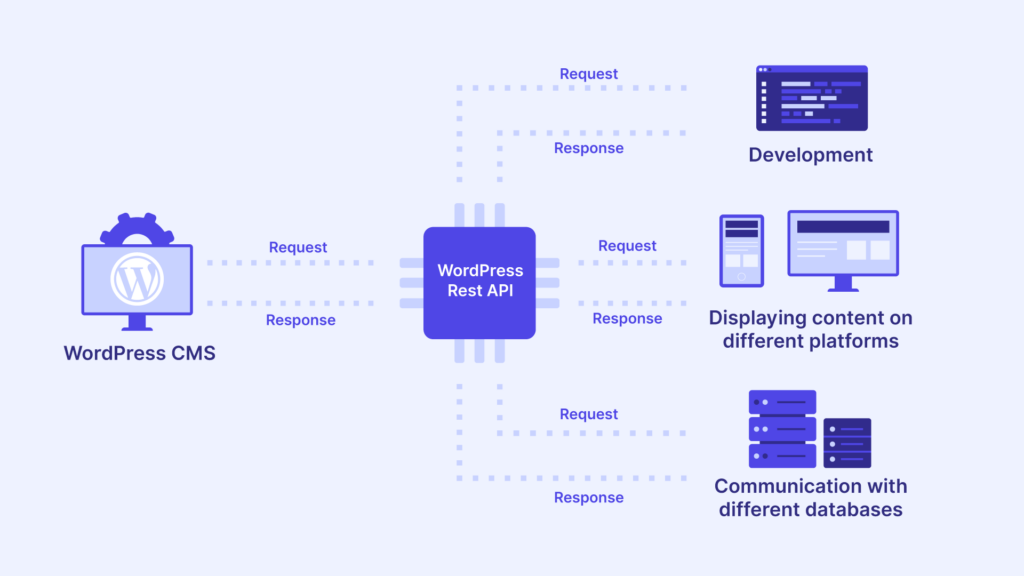
WordPress appears temp-write-test: permissions/caching/security plugin how to find out
WordPress temp-write-test occurs mostly due to permission ownership, cache directory unwritable or security tamper blocking. Locate and fix it according to the 10-minute checklist.
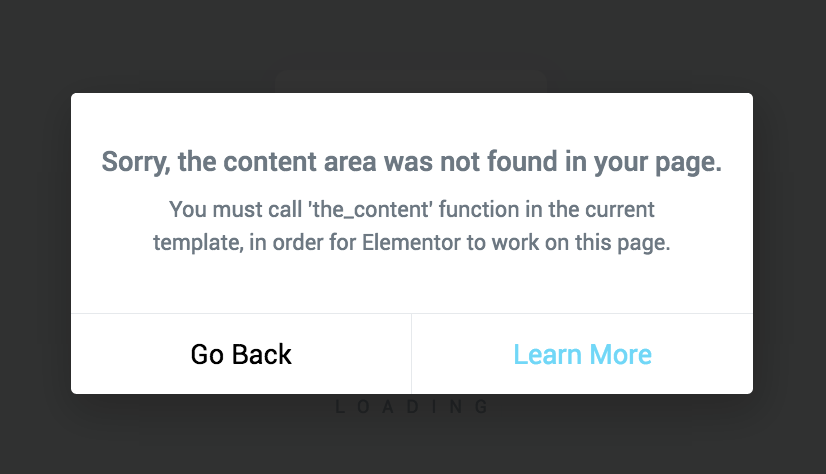
Elementor hints that the_content must be called: root cause and fix solution (call the_content)
Elementor suggests that the_content must be called, either because the template does not output the_content or because it bypasses the filter. This article gives a way to locate it and three fixes.

How to avoid WoodMart Filter generating invalid URLs that affect search engine indexing
WoodMart Filter can silently generate a large number of invalid URLs, diluting weight, creating duplicate content, and dragging down indexing. This article is a step-by-step explanation of the causes, risks, and SEO controls that can be put in place.

How to Aid Keyword Research with ChatGPT (version 2026)
Discover how to use ChatGPT to assist with keyword research, quickly generate relevant keywords, long-tail terms, and content ideas, improve SEO efficiency, and optimize page rankings.

Elementor editor loads very slowly: sequential troubleshooting from plugin conflicts to server performance (Elementor editor loads very slowly)
What to do if Elementor editor loads very slowly? Troubleshooting in order: safe mode to locate conflicts, turn off JS delay and merge, check wp-json vs admin-ajax, then PHP/database/server performance.

DISALLOW_FILE_EDIT where to put the most correct? wp-config.php write and notes (including the list of troubleshooting)
Obviously turned on DISALLOW_FILE_EDIT is still being plugged into the code? 90% is not a switch problem! This one pulls out path errors, multisite overrides, MU plugins, OPcache, BOM and permission pits in one bite.
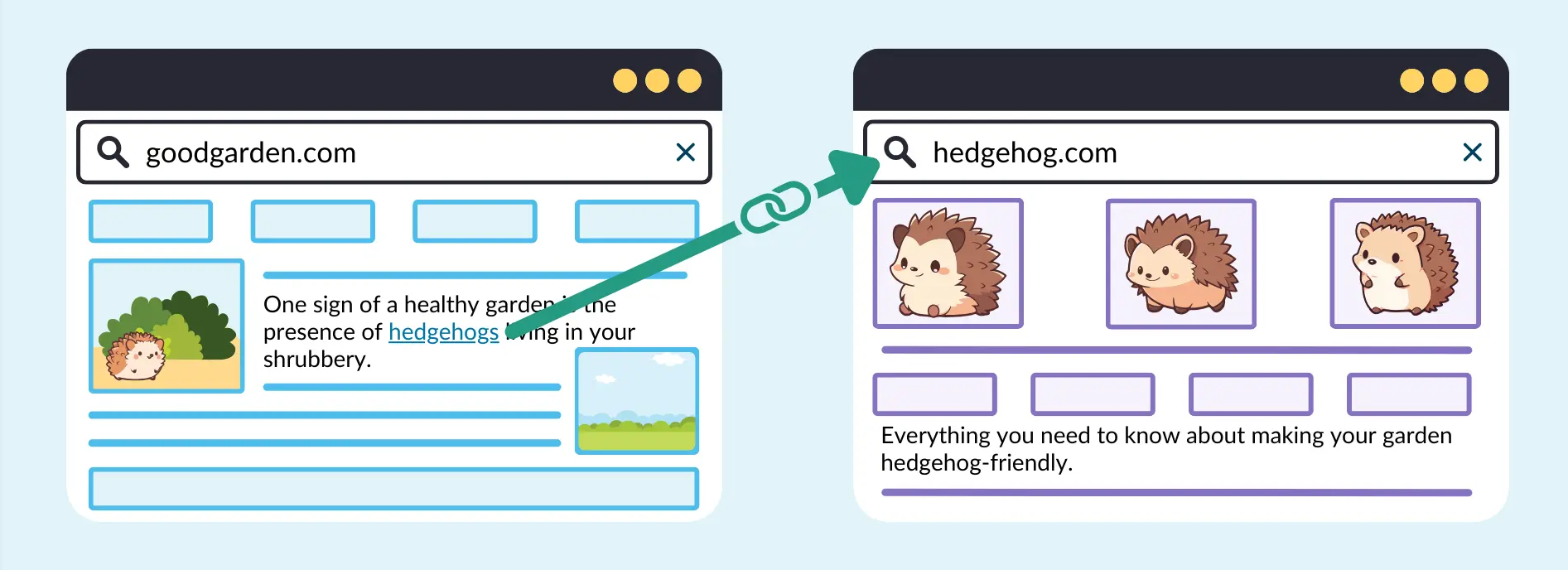
Tutorial article internal link layout: using problematic links to make long-tail keywords into sustained traffic
Around the tutorial article internal chain layout, tell the problem link how to plan anchor text and page hierarchy, drive the long-tail words stable ranking and sustained traffic, and give the layout steps that can be directly landed.

Do Elementor users need to enable DISALLOW_FILE_EDIT? Will it affect visual editing?
Elementor users should open DISALLOW_FILE_EDIT or not, it does not affect the visual editing, but also can significantly reduce the risk of code insertion in the background! One article explains the difference, scenarios and reinforcement list.





