










How to Create, Save and Import Export Templates with Elementor
Elementor tools make designing beautiful pages, articles and entire websites a breeze. How to safely apply new Elementor templates Elementor templates are pre-designed layouts for individual pages or specific user interface (UI) elements. Although they sound like WordPres...

How to Customize WooCommerce Shopping Cart Page: Detailed Guide
The shopping cart page is an important part of the e-commerce experience. As the last point of user interaction before checkout, the shopping cart page directly affects the user's purchase decision, so carefully designing and customizing this page can significantly improve user experience and conversion rates. This guide will explain how to customize the shopping cart page through...

How to add WhatsApp button in WordPress: detailed tutorial
Before adding a WhatsApp button, you need to first determine whether the function of this button is to display WhatsApp contact information only or to provide a live chat service. This distinction is important because it will directly affect your website performance and user experience. Live Chat vs.

WooCommerce Product Page Editing Tutorial: A Comprehensive Guide
In WooCommerce, the product page is an important page for users to understand product information and make purchase decisions. Therefore, editing and optimizing product pages not only helps to improve user experience, but also increase conversion rate. In this article, we will explain in detail how to edit in WooCommerce...

Elementor Page Setup Features Explained
Elementor is a powerful page builder plugin that helps users easily create various pages, posts and templates. When using Elementor, click the gear icon in the bottom left corner to access the page setting functions. In this article, we will introduce these setting functions in detail to better li...

How to Optimize and Customize Site Identity in Elementor: A Complete Guide from Title to Logo
In WordPress, a site identity typically includes a site title, tagline, logo, and site icon (Favicon). These basic elements form the core brand identity of a website. In Elementor, we can not only use WordPress Customizer to manage this...

How to Find, Fix, and Prevent Broken Links: The Complete Guide to Improving Your Website's User Experience and SEO Rankings
Broken links can affect user experience and SEO rankings. This guide teaches you how to use Google Search Console, plugins, and tools to find and fix invalid links and prevent link failures to improve website performance and SEO performance.

How to configure a sitemap in Rank Math
In this tutorial, explore how to configure a sitemap in Rank Math to optimize your website's SEO performance. A sitemap is one of the most important parts of your website that helps search engines efficiently crawl, index, and understand the structure of your site and ensure content visibility. 1. what ...

Detailed Guide to Creating Easy Product Detail Page Templates with Elementor
When building a WordPress website, we need to create a simple product detail page template in order to better display product details and general post content. In this article, we will introduce in detail how to use Elementor to realize this kind of product detail page template creation, and share related implementation ideas...
How to Use Advanced Custom Fields in Elementor: A Detailed Guide
WordPress is one of the most popular choices when it comes to creating a feature-rich and visually stunning website. Not only because of its flexibility, but also because of its perfect compatibility with various plugins. Two great plugins are Elementor and Advanced C...
How to Create Exit Intent Popups with Elementor Pro
Exit intent popups are an effective tool for guiding users to take action before leaving a website, such as subscribing to a newsletter, getting a discount offer or filling out a form. With Elementor Pro, it's easy to create such popups that display key information when users try to leave...

How to remove the "Powered by: Elementor" message from Elementor forms
What is Elementor Forms? Elementor Forms is a powerful form builder that allows you to create custom forms on your WordPress website without writing any code. With Elementor Forms, you can easily create contact forms, registration forms,...

How to Optimize Your Website Navigation Menu with Elementor Pro and WordPress
If you want to design a nice menu for your website, there are a couple of different methods you can choose from. One is to use WordPress' default menu editor, which is simple and practical. Another is to utilize Elementor's navigation menu widget, which allows you to highly customize your menu,...

How to Embed YouTube Shorts in a WordPress Website Using Plugins
With the rapid growth of short-form video content, embedding YouTube Shorts in a WordPress website can greatly enhance the interactivity of your site. YouTube Shorts are not only eye-catching, but they can also quickly capture the attention of users, making them a powerful marketing tool. In this article, we'll go over...

8 Essential Keyword Research Tools to Help Grow SEO Traffic
Discover 8 powerful keyword research tools to help you boost your SEO results. This article covers tools such as Semrush, Google Search Console, Ahrefs and more for different SEO needs to help you boost your website traffic and rankings.

How to Reinstall WordPress Without Losing Data: A Complete Step-by-Step Guide
Reinstalling WordPress may be a necessary step when your WordPress website has an unsolvable problem. However, what you need to be aware of when reinstalling WordPress is how to avoid losing data, such as your blog posts, pages, and custom styles, among other things. This ...
How to Clear Elementor's Cache to Optimize Website Performance and Keep Content Updated
Learn how to clear the Elementor cache to ensure that your WordPress site is always displaying up-to-date content and optimizing loading speeds. This article provides detailed clearing steps and FAQs to help you improve your site's performance.

Detailed Guide to Creating Easy Product Detail Page Templates with Elementor and Gutenberg Editor
Sometimes we need to create a simple product detail page template in order to distinguish the product details from the ordinary article detail page. In this article, we will introduce how to use Elementor and Gutenberg editor to realize this kind of product detail page template creation, and share the related implementation ideas and specific...
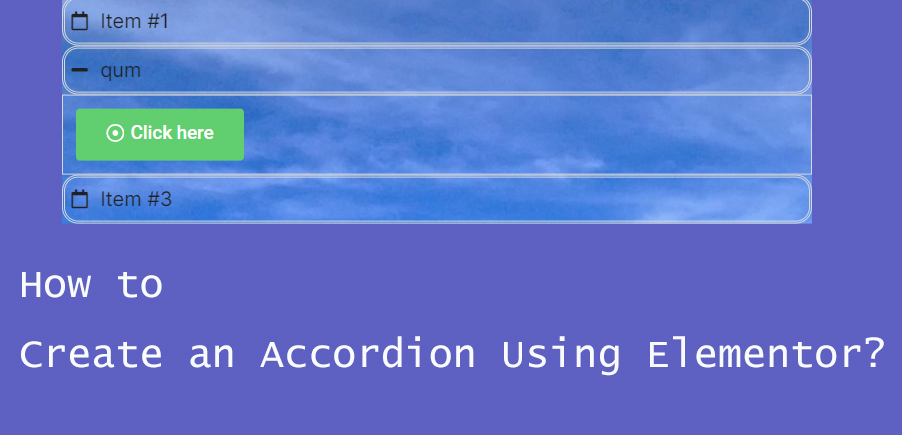
How to Create Accordion Widgets with Nested Elements in Elementor: The Ultimate Guide to Enhancing User Experience
To improve the user experience, web developers often use "Accordion widgets" (accordions) to organize content. Accordion widgets can be used to show and hide content in a hierarchical fashion, making the page look cleaner and improving the user interaction experience. With nested meta...
How to Choose and Use the Best Plugins to Accelerate Your WordPress Website
WordPress is the world's most popular Content Management System (CMS), offering users unparalleled flexibility and ease of use. However, when it comes to website page loading speed, how to speed up your WordPress website by choosing and using the best plugins would be what you need to...

Detailed Guide: How to Install and Manage Custom Fonts on a WordPress Website
On WordPress, in addition to using the standard fonts provided by the platform, you can also install custom fonts to better suit your design needs. This guide will detail how to install fonts from Google Fonts and how to upload your own font files, allowing you to teach yourself on WP...

How to Effectively Solve WordPress Theme Editing Problems
"Unable to edit theme in WordPress" means that you can't access or modify the WordPress theme files or customize the appearance of your website using the theme editor. This may happen due to the following reasons: Lack of WordPress Appearance Editor Theme Editor...

How to Add Video Backgrounds to Your WordPress Site with Elementor: An Exhaustive Guide
In this article, we will explore in detail how to add a video background to your WordPress website using Elementor Page Builder. Every step from choosing the right video to optimizing performance will be learned, ensuring a background video that is not only aesthetically pleasing, but also enhances the site's overall...

How to fix Elementor loading lag: a detailed guide
Elementor simplifies the process of developing website pages in WordPress. However, you may occasionally experience Elementor getting stuck on loading screens, and sometimes widget panels may not load. These problems can come in many forms, and some users don't know what they...

A Comprehensive Guide to Resolving Elementor Unable to Edit Issues
Sometimes you may encounter a problem in Elementor that prevents you from editing a page or widget. When you are editing with Elementor, pages may appear "white screen of death", widget panels may be grayed out, and the editor may load indefinitely. These issues can affect workflow,...

How to fix "Unable to create directory wp-content/uploads.Is its parent directory writable by the server."
When using WordPress, many users may encounter the common error "Unable to create directory wp-content/uploads.Is its parent directory writable by the server. "Is its parent directory writable by the server. This issue prevents you from adding blog posts...

How to create and optimize Carousel gadgets in Elementor Pro
Creating and Using the Carousel Gadget Carousel is the latest addition to Elementor Pro, a gadget that allows you to present multiple pieces of content as a slideshow. 1.Change Elementor Settings Before using the Carousel gadget, you need to adjust the following Elementor settings. Log in ...

How to easily modify the WordPress footer copyright text: three practical methods explained
What is WordPress Footer Copyrighted Text? WordPress footer copyright text is the text at the bottom of your website. By default, WordPress displays a copyright notice such as "Powered by WordPress". Why do I need to change the footer copyright text? Brand image is important...

How to Add Buttons in WordPress Classic Editor
This article details three ways to add custom buttons in the WordPress Classic editor: inserting HTML and CSS manually for full customization, using plugins for quick implementation, and combining with the TinyMCE Advanced plugin to add them directly in the toolbar. Whether you are familiar with the generation...

Comprehensive Guide: 8 Ways How to Remove Sidebars in WordPress
What is a sidebar in WordPress? A WordPress sidebar is a widget area, usually located on the left or right side of a website page, used to display additional information or a navigation menu. It allows for additional content to be added next to the main content and is an important part of a website's layout. Sidebars...

 简体中文
简体中文  English
  日本語
日本語  Français
  Español



