










An in-depth analysis of Elementor floating buttons: a key design element to enhance website user experience
A Floating Action Button (FAB) is a common user interface element usually found on websites or mobile applications. It is characterized by hovering over the content of a page, usually fixed to a corner or edge of the page, and remains visible to the user while scrolling...

Error Code 521: What is "Web Server Down"? How is it different from 502 and 504?
Instantly master the essential difference between errors 521, 502 and 504 with a 3-step first aid program. From troubleshooting to quick recovery, bring your website back to life instantly!

How to fix the "you must call the content function" error in Elementor (4 ways)
If you use Elementor, you may occasionally encounter errors specific to this page builder plugin. "You must call the content function" is one of them. This error message is particularly headache-inducing because it can prevent you from using the page builder altogether. Usually, when you try to compile...

How to Customize WooCommerce Shopping Cart Page: Detailed Guide
The shopping cart page is an important part of the e-commerce experience. As the last point of user interaction before checkout, the shopping cart page directly affects the user's purchase decision, so carefully designing and customizing this page can significantly improve user experience and conversion rates. This guide will explain how to customize the shopping cart page through...

How to Effectively Stop Spammy User Registrations on Your WordPress Site: Detailed Solution
In WordPress, if you receive frequent emails for new user registrations, it may be because your site allows user registrations and there are bots automatically registering a large number of users. Here are some solutions to help you reduce or block these spam emails: 1. Disable user registration ...

How to Add Schema Markup with Rank Math Pro to Boost SEO and Click Through Rates
Schema Markup makes Google search results more attractive, increasing click-through rates and SEO rankings. This article introduces 20+ Schema types of Rank Math Pro in detail and demonstrates how to quickly add structured data to optimize website presentation.
Three Ways to Implement Scrolling Animation in WordPress: Plugins, Elementor and CSS Tutorials
Add scrolling animation in WordPress to enhance web page dynamics and user experience. This article introduces a variety of ways to achieve scrolling animation through the Scrollsequence plugin, Elementor builder, and HTML anchor tags and CSS, suitable for different needs.

Adding Custom Fields to WooCommerce Products with ACF Plugin and Elementor Pro for Advanced Product Detail Page Designs
Using the ACF (Advanced Custom Fields) plugin it is possible to add custom fields to WooCommerce product categories and products, such as videos, QA fields, etc. Combined with Elementor Pro's template feature, you can create advanced product listing pages and product detail pages. Here are the details...

How to install WordPress on a local host computer
Hands-on guide to install WordPress locally using XAMPP/MAMP, including database configuration, server settings and FAQs. Test and develop WordPress websites without internet, suitable for developers and beginners.

Best Free & Professional Elementor Templates Resources Recommended: Build Efficient Websites Fast!
Elementor is a powerful WordPress page builder that allows users to create website designs using simple drag and drop functionality. There are pre-made Elementor templates on the market that can help you build professional websites quickly. In this article, we'll cover 10 of the best free...

WordPress Custom Fields Plugin Guide
Custom Fields or Advanced Custom Fields allow you to add additional data or metadata to content entries beyond the default fields. For example, if you have a blog, the default fields might include the post title, body content, author, and date. With the customization introduced in WordPress development...

How to Add Custom Buttons to WordPress Posts and Pages: A Detailed Step-by-Step Tutorial
Adding buttons is made easy with WordPress built-in button blocks, a feature introduced with the Gutenberg WordPress block editor. This article will show you the many ways to add call-to-action buttons to WordPress blog posts and pages. You can choose the most...

Overcoming the Elementor White Screen of Death: A Comprehensive Guide
Overcoming technical challenges is inevitable in web development. One particular headache is Elementor's White Screen of Death (WSoD). This article details the impact of this problem and its solution. The adverse effects of Elementor's White Screen of Death ...

Advanced Tip: Creating Full Screen Slideshows and Content Overlays in WordPress
In WordPress, full-screen slideshows can not only dramatically improve the visual appeal of a website, but also enhance the user interaction experience. Combined with content overlay technology, it can further improve the display effect and provide visitors with more information or interactive opportunities. This article will detail how to use E...
How to Choose and Use the Best Plugins to Accelerate Your WordPress Website
WordPress is the world's most popular Content Management System (CMS), offering users unparalleled flexibility and ease of use. However, when it comes to website page loading speed, how to speed up your WordPress website by choosing and using the best plugins would be what you need to...

How to Optimize and Customize Site Identity in Elementor: A Complete Guide from Title to Logo
In WordPress, a site identity typically includes a site title, tagline, logo, and site icon (Favicon). These basic elements form the core brand identity of a website. In Elementor, we can not only use WordPress Customizer to manage this...

How to Export and Import WordPress Themes: A Comprehensive Guide to Backup, Migration and Sharing
Why Export WordPress Themes? Here are a few common reasons for exporting WordPress themes: Creating a backup: Before customizing your theme, make a backup of the original theme. This way if something goes wrong after making changes, you can restore it by importing the backed up theme files. ...

A Comprehensive Guide to Resolving Elementor Unable to Edit Issues
Sometimes you may encounter a problem in Elementor that prevents you from editing a page or widget. When you are editing with Elementor, pages may appear "white screen of death", widget panels may be grayed out, and the editor may load indefinitely. These issues can affect workflow,...

A Guide to Perfecting Background Overlays in Elementor: Enhancing Web Design Hierarchy and Readability
Background Overlays By applying translucent overlays on top of a background image or color, designers can subtly enhance the visual impact of a page, ensure readability of the content, and create a sense of hierarchy.Elementor, a WordPress visual editor, offers a rich set of back...

Detailed Guide to Creating Easy Product Detail Page Templates with Elementor
When building a WordPress website, we need to create a simple product detail page template in order to better display product details and general post content. In this article, we will introduce in detail how to use Elementor to realize this kind of product detail page template creation, and share related implementation ideas...

5 Ways to Fix "Allowed Memory Size Exhausted" Error
WordPress reporting error "Allowed memory size exhausted"? This guide introduces 5 ways to increase PHP memory limit, including modifying wp-config.php, PHP.ini, .htaccess, and using plugins to make your site run smoother!

8 Essential Keyword Research Tools to Help Grow SEO Traffic
Discover 8 powerful keyword research tools to help you boost your SEO results. This article covers tools such as Semrush, Google Search Console, Ahrefs and more for different SEO needs to help you boost your website traffic and rankings.
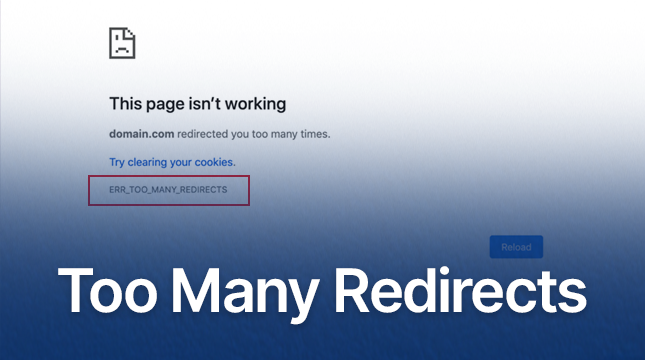
WordPress Redirects Too Many Times: ERR_TOO_MANY_REDIRECTS Error Cause and Solution
Detailed analysis of the causes and fixes of ERR_TOO_MANY_REDIRECTS errors, including HTTPS configuration, caching issues, plugin conflicts and CDN configuration, to help websites quickly solve redirection loop problems and improve performance.

Full tutorial on how to implement and customize breadcrumb navigation in WordPress using RankMath
If you have the RankMath SEO plugin installed, you can use the breadcrumbs feature it provides. While the free version of RankMath SEO usually implements the breadcrumbs feature via shortcodes, the RankMath SEO Pro version offers integration into Elementor's breadcrumbs meta...
Implementing Dynamic Tables in Elementor: A Guide to Automatic Updates and Custom Styles
Create dynamic tables in Elementor to display real-time updated data and reduce manual maintenance workload. This article introduces using TablePress and WP Data Tables to achieve automatic data synchronization for product catalogs, inventory information, etc., which helps to improve website user experience.

How to Effectively Solve WordPress Theme Editing Problems
"Unable to edit theme in WordPress" means that you can't access or modify the WordPress theme files or customize the appearance of your website using the theme editor. This may happen due to the following reasons: Lack of WordPress Appearance Editor Theme Editor...

Adjusting Elementor's video aspect ratio: ensuring perfect display on every device
When building a website, video content can greatly enhance the user experience, especially through a visual editor like Elementor. However, aspect ratio settings are important when displaying videos on different devices. Whether you're embedding a YouTube video or uploading a local video, make sure the video is displayed on each...
How to Change Font Typography and Color Settings in Elementor: A Detailed Guide
When designing a website with Elementor, the font typography and color settings can greatly affect the overall look and user experience of the site.Elementor offers a range of flexible design options that make it easy to adjust text size, color, font family, font weight, and other typographical...

Comprehensive Guide: 8 Ways How to Remove Sidebars in WordPress
What is a sidebar in WordPress? A WordPress sidebar is a widget area, usually located on the left or right side of a website page, used to display additional information or a navigation menu. It allows for additional content to be added next to the main content and is an important part of a website's layout. Sidebars...
How to create full-width slides with text overlays using Elementor
How to use the Elementor plugin to create a full-width slideshow with text overlays in your WordPress site to help give your site a more professional look. Step 1: Add a full-width layout In the WordPress backend, click "Pages" > "Add New Page", and name the page...

 简体中文
简体中文  English
  日本語
日本語  Français
  Español



