


 early season



The guy was lazy and didn't write anything...



Personalize WooCommerce Thank You Pages with Avada Themes to Enhance Customer Experience
Create personalized WooCommerce thank you pages with Avada layouts to enhance customer experience and increase brand awareness. This article explains how to design thank you pages and add key elements such as order information, customer details, and cross-selling to help boost conversions and user loyalty...

Avada Theme Tutorial: Designing Unique WooCommerce Product Detail Pages with Avada
Learn how to build personalized WooCommerce product pages using Avada layouts. With dynamic content integration, seamless integration with WooCommerce, and pre-built templates, it's easy to create e-commerce pages that fit your brand's needs. Ideal for large-scale product management and enhancing the use of...

How to Set Up Vertical Menus and Mobile Tab Menus in Flatsome: The Complete Guide
This article describes how to set up vertical menus and mobile tab menus in Flatsome theme to enhance the user experience of e-commerce websites, especially on mobile, to help better display and navigate products.

Elementor failed to load? Three quick fixes for "Enable Safe Mode" issues
Elementor editor failed to load how to do? This tutorial teaches you to enable safe mode, troubleshoot plugin conflicts and reinstall Elementor three ways to quickly solve the "Problems loading Elementor" prompt, to help you restore normal editing page functionality.

5 Best Free Elementor Themes Recommended: Easily Build High-Performance WordPress Websites
We recommend 5 free WordPress themes that are perfectly compatible with Elementor, including Astra, Hello Elementor, Neve, GeneratePress and Zakra, which are suitable for different scenarios of blogs, e-commerce, enterprise official websites and so on, and help you easily build high-performance, high-conversion rate web...

Avada Theme Tutorial: How to create a custom timeline on the homepage to introduce the brand story in depth based on the time dimension
Use Avada Builder to build a responsive timeline with zero code to show your company history, project progress and important points. Detailed steps and homepage layout optimization suggestions are included to help you improve your brand's professionalism and user dwell time.

How to Customize Shopping Cart Pages with Elementor's WooCommerce Cart Widget
Customize the structure and style of your WooCommerce shopping cart page with Elementor's Cart widget to achieve brand consistency, improve user experience and checkout conversion rates. In this article, we will take you from the layout settings to style beautification to fully master the shopping cart customization skills.

How to Add a Floating WhatsApp Chat Button to a WordPress Website (Free Version)
Learn how to quickly add a floating WhatsApp chat button to your WordPress website using the WP Chat App plugin. With simple installation and configuration, visitors can communicate with you in real-time via WhatsApp, increasing the efficiency of customer interaction and support. Suitable for all WordPre...

Enhancing Customer Interaction! How to Use the Chaty Plugin to Create a Highly Effective Communication Experience
Chaty plugin is a powerful WordPress chat tool that integrates with multiple social media and messaging apps such as WhatsApp, Telegram and Facebook Messenger to help you efficiently manage customer communication on your website. With customizable widgets, real-time data sub...

A Deeper Look at Elementor's Loop Grid: Why It's a Powerful Tool for Your Content Presentation
Elementor's Loop Grid is a powerful tool that allows users to flexibly display content such as articles, products, categories and more. With customizable layouts, dynamic content display, and powerful querying capabilities, Loop Grid provides an efficient and creative way to display content and enhance user experience...

Don't want to break the rules and don't want the hassle? Here's how to get rid of cookie reminders with Elementor popups.
Easily create GDPR and CCPA compliant Cookie Consent popups using Elementor Pro's popup builder. The tutorial includes detailed steps from template selection to trigger setup without writing any code.

How to use the OpenStreetMap element of Avada theme to create a more accurate and flexible map display
Learn how to use Avada's OpenStreetMap element in your WordPress website to easily add and customize multiple locations, icons and map styles. In this article, we will explain the operation steps and applicable scenarios in detail, which will help you improve the geographic presentation and user experience of your website.

How to Boost Trust and Interactivity on Your Website with Elementor Comment Widgets
Easily display user reviews with Elementor review widgets to increase social trust and boost website engagement. This article explains how to add, edit and customize the appearance of review widgets to help you display user reviews for e-commerce, restaurant, travel and other industries to boost website credibility...
How to fix Elementor plugin display issues? Clear the cache to make the site smoother!
Learn how to clear cache files of Elementor plugin to improve website loading speed and resolve display issues. This article details Elementor cache clearing steps and common browser (Chrome, Safari, Edge) cache cleaning methods to help you quickly optimize WordPre...

How to Use Elementor to Create a Custom Scoring System and Improve Website Interactivity
Learn how to use the Elementor Star Rating widget on your WordPress website. This article details how to set a rating range, choose a rating icon and style, and customize the style to help you add a rating system to your products, services, or content to enhance your website's inter...

Amelia Plugin Getting Started Guide: A Hands-On Guide to Quickly Enabling Online Appointments
Learn how to create and set up an appointment form on your WordPress website using the Amelia plugin. This article describes in detail the installation, configuration, staff management, service settings, front-end appointment process and payment settings of the Amelia plugin to help users quickly build a professional online appointment system...

Flatsome Theme Tutorial: How to Create Floating Frame Header with Flatsome Theme
Learn how to create modern floating frame headers with the Flatsome theme, perfect for rendering floating effects with custom CSS. Ideal for small sites, especially business sites with fewer navigation items.

WordPress 6.8 Second Candidate (RC2) Released: A Sneak Peek at the New Features
WordPress 6.8 RC2 Beta Released, Official Version Set to Go Live April 15, 2025 The new version offers speculative loading, bcrypt cryptographic algorithm, block design upgrades, internationalization support and more security enhancements. Participate in the beta now to explore the latest improvements and optimized features of WordPress.

Elementor can add image and video pop-up effects without upgrading the package (free version)
Easily add image and video pop-ups to your Elementor website with Happy Addons' Lightbox widget, which is easy to use, supports the free version, and requires no programming to enhance the visual appeal and interactive experience of your page.

WordPress SEO: A Complete Guide to Optimization Strategies and Practical Tools
Comprehensive analysis of the battle-proven WordPress SEO optimization process, covering technical optimization, plug-in configuration, keyword strategy, content optimization and internal link building, to help websites get stable natural traffic.

Avada Theme Tutorial: How to Use Avada's Google Maps Elements for Geo-targeting to Enhance Brand Trust
Learn how to use Google Maps elements in your Avada theme, configure API keys and choose the right type of sitemap. This article explains how to set map size, address, zoom level, and other options to help you provide accurate geolocation and interactive mapping features for your website.

Avada Theme Tutorial: How to Design Interactive Blog Posts with Avada Post Slider
Learn how to add interactivity and visual appeal to blog pages with Avada's Post Slider elements. Display blog posts with different layout options to bring the content to life and enhance the user experience.

Make Elementor pages move! Essential Addons animations explained!
Add interactive animation effects to your Elementor website with the Essential Addons plugin to make page elements move and enhance visual appeal. This article describes in detail how to use the plugin for images, text and containers and other elements to set dynamic effects, to enhance site interactivity and use...
Avada Theme Tutorial: How to Add Filters to Products Using the Woo Filter Element
Add price, attribute, rating, and other filters to WooCommerce store pages with Avada's Woo Filter element for a more flexible product filtering experience that improves conversion rates and user satisfaction.

Elementor Plugin Recommendations: Top 5 Tools for Improving Web Aesthetics and Design Performance in 2025
Five of the most recommended Elementor plugins to use in 2025! From ElementsKit and PowerPack to Happy Addons, these plugins will help you create feature-rich, beautifully designed WordPress sites for all Elementor users.
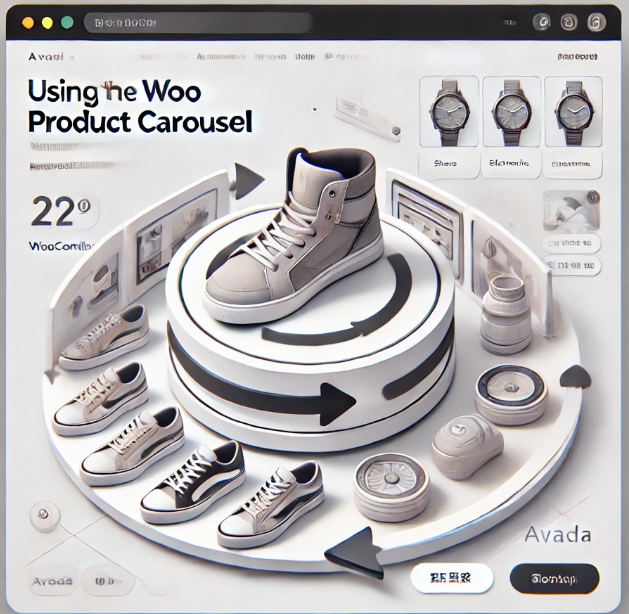
Avada Theme Tutorial: Avada Woo Product Rotation Element Usage Guide to Increase Website Conversion Rate
With Avada Woo product rotation elements, create beautiful and smooth product display modules, support autoplay and customized layouts, help WooCommerce website to improve the conversion rate and sense of professionalism.

WordPress Site Backup and Migration Complete Tutorial: Fast Site Moving with the Duplicator Plugin
Want to move or backup your WordPress website easily? This tutorial explains how to use the Duplicator plugin to pack up your website in one click, and quickly realize the migration and restore, which is suitable for changing hosts, changing domain names or creating test environments. It's easy to use for newbies.

Astra Theme Tutorial: How to Add Breadcrumb Navigation on Astra Theme
Detailed tutorial explains how to enable and set up breadcrumb navigation in Astra theme, including display position, style adjustment and integration with Yoast SEO and Rank Math plugins to improve website navigation structure and SEO performance.

Astra Theme Tutorial: How to Translate Widget Content in Header and Footer on Astra Theme with Polylang
How to translate header, footer and sidebar widget content in Astra Theme using Polylang or Polylang Pro plugin for multi-language support and professionalism of your website.

Astra Theme Tutorial: How to Enable and Design a Custom 404 Page on Astra Theme
Learn how to use the Site Builder module in the Astra Pro plugin to create and customize your WordPress website's 404 error page to improve user experience and brand professionalism.

 简体中文
简体中文  English
  日本語
日本語  Français
  Español



