





arrange in order

A Complete Beginner's Guide to Adding Template Archives in Elementor: Create Your Archive Page from Scratch
Want to make your website more attractive and efficient? Learn how to create powerful archive pages with Elementor to enhance user experience, optimize site structure, and boost SEO rankings! Click to get started building your archive pages now!

How to Add a Site-Wide Announcement Bar and Top Notification Using Elementor Custom Code
Create eye-catching announcement bars with just one click using Elementor Custom Code. Boost marketing conversions, holiday campaign visibility, and site-wide notification effectiveness. Even beginners can quickly create professional alert bars.

Building High-Conversion Pages: How Kadence Blocks Animations Keep Users Engaged Longer?
Want to make your pages truly come to life? Kadence Blocks (PRO)'s fade-in, slide, zoom, and scroll-triggered animations instantly elevate the quality. This guide walks you through setting up rhythm, offset, and delay to transform flat pages into dynamic ones—keeping visitors scrolling!
Detailed Explanation of Version Control and Migration Issues for Custom Database Tables in WordPress
In WordPress projects, custom database tables often expose version control and migration issues during long-term maintenance. This article outlines a more stable management approach by addressing common risks and practical solutions.
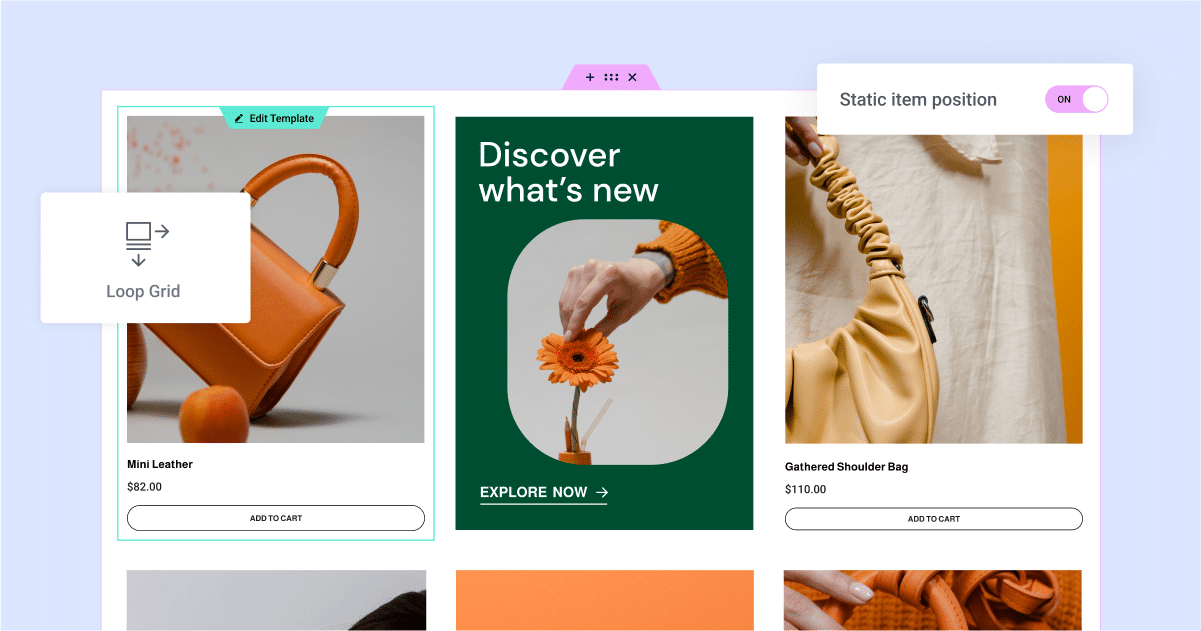
Dynamic Content + Loop Grid: Why It Works for "E-commerce-Style" List Pages
Dynamic content paired with a fluid grid system enables rapid creation of e-commerce-style listing pages: Uniform card design, automatic updates, support for filtering, sorting, and pagination, making maintenance hassle-free.
Error Handling and Debugging Techniques for WordPress Custom Tables
Organize common error types encountered during development when working with WordPress custom tables, and introduce debugging, logging, and transaction handling methods based on wpdb to help identify and resolve database issues.
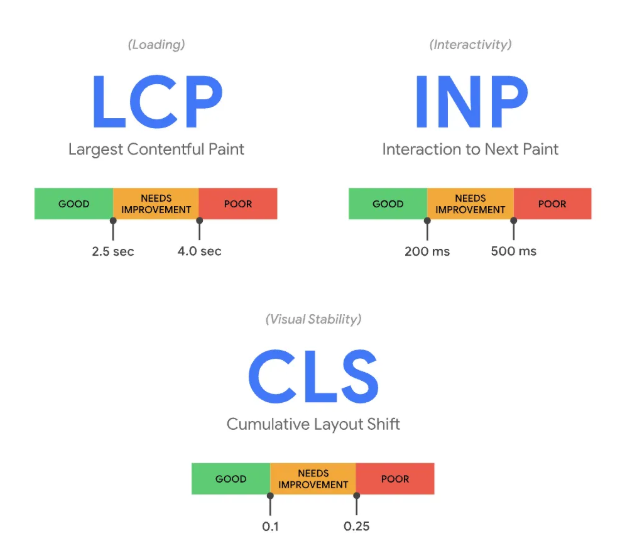
Elementor Slow First Screen: How to Optimize 3 Core Metrics: LCP, CLS, INP, etc.
Elementor page not reporting errors but stuck to crash? If the first screen is slow, keeps jumping, or doesn't respond when you click on it, it's most likely because the LCP/CLS/INP have not been disassembled and looked at. Optimize them in the right order and you'll see immediate results.
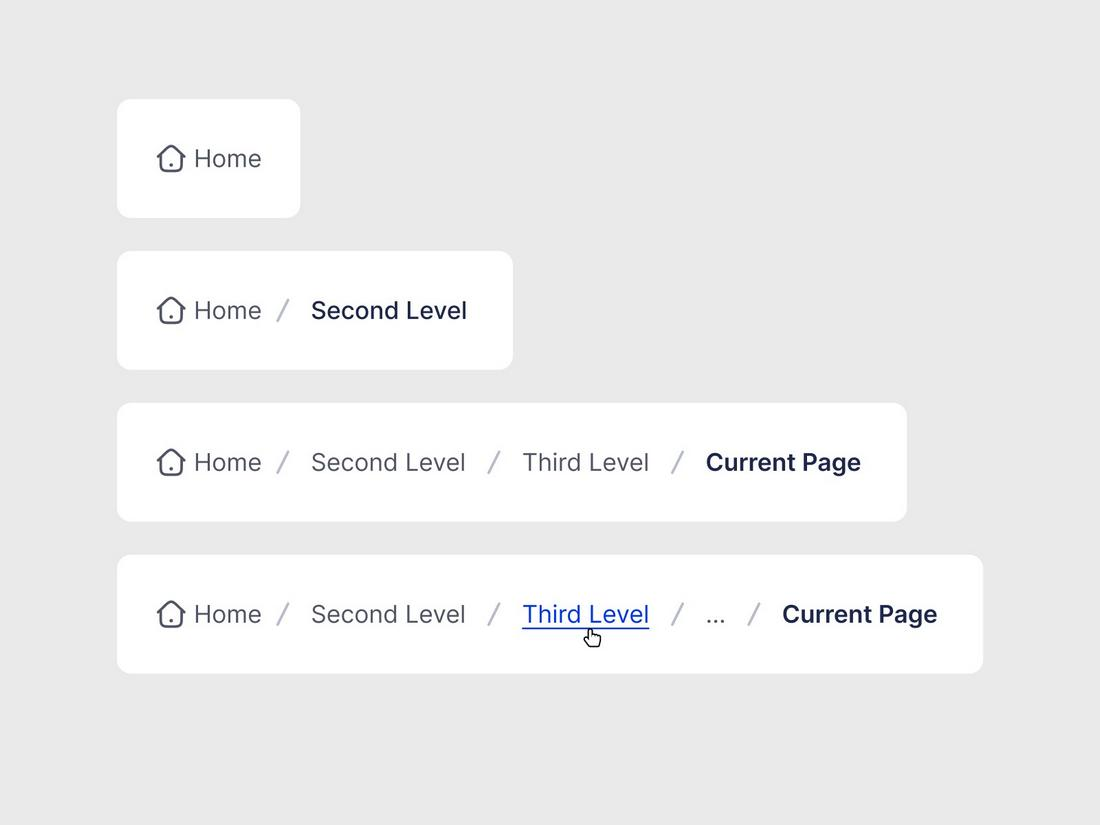
WooCommerce with Rank Math Breadcrumbs: Category Hierarchy, Product Page Path, Breadcrumb SEO Optimization Solution
Enable breadcrumbs in WooCommerce with Rank Math, organize category hierarchies, set product main categories and fixed link paths, and output BreadcrumbList structured data to improve navigation and inclusion performance.

WordPress Default Editor (Gutenberg) vs Elementor: which is better?
Which is better, Gutenberg or Elementor? This article compares Gutenberg and Elementor in terms of ease of use, page freedom, speed, maintenance costs and scenarios, and gives practical advice on choosing between a content site and a marketing page.

DISALLOW_FILE_EDIT where to put the most correct? wp-config.php write and notes (including the list of troubleshooting)
Obviously turned on DISALLOW_FILE_EDIT is still being plugged into the code? 90% is not a switch problem! This one pulls out path errors, multisite overrides, MU plugins, OPcache, BOM and permission pits in one bite.

Is Nexter Blocks good: what page scenarios are they good for (with common conflicts)?
The nexter blocks are suitable for landing pages, service pages and article enhancement modules; common conflicts arise from JS delays/merges, theme style overrides and multi-block suite overlays.

woodmart multilingual how-to: structure, switching, SEO signals sorted out at once
woodmart Multi-language how to do? This article rationalizes URL structure, language switching and SEO signals like hreflang/canonical/sitemap, and gives a list of common conflicts and fixes.

MailPoet Tutorial: How to Create Your First Newsletter and Send Test Emails
MailPoet hands-on: from installation to the first Newsletter test send, a run through the delivery rate, layout, SMTP and common errors, do not step in the pit!

How important is it to fine-tune your independent site?
In an independent website, fine-tuning operations is very important because it can help the website to improve user experience, boost sales growth, increase user loyalty and reduce operating costs. Here are some specific explanations about the importance of fine-tuning operations: Improve user experience: fine-tuning operations...

Four Ways to Extend WordPress Functionality: A Guide to Adding Custom Functions
Discover how to add customization to WordPress: a practical guide As someone with years of experience developing the backend of WordPress, I've tried a number of ways to customize WordPress to meet my own and others' specific needs. One of the most common ways is to create...

What's New in WordPress 6.5: Font Library Explained
WordPress version 6.5 adds the Font Library feature, which allows users to manage fonts directly in the editor. This feature also provides a set of APIs that allow developers to control, tweak, and disable the behavior of font libraries. Font Sets A font set is a series of fonts that a user can manage through the editor...

A Complete Guide to Creating Custom URL Links in WordPress
Would you like to have unique link addresses for posts, pages or other types of content in WordPress? Not long ago, a WordPress newbie asked us a question: is it possible to customize the link structure of a post or page in WordPress? In this post...

How to block specific IP addresses in WordPress: a detailed guide
Want to block certain specific IP addresses from accessing your WordPress site? Using a method of blocking IP addresses can help you avoid spam and hacking attacks on your website. This article will guide you on how to set up blocking specific IP addresses in WordPress and teach you how to determine which IP locations...

WordPress Tutorial: Creating a Slideshow with Image and Video Support
WordPress is a popular content management system (CMS), especially popular with website owners who are not very good at programming, as it allows them to focus more on creating content. It also has a large user community that offers hundreds of great plugins for use...

An Easy Guide to Adding Social Media Icons to Your WordPress Site
Adding social media icons to your website is important because it helps visitors easily find and follow you on their usual social platforms. If your website doesn't have these icons, such as in the footer or header, visitors may not be able to find them, which is like you're not providing a way...

WordPress Website Tutorial: Adding an Efficient Inquiry Button (CTA)
Many B2B websites set specific goals, such as wanting people to inquire about a product or sign up for an email list. In order to achieve these goals, you need to encourage visitors to take action, which requires adding an inquiry button to WordPress. Call-to-action terms (CTAs) are website...

WordPress Two Tone Filter Tutorial: How to Create Unique Visual Effects for Images and Videos
We're going to take an in-depth look at how to utilize a very useful and creative feature in WordPress - the two-tone filter. We'll go through a series of detailed steps that will help you learn how to apply a two-tone filter to images and videos, create custom two-tone effects, and...

Learning WordPress - Selecting and Installing a Theme Learning
Today, focus on one core component - themes. A theme, simply put, is a template for the look and feel of your website. The beautiful thing about using WordPress is that you can change the look and feel of your website at any time by switching themes, and your content - text, images, etc. - is left as is...

Learning WordPress - Using Page Templates
A template is like a bunch of Legos put together to end up with a web page design. You can think of a template as a complete page layout that includes areas such as a header, sidebar, and footer. Learn how to use, modify and add templates to add to your articles and pages...

Generic API - Dashboard Widgets
We often hear about the WordPress Dashboard Widgets API, so what exactly is this. Learn what this API is used for, why it's so important for your WordPress site, and how to easily add widgets to your dashboard. Enhance your...

WordPress Guide to Setting Up Two Factor Authentication and Plugin Options
Two-factor authentication (2FA) is used to protect your WordPress website from unauthorized access. While many WordPress users may think that setting up 2FA is cumbersome and complicated, it's actually not that hard. I'll help you understand how 2FA can provide your WordPress site with extra...

What are filters in WordPress? How to use WordPress add_filter ?
What is a WordPress filter? A WordPress filter is a hook that modifies data before it is returned to the database and displayed to the user. As a result, you can customize the functionality of a plugin, theme, or website without changing the core WordPress files. For example...

WordPress bind multiple domain name tutorial, so that multiple domain names can access the same WordPress site
Tutorial ideas: the need to bind the domain name, we first set up a new website in Pagoda, and then let the site use the WordPress program files, and finally add the corresponding code in the program files to achieve the effect of multiple domain names to access the same site. Description: The following example: w...

WordPress Bulk Modify Post Publishing Time
Bulk modifying the posting time of a post is an important and useful feature in WordPress administration. Why modify the time? Batch modifying the post publishing time can optimize the order of post content display, so that the post publishing time of a certain board can be advanced or pushed back. First of all, I...

Pagoda Panel WordPress Blog Blocking Mainland IPs
This guide details how to block mainland China IPs using Nginx and Pagoda Panel to secure cross-border e-commerce websites and comply with regional website access policies. Learn how to set up IP blacklists, customize HTTP response status codes (e.g. 403 Forbidden) to prevent unwanted regional...

 简体中文
简体中文  English
  日本語
日本語  Français
  Español



