




Elementor Page 25
Elementor is a powerful drag and drop page builder for WordPress that makes it easy for users to create responsive websites. Known for its user-friendly interface that allows even non-developers to create professional-looking pages without writing a single line of code, Elementor offers a wealth of widgets, templates, and design options that grant complete creative freedom to improve the functionality and aesthetics of your website, making it the tool of choice for beginners and experienced developers looking to streamline their website design workflow.
arrange in order

Elementor Preview Page Not Loading: Causes and Solutions
Encountered the problem that Elementor preview page can not be loaded? This article explains in detail the common causes of the problem, such as theme settings, plugin conflicts, server configuration, etc., and provides a step-by-step solution to help you easily restore the page preview function.

How to Create Landing Pages in WordPress with Artificial Intelligence
Use AI to quickly create professional, high-converting landing pages in WordPress with no coding skills required. This article describes the pros and cons of AI landing pages and provides a detailed guide to Elementor to help you easily optimize SEO and increase conversions.

Elementor for Beginners: Web Design Tutorials from Scratch in 1 Second!
Elementor Tutorials, WordPress Design, Elementor Installation, Elementor Editor, Website Design, Elementor for Beginners, Page Builder Plugin, Elementor Widgets, Elementor Custom Styles, Responsive Design, Elementor Pro, Elementor Models...

Hello Biz: A WordPress Theme Tailored for Beginners
Hello Biz is a WordPress theme designed for small businesses and freelancers that is easy to use and offers professional templates and widgets to help you quickly build a responsive website and launch your online business.

Elementor AI: How to use AI to modify CSS and code to beautify your login page
Enhance your login page design with Elementor AI modifications to CSS and code to optimize page load speed, enhance interactivity, save development time and improve user experience. This article details how to customize buttons, backgrounds, fonts, and animations with AI to create engaging...

2025 Image Optimization Guide: essential tips to improve website speed and SEO rankings
Image optimization continues to be an important factor in website performance. This article breaks down 2025 image optimization best practices in detail, including choosing the right image format, resizing, compressing images, enabling lazy loading, optimizing metadata, and more, to help improve website speed and SEO rankings.

The Beginner's Bible: 10 Golden Rules for Building Fully Responsive Websites with Elementor
Learn how to create a perfectly responsive website with Elementor. This article covers 10 key tips, from mobile-first design to image optimization, to help you boost your site's performance and optimize the user experience on different devices.
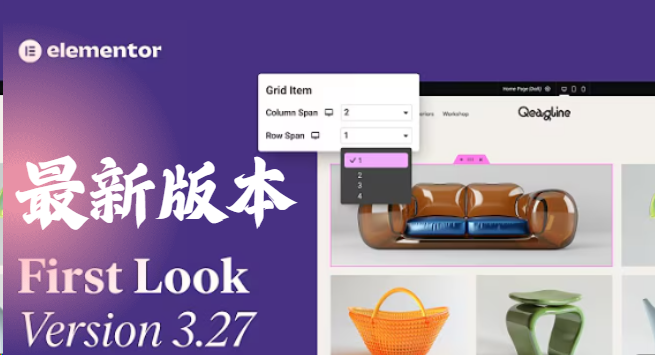
Elementor 3.27 Update: Flexible Grids, Security Enhancements, Accessibility Optimization and Creative Breakthroughs
The Elementor 3.27 update brings flexible grid layouts, improved site security, enhanced accessibility support, and new AI effects and native loading of Google fonts. It's easier than ever to create effective, smart, and creative websites that improve user experience and performance....

How to build a website with WordPress: detailed tutorials and processes
With this detailed WordPress website builder tutorial, newbies can easily build a personal blog, official business website or e-commerce website. Covering domain name selection, hosting recommendations, theme installation, SEO optimization and site security settings, allowing you to quickly go online with a high-quality website.

How to create and customize headers and footers with Elementor Free Edition
Learn how to use the free version of Elementor and the ElementsKit plugin to easily create and customize the header and footer of your WordPress website, entirely through a visual interface, with no coding experience required.

The Ultimate Guide to Fully Optimizing Elementor's Website Speed: Improving Performance and User Experience
Learn how to optimize the speed of WordPress sites built on Elementor to improve performance and user experience. This guide covers CSS optimization, cache settings, database cleanup, image compression, and other advanced techniques to help improve search engine rankings and reduce load times.
How to Clear Elementor's Cache to Optimize Website Performance and Keep Content Updated
Learn how to clear the Elementor cache to ensure that your WordPress site is always displaying up-to-date content and optimizing loading speeds. This article provides detailed clearing steps and FAQs to help you improve your site's performance.

 简体中文
简体中文  English
  日本語
日本語  Français
  Español



