




Elementor Page 29
Elementor is a powerful drag and drop page builder for WordPress that makes it easy for users to create responsive websites. Known for its user-friendly interface that allows even non-developers to create professional-looking pages without writing a single line of code, Elementor offers a wealth of widgets, templates, and design options that grant complete creative freedom to improve the functionality and aesthetics of your website, making it the tool of choice for beginners and experienced developers looking to streamline their website design workflow.
arrange in order

How to add a full-width slideshow in Elementor
Elementor makes it easy to add a full-width slideshow module, and this article will take you step-by-step through how to create a full-width slideshow in Elementor. Step 1: Install and activate the Elementor plugin If you don't have the Elementor plugin installed, you need to install and activate it first. Please...
How to Design Your Own WordPress Blog Theme with Elementor
With Elementor, a powerful visual page editor, it's easy to create a professional and attractive WordPress blog theme without writing any code. This article will take you step by step through how to use Elementor to design your own WordPress ...

How to manage Elementor form submissions
This article will take a deep dive into how to manage form submissions in Elementor, covering a range of operations from data collection to accessing and exporting, and providing some advanced suggestions to help you manage website form submissions more efficiently. 1. Enable Form Submission Elementor's Form Submission...

How to fix "This content area was not found on your page!" in Elementor error
Elementor is a very popular WordPress page builder plugin, but sometimes when editing a page with it, you may encounter a "This content area was not found on your page!" error. This usually prevents you from editing the page properly or archiving the page. This article will...

How to Enhance Website Interactivity with Elementor Pro's Animations and Motion Effects
Elementor Pro, as a powerful WordPress page builder, provides rich animation effects and motion effects to help websites achieve more attractive interactive design. In this article, I will give you a detailed introduction on how to use Elementor Pro's animation features...
Improve Website Management Efficiency with Elementor Pro's Global Widget Feature
Global Widgets in Elementor Pro is a powerful tool that helps you reuse widgets across multiple pages for more efficient website management. In this tutorial, I will explain in detail how to use Global Widgets and provide hands-on...

How to set up a custom maintenance mode page for a website with Elementor?
Switching your website to maintenance mode is a good option when updates, fixes or adjustments need to be made to your website. Maintenance mode not only shows visitors a friendly notification explaining why the site is temporarily offline, it also prevents them from encountering broken links, data errors...
How to Customize Page Sorting in WordPress with Elementor Editor
By default, WordPress sorts the pages on the site alphabetically or by publish date. However, as the site grew in content, it became clear that this default sorting did not meet the expectations of the site's structure. Wanting pages to be sorted in a certain logical order, such as by content of...
How to Install and Activate Elementor Pro: A Complete Step-by-Step Guide
If you intend to design more professional websites with Elementor Pro, this guide will help you ease through the installation and activation process. Before you begin, make sure that you have installed and activated Elementor Core (i.e. the free Elementor plugin), as Elementor Pro...
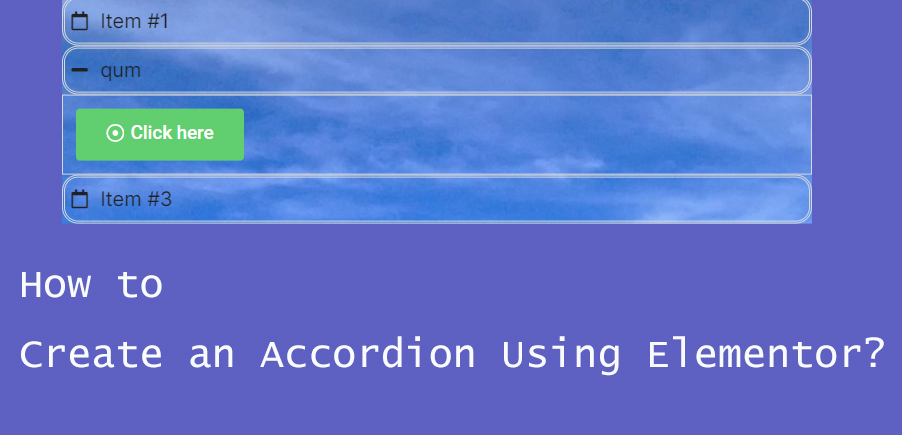
How to Create Accordion Widgets with Nested Elements in Elementor: The Ultimate Guide to Enhancing User Experience
To improve the user experience, web developers often use "Accordion widgets" (accordions) to organize content. Accordion widgets can be used to show and hide content in a hierarchical fashion, making the page look cleaner and improving the user interaction experience. With nested meta...
How to create a product showcase gallery using Elementor rotations
Elementor provides a powerful Carousel widget that allows you to easily create dynamic and aesthetically pleasing product display galleries. In this guide, we'll explain how to use Elementor's Carousel widget to create an eye-catching product gallery...
How to disable page scrolling when Elementor Lightbox is opened via CSS
Elementor Lightbox is a popup display feature that allows websites to display relevant content in a popup window on the current page when an image, video or link is clicked. In this tutorial, you will be shown in detail how to disable the page when Elementor Lightbox opens...





