


WordPress Tutorial Page 23
The "WordPress Tutorials" feature takes you in-depth understanding of WordPress, from the basic installation, theme and plug-in configuration, to SEO optimization and site security, covering all aspects of the core knowledge and practical skills needed to build a site. Whether you are a novice or an experienced developer, you can find the appropriate tutorials to help you easily master the use of WordPress and advanced operations.
arrange in order

How to change the site logo and menu with Elementor
Update Site Logo, Description, Logo, and Site Icon To update a site's logo, site description, logo, and site icon, follow these steps: 1. On the My Elementor Dashboard > Sites page, hover over the site card for the site you want to edit and...
How to Configure Popups in a WordPress Site with Elementor
Pop-ups are call-to-action mode windows that pop up and cover a page at a specific moment or under specific triggers and conditions. Popups primarily capture the attention of the user after they have taken an action. First, go to Templates > Popups. Control the popup window layout, conditions, rules...

How to connect your custom domain to an Elementor static site: a detailed guide
Connecting your custom domain name to an Elementor static website is a critical task that will give your website a professional and credible look. In this detailed guide, we'll walk you through the process step-by-step to ensure that you're able to smoothly connect your domain name to your website. ...
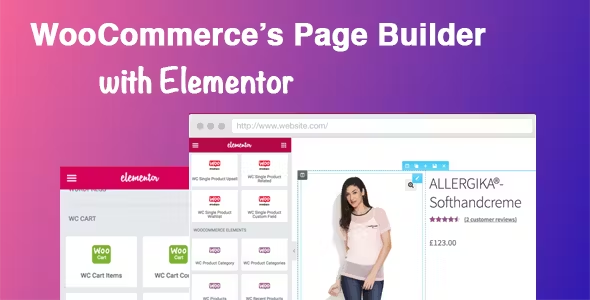
Easily Build Highly Customizable Online Stores with WooCommerce and Elementor: The Complete Guide
Building an online store with WordPress is easy with the powerful eCommerce features of WooCommerce and the flexible, no-code design of Elementor. This guide will take you through how to use WooCommerce with Elementor, starting with installation and customization...

A complete guide to quickly build a professional online store using BoxShop e-commerce theme (01)
In modern e-commerce, it is vital to have a fully functional and visually pleasing online store.BoxShop e-commerce theme is a comprehensive e-commerce template with rich functionality and support for visual editing using WPBakery Page Builder, which greatly simplifies the net...

An in-depth look at BoxShop e-commerce theme menu design: the ultimate guide to creating a super menu (02)
In the previous installment, we detailed how to import demo data in BoxShop eCommerce theme. In this issue, we will further explore how to design menus, especially how to set up and customize a mega menu. Menus are an important part of website navigation, and a powerful and beautiful menu...

2024 WordPress Knowledge Base The Ultimate Guide to SEO: Best Practices for Improving Search Rankings
Importance of Knowledge Base SEO The main goal of a knowledge base is to help customers or potential customers access information and resolve queries. However, this goal cannot be achieved if they do not see your knowledge base in the search results. The more visible your knowledge base is, the likelihood of getting preferred brand recall...

How to Password Protect WordPress Post Categories
Entire categories can be password protected. The benefit of this method is that it makes it easier to add password protection to multiple pieces of content, and it's also simpler for site visitors because they only have to enter the password once to unlock all the content in that category. However, to set...
Creating AI-Generated Knowledge Bases on WordPress with BetterDocs "Write With AI"
By using the free "BetterDocs" Write With AI" feature, experience the perfect combination of simplicity and effectiveness to differentiate your knowledge base while efficiently focusing on customer experience and support. This blog will guide you through the configuration process, showing how to leverage AI's...
How to Password Protect Your Entire WordPress Site
Protecting an entire WordPress site with a password can be done in two ways: Choosing a plugin Server-level HTTP authentication Of the two methods, the plugin method is more user-friendly and better suited for user-facing sites, while HTTP authentication protects WordPress...
Benefits of Upgrading to Elementor Pro: Full Feature Analysis and Comparison
This article discusses why upgrading to Elementor Pro provides full theme building, integration, advanced support and more advanced features. Read on to find out whether to stay with the free version of Elementor or upgrade to Pro. Elementor vs. Elementor Pr...

How to Password Protect Posts, Pages and WooCommerce Products
If you want to password protect individual posts, pages, or WooCommerce products, WordPress actually includes a built-in feature to help you set it up via its Visibility settings. The visibility settings will be found in the WordPress editor, so you can use them for our above...

How to Create and Optimize an Efficient Knowledge Base on WordPress Using Plugins
In this step-by-step script, we'll explore how to build a knowledge base on WordPress.A WordPress knowledge base is a collection of articles and FAQs that provide users with information and solutions when using the platform. By using plugins, it is easy to create and maintain a...

An exhaustive comparison of Elementor's free and pro versions: a guide to choosing the best page builder
Elementor is one of the most popular WordPress page builders available today, and its intuitive drag-and-drop interface makes website building easy. It's easy to use, reliable, and offers endless design possibilities for your website. The free version of Elementor has all possible...

How to Enhance Your Website Design with Custom CSS in Elementor: A Detailed Guide and Practical Approach
Custom CSS is one of the highlights of Elementor, allowing you to modify the appearance of your website beyond what is possible using the default Elementor settings. By adding custom CSS, you can change the fonts, colors, sizes, and layouts of different elements on your site. In this article, we will explore...

How to Create and Manage a Multilingual Knowledge Base with the Translation Plugin
Why Multilingual Support is Critical for International Business In today's globalized world, businesses have customers and potential team members all over the world, speaking different languages. While many can communicate in English, providing multilingual support can significantly enhance the customer experience and become a competitive...

How to Easily Add a Currency Converter to Your WordPress and WooCommerce Website
Currency converter is a very useful tool that allows your website visitors to quickly calculate exchange rates for different currencies without leaving your website. In this article, we will detail how to add a currency converter to your WordPress website and show two different ways...

How to Create Efficient Multi-Step Forms in WordPress with Elementor
Multi-step forms are a way to break up a form into multiple steps or sections, which makes it easier for users to fill out complex forms and improves the overall user experience. By guiding users step-by-step through filling out a form, you can effectively reduce user abandonment rates while ensuring higher data collection...
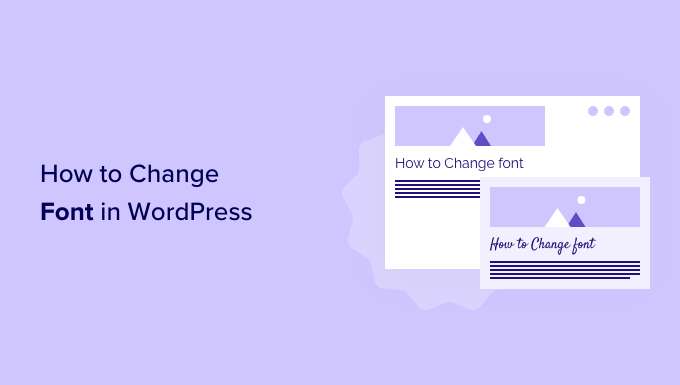
How to Change Fonts in WordPress Themes (5 Easy Ways)
WordPress themes provide default fonts, font sizes and font colors. If you want to change the default font to another font. There are several ways to change fonts in WordPress. Changing Fonts in WordPress Theme Editor An easy way to change fonts on your website is...

How to Embed YouTube Shorts in a WordPress Website Using Plugins
With the rapid growth of short-form video content, embedding YouTube Shorts in a WordPress website can greatly enhance the interactivity of your site. YouTube Shorts are not only eye-catching, but they can also quickly capture the attention of users, making them a powerful marketing tool. In this article, we'll go over...
How to Create Dynamic Website Posters with Slider Revolution in BoxShop Theme (03)
In this installment, we talk about setting up a poster (banner) for the BoxShop theme, which is actually quite simple, and like the previously mentioned Basel theme setup, this tool not only provides an easy-to-use interface, but also ensures that the poster is displayed perfectly on a variety of devices. Next, we will detail ...
Detailed analysis of WordPress error "Sorry You Are Not Allowed to Access This Page" solution
The "Sorry You Are Not Allowed to Access This Page" in WordPress is a security message that appears when you don't have the permissions needed to access a specific page or when the server encounters a security issue. This is a WordPress security feature designed to prevent unauthorized...
Why Elementor Outperforms the Competition: An In-Depth Look at Its Core Strengths
In this article, we will explore in detail why Elementor is better than the rest of the competition and what it has to offer in terms of robust functionality and user-friendly experience. The WordPress Advantage WordPress has an unrivaled collection of themes, plugins, and extensions.Elementor takes full advantage of...

How to choose and optimize the best image size for WooCommerce products
For WooCommerce users, choosing the right image size not only improves the user experience, but also increases sales. Images that are too small do not showcase products effectively, while images that are too large slow down the site and cause potential customers to leave before making a purchase. Therefore, implementing image sizes...

How to Fix WordPress Stuck in Maintenance Mode
WordPress sites stuck in maintenance mode can be a headache; especially when the site is being updated or has a lot of traffic. Maintenance mode can be caused by a variety of factors, from simple file corruption to more complex plugin conflicts or existing .maintenance files. Fixing stuck in maintenance...
How to Add and Optimize Meta Tags in WordPress to Boost SEO Ranking
Meta tags are small pieces of code that play an important role in SEO. They help search engines understand what a website is about, improve visibility and increase traffic. Why are meta tags missing from the default WordPress installation? When setting up a new WordPress website, one notices a certain...

How to Improve Website Performance with WebP Images on WordPress
What is WebP? WebP is a next-generation image format created by Google to provide excellent lossless and lossy compression. By using WebP, the size of image files can be significantly reduced, resulting in faster loading web pages and less data consumption.WebP format...
How to Efficiently Decorate & Layout BoxShop Themes: A Comprehensive Guide (04)
Welcome to this tutorial! Today we're going to dive into how to decorate and layout the BoxShop theme, which is a powerful and flexible WordPress theme. Unlike previous themes, this time we will focus on how to use WPBakery Page Builder in the backend to...

How to Fix WordPress .htaccess File
A website's .htaccess file is a small but important file that runs in the background, like a set of instructions for the server. The file explains how to handle things like permalinks and security measures. However, the file can become corrupted for a variety of reasons, which can lead to...

WooCommerce Payment Gateway Guide: How to Choose, Setup and Manage a Payment Gateway to Ensure the Success of Your Online Store
In this guide, we'll go over how WooCommerce payment gateways work, which ones to choose, and all the best practices. How do WooCommerce payment gateways work? On WooCommerce, payment gateways can be downloaded and added to the store's wor...

 简体中文
简体中文  English
  日本語
日本語  Français
  Español



