




WordPress Tutorial Page 34
The "WordPress Tutorials" feature takes you in-depth understanding of WordPress, from the basic installation, theme and plug-in configuration, to SEO optimization and site security, covering all aspects of the core knowledge and practical skills needed to build a site. Whether you are a novice or an experienced developer, you can find the appropriate tutorials to help you easily master the use of WordPress and advanced operations.
arrange in order

Difference between WordPress content() and the_content() and its application.
Understand the difference between content() and the_content() in WordPress and learn how to apply these two functions in Elementor to optimize page content.

WoodMart Home Page Slideshow Setting and Loading Speed Optimization
Teach you to set up homepage slideshow rotating images in WoodMart, combined with image compression, lazy loading and other techniques to easily achieve a balance between visual and speed.

Elementor Font Settings Not Working? Resolving Gutenberg Conflicts
Elementor Font Settings Not Working in Gutenberg? This article shares practical ways to resolve typography conflicts and make your website style uniform and consistent.

How to Set Up Refund and Return Policies After WooCommerce Activation
This article describes in detail how to set up refund and return policy after WooCommerce activation, including adding policy page, configuring order refund function, binding payment gateway, recommending plug-ins, etc. It helps sellers to establish clear and compliant after-sales process and improve user trust and shopping experience.
How to Activate WooCommerce and Manage Backend Orders
This article describes in detail how to activate the WooCommerce plugin in WordPress and efficient management of orders, including plugin installation, order process, background operations and practical management skills, suitable for new sellers to quickly get started.
How to Activate and Setup Gift Card Feature in WooCommerce
Learn how to activate and set up the gift card feature in WooCommerce, including plugin selection, frontend purchase process, backend management, and advanced marketing techniques to help you increase your repurchase rate and brand impact.

Elementor Secure Mode vs Debug Mode: Which is better for your workflow?
Understand the core difference between Elementor Safe Mode and Debug Mode, master how to quickly locate and solve common problems such as website loading, white screen, plugin conflicts, etc., to improve your WordPress development and design efficiency. Understand the core difference between Elementor safe mode and debug mode, master...
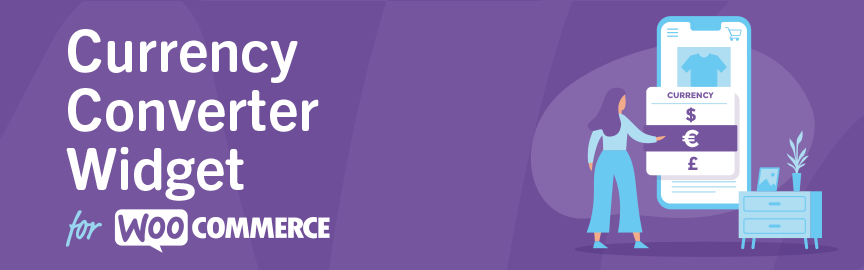
Complete Guide to the WooCommerce Multi-Currency Price Switching Widget (Currency Converter Widget)
Currency Converter Widget supports multi-currency display in WooCommerce store, integrated exchange rate service, front-end switching price symbols, flexible and practical operation.

Complete Tutorial on Creating Comparison Tables with Elementor
Use Elementor in conjunction with widgets to easily create product comparison tables that showcase product features, images, and prices for e-commerce sites, service packages, or feature module comparisons.

Responsive design of the Flatsome theme: perfect display on all devices!
Learn how Flatsome theme can achieve perfect website display on all kinds of devices such as cell phones, tablets and desktops through responsive layout, media query and navigation optimization, and comprehensively improve user experience and access efficiency.

How to Troubleshoot Incompatibility with Themes via Elementor Safe Mode
Use Elementor Safe Mode to quickly troubleshoot conflicts between themes or plug-ins and editors, solve common failures such as page failure to load, wrong style, etc., and improve WordPress website stability.

Open source CMS security: how to protect your site from hackers?
Learn how to comprehensively improve the security of your open source CMS website by updating the CMS, using strong passwords, restricting login attempts, setting up firewalls, and other methods to prevent hacker attacks and ensure stable site operation.
WoodMart Configuration WPML Multilingual Complete Tutorial
Detailed explanation of the complete process and setup techniques to enable WPML plugin in WoodMart theme to realize multilingual e-commerce website.

WoodMart Product Countdown Setting Tutorial
Use WoodMart to enable countdown promotions for specific products, quickly set up a limited time rush page, and improve the efficiency of product transactions.

How to Manage Multiple Regions and Currencies with WooCommerce
Explains how to configure WooCommerce with multi-region taxes, currency switching, and multi-language sites for cross-border e-commerce business for multiple countries.
Increase Conversion Rates with the Elementor Countdown Timer Widget
Detailed introduction to Elementor countdown timer installation and setup process, to help e-commerce sites to create an urgent atmosphere to enhance the user conversion effect, adapted to mobile and provide templates to use the program.

A complete guide to configuring WooCommerce's offline payment methods: Cash on Delivery, Check Payment, Bank Transfer
This tutorial explains how to enable and configure Payment on Delivery, Payment by Check and Bank Transfer in WooCommerce for various offline checkout needs.

A complete tutorial on building branded display and filter pages with WoodMart
Detailed information on how to use WoodMart to build brand display pages, set up brand filtering functions, and bind brands to products to achieve a clear layout of brand categorization.

Turn off WordPress compression and cropping of images completely: the original quality of the image is returned to the designer!
Teach you to completely disable WordPress image compression and cropping, retaining the original image size and clarity for photography, e-commerce, and design websites.

WordPress get_template_part: solving the content error problem.
Detailed explanation of get_template_part correct invocation method, to avoid WordPress content function is not defined error, improve the theme code specification and stability.

How to choose an open source CMS for a multilingual website?
Learn how to choose the right open source CMS for your multilingual website. This article compares WordPress, Drupal, Joomla, and many other CMSs to help you make the best choice based on your needs and build an efficient multilingual website.

Enable WoodMart Ajax Filter to Improve Product Filtering Efficiency
Introduces how to enable Ajax product filtering in WoodMart theme and practical tips to make product filtering smoother, improve the conversion efficiency, and avoid the problem of bouncing caused by repeated page refreshes.
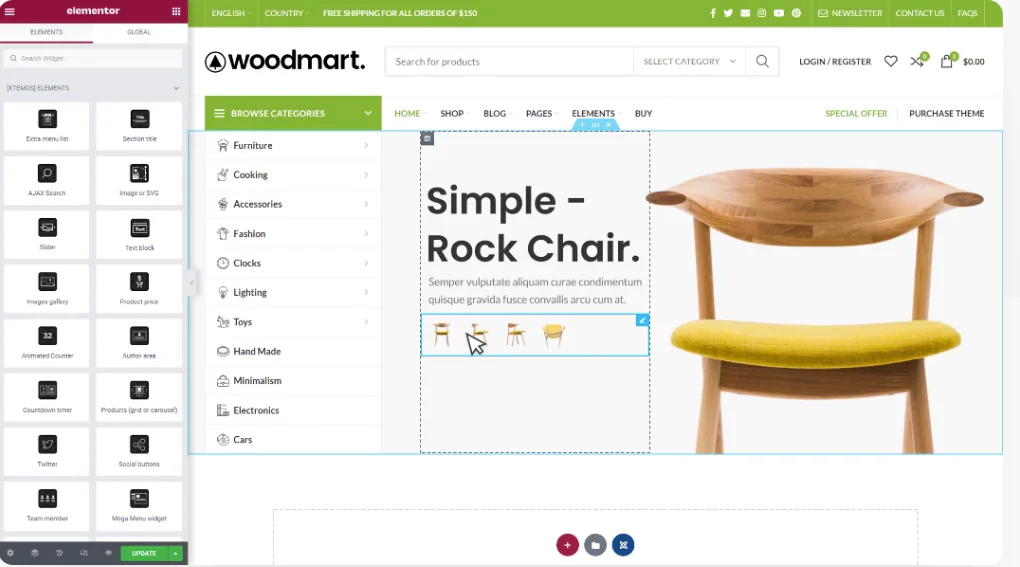
WoodMart and Elementor Tutorials for Building High Converting Landing Pages
The full tutorial teaches you how to use WoodMart with Elementor to build high converting landing pages, including structure building, component layout and publishing settings and other hands-on steps.

Complete method for inserting GA and Facebook Pixel in WoodMart
Introduces several ways to insert Google Analytics and Facebook Pixel in WoodMart, suitable for different levels of users, including plugin and theme configuration methods.
Realize it's the Elementor Crack that's to blame for your website being hacked? Don't wait until it's too late.
Elementor cracked plug-in hidden backdoor, which may lead to website jumping, being hacked, content being tampered, this article explains the invasion performance and repair methods.

WooCommerce product diagrams are blurry, the culprit of user churn that you're overlooking?
The blurring of product images may lead to traffic loss and conversion decline, this article explains the reasons for the blurring of WooCommerce images and optimization methods to improve the visual effect.

How to Set Sidebars on Archive, Blog and Post Pages in WoodMart Theme
Comprehensive explanation on how to configure sidebar and top filter features on store and blog pages in WoodMart theme to improve page structure and browsing efficiency.
How to Fix Elementor "Inner Section Widget Missing" Issue
This tutorial teaches you to restore the gadget and analyze the common applications and compare the differences.

Elementor Safe Mode and Website Backup: How to Synchronize Your Website Security
Learn how to troubleshoot plugin conflicts with Elementor Safe Mode and secure your WordPress site with regular backups. This article provides complete instructions and advice to help you secure a stable website.

Frequent Bugs in Cracked Plugins?This is the result of developers' inability to maintain the
Cracked plugins may seem free, but they are full of hidden dangers. Failed updates, wrong functionality, hacked websites, behind these bugs are the results of developers' inability to maintain them. Stay away from cracks and choose genuine.

 简体中文
简体中文  English
  日本語
日本語  Français
  Español



