


WordPress Tutorial Page 53
The "WordPress Tutorials" feature takes you in-depth understanding of WordPress, from the basic installation, theme and plug-in configuration, to SEO optimization and site security, covering all aspects of the core knowledge and practical skills needed to build a site. Whether you are a novice or an experienced developer, you can find the appropriate tutorials to help you easily master the use of WordPress and advanced operations.
arrange in order

Enhancing WordPress Website Performance with a Content Delivery Network (CDN): The Complete Guide
Learn how to improve the loading speed and performance of your WordPress website with a CDN (Content Delivery Network). This article details how to choose a CDN provider, set up a CDN plugin, configure caching and security features, and provides best practices and real-world examples to help you optimize your site...

Video SEO optimization full strategy: 6 practical tips to improve search rankings
Master the top 6 video SEO tips from content optimization and metadata setup to on-page structure and promotion strategies to boost search rankings and make videos more discoverable to your target audience!

How to Add Buttons in WordPress Classic Editor
This article details three ways to add custom buttons in the WordPress Classic editor: inserting HTML and CSS manually for full customization, using plugins for quick implementation, and combining with the TinyMCE Advanced plugin to add them directly in the toolbar. Whether you are familiar with the generation...
How to Add Pagination to a WordPress Website with a Plugin
Learn how to optimize your website's performance and user experience with WordPress pagination to reduce load times, improve SEO results, and make it easy for users to navigate your site's content.

How to customize WordPress website header?
Want to optimize your WordPress site's header? This guide provides 3 best ways to design professional banners & navigation menus with ease, including theme customizer, site-wide editing features and page builder!

How WordPress installations are implemented and managed with WP-CLI
WP-CLI is a powerful WordPress command line tool that helps users manage their websites efficiently. With WP-CLI, tasks such as plugin and theme installations, WordPress core updates, database operations, etc. can be quickly accomplished to improve efficiency and support task automation.

How to convert HTML to WordPress?
Detailed guide teaches you how to convert a static HTML website into a fully functional WordPress theme, including content restructuring, theme customization and optimization for improved flexibility and ease of use.

How to Hide the "Read More" Button in WooCommerce: Three Simple Methods
Learn three easy ways to hide the "Read More" button in WooCommerce and improve the user experience on product pages without complex code or plugins.

Beyond Google Translate: Why the WooCommerce Convert Languages by IP plugin is a better choice?
Google Translate is suitable for simple translation, but there are many limitations in WooCommerce malls, such as translation errors, SEO unfriendly and so on. In contrast, WooCommerce multilingual plugins such as WPML, TranslatePress, etc. provide more accurate translation, automatic language switching...

WordPress Custom CSS Getting Started Guide: 5 Must Learn Code Snippets
Learn how to customize your WordPress site with 5 must-have CSS code snippets to easily style fonts, buttons, spacing, images, and more for novice users who want to get started quickly.

How to Enable and Configure a Multisite Network in WordPress: From Basic to Advanced
Learn how to enable and configure a multisite network in WordPress, from basic setup to advanced optimization tips. This article will guide you step-by-step to create and manage multiple sites, and provide performance optimization and security enhancement suggestions to help you efficiently manage and operate multiple websites.

How to Safely Downgrade WordPress: Full Tutorial (Manual & Plugin Methods)
Learn how to safely downgrade WordPress, including manual methods and tutorials on using the Core Rollback plugin to avoid compatibility issues. Take full backups, test staging sites, and take the necessary security measures to ensure your site is stable.

Must-have plugin recommendations for the 2025 Astra theme: top 10 tools to improve performance and functionality!
The 10 must-have plugins for 2025 that are highly compatible with Astra themes cover performance optimization, functionality extension and SEO enhancement. Whether it's boosting site speed, enhancing e-commerce functionality, or optimizing SEO rankings, these plugins will help you maximize the potential of the Astra theme to create high...

Improving Kadence Theme SEO Performance: 5 Optimization Tips to Do
Learn how to optimize your Kadence theme with five practical tips to improve your website's loading speed, search engine friendliness, and user experience to help boost your website rankings.

WoodMart Theme FAQs and Solutions
When using WoodMart theme, you may encounter problems such as wrong page layout, slow loading, plugin conflicts and so on. This article provides detailed solutions, including cache cleanup, image optimization, theme update adjustment and mobile adaptation, to help improve the stability and performance of the site.

Master the Avada Off Canvas panel once and for all! Create popups, sidebar menus and sliders in one step!
This tutorial describes in detail how to use the Avada theme Off Canvas Builder tool, zero code to create an email subscription slider, and set the user to stay on the page after 4 seconds to automatically appear, applicable to marketing promotions, user interaction, message notification and other scenarios, easy to increase conversion...

WP Rocket Features Explained: Increase Website Loading Speed to 1 Second with WP Rocket
This article describes in detail how to use WP Rocket plugin to optimize the loading speed of your WordPress website, improve user experience and SEO ranking. By gradually enabling cache preloading, CSS/JS compression, lazy loading, database optimization and other features, you can significantly improve the performance of your website.

Astra theme tutorial: how to create sticky headers for free?
Sticky header functionality is also possible with the free version of Astra! Keep the top navigation of your WordPress site fixed while scrolling with simple CSS code, no plugins, no Pro upgrades, step-by-step instruction for newbies to get started quickly.

Astra Theme Tutorial: How to Enable and Design a Custom 404 Page on Astra Theme
Learn how to use the Site Builder module in the Astra Pro plugin to create and customize your WordPress website's 404 error page to improve user experience and brand professionalism.

Amelia Plugin Getting Started Guide: A Hands-On Guide to Quickly Enabling Online Appointments
Learn how to create and set up an appointment form on your WordPress website using the Amelia plugin. This article describes in detail the installation, configuration, staff management, service settings, front-end appointment process and payment settings of the Amelia plugin to help users quickly build a professional online appointment system...

5 Best Free Elementor Themes Recommended: Easily Build High-Performance WordPress Websites
We recommend 5 free WordPress themes that are perfectly compatible with Elementor, including Astra, Hello Elementor, Neve, GeneratePress and Zakra, which are suitable for different scenarios of blogs, e-commerce, enterprise official websites and so on, and help you easily build high-performance, high-conversion rate web...

How to Set Up Vertical Menus and Mobile Tab Menus in Flatsome: The Complete Guide
This article describes how to set up vertical menus and mobile tab menus in Flatsome theme to enhance the user experience of e-commerce websites, especially on mobile, to help better display and navigate products.

How to Customize the Appearance of WooCommerce Product Images with Essential Addons (Elementor Free Plan)
Learn how to use Essential Addons plugin with Elementor Free Edition in this tutorial to customize the image display of WooCommerce product pages, including rotating, thumbnail arrangement and popup view functions, to enhance the visual effect and user experience of product pages, and to easily achieve...
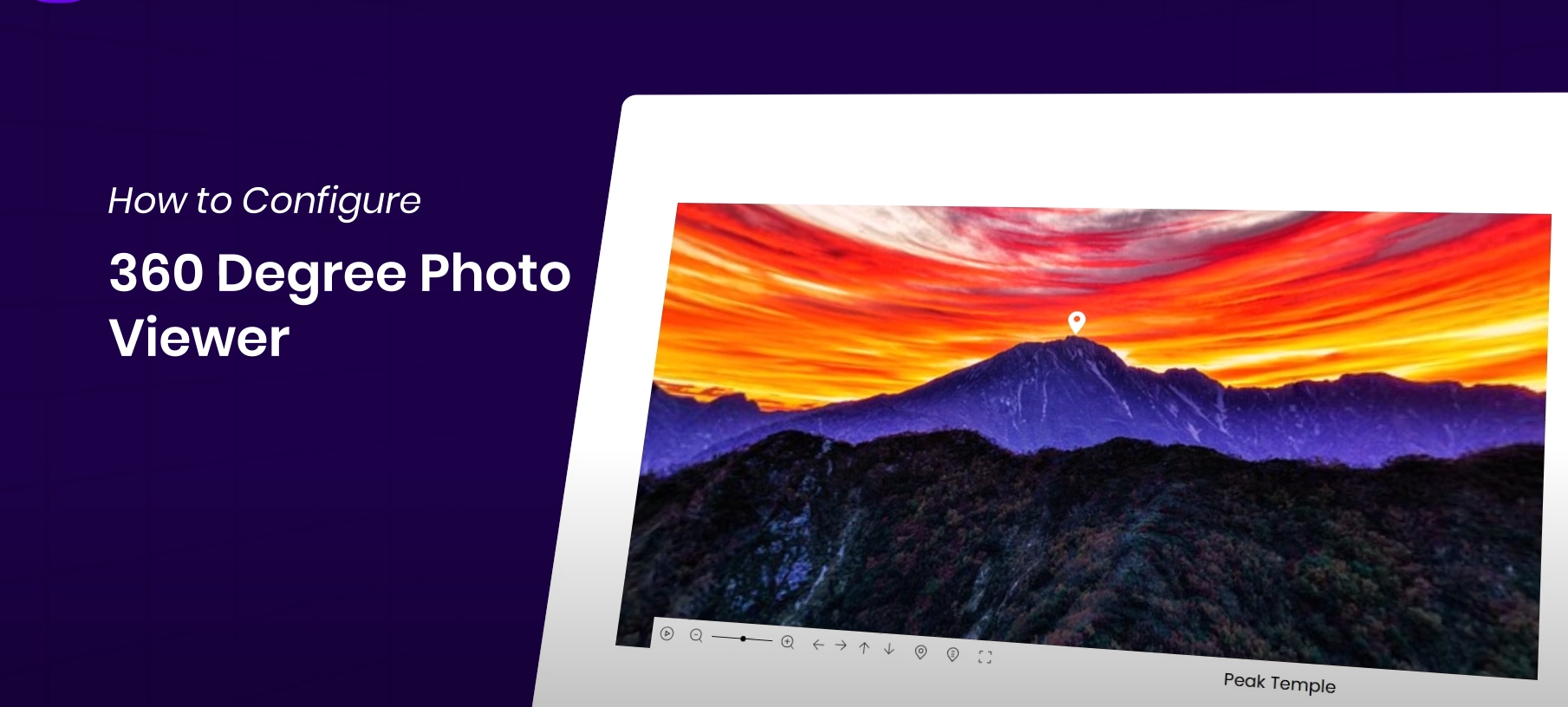
How to Display 360° Panoramic Images in Elementor Websites for Highly Interactive Images
Easily display 360° images on your WordPress website with the Essential Addons plugin and Elementor for an interactive, immersive user experience. This article details how to install and configure a 360° image viewer to help you enhance your website's visuals and...

How to Fully Customize WooCommerce Checkout Page with Elementor
Fully customize the appearance and functionality of your WooCommerce checkout page with Elementor's Checkout Widget. This article shows you how to set up the layout, fields, payment methods, and styles of the checkout page to optimize the user experience and increase conversions.

How to Change Passwords and Usernames in WordPress (Full Tutorial)
Learn how to change passwords and usernames in WordPress, learn simple steps to solve the problem of forgotten passwords without creating a new user, and improve account security. Easily change usernames with the Swiss Toolkit plugin.

How to solve the problem of inconsistent fonts displayed on different devices in WordPress pages?
This article describes how to solve the problem of inconsistent font display on different devices in WordPress websites, providing best practices for using web fonts, setting up font stacks, adjusting CSS rendering, optimizing responsive design, and more to help fonts stay consistent across all devices and browsers and improve...
Free vs Paid: Which WordPress Slideshow Plugin is the Better Investment?
Wondering what's the difference between free and paid WordPress slideshow plugins? This article provides an in-depth comparison of features, performance, price and scenarios to help you find the best slideshow solution for your site.
WP-CLI Chinese Getting Started Tutorial: WordPress Command Line Operation Guide
WP-CLI is the official command line tool of WordPress, which can be used to install plugins, create posts, export database and other operations, suitable for batch processing and automated maintenance. This article provides a complete introduction to teaching and common command examples.

How to Reset WordPress Password with WP-CLI
Learn how to quickly reset your WordPress password using WP-CLI for VPS environments. Manage WordPress from the command line to increase efficiency and save time.

 简体中文
简体中文  English
  日本語
日本語  Français
  Español



