


WordPress Tutorial Page 80
The "WordPress Tutorials" feature takes you in-depth understanding of WordPress, from the basic installation, theme and plug-in configuration, to SEO optimization and site security, covering all aspects of the core knowledge and practical skills needed to build a site. Whether you are a novice or an experienced developer, you can find the appropriate tutorials to help you easily master the use of WordPress and advanced operations.
arrange in order

How to Hide WordPress Toolbar
When logging into the WordPress dashboard, you will see a toolbar (admin bar) at the top that provides quick links and the ability to manage sections. However, this toolbar can seem redundant or even annoying when you want to view the user-friendliness of your website or page layout. In this article, we'll go over a few...

Elementor vs WPBakery: which is the best WordPress page builder?
Choosing the right page builder is crucial when building and designing a WordPress website.Elementor and WPBakery are two of the most popular page builder plugins on the market today. They each provide powerful tools and features to help users without having to write genera...
In-depth analysis: how to solve WordPress can not send e-mail problem
When your WordPress website fails to send emails, it can lead to serious user experience issues. Although WordPress itself has basic email functionality, due to incorrect settings, spam filters, server configuration issues, or plugin malfunctions, it can...
WordPress source code - jquery (jquery-1.7.1.js)
1 /*! 2 * jQuery JavaScript Library v1.7.1 3 * http://jquery.com/ 4 * 5 * Copyright 2011, John Resig 6 * Dual licensed under the MIT or GPL Version 2 license. 7 * http://jquery.or...

How to Add and Optimize Meta Tags in WordPress to Boost SEO Ranking
Meta tags are small pieces of code that play an important role in SEO. They help search engines understand what a website is about, improve visibility and increase traffic. Why are meta tags missing from the default WordPress installation? When setting up a new WordPress website, one notices a certain...

Best practices and sample code snippets that you should be aware of when writing WordPress themes for eCommerce to help you get started writing your own themes
Ensure fast page speeds Fast page load speeds are crucial for e-commerce websites. Therefore, we can ensure fast page loads by doing the following: // Remove the version parameter of the jQuery library function remove_jquery_version_parameter( $sr...

How to Fix Broken Image Links in WordPress Media Library
When managing a website with WordPress, broken image links can cause page loading issues and affect the user experience. In this article, we will detail how to fix broken image links in WordPress media library to ensure that the website works properly. 1. Confirm the broken image links Use...

How to Fix WordPress "Add Media" Button Not Working Issue
Interestingly enough, I was approached by a fan of Little Red Book who said that the WordPress "Add Media" button didn't work when he was editing a post. This is one of the more common WordPress issues. Let's put together a tutorial on how to fix it! What is it...
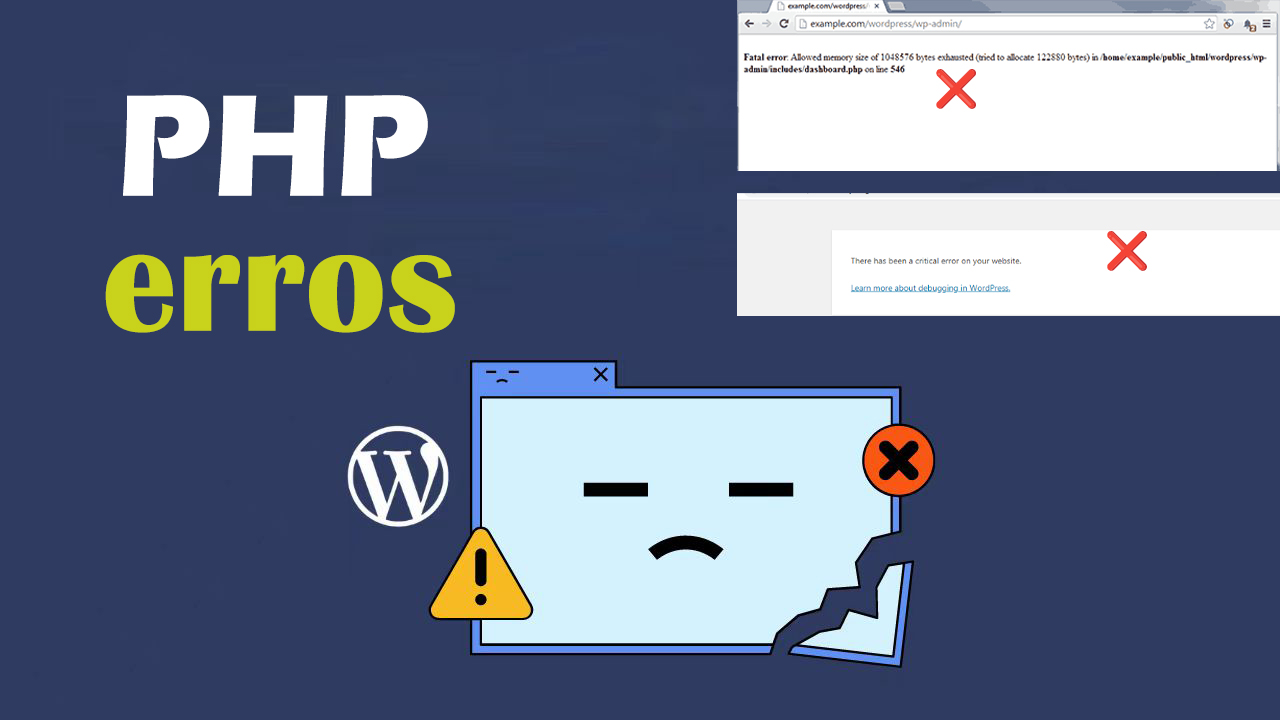
How to Quickly Identify and Fix PHP Errors in WordPress
PHP errors if left unfixed, they can not only slow down a website, they can even cause plugins to not work properly, affect SEO rankings, or even cause a website to go down. The longer they go unfixed, the more business damage they may cause. Therefore, fixing PHP errors quickly and effectively is...

WordPress not logged in users (visitors) only show a picture in the post Used to guide the user to sign up
There are times when we publish a file and add multiple images, but how do we make it so that unlogged in users (visitors) can only see one image? After the user logs in, he can see all the pictures in the article. Then this article introduces the following, modify the file code to achieve this effect, so that you can guide...

Optimizing the E-Commerce Payment Experience: A Comprehensive Strategy for Reducing Customer Complaints and Increasing Customer Satisfaction through PayPal
In the current e-commerce environment, PayPal has become a widely accepted global payment solution, especially for independent e-commerce platforms. For these merchants, the introduction of PayPal as a payment method provides a fast, convenient and secure transaction experience that has...

How to Add Custom Fonts to Your WordPress Theme: The Complete Guide
Adding custom fonts to your WordPress theme can significantly enhance the look and feel of your website. Custom fonts help build brand identity and improve readability. This step-by-step guide will show you how to add custom fonts to your WordPress theme using a variety of...

Quickly Build and Customize WordPress Headers: Elementor Header Template Guide
What is Elementor Header Template? Elementor Title Templates are pre-designed titles for WordPress websites. They provide a quick way to build and customize headers without having to start from scratch. These templates include common header elements such as logos, navigation dishes...

WordPress source code - jquery-ui (1.8.20 - jquery.effects.bounce.js)
1 /*! 2 * jQuery UI Effects Bounce @VERSION 3 * 4 * Copyright 2012, AUTHORS.txt (http://jqueryui.com/about) 5 * Dually licensed under the MIT or GPL Version 2 licenses. 6 * http://jq...
WordPress source code - jquery (jquery-1.4.2.js)
1 /*! 2 * jQuery JavaScript Library v1.4.2 3 * http://jquery.com/ 4 * 5 * Copyright 2010, John Resig 6 * Dual licensed under the MIT or GPL Version 2 license. 7 * http://jquery.or...

How to Manually Add Directories in WordPress to Accelerate SEO Results
Then, in addition to the few WordPress website settings we talked about earlier that are important for SEO success, you can also create directories manually with anchor links that can also accelerate SEO results, and you don't need a plugin to do it. Of course, it will take some time and effort. Catalog First of all, ...
How to Improve SEO, User Experience and Website Management by Changing WordPress Page URLs
Why change page URLs in WordPress? Changing page URLs in WordPress can be an effective way to improve your website's performance, user experience, and overall management. Here are a few important reasons: Improve Search Engine Optimization (SEO) Optimizing page URLs can improve web...

How to do site group optimization? Benefits, Disadvantages and SEO Best Practices for Site Groups
Site clustering is an SEO optimization strategy that involves creating multiple sites and linking them to each other in order to improve each site's ranking. However, there are some disadvantages and risks associated with site clustering, so careful consideration needs to be given when thinking about using site clustering to optimize your site. Advantages of site clusters Improve site rankings:...

How to Fix WordPress Theme Activation Anomaly Issues
WordPress themes are licensed for use through activation, a process that is automated and usually something you can easily do yourself. However, if you encounter the problem of abnormal theme activation, what should you do? 1, local (intranet) test can not be activated Some customers like to first in their own computer...
How to Add Buttons in WordPress without Code
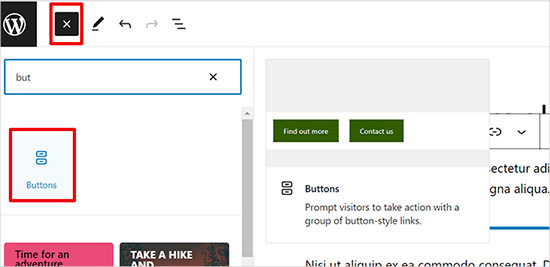
Adding buttons to WordPress posts and pages WordPress has a built-in button block that makes adding buttons relatively simple. This is a feature of the Gutenberg WordPress block editor. Let's take a look at some of the ways to do this! Use the default editor in WordP...

Comprehensive analysis of WooCommerce short code: e-commerce page optimization and functionality implementation guide
Comprehensive analysis of WooCommerce shortcode basics and application methods, including product display, shopping cart and checkout page optimization, user account management and advanced customization, to provide efficient solutions for e-commerce websites.
How to Fix Secure Connection Errors in WordPress
What causes the Unable to establish secure connection error in WordPress? WordPress comes with a built-in system to manage updates. This system periodically checks for updates and displays notifications to make it easier for you to install plugins and theme updates. However, it requires a connection to the WordPress.org website to...

How to Create Efficient Multi-Step Forms in WordPress with Elementor
Multi-step forms are a way to break up a form into multiple steps or sections, which makes it easier for users to fill out complex forms and improves the overall user experience. By guiding users step-by-step through filling out a form, you can effectively reduce user abandonment rates while ensuring higher data collection...

TranslatePress Plugin: Easily and quickly translate any WordPress site!
Many webmasters translate web content into other languages with the aim of enhancing the user's browsing experience by providing multilingual options. This makes it easier for users to access and understand the content of the site, which greatly increases their satisfaction and engagement. Our team has also done multilingual...

Optimizing Website Load Speed: Using WebP Format Images to Boost Website SEO Rankings
When you visit a website, the number and size of images is often the main reason for the loading speed of the site. For optimizing your website's SEO rankings, the loading speed of your website is especially critical. Use WebP images - this could be a godsend for speeding up your website! Features of WebP format ...

How to Easily Add Slideshows to WordPress: A Detailed Guide
By adding a slideshow to your WordPress website, you can greatly enhance the visual appeal of your pages and increase user engagement. Slideshows are not only capable of displaying multiple images, but they can also dynamically display different types of content such as products, services, customer testimonials or limited time promotions. ...
How to Fix WordPress 429 Too Many Requests Error
Recently I was visiting the WordPress open source website https://wordpress.org时, and because of my VPN, I reloaded it a few times and always got a "429 Too Many Requests" error. This error message indicates that the user has sent too many HTTP ...

Beginner's Guide: How to Fix Common WordPress Errors
Many newcomers to WordPress will encounter some common WordPress errors. So, how do we go about troubleshooting WordPress errors? Don't worry, we will teach you how to troubleshoot the error step by step. 1. Study the error message Usually,...

Finext - Payment Gateway & FinTech Elementor Template Suite
Finext is the Elementor template suite for payment gateways, finance, banking, tech startups, and more, helping you quickly create modern, professional WordPress websites. Drag and drop custom fonts, colors and styles without coding. Features: 11+ templates No coding required...
WordPress Page Password Protection: Why It's Important and How to Achieve It
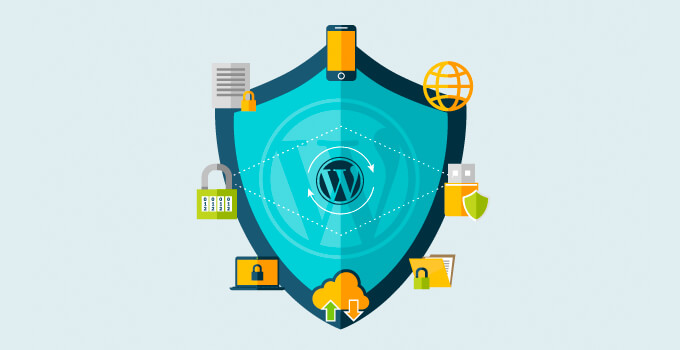
WordPress is the world's most popular Content Management System (CMS) and has become the platform of choice for many websites due to its flexibility and wide range of features. However, with the growing number of Internet security threats, it has become crucial to protect website content from unauthorized access...

 简体中文
简体中文  English
  日本語
日本語  Français
  Español



