


WordPress Tutorial Page 84
The "WordPress Tutorials" feature takes you in-depth understanding of WordPress, from the basic installation, theme and plug-in configuration, to SEO optimization and site security, covering all aspects of the core knowledge and practical skills needed to build a site. Whether you are a novice or an experienced developer, you can find the appropriate tutorials to help you easily master the use of WordPress and advanced operations.
arrange in order

How to remove query strings from static resources in WordPress
What is a query string? A query string is a set of characters that follow a question mark in a URL. These strings act as URL parameters to help sort and specify content on a website. An example of a link containing a query string is as follows: https://example.com/pr...

How to Create a Recent Comments Page in WordPress
Want to display all the latest comments on your WordPress site? This is a great way to engage users in discussions. Creating such a page on WordPress is now very easy with the "Latest Comments" block. We'll show you how to do it in WordPr...

How to Create a "Sticky" Floating Footer Bar in WordPress
Are you looking for a way to create a sticky floating footer bar in WordPress? A sticky floating footer bar will always be displayed at the bottom of your website even if the user scrolls through the page. This way, you can utilize it to promote offers or social media accounts, enticing users to stop...

Ways to fix 500 error after WordPress installation
WordPress is a commonly used tool that allows people to easily build their own website or blog. But sometimes, after installing WordPress, you may encounter a headache - 500 Internal Server Error. This error means that the server is processing your request...

Five Efficient and Useful WooCommerce Product Image Zoom Plugin Featured Recommendations
On an e-commerce website, product images are key to attracting customers. If the images are too big or too small, it may slow down the loading of the webpage or make customers unable to see the product details. To solve this problem, we can use a specialized plugin to resize product images. Next, give...

How to use get_post_meta function to effectively manage and display custom field data
What is the WordPress get_post_meta function? The WordPress get_post_meta function allows you to extract information from a post's metadata and display these additional content details on the front-end of your website. This function can be implemented by adding code to the theme's configuration file...

A complete guide to quickly build a professional online store using BoxShop e-commerce theme (01)
In modern e-commerce, it is vital to have a fully functional and visually pleasing online store.BoxShop e-commerce theme is a comprehensive e-commerce template with rich functionality and support for visual editing using WPBakery Page Builder, which greatly simplifies the net...

An in-depth look at BoxShop e-commerce theme menu design: the ultimate guide to creating a super menu (02)
In the previous installment, we detailed how to import demo data in BoxShop eCommerce theme. In this issue, we will further explore how to design menus, especially how to set up and customize a mega menu. Menus are an important part of website navigation, and a powerful and beautiful menu...

How to Password Protect Your Entire WordPress Site
Protecting an entire WordPress site with a password can be done in two ways: Choosing a plugin Server-level HTTP authentication Of the two methods, the plugin method is more user-friendly and better suited for user-facing sites, while HTTP authentication protects WordPress...
Benefits of Upgrading to Elementor Pro: Full Feature Analysis and Comparison
This article discusses why upgrading to Elementor Pro provides full theme building, integration, advanced support and more advanced features. Read on to find out whether to stay with the free version of Elementor or upgrade to Pro. Elementor vs. Elementor Pr...

How to Password Protect Posts, Pages and WooCommerce Products
If you want to password protect individual posts, pages, or WooCommerce products, WordPress actually includes a built-in feature to help you set it up via its Visibility settings. The visibility settings will be found in the WordPress editor, so you can use them for our above...

How to Create and Optimize an Efficient Knowledge Base on WordPress Using Plugins
In this step-by-step script, we'll explore how to build a knowledge base on WordPress.A WordPress knowledge base is a collection of articles and FAQs that provide users with information and solutions when using the platform. By using plugins, it is easy to create and maintain a...

How to Enhance Your Website Design with Custom CSS in Elementor: A Detailed Guide and Practical Approach
Custom CSS is one of the highlights of Elementor, allowing you to modify the appearance of your website beyond what is possible using the default Elementor settings. By adding custom CSS, you can change the fonts, colors, sizes, and layouts of different elements on your site. In this article, we will explore...

How to Create and Manage a Multilingual Knowledge Base with the Translation Plugin
Why Multilingual Support is Critical for International Business In today's globalized world, businesses have customers and potential team members all over the world, speaking different languages. While many can communicate in English, providing multilingual support can significantly enhance the customer experience and become a competitive...

How to Easily Add a Currency Converter to Your WordPress and WooCommerce Website
Currency converter is a very useful tool that allows your website visitors to quickly calculate exchange rates for different currencies without leaving your website. In this article, we will detail how to add a currency converter to your WordPress website and show two different ways...

How to Configure SSL and HTTPS on WordPress: How-to Guide and Problem Solving
What SSL is (and when you should use it) Secure Sockets Layer (SSL) is a technology that creates a secure connection between a Web site and a browser. Websites that use SSL have "certificates" that tell you that your private information is secure every time it is transmitted. For your own...

WooCommerce 8 Best Inventory Management Plugin Options
Why do you need a WooCommerce Inventory Management Plugin? AUTOMATIC INVENTORY UPDATES: Most WooCommerce inventory management plugins automatically update inventory in real-time and accurately. This automatic control of inventory levels helps minimize inventory discrepancies (i.e. between actual inventory and recorded inventory...

How to Effectively Use Google reCAPTCHA in WordPress to Improve Website Security and User Experience
What is WordPress reCAPTCHA? WordPress reCAPTCHA is a security tool that helps you differentiate between real users on your website and automated programs like bots. It does this by displaying a small test, such as solving a simple puzzle, or by automatically checking behind the scenes...

How to Set Up 301 Redirects in WordPress to Optimize SEO and User Experience
What is a 301 redirect in WordPress? A 301 redirect is an HTTP status code that a web server sends to a browser to indicate that a web page has been permanently moved to a new location. When a user tries to access the old URL, they will be redirected to the new URL by default.This process helps...

How to Syndicate Content in WordPress (A Beginner's Guide)
Many of our users have asked us if they can use content syndication to bring backlinks or more content to their website. Actually, most WordPress blogs use the feature of content syndication. It comes with WordPress and makes it simpler for people to share content via RSS. There are...

Mastering WoodMart Theme Settings: The Complete Guide (09)
Welcome back to our tutorial series, in this installment we continue our in-depth look at how to precisely configure the WoodMart theme to make your e-commerce site more attractive and functional. From basic settings to advanced features, we'll break it all down to make sure you're able to fully utilize this powerful tool for your customers...

How to Create a Professional and High-Converting Website with Elementor: A Comprehensive Guide
This article will take you step-by-step through how to create a professional, high-converting website with Elementor. Whether you're a technical novice or an experienced user, this definitive guide will help you overcome technical obstacles, inspire your creativity, and ultimately create a website that not only looks great...

Elementor 3.23 Update: Enhanced Performance and Accessibility, New Live Search, Floating Buttons and Profile Widgets
Elementor 3.23 Update: Enhanced performance, accessibility, and design with new search widgets, floating buttons, links in 7 profile widgets, and more! [Pro] New Search Widget Delivers Real-Time Results via AJAX Elementor's new search widget is now...

5 Simple Steps to Seamlessly Convert Figma Designs to Elementor: A Detailed Guide
Converting Figma to Elementor is essential for transforming high-fidelity designs into fully functional responsive websites. In this guide, we'll walk you through the process in five easy steps to ensure that your Figma designs transition seamlessly into Elementor pages....

How to change the site logo and menu with Elementor
Update Site Logo, Description, Logo, and Site Icon To update a site's logo, site description, logo, and site icon, follow these steps: 1. On the My Elementor Dashboard > Sites page, hover over the site card for the site you want to edit and...
How to Configure Popups in a WordPress Site with Elementor
Pop-ups are call-to-action mode windows that pop up and cover a page at a specific moment or under specific triggers and conditions. Popups primarily capture the attention of the user after they have taken an action. First, go to Templates > Popups. Control the popup window layout, conditions, rules...

How to connect your custom domain to an Elementor static site: a detailed guide
Connecting your custom domain name to an Elementor static website is a critical task that will give your website a professional and credible look. In this detailed guide, we'll walk you through the process step-by-step to ensure that you're able to smoothly connect your domain name to your website. ...
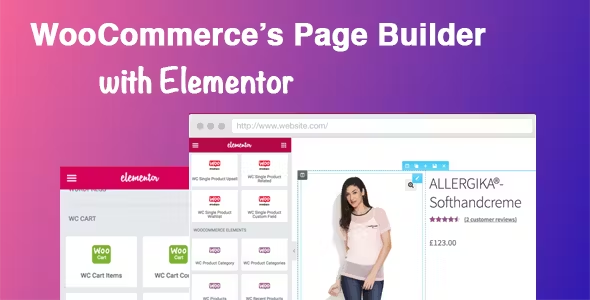
Easily Build Highly Customizable Online Stores with WooCommerce and Elementor: The Complete Guide
Building an online store with WordPress is easy with the powerful eCommerce features of WooCommerce and the flexible, no-code design of Elementor. This guide will take you through how to use WooCommerce with Elementor, starting with installation and customization...

2024 WordPress Knowledge Base The Ultimate Guide to SEO: Best Practices for Improving Search Rankings
Importance of Knowledge Base SEO The main goal of a knowledge base is to help customers or potential customers access information and resolve queries. However, this goal cannot be achieved if they do not see your knowledge base in the search results. The more visible your knowledge base is, the likelihood of getting preferred brand recall...

How to Password Protect WordPress Post Categories
Entire categories can be password protected. The benefit of this method is that it makes it easier to add password protection to multiple pieces of content, and it's also simpler for site visitors because they only have to enter the password once to unlock all the content in that category. However, to set...

 简体中文
简体中文  English
  日本語
日本語  Français
  Español



