


WordPress Tutorial Page 90
The "WordPress Tutorials" feature takes you in-depth understanding of WordPress, from the basic installation, theme and plug-in configuration, to SEO optimization and site security, covering all aspects of the core knowledge and practical skills needed to build a site. Whether you are a novice or an experienced developer, you can find the appropriate tutorials to help you easily master the use of WordPress and advanced operations.
arrange in order

Detailed tutorial: How to hide or style subcategories in WordPress
How to Hide or Set Styles for Subcategories in WordPress Do you want to hide subcategories in WordPress or set their styles so that your list of categories is easier to read? In WordPress, your posts can be categorized into different categories and subcategories. This helps ...
How to create and optimize Google sitemaps with Rank Math Pro
Rank Math Pro is a powerful WordPress SEO plugin that helps websites automatically generate and optimize Google sitemaps to improve search engine crawling and indexing efficiency. This article describes in detail the complete process of installing, configuring, optimizing and submitting sitemaps to help you improve...

Three Reasons Why You Should Choose Elementor to Build Beautiful Websites for Your Clients
When working with a client, choosing the right WordPress website builder can be a big task. This choice is especially important when the client wants to edit or add new content themselves. This is because a good or bad website builder directly determines the client's experience of editing the website, which in turn...

How to Disable JSON REST API in WordPress for Better Security
The advent of the JSON REST API in Wordpress has provided developers with more functionality to easily interact with website data through the API. This is undoubtedly a powerful tool for developers, but for some website owners, it may bring no...

Comprehensive Guide: How to Optimize WordPress Website Speed and Performance (I)
The first step you can take on how to speed up WordPress is to use the Google Lighthouse tool to better familiarize yourself with the issues affecting your site. The second step is to compress images to reduce the time it takes to load the first colored pixel on your site. A quick estimate will reveal that...

How to Automatically Associate Keywords with Affiliate Links in WordPress: a Complete Guide
Affiliate marketing has become one of the most important ways for content creators and bloggers to make money online. With the increasing amount of content on your website, manually adding affiliate links to each post is not only time-consuming and laborious, but it is also prone to omissions, which can lead to loss of revenue. To solve this problem, automating the off...

How to Fix Elementor Safe Mode Fonts and Styles: A Comprehensive Solution
When using Elementor for web design, you may encounter the problem of "Safe Mode". In this case, the fonts and styles of the web page may not be displayed correctly, which affects the design effect and user experience. In this article, we will introduce how to solve the problem of fonts and styles in Elementor Safe Mode...
How to Fix Pluggable.php File Error in WordPress
Encountering pluggable.php file errors in WordPress can be a headache, especially when it's uncertain what's causing these errors. From our team's experience with WordPress over the years, these errors are generally due to themes, plugins, or custom generation...

A Complete Guide to Creating a Classified Ads Site in WordPress
Why create a classified ads website? A classified ads website allows users to post ads for items they want to sell. Other visitors can use the details provided in the ad to contact the vendor and make a purchase. Here are some of the main advantages of a classified ads website: Revenue source...

Accelerating Animation with Elementor AI: A Tutorial
With GSAP Animation and Elementor AI, learn how to add dynamic video effects to your website to enhance the user experience, increase interactivity, immerse visitors in the scrolling process, grab their attention, and boost website conversions.

Object-Oriented Programming (OOP) in PHP: Transforming WordPress Development
Object-Oriented Programming (OOP) is an important paradigm in software that centers on "objects" - instances of classes that contain data and behavior rather than "actions". PHP, known for its server-side scripting, benefits greatly from OOP. This is because OPP supports modeling...

How to Create and Manage WooCommerce Product Categories
WooCommerce Overview WooCommerce's product management interface is very similar to WordPress' post and page management, making the product management process more intuitive. Once you're in WooCommerce, you can access products from the Products menu. If you are a new user, the menu...

How to Add and Customize HTML Forms in WordPress: Detailed Tutorials
What are HTML forms? Why are they needed? An HTML form is an area that allows users to enter and submit data, and is commonly used to collect user information such as name, email address, feedback, and order information. Unlike WordPress form plugins, HTML forms are created through...

WordPress 6.5 New Feature: Block Binding API Example Details
WordPress 6.5 introduces a new feature: the Block Bindings API. This is a tool that makes the block editor easier to use, and makes it simpler for you to add all kinds of data to different parts of your site. This means that the custom code you need to write when editing...

Learning WordPress - Selecting and Installing a Theme Learning
Today, focus on one core component - themes. A theme, simply put, is a template for the look and feel of your website. The beautiful thing about using WordPress is that you can change the look and feel of your website at any time by switching themes, and your content - text, images, etc. - is left as is...

How to Add Real-Time Inventory and Shipping Information to WooCommerce Product Detail Pages
Showing real-time inventory and delivery information to your customers in your WooCommerce website not only improves the user experience, but also increases the conversion rate of your products. In this article, we will detail how to add real-time inventory and delivery information to the product detail page to help you optimize the functionality of your online store. 1. ...

How to Optimize Images in WordPress to Improve Site Loading Speed
Images are essential elements in web design. However, the size of image files often affects the loading speed of web pages. If images are not optimized, they will not only slow down the website, but also affect user experience and search engine ranking.Optimizing images in WordPress can...

How to Block Contact Form Spam in WordPress
Are you receiving tons of spam emails through your website's contact form? This situation can give you a headache, but WordPress provides several automatic methods to block spam contact forms. In this article, we'll share 5 effective methods that will help you reduce and block WordPre...

Tutorial on the use of the ACF plugin: adding fields to categorized terms
Learn how to add custom fields to WordPress category terms using ACF (Advanced Custom Fields) and implement HTML customization by modifying template files such as category.php and taxonomy.php to enhance site functionality and design.

How to Fix WordPress White Screen of Death
WordPress white screen of death is one of the most common WordPress errors. There is no message prompting to be locked out of the WordPress site. Another problem with the white screen of death error is that sometimes it only affects one part of the site. For example, it may only affect the WordPre...

Top 5 Elementor Plugins for WordPress and WooCommerce Websites
With additional plugins, you can further extend Elementor functionality and make your website more interactive and visually appealing. In this article, we'll dive into 5 top Elementor plugins that not only enhance design freedom, but also bring a wealth of widgets,...
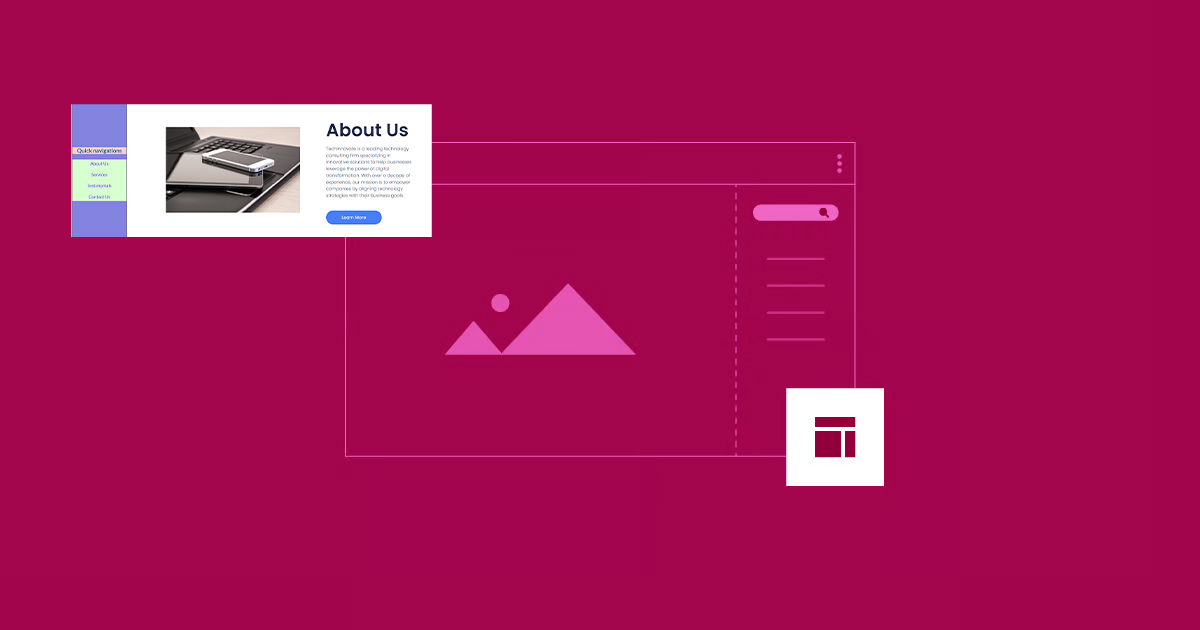
How to Create Vertical Sticky Headers with Containers in Elementor
What is a Vertical Sticky Header? Vertical Sticky Headers are a type of header bar that is fixed to the side of the page and stays visible as the user scrolls down the page, allowing easy access to other page areas or quick navigation. This design can be used in catalogs, navigation menus, link...

Why does the WordPress admin bar overlap with the navigation menu? A complete guide to fixing it
An in-depth look at the causes of WordPress admin bar and navigation menu overlap issues, as well as detailed solutions, including hiding the admin bar, tweaking CSS, and checking for plugin conflicts, to ensure that your site's navigation displays correctly and improves the user experience.

Solving Common Problems in WordPress Multi-Domain Configuration
Multi-domain configuration is a powerful feature in WordPress that helps webmasters manage multiple domains in the same WordPress installation. This configuration is especially useful when managing multiple websites or sub-sites, and can greatly simplify website maintenance. However, multi-domain configuration...

WooCommerce REST API Manual: Comprehensive Explanation and Real-World Case Studies
Managing an online store is usually costly and often involves dealing with a bunch of tedious manual processes. But the good news is that the advent of the WooCommerce REST API simplifies it all. It's like a smart assistant that allows you to programmatically control the e...

A Complete Guide to Creating and Managing a WordPress Website Privacy Policy
Why You Need a Privacy Policy and How to Create a Compliant Privacy Policy for Your WordPress Website In today's data-driven world, protecting user privacy is a fundamental responsibility of every website. A privacy policy is not only a legal requirement for compliance, it is an important tool for building user trust...
How to Password Protect Your Entire WordPress Site
Protecting an entire WordPress site with a password can be done in two ways: Choosing a plugin Server-level HTTP authentication Of the two methods, the plugin method is more user-friendly and better suited for user-facing sites, while HTTP authentication protects WordPress...

Some of the most frequently asked questions about bulk editing in WooCommerce
We often come across some of the most common questions when using WooCommerce bulk editing, which we'll look at below. What is the best way to bulk edit WooCommerce products? The best way to bulk update products in WooCommerce is to use the plugin's...

A Comprehensive Guide to Changing WordPress Site Fonts
Choosing different fonts for your WordPress site can significantly enhance its visual appeal and uniqueness. This article details how to change fonts in WordPress, including font settings using the site editor, global styles and customizer, and how to adjust the font size...
Improving User Experience and Conversion: A Comprehensive Analysis of WooCommerce Product Sorting Optimization Tips
In WooCommerce, more advanced sorting can be achieved through the built-in sorting options, manually adjusting the order of your products, or using a plugin. Why is WooCommerce product sorting important? Effective product sorting helps customers quickly find the items they need, which increases...

 简体中文
简体中文  English
  日本語
日本語  Français
  Español



