




WP self-taught website builder Page 29
At Photon Academy, we specialize in providing high quality WordPress instruction to help you master every aspect of WordPress from basic to advanced. Our courses are designed to allow students to get hands-on and understand the power of WordPress, whether it's building a personal blog or a business website.
arrange in order
Comparing WordPress Custom Tables with Existing Database Tables: When to Use Custom Tables
Understanding the difference between WordPress custom tables and existing database tables, and when to use custom tables to enhance performance and meet complex requirements. This article details methods for creating, managing, and maintaining custom tables.
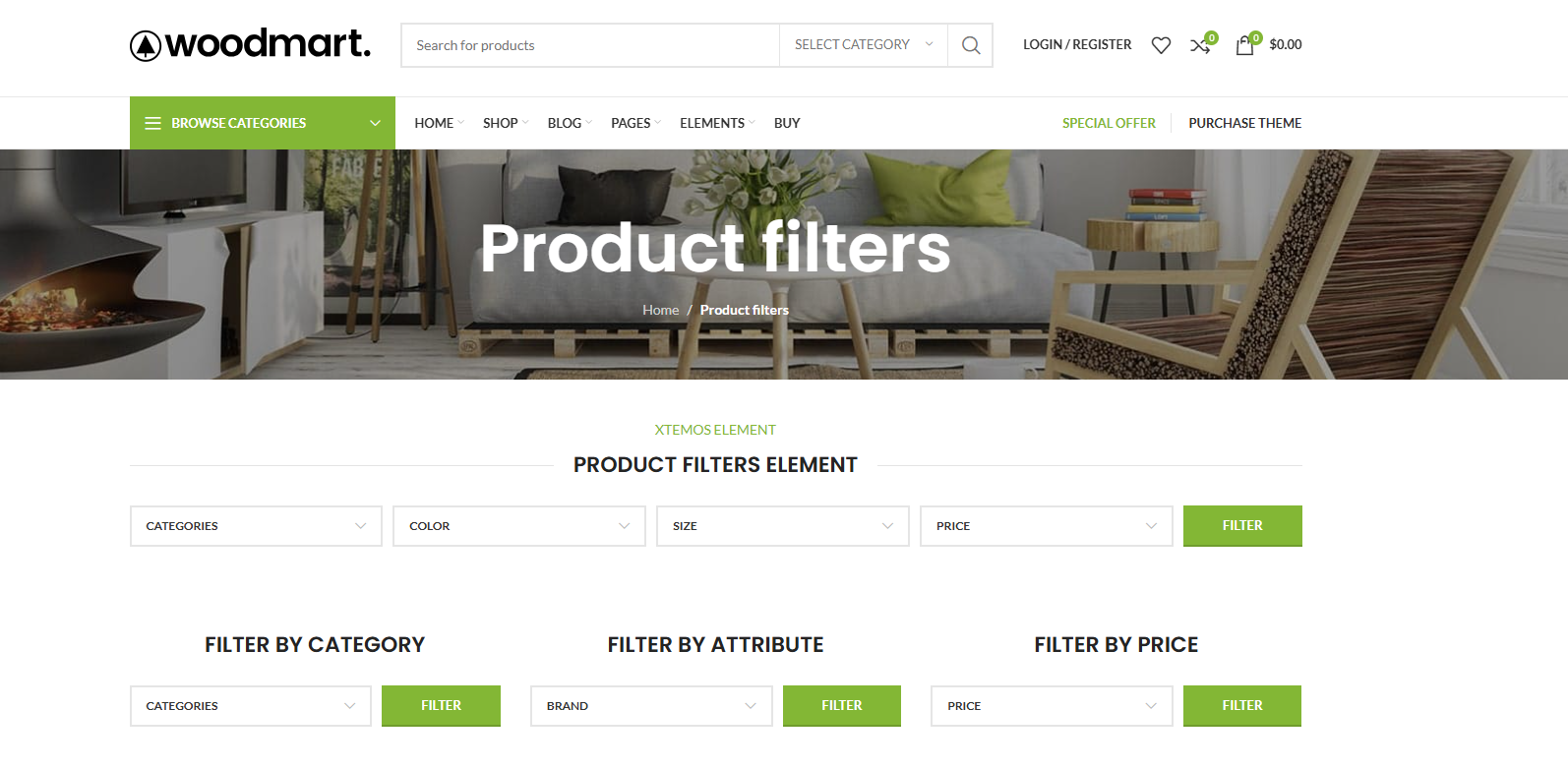
WoodMart Filter Advanced Play Exposed: Multi-Criteria Filtering That Really Converts!
WoodMart multi-criteria filter always "not effective"? In fact, it is not a plug-in problem, but the logic is in the wrong order. In this article, from the real use of the scene, disassemble WoodMart Filter AND / OR combination of logic, classification and attribute linkage, to teach you to build out a really good, can improve ...

WooCommerce translation plugin how to choose? WPML, Polylang, TranslatePress Applicable scenarios
WooCommerce Translation Plugin Options: Compare WPML Multilingual SEO, Polylang & TranslatePress Visual Translations, Getting Started Is Faster & Less Hassle.
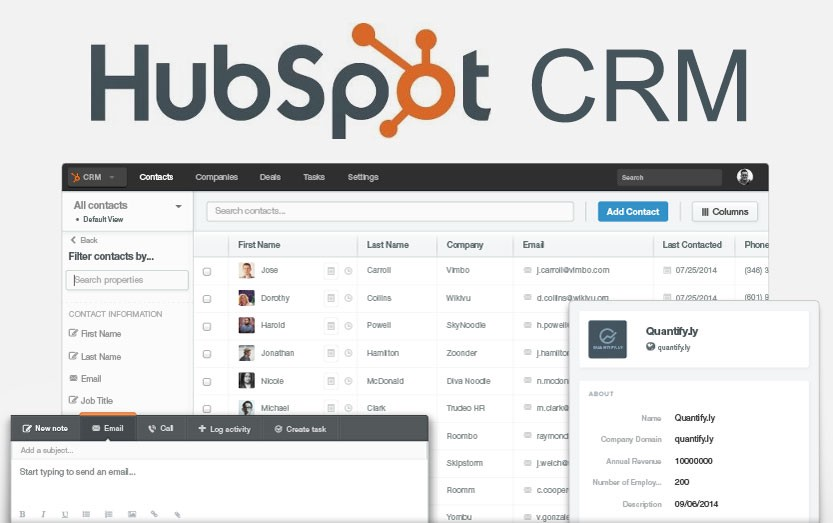
2026 Recommended List of WordPress CRM Plugins: which one is the most hassle-free from lead to close?
Organize 2026 years of saving WordPress CRM plugin: HubSpot, Jetpack CRM, FluentCRM, Groundhogg, etc., with installation and configuration steps, form into the lead, abandonment salvage and automated email templates, suitable for e-commerce and inquiries station fast landing.

How to choose a WordPress backup recovery plugin? A comparison and pitfall avoidance checklist that even a novice can understand
Newbies can also understand the WordPress backup recovery plugin shopping guide: free and paid differences, must-see indicators, UpdraftPlus/WPvivid recommendations, timed backup + cloud backup + retention number setting steps, with a list of common pitfalls.
SEO Ranking Optimization Tools Comparison: Free Version vs Paid Version, Which Type of Website is Worth More?
Free and paid SEO ranking optimization tool difference? In this article, according to the e-commerce, content station, local service station, the new station cold start disassembles the selection logic, gives "1 main + 1 special" to buy ideas and self-test list, less detour.

woodmart multilingual how-to: structure, switching, SEO signals sorted out at once
woodmart Multi-language how to do? This article rationalizes URL structure, language switching and SEO signals like hreflang/canonical/sitemap, and gives a list of common conflicts and fixes.

How can I develop an SEO-friendly and lightweight WordPress theme?
The following steps need to be followed to develop an SEO-friendly and lightweight WordPress theme: Designing the Page Layout First of all, the page layout needs to be designed and a suitable color and font scheme needs to be chosen to make the theme look professional and easy to read. While designing the layout, the main...

Website Optimization: Key Factors to Improve Web Page Opening Speed in addition to Servers
In today's Internet era, the importance of fast web page loading speed for websites is becoming increasingly important. Web page opening speed not only affects the user's experience, but also directly affects the website's traffic, revenue and search engine ranking. In addition to the impact of the server, the following aspects also have a significant impact on web page opening speed...

A few ways to solve the problem of high concurrency in PHP.
How to solve PHP high concurrency problems? In high concurrency scenarios, PHP servers often encounter performance bottlenecks. In this article, we will introduce several common ways to solve PHP's high concurrency problem, including the use of caching, the use of PHP-FPM, the use of asynchronous processing and so on. 1. Using Cache Using ...

Detailed Tutorial: Setting Customized Minimum Order Quantity for Each Product in WooCommerce
Introduction: When managing a WooCommerce website, you may need to set different minimum order quantities for different products. This need is especially common in wholesale or bulk-transaction type e-commerce sites. While plugins can be used to simplify this process, if you want more direct control over...

A Complete Guide to Creating Custom URL Links in WordPress
Would you like to have unique link addresses for posts, pages or other types of content in WordPress? Not long ago, a WordPress newbie asked us a question: is it possible to customize the link structure of a post or page in WordPress? In this post...

Three ways to teach you to install WordPress themes
One of the great things about WordPress compared to other content management systems (CMS) is that it allows you to change themes easily, making it simple to customize the look of your website without having to write code. So how do you install a WordPress theme for your website? In this article, we'll cover a few common installation methods...

How to Add Google Analytics to a WordPress Website with Google Site Kit: A Simple Guide
If you're running a website, you probably use Google services for data analysis, performance monitoring, and more. Managing these services can be a bit complicated, but now there's a plugin called Site Kit for WordPress that makes it easy. Through...

Recommended: a selection of popular WordPress slideshow plugin
WordPress is a powerful website platform that offers many themes and plugins, including plugins for creating slideshows. While WordPress comes with basic slideshow functionality, if you need more customization options or want a more professional look, you'll likely need to use...

WordPress Navigation Block Tutorial: Easy to Create Navigation Menu
Welcome to this tutorial on using WordPress navigation blocks. Today, we're going to teach you step-by-step how to create and optimize your website menu using WordPress navigation blocks. Whether you're a beginner or an advanced user looking to enhance your website's navigation, this tutorial will provide you with practical...

Learning WordPress - General API Internationalization
What internationalization is and why it's so critical. Teaches you how to apply internationalization to your WordPress code so that your website can cross the language barrier and reach a global audience. What is internationalization? Internationalization is developing applications in a way that can be easily translated into other languages...

Learning WordPress - Using Page Templates
A template is like a bunch of Legos put together to end up with a web page design. You can think of a template as a complete page layout that includes areas such as a header, sidebar, and footer. Learn how to use, modify and add templates to add to your articles and pages...

WordPress supported file types and extended new file format upload details
WordPress allows you to upload many types of files, but there are some that are not supported. This is done mainly to protect your website from security risks, but also to ensure that your website runs smoothly on different devices and platforms. This article will explain to you in detail...

What is the WordPress Heartbeat API and how to manage it?
In 2013, WordPress introduced the Heartbeat API, a feature that allows your browser to automatically communicate with the server. If you are using web hosting, you need to look carefully at your server's CPU usage. This is because when you exceed the limit, some hosting companies may...

How to Change WordPress Administrator Password
Why You Need to Reset Your WordPress Password For security reasons, changing your password is something that must be done on a regular basis, especially if you use the same password on multiple platforms. Updating your passwords on a regular basis reduces security risks. In addition to these security considerations, there are several other...

Efficient WordPress CRM plugin for foreign trade enterprises
With CRM software, it is easy to collect various information about your customers, track their previous purchases, and also analyze their spending habits and preferences. With this information, it is easier to identify new opportunities in the market and make every customer's shopping experience enjoyable. ...

WordPress not logged in users (visitors) only show a picture in the post Used to guide the user to sign up
There are times when we publish a file and add multiple images, but how do we make it so that unlogged in users (visitors) can only see one image? After the user logs in, he can see all the pictures in the article. Then this article introduces the following, modify the file code to achieve this effect, so that you can guide...

How to limit comment length in WordPress (simple tutorial)
WordPress's comments feature encourages readers to start a discussion around the content of a post on the site. However, you may find that some comments are too short or rather long and don't contribute much to the discussion. Don't worry, next we'll show you how to easily limit comments in WordPress...

How to Improve WordPress Website Performance with Artificial Intelligence
10 Uses for AI in WordPress 1. Generate Copy and Content Regularly updating content is a great way to improve your search engine rankings. But not all website owners have enough time and resources to maintain this frequency of updates. Artificial intelligence tools can simplify content creation...

Mastering the WordPress Block Editor: A Guide to Advanced Tips for Improving Efficiency and Functionality
If you're using the WordPress block editor (also called Gutenberg), you may have come across some less intuitive features. If you're using a block theme and operating in the site editor, you'll find that some of the actions may not be as obvious. Here are some simplified...

Flatsome WordPress Theme Explained: Build an Efficient and Creative WooCommerce Store
When opening a WooCommerce store, you may be confused by the thousands of theme options available. But if you're looking for a versatile theme that's both practical and offers great performance, Flatsome is definitely worth considering. This WordPress theme has been popular for a long time,...

How to Block IP Addresses in WordPress
Every webmaster or administrator has run into a headache: the comment section is bombarded with spam like crazy, but those spammers always seem to find a way to get around all kinds of protection. The good news is that IP blocking can help you solve this trouble. An IP address is the name of every...

TranslatePress Plugin: Easily and quickly translate any WordPress site!
Many webmasters translate web content into other languages with the aim of enhancing the user's browsing experience by providing multilingual options. This makes it easier for users to access and understand the content of the site, which greatly increases their satisfaction and engagement. Our team has also done multilingual...

WordPress comment cleanup method: two ways to delete spam and comments
Posting comments on your website is a great way to get visitors to engage, but unfortunately, it also provides hackers with a way to send spam and malicious content to your website. If you are building a website with WordPress and want to remove these unwanted comments, this article focuses on showing how...

 简体中文
简体中文  English
  日本語
日本語  Français
  Español



