



WooCommerce Plugin Page 13
arrange in order

WooCommerce Advanced Setup Guide: Optimizing Shopping Cart, Checkout and API Integration
WooCommerce is an open source e-commerce plugin designed specifically for WordPress.WooCommerce has many advanced features. In the 'Advanced' settings area, you can set up WooCommerce pages such as the shopping cart and checkout, create access tokens to connect external applications to RE...

Dynamic Methods for Getting WooCommerce Cart, Checkout & Store Page Links
Woocommerce is an awesome plugin for setting up an online store on WordPress that lets you sell anything from books to electronics.Woocommerce not only has powerful plugins and extensive help documentation, but it also builds a super developer-friendly community. ...

How to Migrate from Shopify to WooCommerce in 3 Steps
If you're considering migrating from Shopify to WooCommerce, you can refer to this article to ensure that you retain critical data and maintain the proper functionality of your store throughout the transition. Why Migrate from Shopify to WooCommerce? Shopify is a hosted...

Five Efficient and Useful WooCommerce Product Image Zoom Plugin Featured Recommendations
On an e-commerce website, product images are key to attracting customers. If the images are too big or too small, it may slow down the loading of the webpage or make customers unable to see the product details. To solve this problem, we can use a specialized plugin to resize product images. Next, give...

How to Add Additional Information to WooCommerce Product Pages to Improve User Experience and SEO
What is Additional Information in WooCommerce? WooCommerce Additional Information is typically a section on a product page that displays product attributes and other customized information. This information is crucial for customers, especially when it comes to multiple product options (such as size...

How to Test Stripe Extensions in WooCommerce: A Comprehensive Guide
This guide will detail how to configure and test the Stripe extension in WooCommerce, utilizing its built-in Test Mode functionality to perform simulated transactions. 1. Why Test the Stripe Extension There are several key reasons to test your payment system before bringing it live:...

How to Install and Uninstall WooCommerce
Installing and uninstalling WooCommerce is actually as easy as any other WordPress plugin. However, there are some additional configuration steps if you want to get the most out of WooCommerce on your site. These steps will help you set up WooCommerce better, and you can set...
How to Customize Product Fields with WooCommerce Extra Product Options Plugin
Extra Custom Product Options for WooCommerce The plugin is a powerful tool that allows you to add various custom fields to your product pages. Here is a detailed guide that delves into the plugin and how it is configured: Plugin Description WooCommerce Extra Product Op...

Ways to skip directly to the shopping cart page in WooCommerce
WooCommerce is a free and open-source e-commerce plugin for WordPress websites, and many people use it to build their own online malls. However, some users want to make the checkout process a little smoother as a way to improve the user experience of their website. Skipping shopping in WooCommerce...
How to Change WooCommerce Store Page Titles: A Complete Guide
In WooCommerce, the title of a store page is usually displayed as "Shop" by default. However, depending on your business needs, you may want to change this title to better reflect your brand or product type. In this article, we'll show you how to use Wo...
An In-Depth Look at WooCommerce Analytics: The Best Tools and Metrics for Improving Online Store Performance
WooCommerce Analytics comes as a native tool that allows users to easily track customer behavior and product performance. In this article, we'll take a closer look at WooCommerce's analytics tools and discuss three advanced tools that offer powerful analytics capabilities. Using Woo...

Comprehensive Guide: How to Export and Manage Customer Data from WooCommerce
When running an online store, accessing and utilizing customer data is critical to optimizing operations and developing effective marketing strategies.WooCommerce provides the ability to export customer information, allowing you to access this data in the form of a CSV file.CSV (Comma Separated Values) is a widely...

Optimizing the WooCommerce Checkout Page: How to Increase Sales Conversions with Plugin Custom Forms
This article will provide you with a detailed guide on how to customize the checkout page using the free WooCommerce plugin to speed up the checkout process and increase sales by optimizing the form. A. What is WooCommerce Checkout Page By default, WooCommerce raises...

How to Bulk Update Products in WooCommerce
Updating your product catalog is crucial to running a WooCommerce store. What would you do if you needed to add new sizes to all the t-shirts in your store, or raise the price of all the mugs? Manually changing them one by one is not only a hassle but also very time-consuming. Good thing WooCommerc...

WooCommerce Blocks: Add WooCommerce functionality to your WordPress site!
WooCommerce Blocks help webmasters create customized store pages, showcase your products and add advanced eCommerce features like filtering and searching, and more, all without writing a single line of code. By default, many blocks come with WooCommerce, but several...

How to Optimize Responsive Design for Mobile to Enhance Ecommerce User Experience with WooCommerce
In the era of mobile e-commerce, users are more and more inclined to shop and transact on mobile devices. Therefore, for e-commerce platforms, optimizing the mobile experience has become a crucial part.WooCommerce, as a powerful e-commerce platform, has many advantages and features...

Comprehensive Guide: How to Create, Configure and Optimize Coupons in WooCommerce
For eCommerce stores, coupons are an important marketing tool to help boost sales. This guide will take you through the details of how to create, setup, test and optimize coupons in WooCommerce. 1. How to Create Coupon Codes in WordPress WooCommerc...
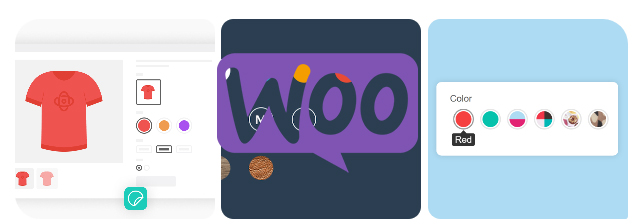
How to Add Attributes to Products in WooCommerce
Whether it's apparel, electronics, or other goods, attributes enable your customers to select products by color, size, material, and many other dimensions.WooCommerce also supports creating variants for different attributes, which means you can set prices for different combinations of products, inventory, and...

WooCommerce Store SEO Boosting Guide: 11 Must-Have Tips
When running a WooCommerce store, it's critical to prioritize search engine optimization (SEO). A solid WooCommerce SEO strategy can increase your search visibility, making it easier for consumers to find and buy from your store. SEO-optimized online stores are your...

Adding Custom Product Fields to a WooCommerce Store: A Comprehensive Guide
In e-commerce websites, each product has unique characteristics and descriptions.WooCommerce, as a powerful e-commerce plugin, provides rich options for product attributes but sometimes these default fields can't satisfy the needs of all stores. In order to better display product information,...

Customizing the WooCommerce Checkout Page: Full Tutorial
The checkout page of a website that does e-commerce is one of the important aspects. After all, it's the final destination for customers after placing an order. If the website WooCommerce checkout page is difficult or time-consuming to use, buyers may abandon their shopping and leave a bad impression of the website. An effective and high converting checkout...

How to Successfully Translate a WooCommerce Store into Multiple Languages: A Comprehensive Guide
Expanding your WooCommerce store to attract international customers can be a key move to improve competitiveness and increase revenue, and multi-language support isn't just an option, it's become a necessity. This article will dive into how to translate your WooCommerce store into multiple languages and provide...
Building a Multilingual WooCommerce Store: A Comprehensive Guide and Practical Tips
Engaging a global audience is critical to the success of any online store. One effective way to expand your reach is to make your e-commerce store multilingual. According to the Bright Plugins website, offering content in multiple languages can increase online sales by as much as 100%. through...

How to Install and Configure WooCommerce Plugin in WordPress Guide
WooCommerce is an open source e-commerce plugin designed specifically for WordPress. It transforms WordPress websites into fully functional online stores that support a variety of e-commerce features. Today we are going to talk about WooCommerce pages. Installation and Configuration: Install Wo...

WooCommerce Getting Started Guide: Adding External/Associated Products
In WooCommerce, external/affiliated products are products that are not sold directly in your store and are usually linked to other websites. In this way, you can offer more choices to your customers and also earn referral commissions. In this article, we'll go over how you can link products in WooCo...
Full Explanation of WooCommerce Email Settings: Optimizing Your Online Store Notification System
WooCommerce offers a variety of built-in email features to help you better manage and operate your online store. This guide will go over the email settings in WooCommerce, including the following: Email notifications built into the WooCommerce plugin Setting up send...
Understanding the "Add to Cart" Click Counter in WooCommerce: Increasing Conversions
For running a WooCommerce store, knowing how many visitors actually clicked on the "Add to Cart" button can provide valuable insights into the attractiveness of product pages and the path to conversion. By implementing an "Add to Cart" click counter, an additional...

WooCommerce Payment Gateway Guide: How to Choose, Setup and Manage a Payment Gateway to Ensure the Success of Your Online Store
In this guide, we'll go over how WooCommerce payment gateways work, which ones to choose, and all the best practices. How do WooCommerce payment gateways work? On WooCommerce, payment gateways can be downloaded and added to the store's wor...

How to Set Up WooCommerce One Page Checkout: 3 Ways to Increase Conversions
Optimize your WooCommerce store's checkout process, reduce cart abandonment and increase conversions with the One Page Checkout feature. This guide details how to implement the One Page Checkout feature using templates, shortcodes, custom code, or plugins, as well as solutions to common problems.
WooCommerce Subscription Reminder Email Guide: Boosting Customer Satisfaction and Repeat Purchases
Importance of Subscription Reminder Emails After setting up a WooCommerce subscription, it's a good idea to create subscription reminder emails. These automated messages remind customers when a subscription is about to be renewed and help you and your customers in several ways: Reduce administrative hassle: remind customers to renew their...

 简体中文
简体中文  English
  日本語
日本語  Français
  Español



