



WooCommerce Plugin Page 14
arrange in order

Detailed Guide to Changing Prices by Country in WooCommerce
If you want to display different prices in different countries/regions, you may need some additional settings and plugin support. In this article, we will detail the complete process of how to change the price of an item in WooCommerce based on the user's country/region. Why WooCommerce ...

How to Create WooCommerce "Add to Cart" Custom URL: Detailed Guide
WooCommerce provides powerful e-commerce features for WordPress websites, and one of the most important features is the "Add to Cart" button. By customizing the "Add to Cart" URL, you can create a more convenient shopping experience for users. This article will delve into how...

Understanding the "Add to Cart" Click Counter in WooCommerce: Increasing Conversions
For running a WooCommerce store, knowing how many visitors actually clicked on the "Add to Cart" button can provide valuable insights into the attractiveness of product pages and the path to conversion. By implementing an "Add to Cart" click counter, an additional...

10 Best Strategies to Optimize Your WooCommerce Site Speed, Increase Conversions & SEO Rankings
A slow loading WooCommerce website can drive away potential customers and hurt your sales.WooCommerce website speed is also an important factor in WooCommerce SEO and Google search engine rankings. So how do you make sure your WooCommerce website is fast and high...
Seamless Replacement of WooCommerce Themes: The Complete Guide
Updating your WooCommerce theme can give your online store a fresh look. However, it's crucial to retain your custom settings and minimize disruption when changing themes. This guide will explain how to seamlessly change WooCommerce themes while retaining your customizations...
WordPress WooCommerce Initial Installation and Basic Setup Guide
This article will provide you with a detailed guide to the initial installation and basic setup of WooCommerce to help you easily build and manage your online store. First, what is WooCommerce? WooCommerce is an e-commerce plugin for WordPress websites, widely used...

How to Create and Manage WooCommerce Product Categories
WooCommerce Overview WooCommerce's product management interface is very similar to WordPress' post and page management, making the product management process more intuitive. Once you're in WooCommerce, you can access products from the Products menu. If you are a new user, the menu...
WooCommerce Shipping Setup Tips: Easily Configure and Optimize Your Delivery Strategy
In this guide, we'll explore every detail you need to know about WooCommerce shipping and walk you through the steps to easily complete WooCommerce shipping setup. Understanding WooCommerce Shipping WooCommerce shipping setup allows you to define how products will be shipped from your...
Why PayPal, a comprehensive explanation and guide to setting up WooCommerce
Why PayPal for WooCommerce? PayPal's success is due to its wide user base, simple setup and secure payment processing. Here are some of the reasons for PayPal's popularity in e-commerce: Wide User Base With WooCommerce's...
Comprehensive Guide: How to Export and Manage Customer Data from WooCommerce
When running an online store, accessing and utilizing customer data is critical to optimizing operations and developing effective marketing strategies.WooCommerce provides the ability to export customer information, allowing you to access this data in the form of a CSV file.CSV (Comma Separated Values) is a widely...

Recommended: Best WooCommerce Currency Converter Plugin
WooCommerce has turned out to be a popular choice for building foreign trade e-commerce websites. However, when you create an international website with WooCommerce, you often encounter situations where you need to display multiple currencies. This is where the WooCommerce Currency Converter plugin comes in handy. This...
WooCommerce Subscription Reminder Email Guide: Boosting Customer Satisfaction and Repeat Purchases
Importance of Subscription Reminder Emails After setting up a WooCommerce subscription, it's a good idea to create subscription reminder emails. These automated messages remind customers when a subscription is about to be renewed and help you and your customers in several ways: Reduce administrative hassle: remind customers to renew their...
Getting Started with WooCommerce: Installation Steps and Benefits of Airwallex Integration Explained
In this article, we'll take a closer look at WooCommerce's features, supported payment methods, and delve into the benefits of integrating with Airwallex. The World's Top Online Store Platform - WooCommerce By installing the WooCommerce plugin, it's easy to transform your WordPress website into...
WooCommerce Store SEO Boosting Guide: 11 Must-Have Tips
When running a WooCommerce store, it's critical to prioritize search engine optimization (SEO). A solid WooCommerce SEO strategy can increase your search visibility, making it easier for consumers to find and buy from your store. SEO-optimized online stores are your...

A Complete Guide to Quickly Setting Up WooCommerce Google Analytics (2024)
Why do you need Google Analytics on WooCommerce? Why is Google Analytics important for your WooCommerce store? Ecommerce analytics is needed if one wants to plan campaigns and make the right business decisions to increase revenue. Here's what you can do by...
How to Fully Customize and Optimize Your WooCommerce Store Pages
Building your website with WordPress and WooCommerce allows you to fully own your store and use a flexible framework to build systems and designs as unique as you dream. Today we're going to discuss building a WooCommerce store page and how you should customize it...
Total Optimization: Dramatically Improve E-Commerce Efficiency with WooCommerce Automation
Taking full advantage of the features and applications available on WooCommerce can save you significant time. In this article, we'll explore the best ways to automate WooCommerce and clear your schedule. 1. Customer Communication Automation Contacting customers individually can be very time-consuming.WooCommerce e...
Full Explanation of WooCommerce Email Settings: Optimizing Your Online Store Notification System
WooCommerce offers a variety of built-in email features to help you better manage and operate your online store. This guide will go over the email settings in WooCommerce, including the following: Email notifications built into the WooCommerce plugin Setting up send...

WooCommerce Payment Gateway Guide: How to Choose, Setup and Manage a Payment Gateway to Ensure the Success of Your Online Store
In this guide, we'll go over how WooCommerce payment gateways work, which ones to choose, and all the best practices. How do WooCommerce payment gateways work? On WooCommerce, payment gateways can be downloaded and added to the store's wor...
How to Configure a Payment Gateway in WooCommerce: A Detailed Guide
This guide will show you step-by-step how to configure a payment gateway in WooCommerce. With the right setup, your customers can securely purchase your products or services without any hassle. Let's get started! Overview of Payment Gateways in WooCommerce With electric...
Detailed Guide: How to Configure and Optimize Shipping Settings in WooCommerce
Setting up shipping in WooCommerce may seem difficult, but it's crucial to running a successful online store. It's almost impossible to manage an online store without a well-organized shipping setup. This guide for beginners on configuring shipping settings, defining shipping zones, and adding shipping methods...
How to choose and optimize the best image size for WooCommerce products
For WooCommerce users, choosing the right image size not only improves the user experience, but also increases sales. Images that are too small do not showcase products effectively, while images that are too large slow down the site and cause potential customers to leave before making a purchase. Therefore, implementing image sizes...

Five Efficient and Useful WooCommerce Product Image Zoom Plugin Featured Recommendations
On an e-commerce website, product images are key to attracting customers. If the images are too big or too small, it may slow down the loading of the webpage or make customers unable to see the product details. To solve this problem, we can use a specialized plugin to resize product images. Next, give...

How to Password Protect Posts, Pages and WooCommerce Products
If you want to password protect individual posts, pages, or WooCommerce products, WordPress actually includes a built-in feature to help you set it up via its Visibility settings. The visibility settings will be found in the WordPress editor, so you can use them for our above...

WooCommerce 8 Best Inventory Management Plugin Options
Why do you need a WooCommerce Inventory Management Plugin? AUTOMATIC INVENTORY UPDATES: Most WooCommerce inventory management plugins automatically update inventory in real-time and accurately. This automatic control of inventory levels helps minimize inventory discrepancies (i.e. between actual inventory and recorded inventory...
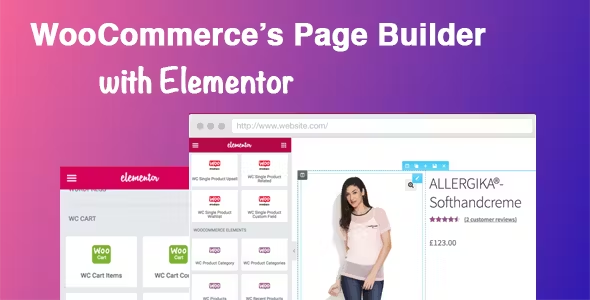
Easily Build Highly Customizable Online Stores with WooCommerce and Elementor: The Complete Guide
Building an online store with WordPress is easy with the powerful eCommerce features of WooCommerce and the flexible, no-code design of Elementor. This guide will take you through how to use WooCommerce with Elementor, starting with installation and customization...
An In-Depth Look at WooCommerce Analytics: The Best Tools and Metrics for Improving Online Store Performance
WooCommerce Analytics comes as a native tool that allows users to easily track customer behavior and product performance. In this article, we'll take a closer look at WooCommerce's analytics tools and discuss three advanced tools that offer powerful analytics capabilities. Using Woo...

10 Practical Ways to Optimize WooCommerce for Higher Conversion Rates
Optimizing for WooCommerce requires a combination of marketing and internet expertise to create the ideal storefront for your customers. Here are 10 simple ways, backed by data, to increase conversions. WooCommerce Conversion Rate Optimization (CRO) is a way to improve the success of your eCommerce...
Building a Multilingual WooCommerce Store: A Comprehensive Guide and Practical Tips
Engaging a global audience is critical to the success of any online store. One effective way to expand your reach is to make your e-commerce store multilingual. According to the Bright Plugins website, offering content in multiple languages can increase online sales by as much as 100%. through...

Creating an Advanced Reporting App for WooCommerce Stores
The WooCommerce plugin for WordPress allows you to efficiently create and manage an eCommerce platform and provides built-in notifications that alert you to new or completed orders, low inventory, and successful payments. These features are important, but for WooCommerce to collect...

 简体中文
简体中文  English
  日本語
日本語  Français
  Español



