





arrange in order

What are the several ways to set up a WooCommerce product?
WooCommerce is an open source e-commerce plugin designed specifically for WordPress. Can make our WordPress site to achieve online shopping features; online shopping and involves the product settings, we go down together to see how the product should be set. Product settings Click Wo...

How to Customize WooCommerce Emails
WooCommerce emails help customers get information about the status of their orders, delivery times, and more. Why customize WooCommerce emails? When running a WooCommerce store, customers receive different transactional emails. These emails help them...

Configuration Guide for WooCommerce Cache Plugin
In websites that use WooCommerce, the use of caching plugins can effectively increase page loading speed and improve user experience. However, since pages such as shopping carts, user accounts, etc. involve dynamic user data, these pages should usually not be cached, otherwise it may lead to information exhibition...

How to set up differential sales tax for different product categories in WooCommerce
Detailed tutorials teach you how to set up differentiated sales tax for different product categories in WooCommerce, including enabling tax options, creating product categories, setting tax rates, and assigning tax classes to ensure tax rules are compliant and efficient.
WooCommerce Beginner's Guide: How to Get Started and Optimize Your E-Commerce Site Quickly
This article provides a comprehensive guide for WooCommerce newbies, covering how to quickly install WooCommerce, configure store settings, add products, set up payment and shipping methods, manage orders and customers, and more. To help you get started and optimize your eCommerce site quickly...

How to change "Add to Cart" button text in WooCommerce
Learn how to modify the Add to Cart button text in WooCommerce with the Loco Translate plugin and custom CSS. This article provides detailed steps to help customize the button text and style according to your needs, enhancing the personalization and user experience of your website.
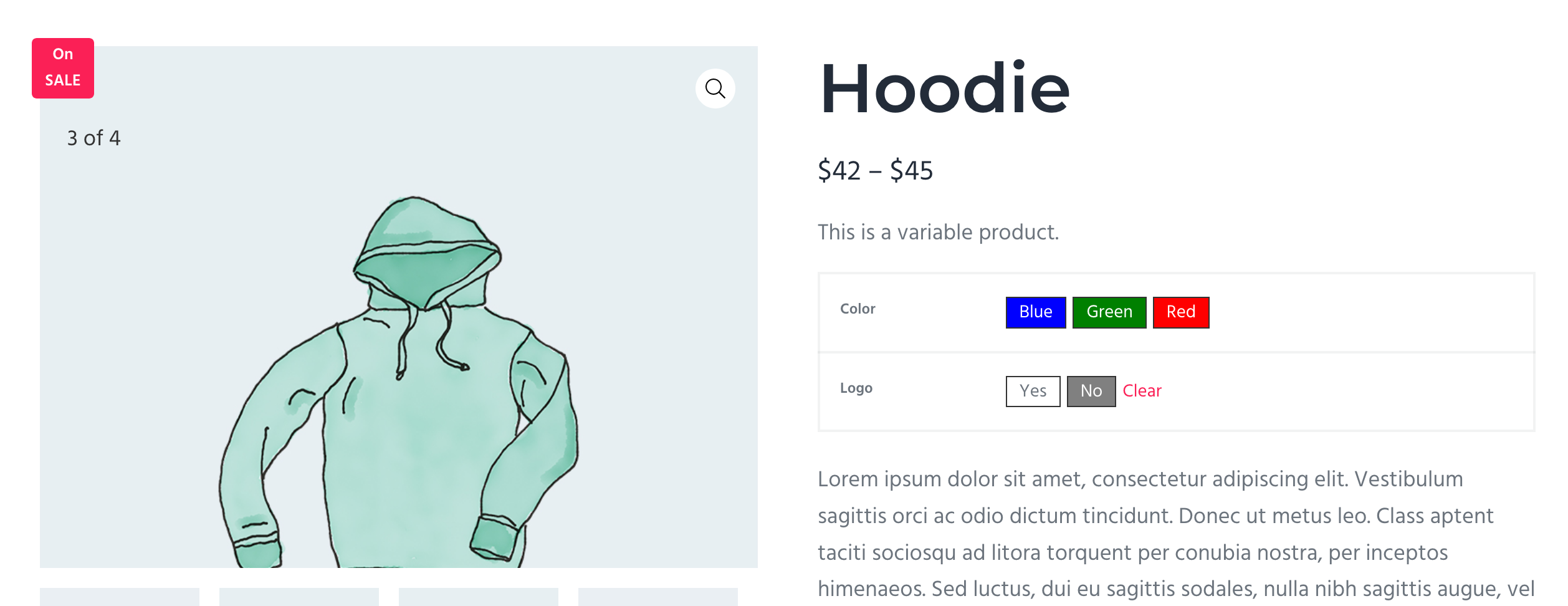
WordPress Product Color Change Feature: Enhancing Interactivity and Customizability of Ecommerce Websites
Learn how to implement the product color change feature in your WordPress e-commerce website to enhance your customer's personalized shopping experience and optimize page conversions, using the WooCommerce plugin to easily implement color selection and variant display.

How to Activate WooCommerce and Enable Social Login: The Complete Guide
This tutorial explains how to activate WooCommerce and enable social login, support Facebook, Google and other third-party accounts with one-click login, improve conversion rate and user experience, compatible with Elementor page builder.
Why are Elementor pages slow to load? Maybe the DOM is not optimized
Elementor page loading slow? Maybe the DOM structure is too complex! Find out what Optimized DOM Output is and learn to turn on optimized markup to make your site lighter and faster, improving user experience and SEO performance.
Does Yoast SEO need to be installed with all features turned on? These suggestions are worth checking out
Should I enable all features after installing Yoast SEO? This article analyzes the core modules and optional settings of the plugin in detail, helping you to selectively enable features according to the type of website, avoiding misuse and improving the efficiency of SEO performance.

Exposed! The WooCommerce tax automation gods that top sellers are using revealed!
An in-depth analysis of the WooCommerce Tax Plugin to help e-commerce merchants choose the right automated tax solution to ensure compliance and save time and effort.

WooCommerce 10.1 must-see update to double the efficiency of store operations!
A comprehensive analysis of the five major upgrades to WooCommerce 10.1 in performance, checkout, security, backend management and developer support to help e-commerce sites become faster and more stable.





