



WordPress Themes Page 3
arrange in order
Elementor White Screen or Infinite Loading Ultimate Fix Collection
White screen or infinite loading problem in Elementor editor? This guide provides a complete set of troubleshooting and fixing methods from plugin conflicts, cache settings, server configuration, REST API to console errors.

Kadence Tutorial: Creating Sticky & Transparent Headers
Use Kadence Advanced Header Module to easily realize sticky header and transparent header effects. Detailed explanation of the setup method and style adjustment will help you optimize the design of the top of the page for desktop and mobile devices.

GenerateBlocks template style customization tutorial: fonts, colors, spacing and structure of the uniform settings
Explains how to set fonts, button styles, header colors, block spacing, and container widths consistently in GenerateBlocks to create a coordinated page structure.

Image Aspect Ratio Settings in Blocksy 2: Maintaining Image Consistency and Aesthetics
Learn how to set image aspect ratios in Blocksy theme to optimize image display on product pages, blog pages and individual product galleries. Ensure consistent size of uploaded images to enhance the overall beauty and design of your website.

Complete Guide to Blocksy Theme Mobile Header: Off Canvas Area and Menu Settings Explained
Detailed introduction to Blocksy mobile header configuration methods, Off Canvas area features and advanced menu options, suitable for building responsive navigation layout.

Adding Variation Swatches to WooCommerce Products with blocksy 2
Learn how to improve the intuitiveness and aesthetics of your WooCommerce store product displays with blocksy 2's variant color palette feature. Use visual options such as images, colors, and buttons to enhance user experience and increase conversions.

Blocksy Content Blocking Guide: Precise control of the content displayed on the page
Get a comprehensive introduction to Blocksy content block functionality and learn how to use hooks, conditional controls, and device adaptations to achieve layout goals such as promotional messages, membership modules, and personalized headers and footers.

How to Create Products with WoodMart Theme
Use WoodMart to create WooCommerce product pages, complete the title, image, price, category and other settings, quickly build a clear and complete product display structure.

GenerateBlocks template library tutorial: single insert and batch insert operation demonstration
Master single and batch insertion of GenerateBlocks template libraries to quickly build page modules such as feature displays, galleries, price lists and team profiles.

Manage and Optimize Sidebars in Blocksy Theme
Learn how to manage and optimize sidebars with Blocksy theme. Discover how to enable sidebars, adjust layout and spacing, set fixed sidebars, and more. Build more powerful customization options for your website with Blocksy Pro's multiple sidebar extensions.

Kadence Advanced Navigation Tutorial: Submenu and Mega Menu Creation Explained
A complete tutorial on the use of Kadence's advanced navigation blocks, covering the creation, styling, and content migration of submenus and Mega menus for corporate, mall, and educational website navigation design.
Fatsome Theme Update: How to Maintain Theme Compatibility with WordPress
How to make sure your Fatsome theme is still stable after WordPress update? This article provides compatibility issues analysis, update process suggestions and maintenance tips to help you effectively deal with theme upgrade challenges.

Blocksy Advanced Reviews Module, a comprehensive upgrade to the social validation experience for e-commerce websites
Blocksy launches an advanced comment module that provides comment sorting, image uploading, and voting functions to enhance social validation effects and boost user trust and interactivity on e-commerce sites.

How to use the Product Size Guide feature in Blocksy 2
Learn how to enable and configure the Size Guide feature in Blocksy 2 to help customers quickly select the right size and improve shopping efficiency. Provide e-commerce sites with intuitive sizing information to reduce returns and exchanges.

Translating Categories, Tags, and Astra Strings with Polylang
Learn how to use the Polylang plugin to translate post categories, tags, and custom strings in your WordPress site and help add multilingual support to your Astra site for global adaptability and internationalization.

Blocksy Inventory Tightness Alert Module to Help Improve Ecommerce Conversions
Blocksy launches the Stock Tightness Alert module to display real-time inventory dynamics, stimulate customers to make quick purchases, and help e-commerce sites improve sales conversion results.

Creating Hovering Social Icon Buttons with GeneratePress and GenerateBlocks Tutorial
Add Left Hover Social Icon Buttons to Desktop with GeneratePress and GenerateBlocks Free Edition with Complete Steps and CSS Styles.

Teach you how to master the GeneratePress dynamic font system and customize your site's typography without stress!
Learn how to customize your site's font styles with the GeneratePress Dynamic Font System, and easily control the typography of your site's headers, menus, body text, and more for a more professional and brand-recognizable look and feel without having to write CSS.

WoodMart Theme WooCommerce Product Grid with Rotator Feature
Understand the WooCommerce product grid and rotation features of WoodMart theme, support custom product display, optimize page layout, and enhance the visual effect of the store. Master product filtering, paging, sorting and rotation configurations for a more flexible and efficient online sales experience.

Personalizing Headers and Footers: Using the WoodMart Header Builder in Detail
Comprehensively explains how to use WoodMart Header Builder, easily create personalized headers and footers, and improve the overall design and structure of e-commerce site performance.
Elementor Safe Mode and Website Backup: How to Synchronize Your Website Security
Learn how to troubleshoot plugin conflicts with Elementor Safe Mode and secure your WordPress site with regular backups. This article provides complete instructions and advice to help you secure a stable website.

Blocksy 2's new Copy Options feature: simplifying design consistency
Learn how to use the Copy Options feature in Blocksy 2 to quickly copy customized settings from one post type to another, achieving consistency in site design, saving setup time and improving overall aesthetics.

Optimize Category Archive Pages with Blocksy Theme
Learn how to optimize WordPress category archive page design with Blocksy theme. Explore customizations such as page titles, structural layouts, card options, and more to enhance the appearance and functionality of category pages.

Adding Dynamic Subheadings to Posts in GeneratePress: Using Custom Fields and Block Element to Complete the Presentation
Use GeneratePress's Block Element and Custom Fields features to add dynamic subheadings to each post to enhance page layout and optimize structure without writing code.

WoodMart 8.2 heavy update: 4 new demo sites + search function upgrade + full performance optimization!
WoodMart 8.2 version is online, with 4 new demo sites, customized Thank You page, upgraded search function, and full performance optimization.
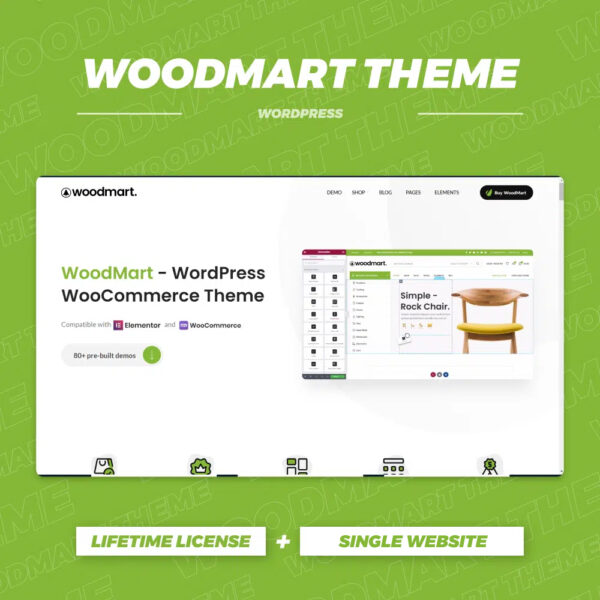
WoodMart Theme with WPML Multilingual Settings
Use WPML to implement multi-language support on WoodMart theme to enhance the internationalization competitiveness of your e-commerce website. This article introduces WPML installation, translation mode, WooCommerce multi-language configuration, string translation and other key features.

How to use GeneratePress to center the logo and balance the menu items on both sides of the site.
Using GeneratePress combined with custom CSS, the website navigation bar logo centered, the two sides of the menu items balanced distribution, to enhance the visual effect of the page and user experience.

Quickly customize your website's color scheme with GeneratePress global color feature
With GeneratePress's global color feature, you can make one-time adjustments to your website's color scheme, modify element colors in batch, and easily switch between theme styles and dark and light modes.

Blocksy 2 Dynamic Data Blocks in Loops Explained
Learn how Blocksy 2 Dynamic Data Blocks are used in Advanced Post Blocks, Taxonomy Blocks, and WooCommerce Product Collections to easily create flexible and rich WordPress page layouts.

Hook Prioritization in GeneratePress Explained: Controlling the Order of Elements
Learn how to use Hook priorities in GeneratePress to control the display order of page elements, insert ads, subheadings, author information, and more for precise layout and customized page presentation.

 简体中文
简体中文  English
  日本語
日本語  Français
  Español



