





arrange in order

Kadence Tutorial: How to Make Giant Dropdown Menus with Kadence Themes
Learn how to create mega dropdown menus using the paid version of the Kadence theme. This article provides detailed steps, including installing the plugin, configuring Mega Menu, using the WooCommerce shortcode, and more, to help you create a professional WordPress site navigation.
Complete guide to setting up a WooCommerce store with the Flatsome theme
Optimize your WooCommerce store with the Flatsome theme, from choosing pre-built templates and configuring category pages to optimizing the product display and checkout process, to enhance the user experience, increase conversions, and create an efficient e-commerce site.
Flatsome Theme Review: Versatile WooCommerce Theme with Powerful Customization and Optimization Features
Flatsome is a powerful WooCommerce theme with rich customization features, built-in UX Builder page builder and seamless WooCommerce integration. Suitable for e-commerce websites, it offers a wide range of layouts and templates to easily help users create and manage online stores...

Flatsome Theme Review: Installation Guide and Setup Wizard in Detail
Flatsome is a powerful WooCommerce theme designed for online stores. This article provides an in-depth review of Flatsome's core features, pros and cons, and installation process to help you determine if it's right for your eCommerce needs.

Flatsome vs Astra: which WordPress theme is better for you?
Flatsome and Astra are two very popular WordPress themes. This article compares the advantages and disadvantages of these two themes in terms of e-commerce features, SEO optimization, performance, design flexibility, etc., to help you choose the theme that best suits your needs, whether it's an e-commerce store or a blog, make...
Why is Flatsome the preferred theme for WooCommerce merchants?
Flatsome is a powerful and versatile WooCommerce theme for various e-commerce stores. With its efficient performance optimization, flexible page design features and live editing tools, Flatsome helps merchants create fast, responsive and beautiful online stores.
Full tutorial on importing templates for the equipment library
Preparation steps The deployment of your Wordpress site is complete, successfully logged in, we need to click on the appearance (Appearance), as shown in the figure above: Now that the display is the default theme, we need to install the corresponding theme, click to install a new theme (Add New Theme), as follows ...

Astra Theme Integration with Beaver Builder Explained
Astra theme integrates perfectly with Beaver Builder to provide a flexible visual page building experience. This article describes in detail the installation, configuration and optimization methods to help users create a personalized website, while improving the loading speed and interactive experience.
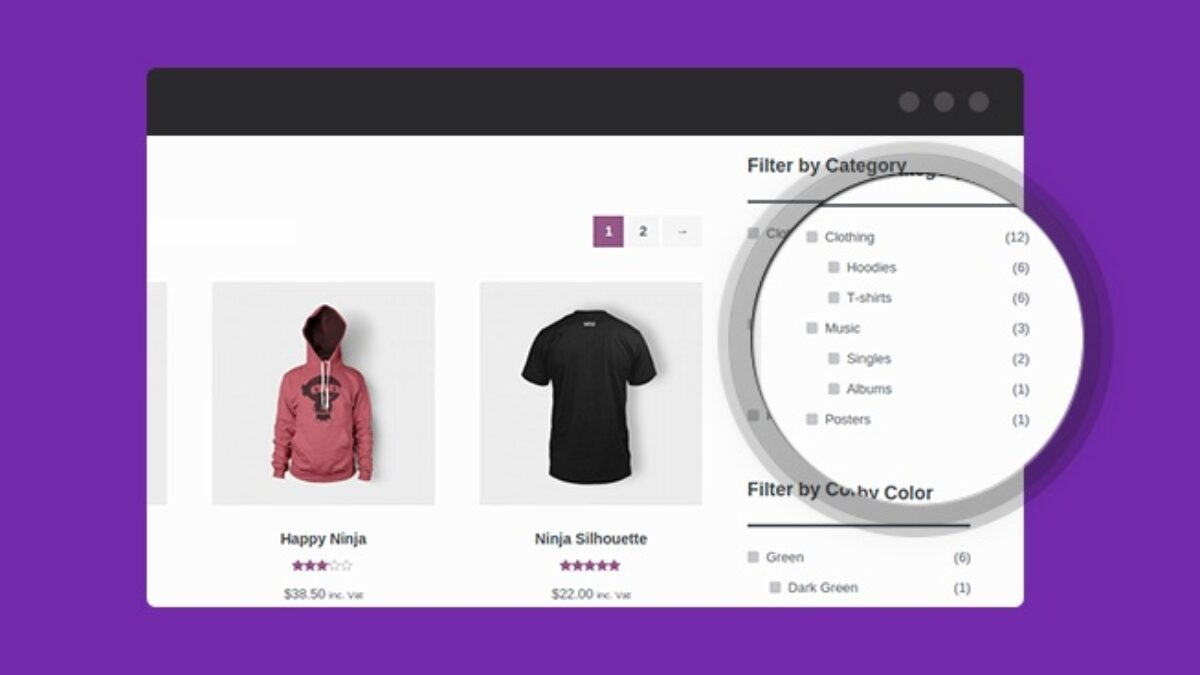
How to fix WoodMart theme filtering WooCommerce product display by color issue
When using WoodMart themes and WooCommerce, the Filter by Color feature may not display products correctly. This guide breaks down the common causes of color filtering issues and provides a complete solution, including property settings, variant adjustments, theme configuration, cache cleanup, and more...
WoodMart theme vs. other popular e-commerce theme choices
Choosing the right WooCommerce theme is crucial for e-commerce websites. This article compares four popular themes, WoodMart, Flatsome, Astra and Porto, and analyzes their performance, features and applicable scenarios to help you find the most suitable solution.

How to choose a theme after WordPress installation: key points for choosing a WordPress theme
How to pick the right theme after installing WordPress? This guide compares the functional features of Kadence, Astra, GeneratePress, and Neve, analyzes the difference between free themes and paid themes, and helps you pick the most suitable theme for your website.

How to Optimize Astra Theme for Mobile Devices: A Detailed Tutorial
Learn how to optimize the Astra theme for mobile and improve the presentation of your website on mobile and tablet devices. This article covers detailed steps from installing the theme to optimizing headers, buttons, menus, and many other parts of the site to help it adapt to various screen sizes.





