



WordPress Themes Page 4
arrange in order
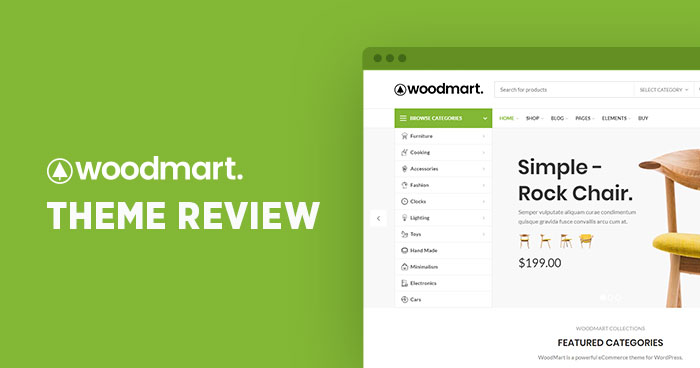
How to Enable and Optimize the Compare Products Feature in the Woodmart Theme (Complete Setup Guide)
Learn how to enable and optimize the Compare feature in the Woodmart theme. Step-by-step setup for Compare pages, field display, button styling, and category comparison functionality to enhance the user shopping experience and boost conversion rates.

How to use HTML Block in WordPress and WoodMart Themes
Introduces how to use HTML Block in WordPress and WoodMart to unify the display of information content, and realize the flexible call and management of multi-area layout.

WoodMart common error solution (white screen and style error)
Solve common problems such as WoodMart white screen, wrong style, etc., and master cache cleaning, debugging settings and builder compatibility skills.
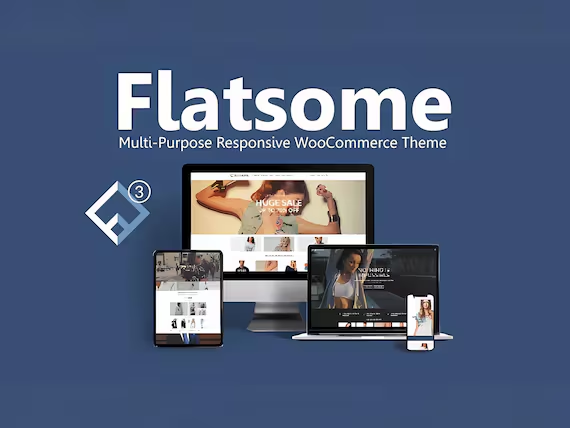
Flatsome Theme Customization: Personalize Your Website Design with Ease!
Learn about the customization features of the Flatsome theme and explore how to achieve a unique and personalized website design using features like UX Builder, WooCommerce integration, header and footer customization, and mobile optimization.

Uncover Hello Biz: Why it's a must-have e-commerce site builder for WordPress users, pros and cons at a glance!
Want to boost your e-commerce website conversion rate? Learn how Hello Biz combines WordPress and Elementor to create an extremely fast-loading, highly customizable e-commerce platform with a zero-burden quick launch that helps performance soar!
Introducing the Blocksy 2 Waitlist module.
Blocksy 2 launches a product out-of-stock alert module, which supports customers to register their email address to receive replenishment notifications, and is compatible with WooCommerce, helping e-commerce websites to improve conversion rates and sales opportunities.

Personalizing Headers and Footers: Using the WoodMart Header Builder in Detail
Comprehensively explains how to use WoodMart Header Builder, easily create personalized headers and footers, and improve the overall design and structure of e-commerce site performance.

Blocksy Multilingual Tutorial: How to Translate Content Strings in a Website
Learn how to use the WPML plugin to translate content strings in Blocksy themes, including buttons, menus, placeholders, and more, to create complete and consistent multilingual WordPress sites.

Free WordPress Knowledge Base Theme Download: Build the Perfect Self-Service Platform
Discover how to create a powerful self-service platform with a free WordPress knowledge base theme. This article provides detailed theme recommendations, installation tutorials and optimization tips to help you easily build an effective knowledge base website.

Blocksy Theme's Font Management and "Back to Top" Feature: Optimizing Website Design and User Experience
Explore the powerful font management features and "Back to Top" button settings of the Blocksy theme and learn how to customize font styles to optimize your website design and enhance user experience. Learn how to create professional looking websites with fine control over fonts, button shapes and device adaptation.

How to Use Custom WooCommerce Product Information Tags in Blocksy 2
Learn how to enable and use custom product tags in Blocksy 2 to help merchants add personalized content to each product page, enhance the customer shopping experience and increase conversions. With a simple setup, merchants can add more valuable information to their products.

Optimizing WordPress Single Post Page Design in Blocksy Theme
Discover how to optimize the design of WordPress single post pages with Blocksy theme. Learn how to choose the right layout, styles, and features to improve the visual appeal and browsing experience of your post pages.

Translate Astra Themes/Plugins into your own language with GlotPress
Learn how to use GlotPress Translate Astra themes and plugins to translate your website into your desired language. Quickly achieve multilingual support and improve the global adaptability of your website by exporting .po and .mo files and uploading them to WordPress.

Elementor White Screen or Infinite Loading Ultimate Fix Collection
White screen or infinite loading problem in Elementor editor? This guide provides a complete set of troubleshooting and fixing methods from plugin conflicts, cache settings, server configuration, REST API to console errors.

Elementor Safe Mode and Website Backup: How to Synchronize Your Website Security
Learn how to troubleshoot plugin conflicts with Elementor Safe Mode and secure your WordPress site with regular backups. This article provides complete instructions and advice to help you secure a stable website.

How to Create a Mega Menu with Elementor Builder and WoodMart Themes
This article describes how to create powerful and flexible mega menus with the Elementor builder and WoodMart theme. It includes creating navigation menus, setting up dropdown menus, adding full-width mega menus, customizing sizes, adding labels and setting up rotating product displays to help enhance web...

Customizing Hero Blocks with Blocksy Pro Content Blocks: Full Tutorial
Customize and replace the default post Hero blocks with Blocksy Pro's Content Blocks feature, and use Gutenberg for dynamic content loading and modular layouts to easily build professional template structures.

Blocksy Pro Content Block Hands-on Tutorial: Implementing Automatic Ad Insertion (Google AdSense Support)
Learn how to use the Blocksy Pro content block feature to efficiently insert static ads and Google AdSense into WordPress websites for WooCommerce malls and content blogs without modifying the page structure.

Quickly customize your website's color scheme with GeneratePress global color feature
With GeneratePress's global color feature, you can make one-time adjustments to your website's color scheme, modify element colors in batch, and easily switch between theme styles and dark and light modes.

Blocksy Theme Gutenberg Page Setup Tutorial: Single Page Custom Header, Structure & Footer
Introducing the Blocksy theme's page setup feature in Gutenberg, which makes it easy to implement separate visual layout for service pages, feature pages, and other pages.

Blocksy Custom Archive Template Builder Tutorial: Creating Exclusive Layouts for Blogs & Custom Post Types
A comprehensive introduction to Blocksy's archive template builder features, including card content and full page replacement, support for Gutenberg Dynamic Blocks and Query Loop to build free layouts.

Blocksy Single Page Template Builder Tutorial: Creating Custom Structures for Articles and Content Pages
Explain how to use Blocksy single page template builder, including template entry, structure setting, dynamic preview and conditional control, suitable for blog and custom page layout optimization.

Merge Header and Page Hero Blocks in GeneratePress for a Compact and Professional Homepage Layout
Merge the header and top of page hero block, eliminate top spacing, and adjust inner margins and navigation colors with GeneratePress Premium for a visually unified and professional homepage design result.

Using GeneratePress and GenerateBlocks to Create Page Heroes for Category/Tag Archive Pages
Use GeneratePress and GenerateBlocks plugins to customize the top banner of category and tag archive pages to dynamically display titles and descriptions, improving page visual effects and design quality.

A Practical Guide to GenerateBlocks Global Styles: A Comprehensive Explanation of Three Efficient Usages
Master the three core uses of GenerateBlocks Global Styles: creating grid layouts, reusing spacing and shadow styles, and customizing header styles.

Kadence Tutorial: Setting up a WordPress Custom 404 Page with Kadence Theme Pro
Customize the design of your WordPress website's 404 page with Kadence Theme Pro's Hooked Elements feature. Replace the default styles and add buttons, direct links, popular recommendations and other modules to improve the usability and accessibility of the page.
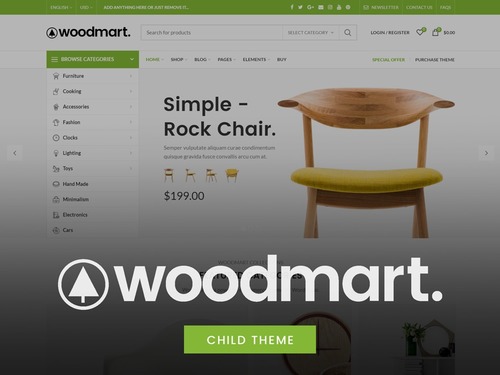
WoodMart Topic: Out of stock product Swatch style not displaying solution
Solve the problem of out-of-stock product Swatch style not displaying in WoodMart theme, provide two practical methods for multi-attribute product settings.

WoodMart 8.2 heavy update: 4 new demo sites + search function upgrade + full performance optimization!
WoodMart 8.2 version is online, with 4 new demo sites, customized Thank You page, upgraded search function, and full performance optimization.

Kadence Tutorial: Modal Popup Block User Guide
Learn how to use Kadence Blocks Pro's Modal pop-up block to set up pop-up links, content editing, style adjustments, animation effects, and customized trigger links to quickly improve page interactivity and user experience.

Blocksy Tutorial: Anchor Navigation Effects and Menu Highlighting
Learn to use the Blocksy theme and the Gutenberg editor to implement anchor jumping and menu highlighting in WordPress one-page sites, suitable for creating highly interactive landing pages and showcase pages.

 简体中文
简体中文  English
  日本語
日本語  Français
  Español



