



WP Theme Decoration Page 6
arrange in order

Mastering the Gutenberg Editor: Practical Tips and Advanced Features (03)
In this post, we're going to continue our deep dive into WordPress' Gutenberg editor, highlighting some advanced features and useful tips to help you further improve your content creation. From adding anchors and custom styles to Blocks, to using different types of re...

How to Write Blog Posts Using WordPress Default Theme and Gutenberg Editor (02)
In this post, we'll dive into how to write blog posts using WordPress' default theme and the Gutenberg Editor. The Gutenberg Editor, the built-in editor for WordPress, uses a block system to provide a way for users to...

Comprehensive analysis of the Avada theme: features, installation and template import tutorial (01)
Today we will talk about Avada Theme Welcome to this WordPress tutorial, today we will delve into the power of Avada theme and how to use it. As a popular and versatile theme, Avada offers website builders great flexibility and a wealth of options...
Astra Theme Explained: A Guide to Setting Headers and Footers (12)
Theme selection and settings are crucial when it comes to creating a perfect WordPress website.Astra theme has become the first choice for many users due to its highly customizable and flexible features. In previous tutorials, we have discussed other settings of Astra theme and today will re...

A comprehensive look at the Gutenberg editor: from default theme integration to feature optimization (01)
Before we officially start the tutorials for the default theme and the tutorials for the Gutenberg blog, let's take a deeper look at the Gutenberg editor. As the default content editor for WordPress, Gutenberg, since its release in 2018, has become a heavyweight in web design and content management...

In-depth Analysis of WooCommerce Integration Features and Store Settings in Astra Theme (11)
In this article, we'll dive into how Astra theme seamlessly integrates with WooCommerce to bring more customization and optimization options to online stores. With the rich functionality provided by Astra theme, you can easily set up the store layout, product categories, shopping cart, checkout page and more...

Astra Theme Settings Explained: How to Easily Manage the Appearance of Your Website (10)
Astra theme is known for its lightweight and high customizability, but for novice users, its settings may feel a bit complicated for the first time. In this article, we will introduce the main settings location and functions of Astra theme in detail to help you easily manage and customize the appearance and layout of your website. Whether it's row...

How to Create Custom Headers and Footers with Elementor: A Step-by-Step Guide (09)
When building a website with WordPress, the default Astra theme header and footer may not fulfill all your needs for the look of your website. Fortunately, with elmentor, you can easily create and customize your own header and footer. This post will detail how to elmentor...

Astra Themes & Elementor: Module Gap Adjustment & Template Saving Tips (08)
Today we continue to explain Astra theme and Elementor more settings and tips, when using Astra theme with Elementor to build a WordPress website, the layout and gap settings between modules are crucial. A good gap layout can significantly improve the page aesthetics and...

Elementor and Astra Theme Layout Tips: Container and Grid Best Practices (07)
In the last installment, we explored some basic typography tips for the Astra theme. Today, we're going to continue to dive into how to better utilize Container and Grid layouts in the Elementor editor to help you create more flexible and aesthetically pleasing web designs. Whether you're a beginner...
Astra Theme Official Typography Guide: Elementor Module Setup and Optimization Tips (06)
We have already talked about the individual details of the Astra theme's features, and today we are talking about how to formalize the layout In today's WordPress ecosystem, the Astra theme has won the favor of a wide range of users for its lightweight and highly customizable features. However, for first-time users of Astra theme...

Easy to master Astra theme slide setup: Elementor Pro and non-Pro version operation details (05)
Astra theme slideshow has two ways In the choice of slides (Slides), you need to make sure that you open the elementor Pro version, the ordinary version is not available, the general Astra template imported, the home page of the picture is the container background, it is not rotatable We will first talk about the first not...

Astra Theme Menu Setup Explained: A Comprehensive Guide from Basic to Mega Menu (04)
In our previous post, we explored in detail the difference between the paid version of Astra theme and template import. In this issue, we will analyze the menu settings of Astra theme in depth. For every website, the menu is a crucial navigation tool that not only determines the user's browsing...

Explanation of the difference between the regular and Pro versions of the Astra theme: reasons for upgrading to the Pro version (03)
Welcome to this installment of WordPress tutorials! Today we're going to dive into the main differences between the regular and Pro versions of the Astra theme. If you're using the Astra theme or thinking about upgrading to the Pro version, then this post will provide you with a clear guide. With some practical...

Mastering Astra Theme Template Import with Ease: Detailed Tutorials and Practical Tips (02)
Welcome to this installment of WordPress tutorials! Today we're going to take you step-by-step through how to use the Astra theme template import feature. Whether you're a newbie just starting to build a website or a veteran who wants to improve the efficiency of building your own website, this article will provide you with detailed step-by-step...

Astra Theme Installation Guide: Quick Start & Difference Between Regular & Pro Versions (01)
In this installment, we'll take you through the Astra theme, a popular WordPress theme that is not only easy to install, but also offers a wealth of customization options, making it a popular choice for many webmasters. In this article, you will learn how to install the Astra theme and get a preliminary understanding of its pu...

Detailed explanation of BoxShop theme footer settings: to create a professional e-commerce site bottom design (07)
In this installment, we will delve into how to set up the footer section of BoxShop theme. Footer is a part of website design that cannot be ignored, not only does it take on important navigational functions, but it also enhances the overall professionalism and user experience of your website. With this guide, you will learn how to...

Comprehensive analysis of BoxShop theme settings: make your website design better (06)
In this installment, we're going to dive into the various settings of the BoxShop theme to help you make the most of this powerful WordPress theme and get your website looking and functioning at its best. Whether you're a newbie or a seasoned webmaster, with this guide, you...

In-depth analysis of BoxShop theme: custom modules and advanced DIY tips (05)
In the last issue, we talked about how to edit BoxShop theme with WPBakery Page Builder, today, we will delve into the various modules provided by BoxShop theme and how to make advanced customization, to help you make full use of these powerful features to enhance the functionality of your website and...

How to Efficiently Decorate & Layout BoxShop Themes: A Comprehensive Guide (04)
Welcome to this tutorial! Today we're going to dive into how to decorate and layout the BoxShop theme, which is a powerful and flexible WordPress theme. Unlike previous themes, this time we will focus on how to use WPBakery Page Builder in the backend to...
How to Create Dynamic Website Posters with Slider Revolution in BoxShop Theme (03)
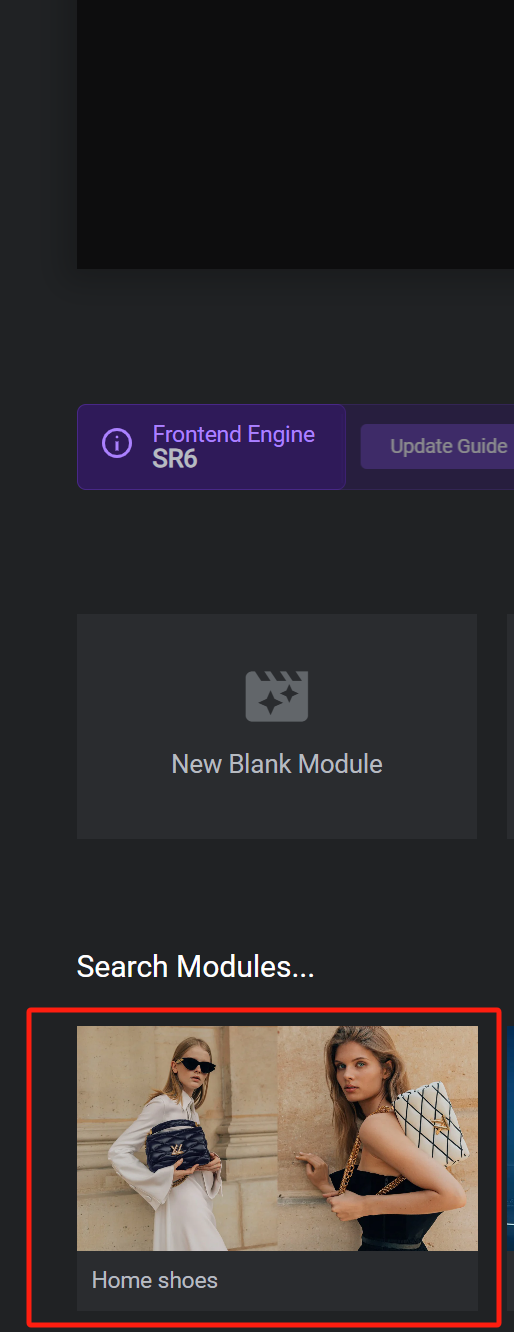
In this installment, we talk about setting up a poster (banner) for the BoxShop theme, which is actually quite simple, and like the previously mentioned Basel theme setup, this tool not only provides an easy-to-use interface, but also ensures that the poster is displayed perfectly on a variety of devices. Next, we will detail ...

An in-depth look at BoxShop e-commerce theme menu design: the ultimate guide to creating a super menu (02)
In the previous installment, we detailed how to import demo data in BoxShop eCommerce theme. In this issue, we will further explore how to design menus, especially how to set up and customize a mega menu. Menus are an important part of website navigation, and a powerful and beautiful menu...

A complete guide to quickly build a professional online store using BoxShop e-commerce theme (01)
In modern e-commerce, it is vital to have a fully functional and visually pleasing online store.BoxShop e-commerce theme is a comprehensive e-commerce template with rich functionality and support for visual editing using WPBakery Page Builder, which greatly simplifies the net...

Mastering WoodMart Theme Settings: The Complete Guide (09)
Welcome back to our tutorial series, in this installment we continue our in-depth look at how to precisely configure the WoodMart theme to make your e-commerce site more attractive and functional. From basic settings to advanced features, we'll break it all down to make sure you're able to fully utilize this powerful tool for your customers...

The Complete Guide: How to Optimize and Customize WoodMart Theme Settings in WordPress (08)
The last installment covered all the editing and setup of Elementor's WoodMart theme, so welcome back to our series of tutorials, and today we're going to dive into how to effectively utilize the WoodMart theme for WordPress for website design optimization. Whether you're a newbie or an experienced developer,...

Elementor and WoodMart Theme: Exploring Powerful Modules and Features (07)
In the last installment, we detailed some of the basic features of both the free and paid versions of Elementor. In this installment, we'll focus on the powerful modular features of Elementor with the WoodMart theme. Whether you want to create sliders, photo galleries, price lists, or contact forms...

In-depth Analysis of Elementor Basic and Pro Paid Functionality: A Comprehensive Guide and Practical Tips (06)
In the previous installment, we covered the basic features of the Elementor editor in detail. Before we move on to the Pro paid version features, we need to understand one important general feature. These basic features are available to you as long as you have the regular version of the Elementor editor installed...

Creating a Personalized Website: Advanced Use of the Elementor Editor and WoodMart Theme (05)
The last installment introduced a basic introduction to the Elementor editor paired with the WoodMart theme, and today we're going to dive into how to use the Elementor editor with the WoodMart theme for more advanced website design customization. Whether you're new to design or looking for a more refined layout...

Elementor Editor In-Depth Analysis: Creating a Personalized WoodMart Theme Website (04)
In the last issue we talked about how to set up a Woodmart theme poster (banner), in this issue we talk about the Elementor editor to renovate a Woodmart theme, we'll dive into how to use the Elementor editor to further customize and optimize your WoodMart theme. By...

How to set up the menu of a WoodMart theme: detailed tutorial with best practices (02)
Today we talk about WoodMart theme menu settings, the previous WoodMart theme template data import reference WoodMart theme menu is more functional, DIY (customization is also more), so it is recommended that novices slowly understand the simple menu features will not need to talk more, will not refer to Ba...

 简体中文
简体中文  English
  日本語
日本語  Français
  Español



