





descriptive
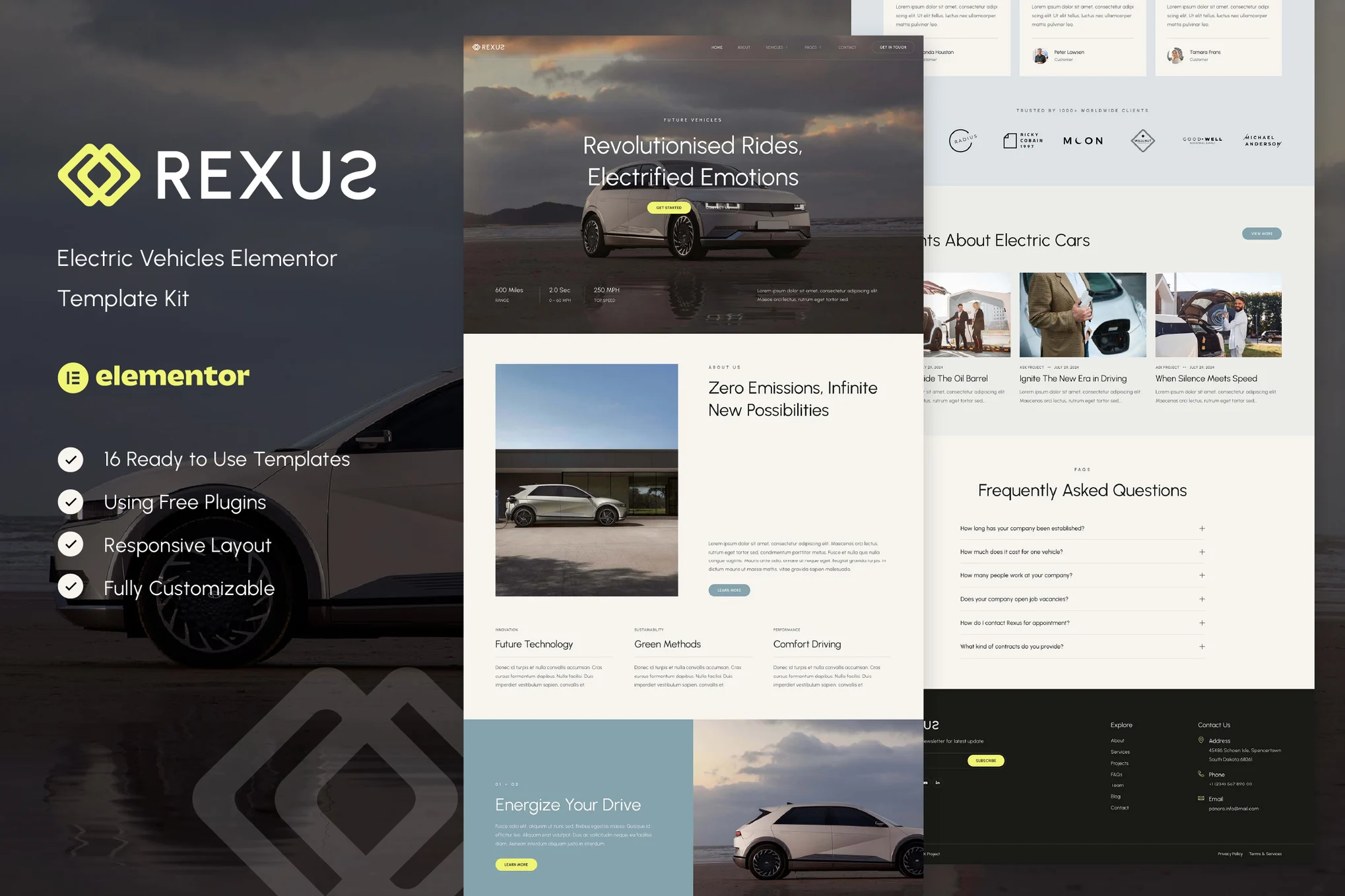
Rexus - Electric Vehicle Elementor Template Kit(Non-WordPress Theme) Created specifically for electric cars, electric mobility, electric transportation, EV charging stations, and any business that wants to showcase their services in a professional manner, Rexus has a clean, modern, and fresh design with a 100% responsive layout that's very easy to customize and suitable for any user who doesn't need coding knowledge.
The template suite includes 12 well-designed pages and 16 stunning templates to build professional-looking websites with just a few easy clicks.
![Image [1] - Rexus - Electric Vehicle Elementor Template Kit - Photon Volatility | Professional WordPress repair service, worldwide, fast response](https://www.361sale.com/wp-content/uploads/2025/03/20250312193814378-1741779399195.png)
![Image [2] - Rexus - Electric Vehicle Elementor Template Kit - Photon Flux | Professional WordPress Repair Service, Global Reach, Fast Response](https://www.361sale.com/wp-content/uploads/2025/03/20250312193821314-1741779405029.png)
![Image [3] - Rexus - Electric Vehicle Elementor Template Kit - Photon Flux | Professional WordPress repair service, worldwide, fast response](https://www.361sale.com/wp-content/uploads/2025/03/20250312193818468-1741779411733.png)
Key Features:
- Using the free version of Elementor (without Elementor Pro)
- Unique and simple design
- 12 ready-to-use pages
- 16 ready-to-use templates
- Fully responsive layout
- Fully customizable
- Cross-browser compatibility: Chrome, Firefox, Safari, Opera
Templates are included:
- Global Theme Styles
- fig. beginning
- About Us
- traffic
- Vehicle details
- user reviews
- common problems
- teams
- set a price
- blog (loanword)
- single-post blog
- Contact Us
- 404 Page
- headers
- footers
- Contact form
- News Subscription Form
Required Plugins:
- Elementor
- ElementsKit Lite
- MetForm
- Gum Elementor Addon
How to install:
- In WordPress via the Plugins > New Plugins Install and activate the "Envato Elements" plug-in.
- Download the template kit file and make sure not to unzip it.
- switch to Elements > Installed Kits and click Upload Template Kit button. You can also automate the import by clicking "Connect Account" and linking your Elements account in the Elements > Template Suite imported in the middle.
- To view the orange banner at the top of the page, click on the Installation Requirements to load the plugins required by the template.
- First click on Import Global Kit StylesThe
- Import templates one at a time, and the templates will be saved in Elementor in the Templates > Saved Templates Down.
- switch to web page and create a new page, click Using Elementor EditorsThe
- Click on the gear icon in the bottom left corner of the builder to view the page setup and select the Elementor Full Width and hide the page title.
- Click on the gray folder icon to access My Templates tab and then import the page you want to customize.
Set the global header and footer:
- Import header and footer templates.
- switch to ElementsKit > Header and FooterSelection headers and click Add NewThe
- Name the page header, keep the Entire site Check and enable activateThe
- Click on the template title and edit the content.
- Click on the gray folder icon, select the header template and click on the updateThe
- Repeat this process for the footer.

© Reprint statement
This article was written by Early Season
Link to this article:https://www.361sale.com/en/39046The article is copyrighted and must be reproduced with attribution.
THE END


















![Emoji[wozuimei]-Photonflux.com | Professional WordPress repair service, worldwide, rapid response](https://www.361sale.com/wp-content/themes/zibll/img/smilies/wozuimei.gif)

![Emoticon[baoquan] - Photon Wave Network | Professional WordPress Repair Services, Worldwide Coverage, Rapid Response](https://www.361sale.com/wp-content/themes/zibll/img/smilies/baoquan.gif)


 简体中文
简体中文  English
  日本語
日本語  Français
  Español


No comments