







How to Build a High-Converting Membership Site with WP-Members
In the digital age, there is a growing need for businesses and individuals to be able to access the information they need through the Membership site to retain users, increase conversions, and generate ongoing revenue. For webmasters using WordPress, theWP-Members plugin It is a powerful and flexible tool to help quickly build an efficient membership system.
Why choose WP-Members to build a membership site?
- Easy to integrate
WP-Members and WordPress native structure is highly compatible, does not require complex code development, suitable for non-technical webmasters. - Controlled registration/login process
The plugin supports customized registration forms and forced login to access content, which helps to improve user stickiness. - Flexible content protection
You can set some of your articles, pages, and resources as "members only" to create a "value barrier" and incentivize visitors to sign up. - Custom Field Support
According to business requirements, fields such as cell phone number, industry, and interest can be added to lay the foundation for subsequent precision marketing and membership grading. - high quality-price ratio
Compared to some expensive membership plugins or SaaS platforms, theWP-Members Costs less, yet meets the needs of most membership sites.
![Image[1]-How to Build a High Converting Membership Site with WP-Members Guide](https://www.361sale.com/wp-content/uploads/2025/09/20250925164448965-image.png)
Second, the use of WP-Members to build a membership site of practical steps
1. Installing and Enabling Plug-ins
- Search in the WordPress backend WP-Members and installed.
- Once enabled, go to "Settings > WP-Members" for basic configuration.
![Image[2]-How to Build a High Converting Membership Site with WP-Members Guide](https://www.361sale.com/wp-content/uploads/2025/09/20250925164948391-image.png)
2. Configuring content access 1
- Go to the backend of the plugin and you can choose:
- Default All Content open access, limiting only part of the content;
- or default all content Member Login RequiredThe only thing that's open is a small amount of content to "drive traffic" to the site.
- The second approach is recommended to better form the Content DifferentiationThe
3. Customize Registration and Login Forms
- Depending on the target user, add the necessary fields: name, email, cell phone, industry, interest preferences, etc.
- Forms should be designed to be simple, avoid collecting too much information at once, and lower the threshold for registration.
4. Membership Tiering and Differentiation
- While WP-Members does not have a sophisticated grading feature by itself, it can be used with the combining WooCommerce or other extension plug-ins to implement a multi-tier subscription model.
- Available for different levels of membership:
- Free Resources
- Advanced Courses
- One-on-One Counseling
- Exclusive Offer
![Image [3]-How to Build High Converting Membership Sites with WP-Members Guide](https://www.361sale.com/wp-content/uploads/2025/09/20250925165234985-image.png)
5. Setting up a registration audit and welcome email
- You can enable the manual reviewTo ensure that the registered members are real and valid.
- Utilizing the plug-in's Welcome e-mail functionthat pushes personalized content immediately after a user signs up, such as, "Welcome aboard, we've got exclusive resources for you."
Third, how to improve the conversion rate of the membership site?
For WP-Members to be more than just "simple membership management" and to actually increase conversions, it is necessary to include in the User experience, value delivery, marketing design Work on it.
1. Creating strong content value
- At the heart of membership is content, which must be clearly differentiated Free content together with Exclusive content for membersThe
- Example:
- Free: Basic Articles, Getting Started Guides
- Exclusive member benefits: in-depth reports, case studies, video courses, tool downloads
2. Develop a clear membership value proposition
- The user is explicitly told on the registration page:
- What do I get when I join?
- What are the differences compared to regular users?
- Use clear comparison tables or bullet points to enhance persuasion.
3. Optimizing the registration and payment process
- Reduced form steps, support One-click registration/social loginThe
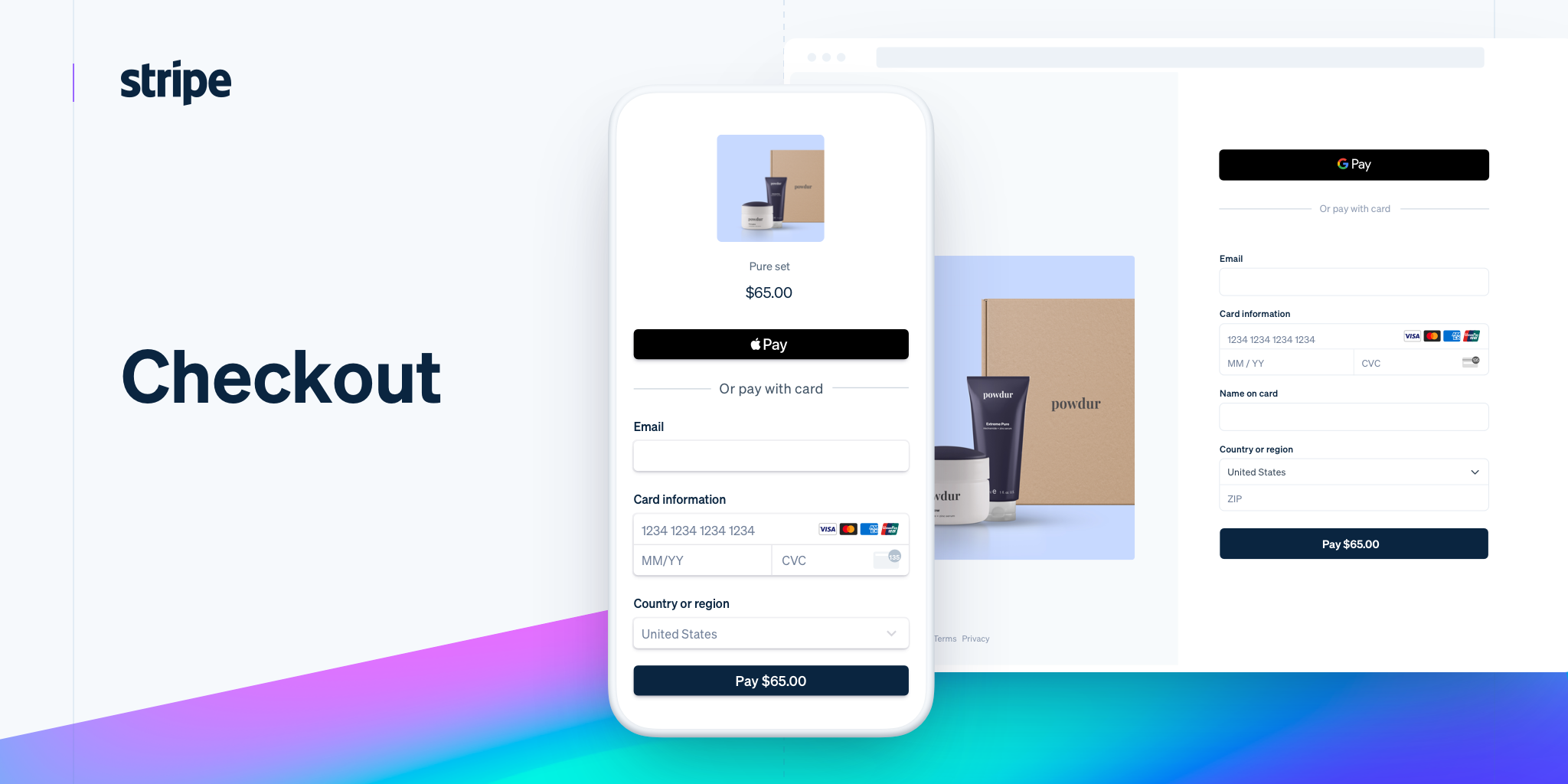
- Offer multiple payment options (e.g. PayPal, Stripe, credit cards) to reduce churn.
4. Enhancing trust
- Add to website User reviews, case sharing, success storiesThe
- explicitly label Privacy Policy, Refund Policy, Customer Service ContactsThe user will be able to get the best out of his or her work, and the user will have no worries.
5. Setting up a membership diversion mechanism
- Open up a portion of the "Trial Content" or "Limited Time Resources" to visitors to give them a taste of what's to come, so they'll want to sign up.
- It is possible to use Pop-ups, countdowns, limited time offers and other strategies to stimulate conversion.
IV. Marketing and Growth Strategies for Membership Sites
1. Email marketing integration
- Utilize the email address collected during registration with the MailChimp, ActiveCampaign and other tools that push:
- Notification of new content
- Exclusive Offers
- Personalized Recommendations
![Image [4]-How to Build High Converting Membership Sites with WP-Members Guide](https://www.361sale.com/wp-content/uploads/2025/09/20250925165715749-image.png)
2. Data-driven content optimization
- utilization Google Analytics or other statistical tools, observe:
- Which pages convert well
- What content is highly visited but has a low registration rate
- Adjust content protection and promotion strategies based on data.
![Image [5]-How to Build High Converting Membership Sites with WP-Members Guide](https://www.361sale.com/wp-content/uploads/2025/09/20250925165755567-image.png)
3. Membership fission and referrals
- Set up a referral reward mechanism: invite new members to get discounts or additional resources.
- Use the word-of-mouth effect to get members to spontaneously spread the word for you.
4. Building a community atmosphere
- Add in the member's area Forums, private groups (Telegram, Discord, Facebook Groups)The
- Allow members to interact with each other, thus increasing stickiness and retention.
![Image [6]-How to Build High Converting Membership Sites with WP-Members Guide](https://www.361sale.com/wp-content/uploads/2025/09/20250925165849126-image.png)
V. Summary
utilization WP-Members Building a membership site is not only a quick way to Content protection, registration and login management, member grading, more than capable of boosting your website's revenue with a sound conversion strategy. The point is:
- Clear member value proposition -- Let users see the benefits of joining at a glance.
- Differentiated content offerings -- The boundary between free and member content needs to be clear.
- Smooth registration and payment process -- Reduce churn and increase conversions.
- Ongoing membership operations and marketing -- Retain users through content, community and events.
A successful membership site is never about "adding a login", it's about integrating the User experience, business model, content value Organic. With WP-Members, you can build a high converting membership site completely from scratch.

Link to this article:https://www.361sale.com/en/77555/The article is copyrighted and must be reproduced with attribution.


















![Emoji[wozuimei]-Photonflux.com | Professional WordPress repair service, worldwide, rapid response](https://www.361sale.com/wp-content/themes/zibll/img/smilies/wozuimei.gif)

![Emoticon[baoquan] - Photon Wave Network | Professional WordPress Repair Services, Worldwide Coverage, Rapid Response](https://www.361sale.com/wp-content/themes/zibll/img/smilies/baoquan.gif)


 简体中文
简体中文  English
  日本語
日本語  Français
  Español


No comments