






For most common needs,WordPress defaultcomprehensive databaseThe existing structure already meets requirements, but in certain specialized scenarios, it may be necessary to create custom database tables to address more complex needs—such as processing order data, storing log information, or handling other bespoke data. By creating and managing these custom tables, users can enhance data storage efficiency and increase data flexibility.
However, when working with custom data tables, it's essential to prioritize not only performance but also data security. This article will provide a detailed guide on how to safely and efficiently manage WordPress custom data tables, helping you avoid potential issues while boosting your productivity.
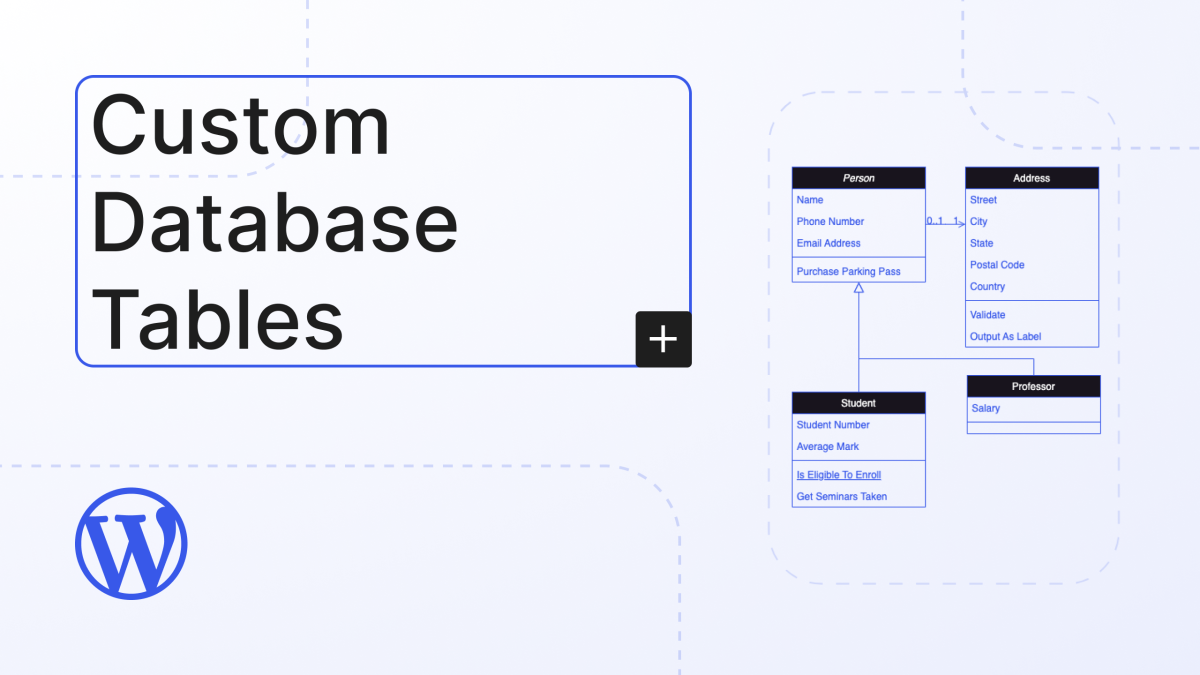
I. Understanding the Use Cases for Custom Data Tables
WordPress's default database structure suits most use cases, especially when utilizing custom post types (CPT) and article metadata to store data. However, when data volume increases or data types become more complex, the default structure may fail to meet requirements. In such cases, we need to consider creating custom database tables.
Common Use Cases for Custom Data Tables::
- E-commerce SystemFor example WooCommerce Order data, which differs from product custom fields, must be stored separately.
- User Behavior AnalysisWhen storing user interaction data, additional tables may be required to log the information.
- Plug-in extensionsSome advanced plugins require storing configuration data or additional custom data, which may not be suitable for existing post tables or metadata.
II. Creating Custom Data Tables
Creating custom data tables in WordPress is not complicated, but it must be implemented using standard methods to avoid potential risks to the database structure.
Step 1: Create the plugin and define the database tables
First, we will create custom tables using plugins. The advantage of plugins is that they facilitate management and portability, ensuring tables are created correctly when the plugin is enabled.
function create_custom_table() {     global $$_wpdb;     $$_table_name = $$_wpdb->prefix . 'custom_table'; // Use WordPress database prefix     $$_charset_collate = $$_wpdb->get_charset_collate(); // SQL statement: Create table     $$_sql = "CREATE TABLE $$_table_name ( id INT(11) NOT NULL AUTO_INCREMENT, time DATETIME NOT NULL, name VARCHAR(255) NOT NULL, collate '$$_charset_collate' '$$_charset_collate' ";     $$_sql = "INSERT INTO $$_table_name ( id, time, name, collate '$$_charset_collate' '$$_charset_collate' )"     $$_sql = "SELECT $$_table_name, $$_time, $$_
    $sql = "CREATE TABLE $table_name ( id INT(11) NOT NULL AUTO_INCREMENT, time DATETIME NOT NULL, name VARCHAR(255) NOT NULL, text TEXT, url VARCHAR(255), PRIMARY KEY (id)
    ) $charset_collate;"; require_once(ABSPATH . 'wp-admin/includes/upgrade.php'); dbDelta($sql); // Use dbDelta function to create table } register_activation_hook(__FILE__, 'create_custom_table');
Step 2: Ensure Data Table Security
When creating custom data tables, special attention must be paid to security. This primarily involves the following aspects:
- SQL Injection ProtectionEnsure that when performing database operations, you avoid directly embedding user-input data into SQL statements. Always use the functions provided by WordPress.
wpdbmethods for handling SQL queries. - Data Cleaning and ValidationClean and validate all input data to ensure its legitimacy and security.
// Prevent SQL injection using wpdb->prepare()
$ wpdb->query(     wpdb->prepare( "INSERT INTO $table_name (name, text, url) VALUES (%s, %s, %s)", $name, $text, $url ) );
III. How to Efficiently Interact with Custom Data Tables
After creating custom data tables, the next step is how to interact with them efficiently. WordPress provides wpdb Classes can help you perform database operations while ensuring performance and security.
1. Insert data
When inserting data, we use wpdb->insert() Method. It simplifies the process of data insertion while ensuring data security.
global $wpdb; $table_name = $wpdb->prefix . 'custom_table'; // Use WordPress database prefix

$wpdb->insert( $table_name, array( 'time' => current_time('mysql'), 'name' => 'John Doe', 'text' => 'This is a sample text.', 'url' => 'http://example.com', ) );
2. Update data
When it is necessary to update the data in the table,wpdb->update() Methods can help us modify data based on conditions.
$wpdb->update( $table_name, array( 'name' => 'Jane Doe', 'text' => 'Updated text.', ), array('id' => 1) // Update the record with ID 1 );
3. Query Data
When querying custom tables, we can use wpdb->get_results() to retrieve the results and return them as an array of objects.
$results = $wpdb->get_results("SELECT * FROM $table_name WHERE id = 1"); foreach ($row as $row) { echo $row->name . ' - ' . $row->text; }
4. Delete data
When deleting data, you can use wpdb->delete() maybe wpdb->query() Perform the deletion operation.
$wpdb->delete($table_name, array('id' => 1)); // Delete the record with ID 1
IV. Ensuring Efficient Performance of Custom Data Tables
Although in WordPress wpdb Provides efficient database operation methods, but to ensure operational efficiency, here are some optimization techniques:
1. Indexing and Optimizing Queries
For large datasets, ensure that frequently used fields in tables are indexed. For example, if you frequently query name Fields can have indexes added to them when creating the table.
CREATE INDEX idx_name ON custom_table (name);
2. Utilization LIMIT Pagination
When executing queries, avoid retrieving all data at once; instead, use LIMIT Implement paginated data loading to reduce database load.
$results = $wpdb->get_results("SELECT * FROM $table_name LIMIT 10 OFFSET 0");
3. Batch Insert Data
When inserting large volumes of data, prioritize batch insertion to minimize database connection attempts and enhance efficiency.
$data = array( array('name' => 'John', 'text' => 'Sample Text'), array('name' => 'Jane', 'text' => 'Another Sample Text') ); $wpdb->insert($table_name, $data);
V. Deleting Custom Data Tables
When uninstalling the plugin, if a custom table is no longer needed, you can choose to delete it. Use register_uninstall_hook() Or use the plugin's uninstall hook to accomplish this task.
function delete_custom_table() { global $wpdb;
    $table_name = $wpdb->prefix . 'custom_table'; $wpdb->query("DROP TABLE IF EXISTS $table_name"); } register_uninstall_hook(__FILE__, 'delete_custom_table');
VI. Conclusion
Custom Database TablesProvides WordPress with more powerful data storage capabilities, particularly suited for scenarios where the default database structure falls short. By securely and efficiently creating and managing custom data tables, you can significantly enhance WordPress's flexibility and scalability.
When working with custom data tables, be sure to follow best practices by using wpdb Methods provided to ensure security and efficiency. Simultaneously, focus on optimizing database tables to maintain robust performance even under high concurrency.
Hopefully this article helps you efficiently manage custom tables in WordPress and boost your website's data management capabilities! If you have any questions or experiences to share, feel free to leave a comment below!

Link to this article:https://www.361sale.com/en/83616The article is copyrighted and must be reproduced with attribution.




















![Emoji[wozuimei]-Photonflux.com | Professional WordPress repair service, worldwide, rapid response](https://www.361sale.com/wp-content/themes/zibll/img/smilies/wozuimei.gif)

![Emoticon[baoquan] - Photon Wave Network | Professional WordPress Repair Services, Worldwide Coverage, Rapid Response](https://www.361sale.com/wp-content/themes/zibll/img/smilies/baoquan.gif)


 简体中文
简体中文  English
  日本語
日本語  Français
  Español


No comments