





arrange in order

Gutenberg 20.4 and 20.5 update highlights: editor experience fully optimized
Gutenberg 20.4 and 20.5 were released, optimizing the editing experience and block development tools for users and developers using the WordPress Gutenberg editor.

(What's new in Gutenberg 20.1 and 20.2?
Gutenberg 20.1 and 20.2 have been released! This update adds DataViews content preview, color picker clearing, header color customization, and optimizes list views and code rules to improve the WordPress editing experience. Download the latest version now to experience the new features...

Gutenberg 19.8 Update: Block Editor Enhancements and User Experience Optimizations
Gutenberg version 19.8 is officially released, bringing optimization of section style selection, image manipulation improvements, font management enhancements and data view layout enhancements to provide users with a more efficient editing experience. Learn more about WordPress plugin updates!

Gutenberg Phase 3 Update: Real-Time Collaboration, Asynchronous Collaboration, and Backend Redesign
A comprehensive breakdown of Gutenberg's Phase 3 updates covering real-time collaboration, asynchronous collaboration inline annotations, and backend redesigns (DataViews and DataForm). Learn how the latest features optimize WordPress content management and team collaboration processes.

Gutenberg 19.7 Update Highlights: More Possibilities for Website Editor
Gutenberg 19.7 brings a new Global Styles panel to the WordPress editor, faster template hiding and switching features, and improvements to set image blocks directly to featured images, providing a more efficient and flexible editing experience.
Gutenberg Version 18.7 Update: New Features and Enhancements
Gutenberg version 18.7 mainly fixes a few issues, but also includes some great new features and enhancements. Here are the highlights of the update: Drag and Drop Grid Items in Manual Mode For more precise manipulation of the grid, when using manual mode, all grid items are now...

Gutenberg 18.5: Fully Extended Block Styles and New Custom Shadow Functionality
Gutenberg version 18.5 brings numerous useful updates. First of all, it provides more powerful section styling tools that allow you to customize the appearance of your content more easily. In addition, the new version adds many customization options to make content sections more personalized. Among other things, the new...
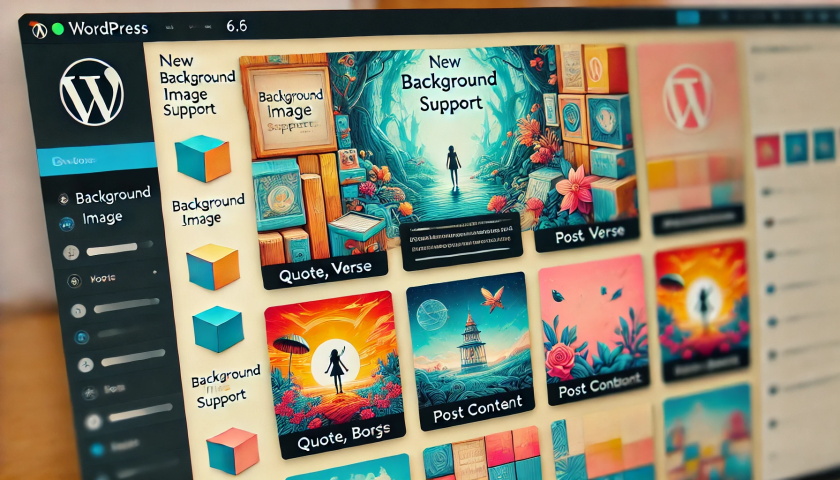
Gutenberg 18.6 Update: Enhanced Background Image Support and DataViews Extension
Gutenberg 18.6 mainly did some bug fixes in preparation for the release of WordPress 6.6, not many new features were added, mainly adding background image support for a variety of blocks. Background image support for quote, verse and post content blocks Quotes with background and negative margins...

Gutenberg 18.8 has been released and is available for download!
Gutenberg 18.8 introduces many new features and enhancements and merges 217 PRs with 10 first-time contributors. With the release of WordPress 6.6, many contributors focused on fixing bugs, but there are still some significant additions in this release. Here are the details...

Gutenberg 18.4 Improved grid block visualization, grouping shortcuts in one click
Gutenberg 18.4 brings several highlights in this update: The grid block function has been greatly upgraded for smoother operation and more efficient design. A series of keyboard shortcuts have been added to make editing easier and more convenient. The Extender feature is more useful and provides more customization options. ...

Gutenberg version 18.9 has been updated: see what's new?
Gutenberg 18.9 has been released and is available for download! Let's take a look at what's new in Gutenberg 18.9. Data Views Become More Flexible This release introduces several new features to data views. First, you can customize the order of columns in the table view ( 63416...

Gutenberg 19.0 (Gutenberg) What's New: Custom Field Connections and Quick Edit for Data Views are Live!
Gutenberg 19.0 has been released, let's see what's new in Gutenberg 19.0. In the Gutenberg 19.0 (Gutenberg) release, two important features have been added under the experimental markup that will allow people to opt-in to testing and provide feedback. It is possible to add a new feature by...





