





arrange in order

Enhancing WordPress Website Performance with a Content Delivery Network (CDN): The Complete Guide
Learn how to improve the loading speed and performance of your WordPress website with a CDN (Content Delivery Network). This article details how to choose a CDN provider, set up a CDN plugin, configure caching and security features, and provides best practices and real-world examples to help you optimize your site...

WordPress in the most recommended WebP image optimization plug-ins: three essential tools detailed
We recommend three efficient WordPress WebP plugins: EWWW, ShortPixel, and Converter for Media to easily improve website speed and image performance.
How to Fix WordPress .htaccess File
A website's .htaccess file is a small but important file that runs in the background, like a set of instructions for the server. The file explains how to handle things like permalinks and security measures. However, the file can become corrupted for a variety of reasons, which can lead to...

WordPress Website Slowdown? 6 Solutions to Help You Boost Your Speed
Discover why your WordPress site is slowing down and take effective measures. Improve website loading speed, user experience, and SEO rankings by enabling caching, optimizing images, streamlining plugins, using CDN, and other 6 optimization strategies

Slow Loading Website?5 Simple Steps to Optimize WordPress Website Speed
Learn 5 simple but effective optimization tips for boosting WordPress website loading speed, including ways to choose a lightweight theme, enable caching plugins, optimize images, use a CDN and enable GZIP compression. Boost website speed, improve user experience, and boost SEO rankings.

What does rel="noopener" mean in WordPress?
rel='noopener' is an HTML attribute that is used when you add a link in WordPress and want it to open in a new browser tab. It is also usually used in conjunction with the rel='noreferrer' attribute.WordPress introduced these two features mainly...
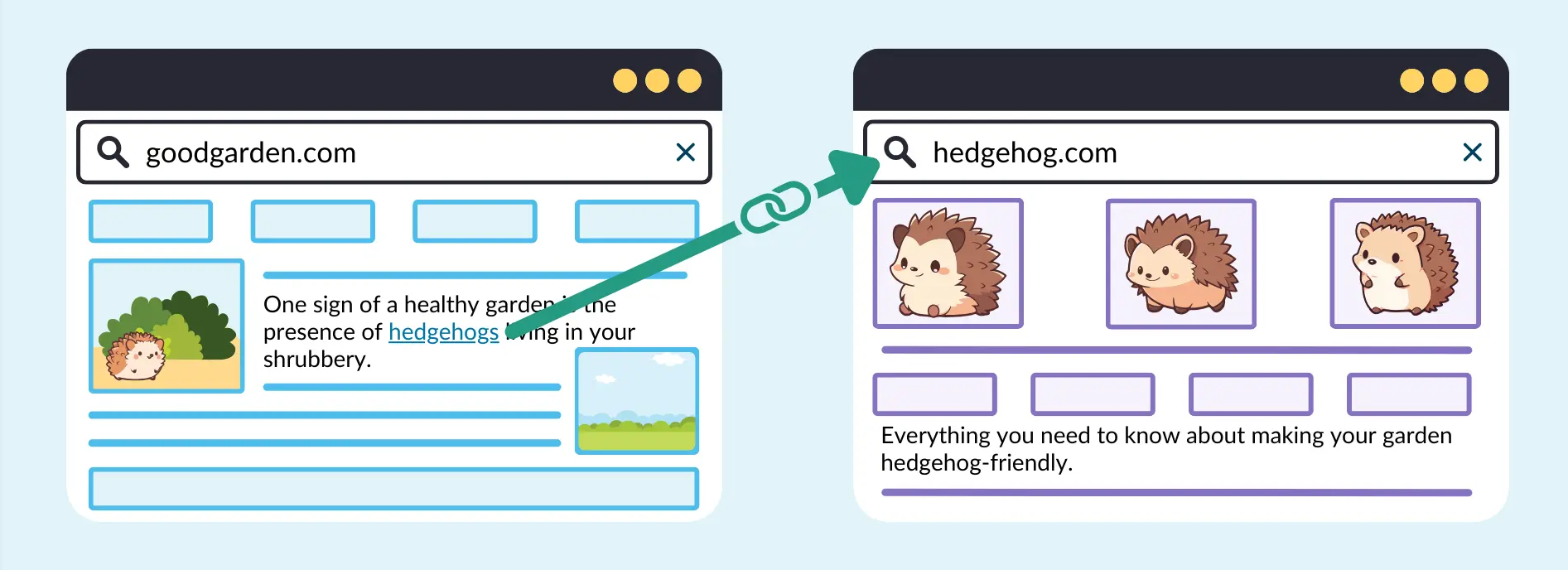
Tutorial article internal link layout: using problematic links to make long-tail keywords into sustained traffic
Around the tutorial article internal chain layout, tell the problem link how to plan anchor text and page hierarchy, drive the long-tail words stable ranking and sustained traffic, and give the layout steps that can be directly landed.

WordPress migration common errors and solutions (newbie must see)
Detailed explanation of common WordPress migration errors and solutions, a must-see tutorial for newbies, covering database, files, domain name replacement, SSL configuration and SEO optimization techniques.

Imagify vs WP Smush Performance on Real Websites
An in-depth comparison of the performance of two popular image compression plugins, Imagify and WP Smush, to help you choose the most suitable plugin for your WordPress website and improve image loading speed and user experience.

How to limit comment length in WordPress (simple tutorial)
WordPress's comments feature encourages readers to start a discussion around the content of a post on the site. However, you may find that some comments are too short or rather long and don't contribute much to the discussion. Don't worry, next we'll show you how to easily limit comments in WordPress...
WebP format's impact on SEO: make your images lighter and rank higher
Learn how the WebP format can improve your WordPress site's SEO ranking by optimizing image loading speeds, reducing bandwidth consumption, and enhancing the user experience. Discover how to enable WebP format in WordPress to improve site performance.
Best WordPress Plugins of 2024 (II)
We talked about a few of the more useful WordPress plugins for 2024 earlier, mainly about form plugins and SEO plugins, see Best WordPress Plugins for 2024 (I) for more details. Today we'll look at the best security plugins, analytics plugins, and caching plugins for 2024 have...

How to Optimize WordPress Themes for Better Performance
WordPress is a powerful content management system (CMS) that is widely used to create various types of websites. However, as website content and functionality increases, performance issues become more prevalent. Optimizing your WordPress theme is a critical step in improving your website's performance. We...
How to Turn Off PHP Errors in WordPress
Recently a reader left a comment asking "How to turn off PHP errors in WordPress"? PHP warnings and notifications can help debug problems in your code during development. However, if these warnings and notifications are visible to all website visitors, the entire website will look...

Delayed Load Image Auto Resize in WordPress 6.7
WordPress 6.7 added the ability to delay loading images with sizes="auto". This feature, recently added to the HTML specification, allows browsers to use the rendered layout width srcset of an image when selecting a source from a list, since delayed-loaded images don't load until after the layout is known...
How to delete unused WordPress media: detailed tutorial
Deleting media files that are no longer in use is an effective solution during the operation of a WordPress website when the host's disk space starts to fill up but we don't intend to upgrade the hosting package for the time being. In this article, we will explain how to delete unused WordPress manually or through a plugin...

Boosting WordPress Website Rankings: 28 Key SEO Optimization Steps Explained
Most WordPress users, in fact, do not know very well how to do WordPress SEO, today we photon team to share an article from Semrush (which adds our own experience in doing SEO), basically covers the regular WordPress SEO steps, although...
EWWW Image Optimizer Advanced Features Explained: WebP Delivery, CDN Acceleration, and Lazy Loading for Comprehensive Website Performance Enhancement
This article provides an in-depth analysis of the three advanced features of EWWW Image Optimizer: how WebP image delivery reduces file sizes, how CDN acceleration enables rapid global distribution, and how image lazy loading enhances perceived speed. Discover how these three features work together to significantly optimize Core Web Vitals metrics...

Say goodbye to hand slips: How to prevent team member misuse disasters with DISALLOW_FILE_EDIT?
In WordPress teamwork, internal misuse is more destructive than external attacks. A single code error can lead to website paralysis.DISALLOW_FILE_EDIT provides effective permission control solution for enterprises by disabling the background file editing function to protect the stable operation of business...

Astra Theme Tutorial: How to Speed Up with Caching Plugins
Lightweight Astra Theme + Free Caching Plugin Combo opens as fast as flying! Full setup tutorial takes you to easily build a flying website!

Convert in seconds with this Woodmart plugin set!
Want to make your Woodmart e-commerce site faster, stronger and better selling? This article recommends several useful plugins that are highly compatible with WooCommerce to improve the payment experience, SEO performance, loading speed, and multi-language capabilities across the board, making your store stand out!
Mainstream WordPress graphic bed plugin features comparison
Graph bed plugins not only save hosting space, but also improve website loading speed. This article compares WP Offload Media, Media Cloud, ImageKit and Sync QCloud COS to help you choose the most suitable solution.

Improving WordPress Website Security Across the Board: A Guide to Best Practices and Tools
WordPress has become the platform of choice for millions of people to create and manage websites. However, website security is often overlooked. In this article, we'll explore why security should be a top priority when using WordPress. The Importance of WordPress Security Whether...

How to Fix 413 Request Entity Too Large Error in WordPress
What causes the WordPress 413 Request Entity Too Large error? This error occurs when an attempt to upload a file exceeds the maximum file upload limit for a WordPress site. The web server will not be able to upload the file and will see the "413 Request Entity Too Large" error...

Common Causes and Solutions for ERR_TOO_MANY_REDIRECTS in WordPress
Solve the "ERR_TOO_MANY_REDIRECTS" error in the WordPress website, introducing common causes and fixes, including URL settings, caching problems, plugin conflicts, .htaccess file configuration, SSL certificate errors and so on!

Improving WordPress Website Speed and Security: How CDNs Work and Selection Guidelines
Learn how you can improve your WordPress website's load speed, security and SEO rankings by using a content delivery network (CDN). This article describes how CDNs work, the benefits, and the best CDN service providers to help you optimize your website's performance and reduce operational costs.
How to Add Pagination to a WordPress Website with a Plugin
Learn how to optimize your website's performance and user experience with WordPress pagination to reduce load times, improve SEO results, and make it easy for users to navigate your site's content.

Must-have for 2025! 10 hottest SEO plugins to help your website hit the search engine rankings!
Discover the 10 most popular SEO plugins for 2025 to help you boost your website rankings, optimize content, improve user experience, and improve overall SEO results.

Perfmatters vs WP Rocket: Which performance plugin is better for your WordPress site?
Perfmatters and WP Rocket are the most popular optimization plugins for WordPress, each with their own focus.Perfmatters offers fine-grained control and is suitable for manual optimization, while WP Rocket offers full-site caching and a one-click acceleration solution. Compare the core features of both to help you...
Must-do basic settings after WordPress installation for smooth website operation
After completing your WordPress installation, make the necessary settings to ensure your website runs efficiently and securely. Learn how to add a contact form, set up SEO, enable spam protection, clean up unused themes and more optimization actions.

 简体中文
简体中文  English
  日本語
日本語  Français
  Español



