





arrange in order

Common Causes and Solutions for ERR_TOO_MANY_REDIRECTS in WordPress
Solve the "ERR_TOO_MANY_REDIRECTS" error in the WordPress website, introducing common causes and fixes, including URL settings, caching problems, plugin conflicts, .htaccess file configuration, SSL certificate errors and so on!
Beginner's Bible: Master WordPress image sizing and optimization methods to quickly improve site performance
Understand WordPress image sizes and why they are generated, and learn how to manage and optimize image sizes to improve website loading speed and reduce storage footprint. This article will also cover how to compress multiple image sizes using image optimization tools to ensure website performance and user experience.
How to Add Pagination to a WordPress Website with a Plugin
Learn how to optimize your website's performance and user experience with WordPress pagination to reduce load times, improve SEO results, and make it easy for users to navigate your site's content.

Improving WordPress Website Security Across the Board: A Guide to Best Practices and Tools
WordPress has become the platform of choice for millions of people to create and manage websites. However, website security is often overlooked. In this article, we'll explore why security should be a top priority when using WordPress. The Importance of WordPress Security Whether...

Can you get to the first page by installing Yoast SEO? Don't be naive!
Yoast SEO is not an automated optimization tool, and only when used correctly can it truly improve your rankings. Learn about the common misconceptions and get the SEO-assisted value that the plugin deserves.

Boosting WordPress Website Rankings: 28 Key SEO Optimization Steps Explained
Most WordPress users, in fact, do not know very well how to do WordPress SEO, today we photon team to share an article from Semrush (which adds our own experience in doing SEO), basically covers the regular WordPress SEO steps, although...

Imagify vs WP Smush: Compression rate, image quality and loading speed in a full comparison
An in-depth comparison of Imagify and WP Smush image compression plugins to help you choose the best tool for your website in terms of compression rate, image quality and loading speed. Learn how to balance image quality and page loading speed for website performance optimization.

Add Image Focus Tool to WordPress Media Library
What is the Image Focus Tool? The Image Focus Tool is a tool that allows you to quickly select the location of the main focus area of any image. By simply clicking on the image, you can easily determine exactly where the image's focal point is located on the x and y axes. This x and y position can then be used in...

WordPress source code - jquery (jquery-1.1.2.js)
/* prevent execution of jQuery if included more than once */ 2 if(typeof window.jQuery == 'undefined') { 3 /* 4 * jQuery 1.1.2 - New Wave Javascript 5 * 6 * Copyright (c) 2007 John...

WordPress source code - jquery (jquery-1.1.4.js)
(function(){ 2 /* 3 * jQuery 1.1.4 - New Wave Javascript 4 * 5 * Copyright (c) 2007 John Resig (jquery.com) 6 * Dual licensed under the MIT (MIT-LICENSE.txt) 7 * and GPL (GPL-LICENSE... * and GPL (GPL-LICEN...

How to Effectively Delete and Manage WordPress Archived Pages to Improve SEO Performance
Why delete archive pages? In some cases, deleting archive pages is necessary for website optimization and management. Here are some common reasons: Duplicate Content Issues: Archived pages typically display excerpts of existing content from a single WordPress post that may be searched...

How to Optimize Images and Multimedia Content for Your WordPress Website
In WordPress websites, images and multimedia content are crucial for website SEO. They not only enhance the user experience, but also deliver information effectively. However, unoptimized images and multimedia content can dramatically degrade website performance and affect loading speed, which is detrimental to SEO.How to optimize...

How to Configure HTTPS in WordPress
HTTPS (Hypertext Transfer Protocol Secure) is a website security protocol implemented through SSL certificates that encrypts the transmitted data and protects the data security of the website and users. Configuring HTTPS not only improves the security of your website, but also enhances user trust. How to configure HTTPS in WordPre...
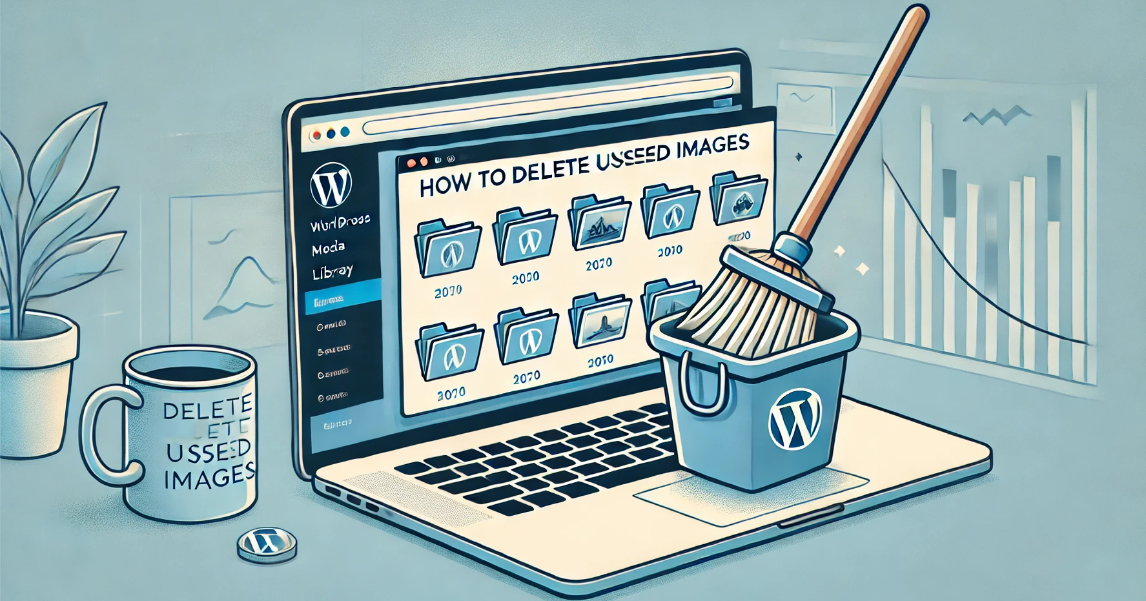
How to delete unused WordPress media: detailed tutorial
Deleting media files that are no longer in use is an effective solution during the operation of a WordPress website when the host's disk space starts to fill up but we don't intend to upgrade the hosting package for the time being. In this article, we will explain how to delete unused WordPress manually or through a plugin...

How can I use the WordPress rollback feature to restore a plugin to its pre-update state?
What should I do if I get an error on my website after a plugin update? This post teaches you how to use WP Rollback or manual methods to restore the plugin to the old version, quickly fix the update brought about by the functionality of the anomalies or conflict issues, to protect the stable operation of the site.

Astra Theme with Rank Math SEO Integration Optimization Guide
Use the Astra theme with the Rank Math SEO plugin to optimize your website and improve search engine rankings. Learn how to optimize site structure, improve loading speed, configure Schema markup, and improve content strategy to give your site an edge over the competition.

The Complete Guide to Elementor Forms: From Basic Setup to Optimization Enhancements for High-Converting Online Forms
Elementor Form is a powerful tool to collect user information and improve conversion rate. This guide analyzes the features of Elementor Form Widget, applicable scenarios, and provides optimization tips to help you build an efficient and interactive WordPress online form.

WordPress website 404 error root cause: common problems and solutions
This article describes the common causes of 404 errors on WordPress websites, such as dead links, URL structure changes, plugin conflicts, etc., and provides detailed solutions to help webmasters fix 404 errors and optimize website performance and SEO.

How does a WordPress website automatically convert images to WebP format?
A comprehensive introduction on how to automatically convert images to WebP format in WordPress sites, covering plugins, CDNs and local scripts for three options to improve loading speed.

WordPress in the most recommended WebP image optimization plug-ins: three essential tools detailed
We recommend three efficient WordPress WebP plugins: EWWW, ShortPixel, and Converter for Media to easily improve website speed and image performance.

 简体中文
简体中文  English
  日本語
日本語  Français
  Español



