





arrange in order
GenerateBlocks Pro Styles Migration Tutorial: Upgrading from Old Global Styles to the New System
This tutorial describes how to migrate old GenerateBlocks Pro styles to the new global style system for more flexible page design and centralized management.
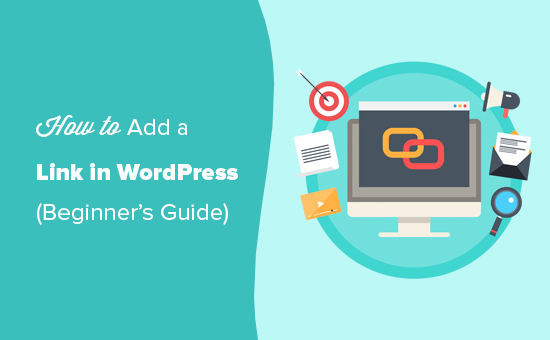
How to add internal and external links to WordPress posts?
Learn how to add internal and external links to your WordPress posts to improve site interaction, optimize SEO performance, and master anchor text selection and link management techniques.

Kadence Teaching: 7 Tips for Creating a Professional Website (2025 Update Guide)
Learn how to use Kadence to optimize your website design, improve loading speed, and strengthen your brand image. This guide covers template selection, navigation optimization, mobile adaptation, and other practical tips to make your website more professional!

Astra Tutorial: How to hide the display of articles, pages or other types of titles
When you create a WordPress website with Astra theme, you can hide page or post titles via visual buttons or functions.php code. This article introduces two practical methods for single page setup and batch processing scenarios.

WordPress Tutorial: Add a Personalized Mouse Pointer to Your Website with Nexter Blocks
Want to make your website stand out? Use the Nexter Blocks plugin to add custom mouse cursor effects to WordPress, such as dinosaur icons, circle follows, and more, for a creative and interactive experience without writing code.

Kadence Tutorial: Modal Popup Block User Guide
Learn how to use Kadence Blocks Pro's Modal pop-up block to set up pop-up links, content editing, style adjustments, animation effects, and customized trigger links to quickly improve page interactivity and user experience.

Kadence Tutorial: Creating Sticky & Transparent Headers
Use Kadence Advanced Header Module to easily realize sticky header and transparent header effects. Detailed explanation of the setup method and style adjustment will help you optimize the design of the top of the page for desktop and mobile devices.

How to Safely Downgrade WordPress: Full Tutorial (Manual & Plugin Methods)
Learn how to safely downgrade WordPress, including manual methods and tutorials on using the Core Rollback plugin to avoid compatibility issues. Take full backups, test staging sites, and take the necessary security measures to ensure your site is stable.

ERR_TOO_MANY_REDIRECTS: what is the cause and how to fix it?
Encountering ERR_TOO_MANY_REDIRECTS error? This article analyzes the top 10 solutions in detail, including clearing cache, checking .htaccess rules, fixing HTTPS configurations, optimizing CDN settings, etc., to help you quickly fix the redirection loop problem,...
How to embed a Facebook page on WordPress?
Learn how to dynamically embed a Facebook page into a WordPress website through plugins and manual methods, including timeline, video, comments, and album displays, to increase brand awareness and user interaction.
How to Create Custom Widgets on WordPress
Learn how to create and customize WordPress widgets, add personalized content modules, and enhance site features such as social media dynamics, navigation tools, and search bar display. Detailed steps and tips to easily optimize your website layout!

How to Import HTML Files into WordPress: A Step-by-Step Guide to Three Simple Methods
A detailed step-by-step guide that teaches you how to import HTML into WordPress, including how-to's for the Classic Editor, Block Editor, and Page Builder, to help you easily retain your design, optimize your development, and achieve deep customization.





