




Elementor Page 32
Elementor is a powerful drag and drop page builder for WordPress that makes it easy for users to create responsive websites. Known for its user-friendly interface that allows even non-developers to create professional-looking pages without writing a single line of code, Elementor offers a wealth of widgets, templates, and design options that grant complete creative freedom to improve the functionality and aesthetics of your website, making it the tool of choice for beginners and experienced developers looking to streamline their website design workflow.
arrange in order
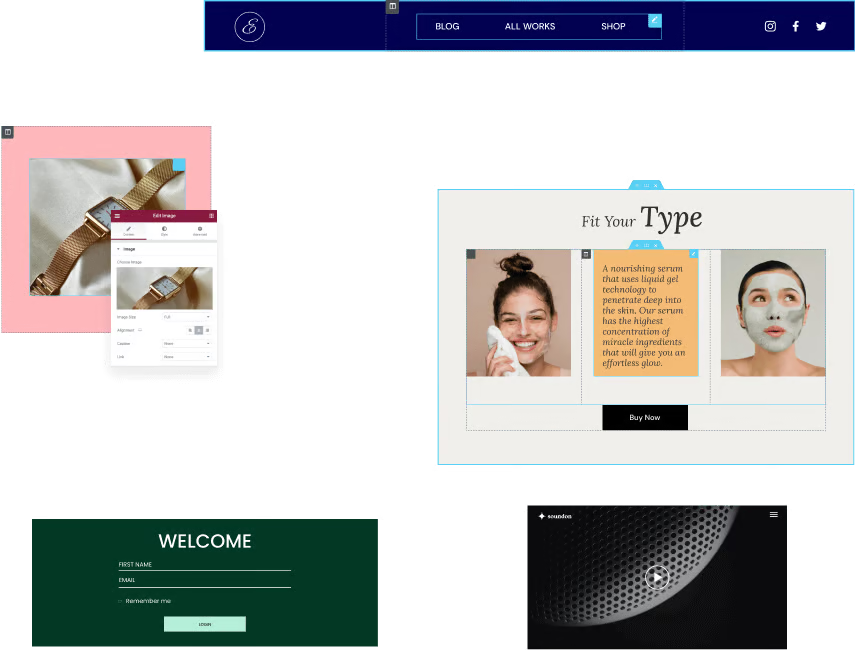
Why Elementor templates are the best choice for beginners to build websites
Find out why Elementor templates are ideal for beginners to build websites. Create a personal blog, a small business website or an e-commerce platform without writing code and choosing the right template.

Most Popular Elementor Templates: Best of 2026
Explore the most popular Elementor templates for 2026 covering multiple industries such as digital marketing, architectural design, e-commerce platforms, hotels resorts and more to help you create professional websites efficiently and improve your website design and user experience.

Mastering the Elementor Editor: A Comprehensive Guide to Using it from Toolbar to Canvas
For your convenience, the top toolbar of Elementor editor provides many functions. You can easily access these features by simply clicking on the top toolbar, making your editing work more convenient and efficient. Editor Controls The following table lists each editor on the toolbar...

Introduction and installation steps for Elementor Pro version 3.21.0
Elementor Pro is an all-in-one WordPress page builder. Today I am explaining to you the Chinese version, which has been upgraded to Pro version, with all the features available! If you are a web developer, you will know that the design of a website is a very important part of...

How to use advanced features in Elementor
Elementor Pro (Professional Edition) offers advanced features to make WordPress websites more beautiful. Additional widgets, theme builder, popup builder and custom field features are available. Below, we'll share a guide on how to build these extra elements to turn your page...

How to activate Elementor's experimental features
Elementor gives users the voluntary option to participate in testing and helping to refine new features before they are released. These new features are still in the experimental stage; that's why they are also called experimental features, so let's take a look at them together and how to activate them. How to use Elementor features 1. Turn...

How to Automatically Apply Elementor Gallery Pro Filters on Page Load
In this guide, it will be explained in detail how to automatically apply Elementor Gallery Pro filters on page load. By following the steps below, you can achieve the effect of automatically filtering a specific gallery on page load. How to apply Elementor Gallery Pro on page load ...
Why Choose Genuine Elementor Pro: The Best Choice for Safety and Reliability
Elementor Pro is a very popular WordPress plugin that holds an important place in website building with its easy-to-use interface and powerful features. However, there is an ongoing discussion about cracked and licensed versions of Elementor Pro, especially in terms of security and stability....
How to implement automatic closing of the navigation menu after clicking an anchor link in Elementor
Setting up a directory to close after clicking an anchor link in Elementor (such as a collapsed menu or navigation menu) can be done using some custom code. Here are the steps: Step 1: Edit Individual Post Templates Log in to your WordPress dashboard. Navigate to the Elementor template >...

Multiple Ways to Resolve Elementor 520 Errors: A Comprehensive Guide
What is a 520 error in Elementor? The 520 error that occurs when trying to edit with Elementor is a server error that usually occurs due to a connection problem or an unexpected problem with the server processing the request. This error can be caused by the following: Some requests are not wrapped...

A Guide to Using Elementor Safe Mode for Website Migration
What is Elementor Safe Mode? Elementor's Safe Mode is a troubleshooting tool that loads the Elementor page editor with other plugins and themes disabled. This ensures that when troubleshooting potential conflicts and issues, the editor can...

How to Fix Elementor Safe Mode Fonts and Styles: A Comprehensive Solution
When using Elementor for web design, you may encounter the problem of "Safe Mode". In this case, the fonts and styles of the web page may not be displayed correctly, which affects the design effect and user experience. In this article, we will introduce how to solve the problem of fonts and styles in Elementor Safe Mode...

 简体中文
简体中文  English
  日本語
日本語  Français
  Español



