




WP self-taught website builder Page 36
At Photon Academy, we specialize in providing high quality WordPress instruction to help you master every aspect of WordPress from basic to advanced. Our courses are designed to allow students to get hands-on and understand the power of WordPress, whether it's building a personal blog or a business website.
arrange in order

Boosting Click-Through Rates: Setting Up Social Media-Specific Titles and Descriptions with Rank Math
Use the Rank Math plugin to configure each post with its own social headline, description, and image to make your content more visible on Facebook, Twitter, and other platforms, and increase click-through rates with ease.
Yoast SEO with TranslatePress Multilingual Site Setup Tips
TranslatePress with Yoast SEO multi-language site optimization setup method, help each language page to achieve independent indexing and better rankings.

How to use Google Search Console in conjunction with weight lookup tools to optimize website traffic
Explore how to use a combination of Google Search Console and weighting tools to analyze keywords and on-page performance, optimize website traffic, and improve SEO results.

What to do if you have too much information in a field? Use Tab Tabs for Grouping
Learn to use Tab Tabs on WordPress pages to display field content in groups, make the information structure clearer, and improve the professionalism of the page and reading experience.

Site Security Race: Who is more resistant to attacks, Drupal or WordPress?
Which CMS, Drupal or WordPress, is better able to withstand cyberattacks? From permissions control, default configuration, plug-in security to security response mechanisms, this article provides an in-depth analysis of the advantages and disadvantages of both in terms of security, to help you choose the most suitable security platform for your website.
Rank Math AMP SEO Setup Method: Accelerated Mobile Page Optimization
Learn how to set up Rank Math and AMP plugin to make WordPress website load faster on mobile, improve SEO ranking and user reading experience.
Rank Math SEO Setup: Practical Tips for Optimizing Author Profile Pages
Author profile pages are often overlooked, but are important for SEO. This article introduces Rank Math SEO setup tips to demonstrate author expertise, reduce duplicate content, and increase click-through rates and traffic.

Perfmatters Performance Optimization Best Practices with Elementor
Learn the best way to configure Perfmatters for use with Elementor, including disabling useless features, Lazy Load policies, delayed JS execution, DNS prefetching and pre-connection settings, to help your WordPress site load faster and improve SEO rankings.
WooCommerce Product Page Templates vs Theme Templates: Differences and Applications Explained
Understand the difference between WooCommerce product page templates and theme templates, and master the scope of their respective roles, editing methods and update mechanisms to help you flexibly customize your e-commerce website and achieve the best layout and user experience.

Which is better for e-commerce websites, logical forms or regular forms?
Which is more suitable for e-commerce website: logical form or common form? This article analyzes the difference between the two, applicable scenarios and advantages and disadvantages, to help e-commerce platforms to improve the efficiency of form filling and customer information collection quality.

WordPress website building budget full analysis: from domain name to the total cost of online?
Comprehensive analysis of WordPress website building costs, covering domain names, hosting, themes, plugins and development services, helping to accurately control the website budget.

What is the difference between a WordPress Knowledge Base and a FAQ page?
What is the difference between WordPress knowledge base and FAQ page? This article analyzes the differences between the two in terms of functionality, structure and usage scenarios to help you plan a clear user support system.

How to manage WordPress theme and plugin updates efficiently?
Learn how to effectively manage updates to WordPress themes and plugins by taking regular backups, using staging environments, enabling automatic updates, and compatibility testing to ensure that your site is constantly optimized for security, performance, and user experience.
WordPress Registration Plugin Recommendations: Membership Station and E-commerce must have 5 tools
A selection of 5 WordPress registration plugins for membership stations and e-commerce, covering features, applicable scenarios and advantages, to help quickly build a user system.

One Stop Website Builder: How Kadence Themes Can Help You Build a WordPress Website Quickly
Want to build a professional WordPress website easily? This tutorial explains the installation, template import, appearance settings and performance optimization of Kadence Theme, so that even a novice can quickly build a responsive, high-performance website.

Kadence Theme How to Optimize WordPress Website Speed and Performance
A comprehensive look at how to optimize WordPress site performance with Kadence Theme, including disabling unnecessary modules, enabling global variables, setting up page layouts, using Kadence Blocks, and working with caching plugins for faster loading and higher SEO performance.
W3 Total Cache vs. WP Super Cache: Which one is better for your WordPress site?
Compare W3 Total Cache and WP Super Cache plugins to help you choose the right caching plugin for your WordPress site to improve page load speed and site performance.

W3 Total Cache Practical Tips for Optimizing Database Performance
Enable database caching with W3 Total Cache to optimize WordPress database performance and improve site speed and stability for high traffic sites.

Cracking Astra Templates Can Cause Domain Security Incidents
Cracking Astra templates may lead to website bouncing, data leakage, advertisement blocking and other problems, this article analyzes real cases and preventive methods to avoid domain name suffering from security risks.
How to Safely Switch Caching Plugins? Complete Tutorial to Avoid WP Super Cache Conflict with W3 Total Cache
Teach you how to correctly switch between W3 Total Cache and WP Super Cache plugins in WordPress to avoid cache conflicts and improve website performance and loading speed.

Advanced Tips to Avoid Fuzzy Thumbnails in WordPress Media Library
Master the skills of WordPress to avoid blurred thumbnails, improve image clarity and loading efficiency, adapt Retina screen and CDN optimization.

Complete Guide to Migrating to WoodMart from Other Themes
Complete explanation on how to seamlessly migrate to WoodMart from other themes, including installation setup, page rebuild, performance optimization and other key steps for e-commerce users.

Is CDN image compression worth enabling? Exploring the Practical Impact on Image Sharpness
Does CDN image compression affect image quality? This article comprehensively analyzes the principle of compression, test comparisons, applicable website types and open recommendations to help you determine whether to enable this optimization feature.
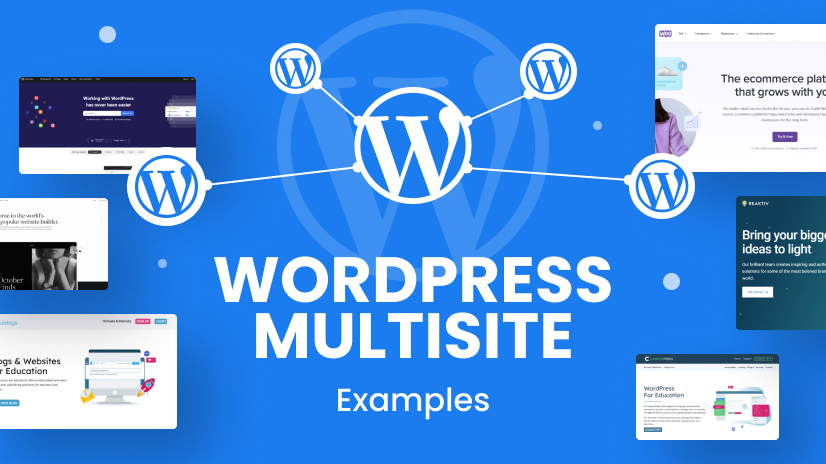
Who is the best search engine indexing tool? Three major WordPress Sitemap plugin hardcore competition!
Generating a well-structured Sitemap for WordPress website is a key step to improve SEO. This article compares three major plugins: Rank Math, Yoast SEO and AIOSEO, and analyzes their differences in terms of feature configuration, map type support and application scenarios, to help...
Pros and cons of WebP format: is it suitable for all WordPress sites?
An in-depth analysis of the pros and cons of the WebP format, combined with performance, compatibility, and content type to determine if your WordPress site should enable it.

How WebP Can Improve Your WordPress Performance Scores and SEO Performance
Enabling the WebP image format significantly optimizes WordPress site speed, boosts PageSpeed scores, improves Core Web Vitals metrics, and enhances SEO performance and user experience.
How to Optimize WordPress Editing Experience?3 Efficiency Plugin Recommendations
Three recommended plugins optimize the WordPress editing experience, improve writing and management efficiency, and make content creation and page management more efficient.
Preventing Stolen Downloads by Non-Members: 4 Free Ways to Protect WordPress Download Resources
Master the 4 free ways to prevent non-members from stealing chain downloads in WordPress, including user role restriction, anti-stealing chain rules, hiding real path, generating temporary links, and comprehensively protect your download resources.
Is WP Super Cache or W3 Total Cache suitable for small websites?
Should you choose WP Super Cache or W3 Total Cache for your small WordPress site? Help you make the right choice from the perspective of functionality, compatibility and ease of use.
Exactly what types of websites are suitable for the WordPress Member Download feature?
WordPress member download function is not only applicable to commercial sites, but also suitable for resource-based, educational, community-based websites. This article analyzes the application of member download scenarios, core advantages and free methods to help you improve resource management efficiency and user stickiness.

 简体中文
简体中文  English
  日本語
日本語  Français
  Español



