




WP self-taught website builder Page 4
At Photon Academy, we specialize in providing high quality WordPress instruction to help you master every aspect of WordPress from basic to advanced. Our courses are designed to allow students to get hands-on and understand the power of WordPress, whether it's building a personal blog or a business website.
arrange in order
Creating a Download Center with WordPress: The Complete Way to Easily Publish Literature, eBooks, and PDF Files
Building a download center does not have to be complicated, this article describes how to use WordPress to build a clearly categorized, flexible permissions, support statistics file distribution platform.

Blocksy Pro Content Blocks Explained: A Key Tool to Improve WordPress Website Flexibility
Take a deep dive into Blocksy Pro's Content Blocks feature and learn how to quickly create bulletin boards, promotional banners, and custom content modules without code for precise placement, optimized experience, and increased site flexibility.
WordPress website how to bulk import product information and quickly online
Learn how to batch import product information using WooCommerce's built-in import tools and powerful plugins to save time and increase efficiency. Go live quickly and optimize SEO to increase conversions and sales.
Elementor Loads Slowly: Optimizing Images and Media Files to Improve Loading Speed
Elementor page stuttering, slow preview? This guide explains how to optimize image compression, lazy loading, WebP format and video resources to improve loading performance and editing experience.

Plugin Developer Perspective: Why is Rank Math Free + Powerful? Talking about Plugin Profit Model Transformation
What makes Rank Math free and powerful? This article analyzes the profitability logic from the perspective of plugin developers, and reveals a key shift in the WordPress plugin business model.

Blocksy Child Theme User Guide: Who It's For + Developer Advice
Detailed explanation of Blocksy sub-theme for people, creation methods and development advice, to help you build more secure, flexible, maintainable WordPress site.

Even a Newbie Can Get Started: Astra + Elementor Creates Beautiful Pages
Build websites quickly with zero knowledge! Easily create beautiful, functional WordPress pages without writing code with the Astra theme and Elementor plugin.
How to Create a Personal Blog with WordPress: Hottest Features and Plugins for 2025
Learn how to build your personal blog with the new 2025 WordPress features and plugins to improve SEO, interactivity, and user experience to help your blog succeed.

WordPress local installation detailed tutorial: server environment configuration and site deployment
Detailed explanation of how to use 1Panel to configure the local server environment and deploy WordPress sites, suitable for beginners to quickly start building sites.

EWWW plugin for WebP image optimization!
Newbies can easily use EWWW Image Optimizer plugin to convert WordPress images to WebP, improve website loading speed and SEO performance, and optimize user experience.

WordPress Caching Plugin Comparison: WP Super Cache vs W3 Total Cache
In-depth comparison of WP Super Cache and W3 Total Cache plug-ins, to understand the caching mechanism, functional differences and suitable scenarios, to help improve the performance of the website.
How to set up SEO friendly multilingual URL structure for Polylang?
Want to make your WordPress multilingual website more crawlable by Google? This article explains how to use Polylang to set up SEO-friendly multilingual URL structure to improve indexing and ranking results.

WordPress Website Tutorial: Adding an Efficient Inquiry Button (CTA)
Many B2B websites set specific goals, such as wanting people to inquire about a product or sign up for an email list. In order to achieve these goals, you need to encourage visitors to take action, which requires adding an inquiry button to WordPress. Call-to-action terms (CTAs) are website...

How to Export and Import WordPress Themes: A Comprehensive Guide to Backup, Migration and Sharing
Why Export WordPress Themes? Here are a few common reasons for exporting WordPress themes: Creating a backup: Before customizing your theme, make a backup of the original theme. This way if something goes wrong after making changes, you can restore it by importing the backed up theme files. ...

WordPress media library images not showing up? Here's the solution!
WordPress is very popular content management system and many people use it to build websites and blogs. However, sometimes you may find that you obviously put images in the media library, but you can't see them on the page. In this way, the website is missing images and it doesn't look...

How to Optimize Your Website Navigation Menu with Elementor Pro and WordPress
If you want to design a nice menu for your website, there are a couple of different methods you can choose from. One is to use WordPress' default menu editor, which is simple and practical. Another is to utilize Elementor's navigation menu widget, which allows you to highly customize your menu,...
A Complete Guide to Changing Domain Names for WordPress Websites
Changing the domain name of a WordPress website can be a complex but necessary task, especially if you need to change the domain name frequently for a bargain site, migrate to a better domain, or undergo a website reorganization. We have a detailed guide here to help you safely and effectively change your WordPress website...

WordPress Custom Fields Plugin Guide
Custom Fields or Advanced Custom Fields allow you to add additional data or metadata to content entries beyond the default fields. For example, if you have a blog, the default fields might include the post title, body content, author, and date. With the customization introduced in WordPress development...

How to Optimize Link Colors with WordPress Built-In Features: A Guide to Enhancing Your Brand and User Experience
How to Change WordPress Link Colors WordPress provides out-of-the-box formatting for hyperlinks. It is possible to modify the link color scheme for individual links or for an entire website with several options: Theme Customizer, WordPress Default Block Editor, or implementing custom CSS. Method 1...
How to Fix 500 Internal Server Error in WordPress
Internal Server Error is one of the most common WordPress errors. Sometimes when we open a web page, we see that the page prompts 500 Internal Server Error! So, what is this exactly? And how to solve it? Let's take a look at it together! 500 Internal Server Error...
How to Enable Breadcrumb Navigation on a WordPress Website: A Detailed Guide
Breadcrumb navigation is often presented in the form of 'Home > Category > Products', providing users with a hierarchical path through the pages. It is especially helpful for e-commerce sites, blogs and content-intensive websites. In this article, we will detail how to WordPress website...
Tutorial on using the ACF plugin: creating field groups
Learn how to create and manage field groups in WordPress using the ACF plugin, mastering how to add fields, select field types, set field labels and field names, and configure location rules. Provide your website with powerful custom field functionality to improve content management and editing effectiveness...

WordPress Twenty Twenty-Five Theme: All Features and Comparison with Old Themes
Learn about the latest updates in WordPress 6.7, especially the newly launched Twenty Twenty-Five theme. This article takes a deep dive into the theme's responsive design, highly customizable features, and blog optimization to help you build a better WordPress website.

How to Create and Customize Child Themes in WordPress: A Guide to Manual and Plugin Approaches
Learn how to create and customize child themes in WordPress, either through manual methods or using plugins. This article provides detailed steps and tips for solving common problems to ensure your customized content stays the same after a theme update.

How to Force a Strong Password Generator on a WordPress Website
Learn how to force a strong password generator on your WordPress website to improve site security and prevent users from using weak passwords. This article explains how to set strong passwords using plugins, WPForms and customization.

How to Fix WordPress and Cloudflare Error 521
Error 521 error usually indicates that Cloudflare cannot connect to your WordPress web server. This article explains the possible causes and provides steps to resolve the issue, including checking the status of the server, configuring the firewall, and unblocking IPs.

How to Disable WordPress Plugins for Newbies (3 Ways)
Learn how to disable and uninstall WordPress plugins in three ways, including instructions for doing so via the dashboard, FTP, and phpMyAdmin, as well as tips for cleaning up plugin legacy files and unused shortcodes.
How to Fix Missing Theme File Editor in WordPress
If you can't find the theme file editor in the WordPress backend, this article will teach you how to restore it and fix possible security settings. Learn how to find and enable the editor in the Tools menu to avoid site failures due to modification errors.

How to Safely Downgrade WordPress: Full Tutorial (Manual & Plugin Methods)
Learn how to safely downgrade WordPress, including manual methods and tutorials on using the Core Rollback plugin to avoid compatibility issues. Take full backups, test staging sites, and take the necessary security measures to ensure your site is stable.
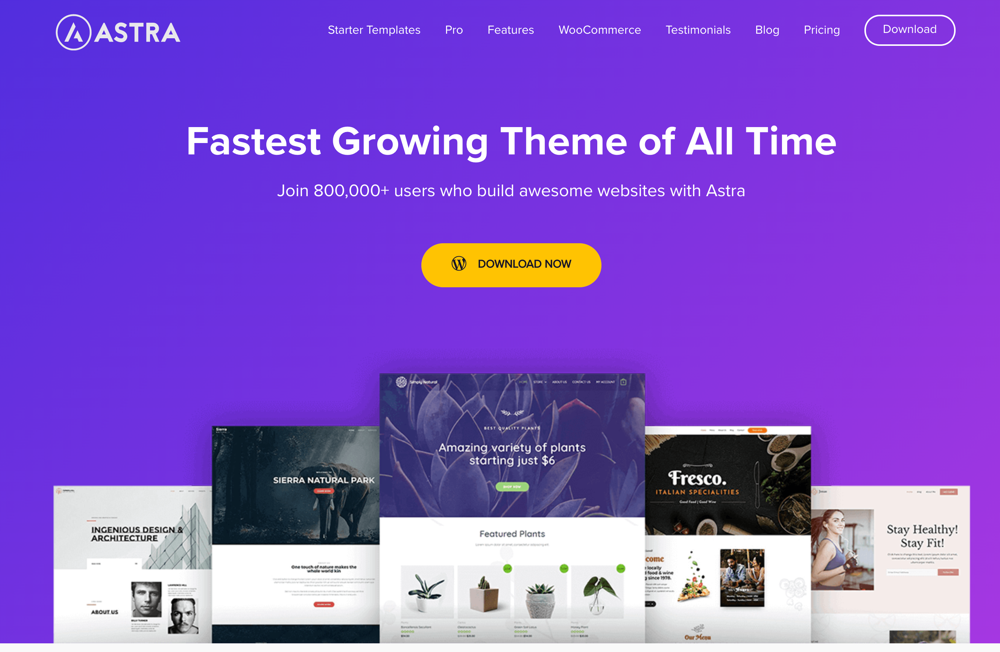
Astra theme tutorial: how to set up a navigation menu on Astra theme
Learn how to set up a custom navigation menu on the Astra theme to easily optimize your website layout. This article describes the steps in detail and provides the benefits of Astra theme, including fast loading, built-in templates and multi-language support, etc., to help you create a personalized WordPress web...

 简体中文
简体中文  English
  日本語
日本語  Français
  Español



