




WP self-taught website builder Page 48
At Photon Academy, we specialize in providing high quality WordPress instruction to help you master every aspect of WordPress from basic to advanced. Our courses are designed to allow students to get hands-on and understand the power of WordPress, whether it's building a personal blog or a business website.
arrange in order

Recommended: popular WordPress category management plugin
In WordPress website building, categories are an important tool to help manage and organize content. By using categories effectively, your website visitors can easily find the information they are interested in.The WordPress Categories plugin enables you to better control and improve these categories, making your web...

Recommended: WordPress knowledge base plugin selection
The WordPress Knowledge Base plugin makes publishing guides, tutorials and how-to instructions easy. Having a knowledge base allows customers to self-solve problems without opening a service request or starting an instant message. Today, we will introduce some popular WordPress knowledge base plugins to the big...

Recommended for WordPress users: Member Pro User Center Plugin
WordPress User Center Plugin is a specialized tool for WordPress websites that allows you to create and manage user profiles. This type of plugin provides a convenient management interface to website administrators and also allows users to easily login, register, update personal information and...
How to Fix Syntax Errors in WordPress
I've seen a lot of WordPress tutorials online that require you to add code snippets to your website. However, a small mistake in adding a code snippet can cause the entire site to crash, especially for newbies. If you try a new action on a WordPress site and receive the following error "...
Detailed Guide to Embedding YouTube Videos in WordPress: Methodology and Optimization Tips
What is an embedded YouTube video? One of the main advantages of embedding videos is that it reduces the loading time of your website. Video files are usually large and uploading them directly to a website can slow it down significantly. By embedding, we can show the video without affecting the performance of the site...

Creating AI-Generated Knowledge Bases on WordPress with BetterDocs "Write With AI"
By using the free "BetterDocs" Write With AI" feature, experience the perfect combination of simplicity and effectiveness to differentiate your knowledge base while efficiently focusing on customer experience and support. This blog will guide you through the configuration process, showing how to leverage AI's...
Common WordPress Errors and How to Fix Them
WordPress is widely used all over the world, but there are many problems that often arise. Let's take a look at some of the issues that come up often and how to fix them! Important note: It's still a cliché that before any changes are made to a website, data preparation must be...
How to Fix 500 Internal Server Error in WordPress
Internal Server Error is one of the most common WordPress errors. Sometimes when we open a web page, we see that the page prompts 500 Internal Server Error! So, what is this exactly? And how to solve it? Let's take a look at it together! 500 Internal Server Error...

WordPress website form inquiry function completely optimized operation steps
For WordPress websites that specialize in international trade, especially for corporate clients (B2B), the form inquiry feature is critical. This feature has a direct impact on the conversion rate of potential customers from just browsing website content to actually initiating a business inquiry. In short,...

WordPress Site Acceleration: A Guide to Caching Settings
WordPress website running slow? This problem has been around since the inception of WordPress. But now, we have a standardized solution. 6 Factors of Slow WordPress Website Choose a good server provider 2. Use a lightweight WordPr...

B2B website construction: reveal the core advantages of WordPress and practice guidelines
WordPress originally started out as a simple blogging platform, but over time it has evolved into the most dominant content management system (CMS) on the internet. So, when we talk about building business-to-business (B2B) websites, is WordPress up to the task? Ki...

How to Improve Website Performance with WebP Images on WordPress
What is WebP? WebP is a next-generation image format created by Google to provide excellent lossless and lossy compression. By using WebP, the size of image files can be significantly reduced, resulting in faster loading web pages and less data consumption.WebP format...

How to Fix WordPress .htaccess File
A website's .htaccess file is a small but important file that runs in the background, like a set of instructions for the server. The file explains how to handle things like permalinks and security measures. However, the file can become corrupted for a variety of reasons, which can lead to...

Explore WordPress: Full Explanation of the Types of Websites You Can Build
Many beginners wonder what types of websites can be created with WordPress. The short answer is "almost anything". I'm going to show you some examples of the types of websites you can build with WordPress. Getting Started with WordPress WordPress is supported by more than 43...

WordPress Bulk Modify Post Publishing Time
Bulk modifying the posting time of a post is an important and useful feature in WordPress administration. Why modify the time? Batch modifying the post publishing time can optimize the order of post content display, so that the post publishing time of a certain board can be advanced or pushed back. First of all, I...

How to limit comment length in WordPress (simple tutorial)
WordPress's comments feature encourages readers to start a discussion around the content of a post on the site. However, you may find that some comments are too short or rather long and don't contribute much to the discussion. Don't worry, next we'll show you how to easily limit comments in WordPress...
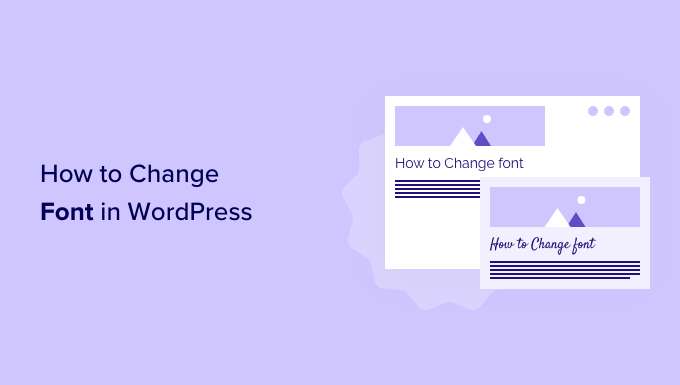
How to Change Fonts in WordPress Themes (5 Easy Ways)
WordPress themes provide default fonts, font sizes and font colors. If you want to change the default font to another font. There are several ways to change fonts in WordPress. Changing Fonts in WordPress Theme Editor An easy way to change fonts on your website is...

How to Embed YouTube Shorts in a WordPress Website Using Plugins
With the rapid growth of short-form video content, embedding YouTube Shorts in a WordPress website can greatly enhance the interactivity of your site. YouTube Shorts are not only eye-catching, but they can also quickly capture the attention of users, making them a powerful marketing tool. In this article, we'll go over...

Detailed analysis of WordPress error "Sorry You Are Not Allowed to Access This Page" solution
The "Sorry You Are Not Allowed to Access This Page" in WordPress is a security message that appears when you don't have the permissions needed to access a specific page or when the server encounters a security issue. This is a WordPress security feature designed to prevent unauthorized...

How to Fix WordPress Stuck in Maintenance Mode
WordPress sites stuck in maintenance mode can be a headache; especially when the site is being updated or has a lot of traffic. Maintenance mode can be caused by a variety of factors, from simple file corruption to more complex plugin conflicts or existing .maintenance files. Fixing stuck in maintenance...

How to remove query strings from static resources in WordPress
What is a query string? A query string is a set of characters that follow a question mark in a URL. These strings act as URL parameters to help sort and specify content on a website. An example of a link containing a query string is as follows: https://example.com/pr...

How to Create a Recent Comments Page in WordPress
Want to display all the latest comments on your WordPress site? This is a great way to engage users in discussions. Creating such a page on WordPress is now very easy with the "Latest Comments" block. We'll show you how to do it in WordPr...

How to Create a "Sticky" Floating Footer Bar in WordPress
Are you looking for a way to create a sticky floating footer bar in WordPress? A sticky floating footer bar will always be displayed at the bottom of your website even if the user scrolls through the page. This way, you can utilize it to promote offers or social media accounts, enticing users to stop...

Ways to fix 500 error after WordPress installation
WordPress is a commonly used tool that allows people to easily build their own website or blog. But sometimes, after installing WordPress, you may encounter a headache - 500 Internal Server Error. This error means that the server is processing your request...

How to use get_post_meta function to effectively manage and display custom field data
What is the WordPress get_post_meta function? The WordPress get_post_meta function allows you to extract information from a post's metadata and display these additional content details on the front-end of your website. This function can be implemented by adding code to the theme's configuration file...
How to Password Protect Your Entire WordPress Site
Protecting an entire WordPress site with a password can be done in two ways: Choosing a plugin Server-level HTTP authentication Of the two methods, the plugin method is more user-friendly and better suited for user-facing sites, while HTTP authentication protects WordPress...
How to Create and Optimize an Efficient Knowledge Base on WordPress Using Plugins
In this step-by-step script, we'll explore how to build a knowledge base on WordPress.A WordPress knowledge base is a collection of articles and FAQs that provide users with information and solutions when using the platform. By using plugins, it is easy to create and maintain a...

How to Create and Manage a Multilingual Knowledge Base with the Translation Plugin
Why Multilingual Support is Critical for International Business In today's globalized world, businesses have customers and potential team members all over the world, speaking different languages. While many can communicate in English, providing multilingual support can significantly enhance the customer experience and become a competitive...

How to Easily Add a Currency Converter to Your WordPress and WooCommerce Website
Currency converter is a very useful tool that allows your website visitors to quickly calculate exchange rates for different currencies without leaving your website. In this article, we will detail how to add a currency converter to your WordPress website and show two different ways...

How to Configure SSL and HTTPS on WordPress: How-to Guide and Problem Solving
What SSL is (and when you should use it) Secure Sockets Layer (SSL) is a technology that creates a secure connection between a Web site and a browser. Websites that use SSL have "certificates" that tell you that your private information is secure every time it is transmitted. For your own...

 简体中文
简体中文  English
  日本語
日本語  Français
  Español



