




WP self-taught website builder Page 49
At Photon Academy, we specialize in providing high quality WordPress instruction to help you master every aspect of WordPress from basic to advanced. Our courses are designed to allow students to get hands-on and understand the power of WordPress, whether it's building a personal blog or a business website.
arrange in order

How to Effectively Use Google reCAPTCHA in WordPress to Improve Website Security and User Experience
What is WordPress reCAPTCHA? WordPress reCAPTCHA is a security tool that helps you differentiate between real users on your website and automated programs like bots. It does this by displaying a small test, such as solving a simple puzzle, or by automatically checking behind the scenes...

How to Syndicate Content in WordPress (A Beginner's Guide)
Many of our users have asked us if they can use content syndication to bring backlinks or more content to their website. Actually, most WordPress blogs use the feature of content syndication. It comes with WordPress and makes it simpler for people to share content via RSS. There are...
How to Password Protect WordPress Post Categories
Entire categories can be password protected. The benefit of this method is that it makes it easier to add password protection to multiple pieces of content, and it's also simpler for site visitors because they only have to enter the password once to unlock all the content in that category. However, to set...

Melapress Login Security - The Plugin of Choice for Enhancing WordPress Login Security
WordPress is a very popular content management system that is used by many people all over the world. However, just because WordPress is so popular, it has also become the target of many cyber attacks. If a user's login information is compromised, then the account may be stolen or even...

WordPress Sitemaps Explained: How to Easily Create and Optimize Your Sitemaps
What is a WordPress sitemap? A WordPress sitemap is an XML file that contains a list of all the pages in your website. This file is primarily designed for search engines, such as Google and Bing, to help them index and crawl your site's content more efficiently....

Common Problems and Solutions after WordPress Website Migration
When migrating a website, you may encounter a number of issues, common ones being, for example, mixed media errors (after migrating from http:// to https://), or missing images and other data. This guide will help you resolve these issues and ensure that your website works properly after migration. Solving...

How to Add Custom Fonts in WordPress: Using Google Fonts, Typekit and CSS @font-face in Detail
Want to add custom fonts to WordPress? Custom fonts allow you to use a beautiful combination of different fonts on your website to improve typography and user experience. In addition to being aesthetically pleasing, custom fonts can help you improve readability, create brand identity and increase the number of users on your ...

How to Add Custom Fonts to Your WordPress Theme: The Complete Guide
Adding custom fonts to your WordPress theme can significantly enhance the look and feel of your website. Custom fonts help build brand identity and improve readability. This step-by-step guide will show you how to add custom fonts to your WordPress theme using a variety of...

How to Create and Add Anchor Links in WordPress: A Detailed Guide
Anchor links, also known as jump links or skip links, improve navigation and user experience on longer or text-heavy WordPress pages and posts by reducing scrolling. They allow users to quickly jump to specific sections of content on the same page by clicking on a link. In this guide,...

WordPress theme installation tutorial: easy to get started, make your website new!
WordPress is one of the most popular content management systems on the market, and it's loved because it has tons of plugins and is exceptionally easy to operate. Even techies can easily create their own website. After choosing a theme for your website,...

How to fix WordPress website "Err Too Many Redirects" error?
When using WordPress to build a website, you may sometimes encounter the error "Err Too Many Redirects". This error is because the site is caught in a cycle of non-stop redirects, resulting in the page can not be loaded properly. This may be due to some plugins or settings out of the problem...

How to Limit Login Attempts in WordPress to Prevent Brute Force Breaches
WordPress is a powerful and widely used content management system, and limiting the number of login attempts is an effective way to prevent brute force breaking attacks. This article will detail how to limit the number of login attempts in WordPress to improve the security of your website. What is brute force breaking...

How to Add Custom Buttons to WordPress Posts and Pages: A Detailed Step-by-Step Tutorial
Adding buttons is made easy with WordPress built-in button blocks, a feature introduced with the Gutenberg WordPress block editor. This article will show you the many ways to add call-to-action buttons to WordPress blog posts and pages. You can choose the most...

A Comprehensive Guide to Changing WordPress Site Fonts
Choosing different fonts for your WordPress site can significantly enhance its visual appeal and uniqueness. This article details how to change fonts in WordPress, including font settings using the site editor, global styles and customizer, and how to adjust the font size...
How to Password Protect Parts of a WordPress Post
Today! Let's look at the most specific way to password protect a portion of a public WordPress post. To set this up, you can use the free Passster plugin available on WordPress.org. After installing and activating the plugin, go to Settings → Passster Generate for...
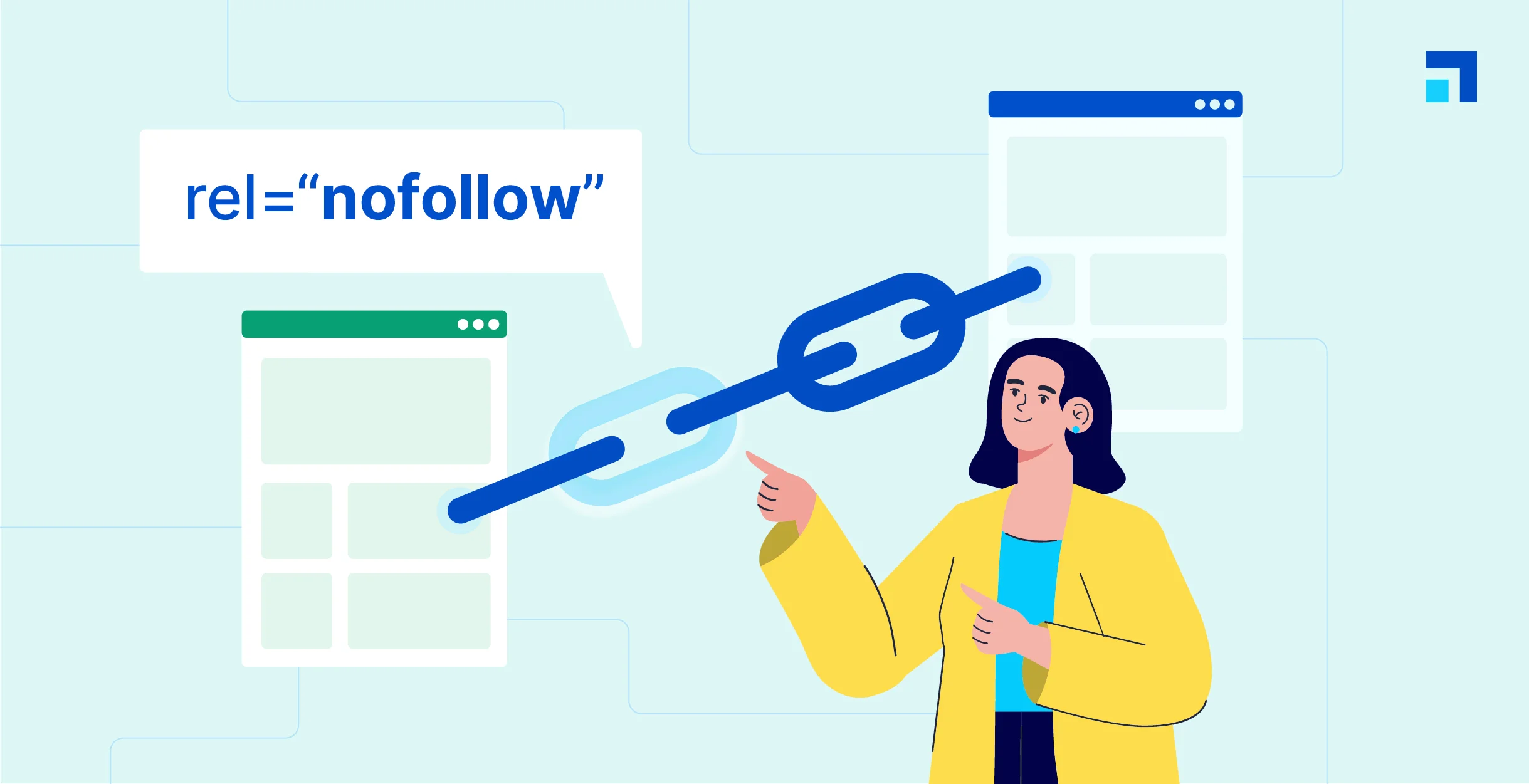
WordPress Beginner's Guide: How to Easily Add Nofollow Links to Boost SEO
What are Nofollow links? Nofollow links are a type of link that tells search engines not to pass any link authority from your page to other websites. Any link can be made into a nofollow link by adding the rel='nofollow' attribute. Why make...
Managing WordPress links holistically is an important aspect of optimizing your site's structure and improving the user experience.
Comprehensively managing WordPress links is an important aspect of optimizing your website structure and enhancing the user experience. Here is a detailed guide to managing link bounces, internal links and external links: I. Link Bounces (Redirects) A link bounce is a redirection from one URL to another...

A Comprehensive Guide to Creating Effective Navigation Menus with WordPress
A website's navigation menu allows users to quickly jump to different parts of the site. Menu items usually link to the most important pages, such as the home page, contact us, blog, etc. WordPress itself comes with its own menu functionality, which can be created through the WordPress dashboard. Of course...

Full tutorial on how to implement and customize breadcrumb navigation in WordPress using RankMath
If you have the RankMath SEO plugin installed, you can use the breadcrumbs feature it provides. While the free version of RankMath SEO usually implements the breadcrumbs feature via shortcodes, the RankMath SEO Pro version offers integration into Elementor's breadcrumbs meta...

How to Create, Manage and Optimize Menus in WordPress: A Detailed How-to Guide
Creating menus is a WordPress feature. It is possible to use your theme to display menus. Let's go down the list together! Creating a menu In these order: 1. Log in to the WordPress dashboard. 2. Go to Appearance > Menus. Display the Menu page. 3.Enter a menu name...

8 Useful Code Snippets for Customizing WordPress
WordPress is a highly flexible platform that allows users to customize the UI, site structure and code. By using code snippets, it is possible to add features that are not available in the theme and even replace some paid features. In this article, we will share eight very useful code snippets to help you...

8 Effective Ways to Change Password in WordPress
In WordPress, you can easily recover and change a user's password if you have access to the user's email or are already logged in. But how do you change any user's password if you don't know the administrator's password? In this article, we will cover changing passwords for different situations...

How to Set Up Different Themes and Plugins for Multi-domain Sites in WordPress
WordPress is a powerful and flexible Content Management System (CMS) that can be used to create and manage multiple websites. If you have multiple domains and want to set up different themes and plugins for each of them, we will detail how to accomplish this below. First, pre...

How to redirect users to different translated versions of a website based on geographic location
Managing a multilingual website is one of the most important factors in providing quality customer service to a global audience. By redirecting users to different translated versions of your website based on their geographic location, you can provide a more personalized and effective user experience. This article will detail how WordPr...

How to Perform Multilingual SEO on Your WordPress Website
Appealing to a global audience starts with having a website that supports multiple languages, both for content and search. Learn how to do multilingual SEO (Search Engine Optimization) on your WordPress website and make sure it's visible to users around the world. Simply translating your website...
How to Optimize Images in WordPress to Improve Site Loading Speed
Images are essential elements in web design. However, the size of image files often affects the loading speed of web pages. If images are not optimized, they will not only slow down the website, but also affect user experience and search engine ranking.Optimizing images in WordPress can...
How to Customize WordPress Login Page: A Detailed Guide to Enhance Brand Image and User Experience
By default, visitors to your site see the same login page that administrators use. While this page is fully functional, the design is very simple, leaving a lot of white space with the WordPress logo right in the center. It's great for supporting your brand or providing visitors with the ability to use...

A Comprehensive Guide to Improving WordPress Website Security
A content management system (CMS) is a software application that helps users build, manage, and customize websites without having to write their own code.WordPress is one of the most popular content management systems in the world, making it a high-value target for cyberattackers. WordPress ...

How to Optimize Link Colors with WordPress Built-In Features: A Guide to Enhancing Your Brand and User Experience
How to Change WordPress Link Colors WordPress provides out-of-the-box formatting for hyperlinks. It is possible to modify the link color scheme for individual links or for an entire website with several options: Theme Customizer, WordPress Default Block Editor, or implementing custom CSS. Method 1...
An in-depth analysis of the complete guide to implementing JWT authentication in WordPress
JWT (JSON Web Token) is a lightweight, self-contained, token for authentication and authorization that encodes user information (e.g., user ID, roles, permissions, etc.) into a JSON object and then digitally signs it to generate a signed token...

 简体中文
简体中文  English
  日本語
日本語  Français
  Español



