




WP self-taught website builder Page 8
At Photon Academy, we specialize in providing high quality WordPress instruction to help you master every aspect of WordPress from basic to advanced. Our courses are designed to allow students to get hands-on and understand the power of WordPress, whether it's building a personal blog or a business website.
arrange in order

How to Block Country-Specific Access in WordPress Using Plugins
In some cases, it may be necessary to block access from specific countries. For example, one may experience a large number of malicious attacks from a specific region, or your content may be restricted to users from certain countries. Using a WordPress plugin can simplify this process. In this article, we'll cover how to make...

Common Problems and Solutions after WordPress Website Migration
When migrating a website, you may encounter a number of issues, common ones being, for example, mixed media errors (after migrating from http:// to https://), or missing images and other data. This guide will help you resolve these issues and ensure that your website works properly after migration. Solving...
Common WordPress Errors and How to Fix Them
WordPress is widely used all over the world, but there are many problems that often arise. Let's take a look at some of the issues that come up often and how to fix them! Important note: It's still a cliché that before any changes are made to a website, data preparation must be...
Detailed Guide to Embedding YouTube Videos in WordPress: Methodology and Optimization Tips
What is an embedded YouTube video? One of the main advantages of embedding videos is that it reduces the loading time of your website. Video files are usually large and uploading them directly to a website can slow it down significantly. By embedding, we can show the video without affecting the performance of the site...

Advanced Tip: Creating Full Screen Slideshows and Content Overlays in WordPress
In WordPress, full-screen slideshows can not only dramatically improve the visual appeal of a website, but also enhance the user interaction experience. Combined with content overlay technology, it can further improve the display effect and provide visitors with more information or interactive opportunities. This article will detail how to use E...

How to Restrict Content in WordPress: A Guide to Member Access Rights and Content Protection
It is possible to cash in on content on your WordPress site with a subscription or one-time payment model. In our experience, MemberPress, a WordPress plugin, works better. (We recommend this one.) Why limit access to content to registered users only? Just like our VIP tutorial site a...
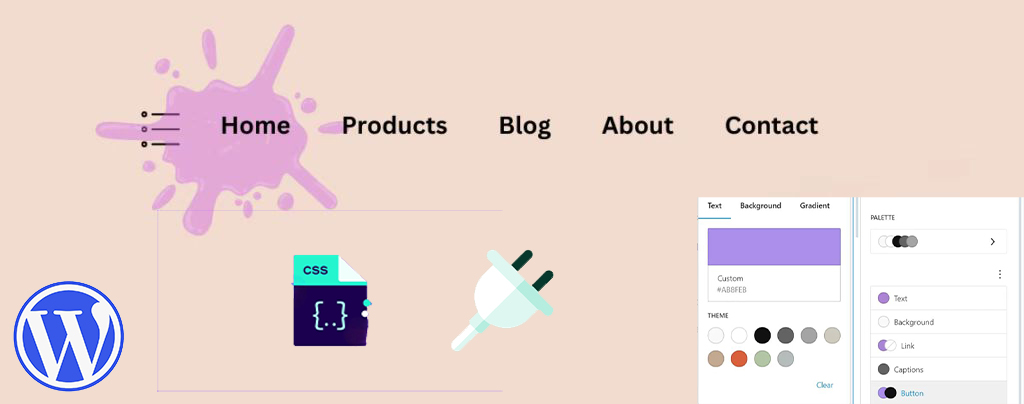
How to Easily Modify Menu Colors in WordPress: a Comprehensive Guide
An eye-catching and easy-to-navigate menu can greatly enhance the user experience and encourage them to browse further through your site's content. Adjusting the menu color can make your website design more personalized. This article will take you through the details of how to change menu colors in WordPress, teach...

Why does the WordPress admin bar overlap with the navigation menu? A complete guide to fixing it
An in-depth look at the causes of WordPress admin bar and navigation menu overlap issues, as well as detailed solutions, including hiding the admin bar, tweaking CSS, and checking for plugin conflicts, to ensure that your site's navigation displays correctly and improves the user experience.
How to Change Your Site Title in WordPress: Five Ways and SEO Tips
Learn how to change your website title in WordPress with detailed steps on how to use the WordPress customizer, settings menu, Yoast SEO plugin, code editing, and more while optimizing your title for better search engine rankings and user experience.
WordPress Image Sizes: How to Modify and Optimize Images
Learn how to resize WordPress images to optimize image loading speed, improve website performance, and increase SEO rankings. Master image compression, format selection and resizing techniques to improve user experience and search engine friendliness.

How to customize WordPress website header?
Want to optimize your WordPress site's header? This guide provides 3 best ways to design professional banners & navigation menus with ease, including theme customizer, site-wide editing features and page builder!

How to Remove Unused Images in WordPress: 2025 Ultimate Guide
Learn how to remove unused images from WordPress and optimize your media library to boost site performance. Discover effective plugins and tips to free up storage space and speed up your website.

Elementor AI: How to use AI to modify CSS and code to beautify your login page
Enhance your login page design with Elementor AI modifications to CSS and code to optimize page load speed, enhance interactivity, save development time and improve user experience. This article details how to customize buttons, backgrounds, fonts, and animations with AI to create engaging...

Imagify Plugin User Guide: Easily Optimize Images to Improve Site Speed and SEO Performance
Imagify is a powerful WordPress image optimization plugin that supports automatic compression and batch optimization of images, and is able to convert images to an efficient WebP format, which significantly improves website loading speed, optimizes website performance, and improves SEO rankings.

Perfmatters vs. WP Rocket: which is the best choice for accelerating your website?
Compare Perfmatters and WP Rocket, two performance optimization plugins, to gain insight into their positioning, features, and application scenarios, to help you choose the best acceleration tool for your site, and to explore how to use the two in combination to maximize your site's speed and SEO rankings.

Must-have plugin recommendations for the 2025 Astra theme: top 10 tools to improve performance and functionality!
The 10 must-have plugins for 2025 that are highly compatible with Astra themes cover performance optimization, functionality extension and SEO enhancement. Whether it's boosting site speed, enhancing e-commerce functionality, or optimizing SEO rankings, these plugins will help you maximize the potential of the Astra theme to create high...

5 Best WordPress CRM Plugins Recommended for 2025: Improve Sales Management Efficiency
This article recommends the five best WordPress CRM plugins for 2025 to help companies improve customer management efficiency, optimize sales funnels, enhance email marketing and drive business growth. Suitable for businesses with different needs, it helps you find the best CRM tool.
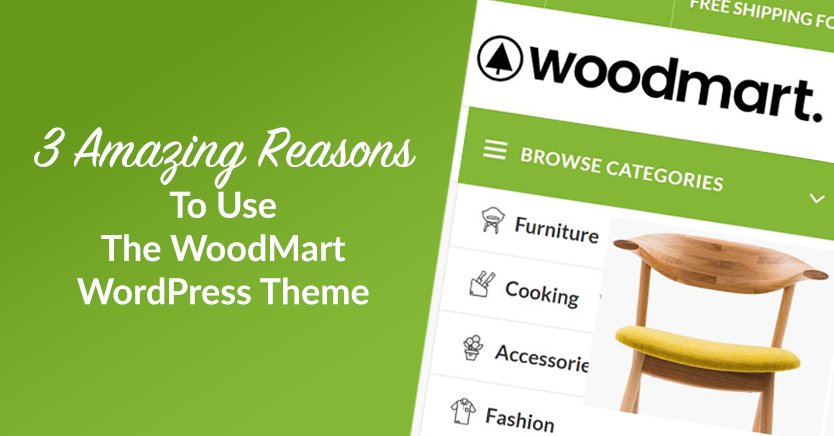
Slider Settings Guide in WoodMart Theme
WoodMart theme provides lightweight slider feature to quickly create smooth image rotation effect. This article describes how to set up a slider in WordPress, manage slideshows, adjust animation effects, optimize the layout, and through Elementor or WPBakery Page Builder to add ...

WoodMart Theme's Abandoned Cart Feature: An Effective Tool for Increasing Conversions
WoodMart Theme Abandoned Shopping Cart feature helps merchants recover unfilled orders and reduce lost sales. This article describes how to enable cart storage, email alerts, coupon incentives, and other features to boost conversions and optimize e-commerce operations strategies.
Avada Theme Tutorial: How to Set Navigation Menu and Mega Menu on Avada Theme
Detailed introduction to Avada theme features and menu settings, including the creation of ordinary navigation menu and super menu steps to help site builders easily build an efficient and easy to use navigation structure.
Kadence Tutorial: How to Create and Set Up Notification Bars in Kadence Themes
Learn how to create and set up notification bar in Kadence theme. Easily increase website conversions, advertise promotions or direct users to sign up by adding countdown timers, text content, buttons and setting the notification bar position and expiration time.

Mastering Avada Popups for Good: Creating Professional-Grade Popups with Modal Elements
A comprehensive explanation of the Modal popup element in the Avada theme, introducing how to trigger popups via buttons, menus, or images, and implementing advanced content layouts such as mixed-text, forms, and so on, to help you create a highly interactive, high-converting website.

Kadence Tutorial: Using Kadence Blocks to Create FAQ Structures for WordPress Websites
Add a FAQ structure to your WordPress website with the Kadence Blocks plugin to display frequently asked questions and increase your placement and traffic in Google search results.

Kadence Tutorial: How to Use Kadence Hooked Elements to Achieve Page Freedom Customization
Learn how to use the Kadence theme's Hook Elements feature to insert custom content blocks, notification bars, and HTML code into your WordPress website for page personalization and efficient management.

Master the Avada Off Canvas panel once and for all! Create popups, sidebar menus and sliders in one step!
This tutorial describes in detail how to use the Avada theme Off Canvas Builder tool, zero code to create an email subscription slider, and set the user to stay on the page after 4 seconds to automatically appear, applicable to marketing promotions, user interaction, message notification and other scenarios, easy to increase conversion...

Kadence Tutorial: Adding Advanced Search Functionality with Kadence Blocks' Search (Adv) Block
This article describes how to use the Kadence Search (Adv) block to add powerful search functionality to a WordPress website, supporting both standard search boxes and popup search boxes. Enhance your site's search experience and usability by customizing styles and settings.

Kadence Tutorial: Using Kadence Blocks Pro to Quickly Create Graphic Column Layouts
Using the Split Content block in the Kadence Blocks plugin, you can easily realize the effect of graphic columns and stacked layout. This article explains the graphic arrangement, negative margin settings and responsive layout adjustment methods, suitable for product display and content introduction scenarios.

Avada Theme Tutorial: How to Design Interactive Blog Posts with Avada Post Slider
Learn how to add interactivity and visual appeal to blog pages with Avada's Post Slider elements. Display blog posts with different layout options to bring the content to life and enhance the user experience.
How to Add Icons to Your WordPress Website Navigation Menu: Improving Usability and Visualization
Learn how to add icons to your website's navigation menu with the Menu Icons plugin, Font Awesome icons, or custom graphics. This article provides detailed steps to help you improve the usability and visual appeal of your website and optimize the user experience.

How to Add Sticky Header in Astra Theme
A comprehensive introduction to the sticky header feature in Astra Pro, including how to enable it, logo settings, blurred background effects, animated zoom and hide options to help you create a more attractive navigation bar.

 简体中文
简体中文  English
  日本語
日本語  Français
  Español



