



WooCommerce Plugin Page 8
arrange in order
How to achieve real-time inventory updates after WooCommerce activation: a practical guide to e-commerce inventory management
Learn how to realize real-time inventory update after WooCommerce activation. Through plugin configuration, API docking and multi-platform synchronization, you can achieve accurate inventory management, avoid overselling, and improve user experience and operational efficiency.

How to activate and set up customer support features (e.g. chat plugin) for WooCommerce: Creating an Efficient Communication Ecommerce Experience
Learn how to activate and set up customer support features in the WooCommerce store, including live chat, work order systems, and AI customer service plugins. With this tutorial, it's easy to build an efficient and professional customer communication system to increase user satisfaction and conversion rates.
WooCommerce How to Activate and Setup Product Recommendation Feature
This article details how to set up the WooCommerce product recommendation feature, including built-in cross-sell/up-sell configurations, and the best plugin recommendations. Learn how to increase customer unit price with smart recommendations for e-commerce stores of all sizes.
How to create and manage product categories and subcategories after WooCommerce activation: a complete tutorial on building a clear product structure
Detailed explanation on how to create and manage product categories and subcategories in WooCommerce, including category structure settings, menu display, gadget usage and optimization suggestions, helping e-commerce websites build a clear and efficient product navigation system.
How to Add Uniform Borders to All WooCommerce Buttons in Bulk
With simple CSS, this article describes how to add uniform borders to all WooCommerce buttons in bulk to improve the overall visual consistency of your website. Includes button class names, code examples, usage and advanced optimization tips to help you design your e-commerce website more professionally.

Make your website fly! Extreme loading, WebP support and perfect SEO optimization with Woodmart!
Dramatically improve the loading speed and search engine rankings of your WooCommerce mall by setting up lazy loading, WebP image formatting, and SEO plugins.
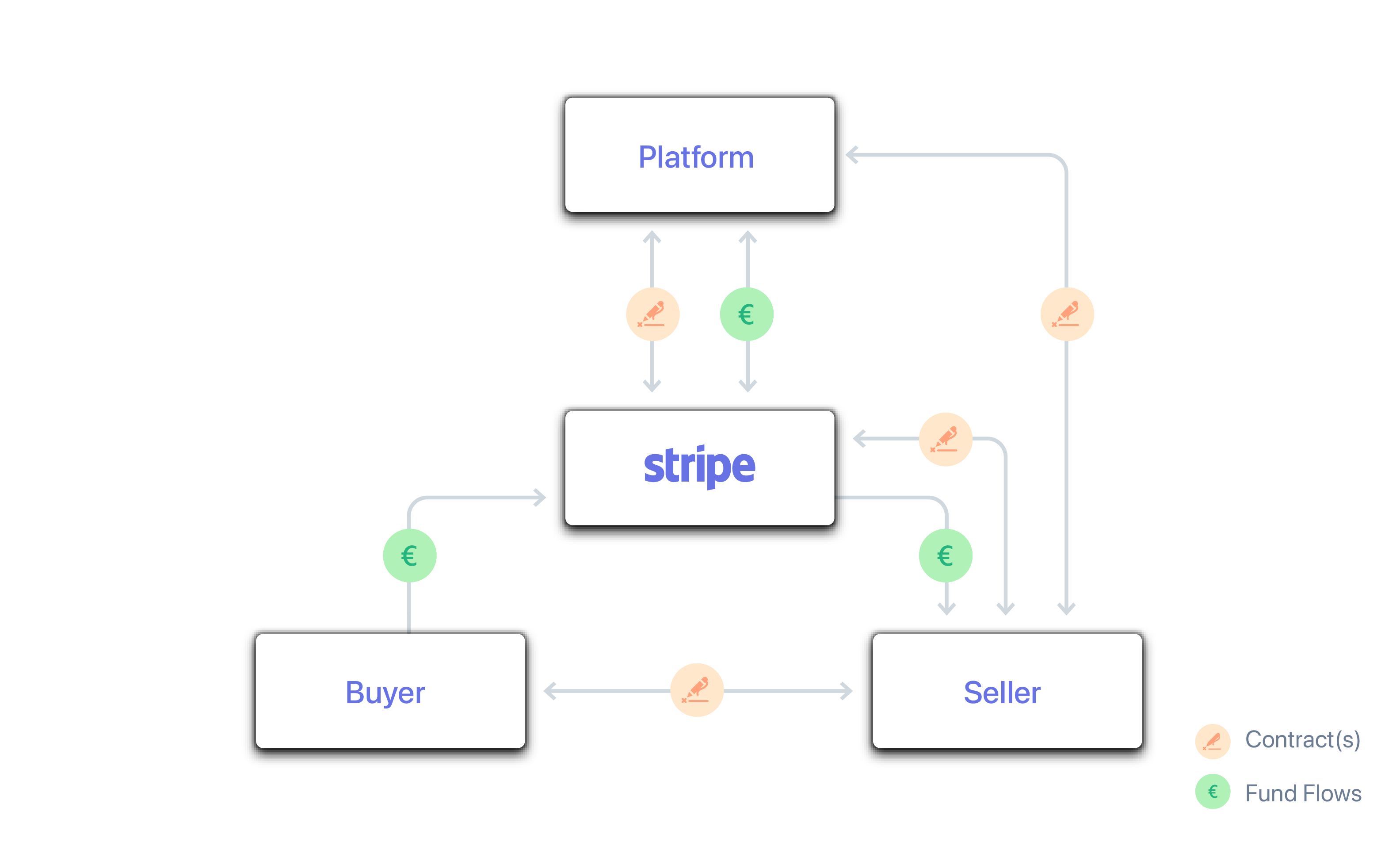
How to Process Global Payments with Stripe Connect in WordPress: A Complete Hands-On Guide
A lot of webmasters are looking for a great way to handle global payments, and Stripe Connect is a great tool to help automate your platform's split. This article will take you step-by-step through the setup, which covers all the details from backend configuration to fund distribution.
How to Increase Store Conversions After WooCommerce Activation
Learn how to boost conversions by optimizing your WooCommerce store's loading speed, recommendation features, checkout process, customer reviews, limited time offers, and more. In this article, we will share practical tips and tricks to help you increase store sales and customer satisfaction.
How to Activate and Setup Website Statistics and Analytics Tools with WooCommerce
Learn how to integrate Google Analytics, MonsterInsights and other mainstream web analytics tools in WooCommerce to achieve user behavior tracking, e-commerce statistics and conversion rate analysis, and comprehensively improve e-commerce operational efficiency.

How to Activate WooCommerce and Set Product Pricing by Region
Use the Price Based on Country plugin to enable WooCommerce product pricing by country, with support for automatic switching of prices and currencies.
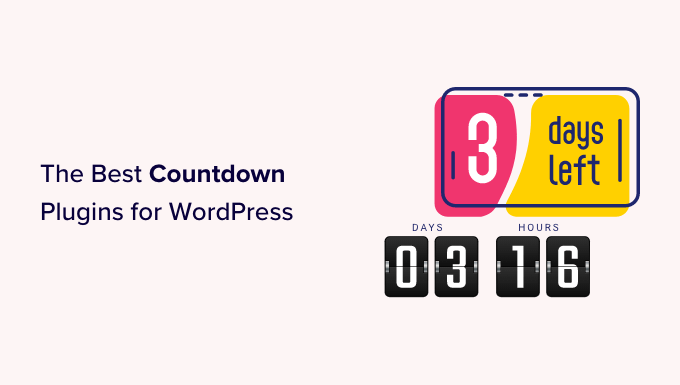
How to Activate WooCommerce and Set Up Site Notification Bars and Countdown Promotions: Create More Attractive Ecommerce Pages
Add a top notification bar and a limited time countdown to your WooCommerce store with the free plugin to draw users' attention to promotions and increase click-through rates and order conversions.

How to Set Up Refund and Return Policies After WooCommerce Activation
This article describes in detail how to set up refund and return policy after WooCommerce activation, including adding policy page, configuring order refund function, binding payment gateway, recommending plug-ins, etc. It helps sellers to establish clear and compliant after-sales process and improve user trust and shopping experience.

How to Add Products and Set Prices after WooCommerce Activation: Complete How-to Guide
This article describes in detail how to add products, set prices and manage inventory after activating the WooCommerce plugin, including different product types, promotional price settings, batch import and other operational skills to help you quickly and efficiently complete the process of online store merchandise shelves.
How to Activate WooCommerce and Setup Customer Shopping History and Referrals: Full Tutorial
Learn how to activate customer shopping history and personalized recommendation features in WooCommerce, using default settings or plugins to enhance the customer experience and increase sales opportunities. Make your store smarter and more profitable with recommender systems, cross-selling & up-selling.

How to Quickly Install Kadence Theme: Build Your WordPress Site from Scratch
Learn how to quickly install the Kadence theme and create a professional WordPress website with customized settings. Follow our step-by-step guide to easily complete theme installation, page layout, and feature configuration to improve site performance and user experience.

How do I set the minimum order quantity for each category in WooCommerce?
Easily set minimum order quantities by category for your WooCommerce store with the WooCommerce Min Max Quantity plugin to increase sales, optimize inventory management, and reduce losses from small orders. This tutorial will explain in detail how to apply minimum quantity rules to enhance purchase...

Astra Themes WooCommerce Hooks Practical Guide: Building Flexible Ecommerce Pages
Comprehensively organize Astra theme can be used for WooCommerce common hooks , covering shopping cart style adjustment , product field display , page structure control and other functions , suitable for developers to quickly customize the layout of the e-commerce site and interaction logic . All the code is adapted to the child theme functions.php to make ...

WooCommerce multi-warehouse setup full flow tutorial (with plugin recommendations)
Solve how to use WooCommerce to realize multi-warehouse inventory management and intelligent warehouse delivery. This article provides plug-in recommendations, installation and configuration process and FAQs to help you build an efficient e-commerce warehouse system.
How to Activate Membership Rewards System through WooCommerce: An Effective Strategy to Create User Loyalty
Learn how to enable membership points system through WooCommerce, configure points acquisition and redemption rules with the help of professional plug-ins, enhance user loyalty and repurchase rate, and create an efficient e-commerce membership incentive mechanism.

How to Activate and Configure Product Filtering in WooCommerce: A Guide to Key Settings that Enhance the Shopping Experience
This guide explains in detail how to set up product filtering in WooCommerce, including basic category filtering and advanced plugin configuration. Learn how to use WOOF and other plug-ins to achieve multi-dimensional filtering such as price, color, brand, etc., to improve the user shopping experience and conversion rate. Suitable for all kinds of e-commerce network...
How WooCommerce Activates and Increases Page Load Speed in Stores: A Comprehensive Optimization Guide
Learn how to activate WooCommerce and improve page load speeds with caching, hosting, CDN, image optimization, and more to create an efficient e-commerce site.

WooCommerce How to Activate and Configure Tax Rules and Zones
This article details how to activate and configure tax rules and zones in WooCommerce, including enabling tax functionality, setting national and provincial tax rates, assigning commodity tax classes, and testing that taxes and fees take effect correctly, for both cross-border and local e-commerce users.

Convert in seconds with this Woodmart plugin set!
Want to make your Woodmart e-commerce site faster, stronger and better selling? This article recommends several useful plugins that are highly compatible with WooCommerce to improve the payment experience, SEO performance, loading speed, and multi-language capabilities across the board, making your store stand out!

How to Skip the Shopping Cart Page in WooCommerce
Want to improve the user experience and conversion rate of your WooCommerce website? This article introduces 3 ways (default settings, plugins, custom code) to help you skip cart pages, optimize the checkout process, reduce cart abandonment, and get customers to complete their purchases faster.

WordPress Seller's Payment Essentials: Stripe Connect Payment Functionality and Multi-Currency Settlement Explained
Ready to build a cross-border e-commerce or multi-merchant platform on WordPress? This post takes you on an in-depth look at the core features of Stripe Connect. We detail the 135+ currencies it supports, as well as global acceptance including credit cards, digital wallets, and local payments in each country...

Two Easy Ways to Set WooCommerce Minimum Order Amounts
Learn how to set minimum order amounts in WooCommerce to boost profitability and optimize operations. This article provides both PHP code and a plugin to help you easily manage WooCommerce cart spending limits and increase order conversions.

Build an Efficient Shopping Cart System with Avada and WooCommerce
Deepening the integration of WooCommerce in the Avada theme, this article explains how to optimize the shopping cart system to improve conversion rates. It includes enabling Ajax shopping cart, setting up side popup shopping cart, auto-populating checkout address and other features to improve customer shopping experience and conversion rate.

WooPayments Integrates with Google Pay: Enabling a Fast, Secure Checkout Experience for All
Learn to turn on Google Pay in WooPayments, mastering the steps to enable it, button customization, testing methods and compatibility for a smoother, more secure checkout that works for stores worldwide.
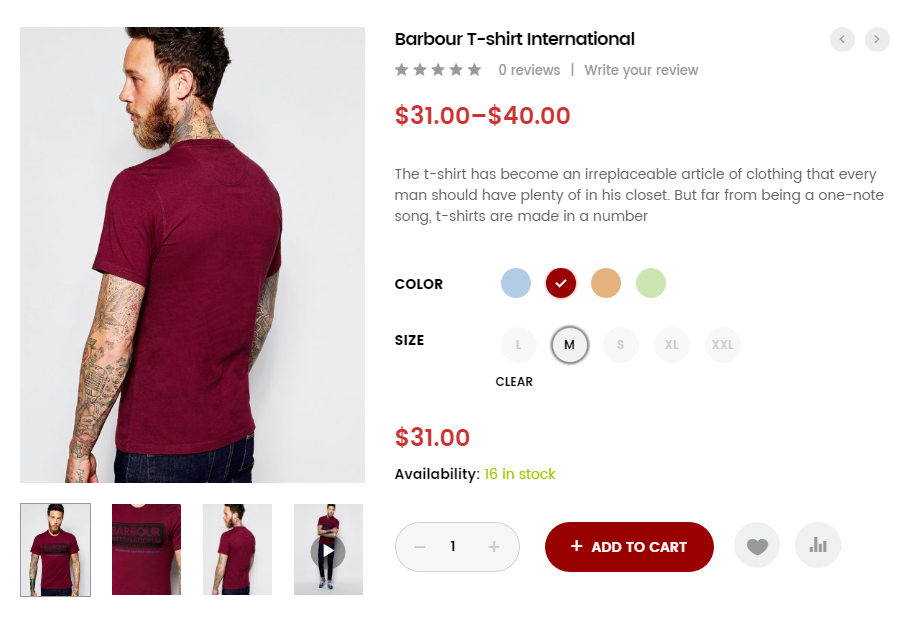
How WordPress Multi-Spec Plugin Integrates with Inventory Management System
Learn how to integrate the WordPress Multi-Spec plugin with an inventory management system to improve the efficiency of inventory management on your e-commerce site, avoid overselling and out-of-stock issues, and optimize the customer shopping experience.
How to activate and set up custom tags and metadata with WooCommerce: a practical guide to accurately optimize product information
This article details how to activate and set up custom tags and metadata in WooCommerce, including using ACF plugin to add product fields, set up SEO titles and descriptions, front-end display methods and batch management techniques, to help you optimize your product information and improve search rankings and user experience ...

 简体中文
简体中文  English
  日本語
日本語  Français
  Español



