



WooCommerce Plugin Page 9
arrange in order

How to Activate and Setup Multiple Shipping Options for WooCommerce: A Step-by-Step Guide to Creating a Flexible Delivery System
Learn how to activate and configure multiple shipping options in WooCommerce, covering flat rate shipping, free shipping, local pickup and the use of third-party logistics plugins. Enhance the operational efficiency and user satisfaction of your e-commerce site by flexibly setting up delivery zones and multi-warehouse shipping strategies.

WooCommerce Blocks: Local Pickup in Detail
Comprehensive analysis of WooCommerce Blocks local self-pickup function, support for multiple self-pickup point settings, tax calculation, interface customization and the old version of the way to compare.
How to activate and set up custom tags and metadata with WooCommerce: a practical guide to accurately optimize product information
This article details how to activate and set up custom tags and metadata in WooCommerce, including using ACF plugin to add product fields, set up SEO titles and descriptions, front-end display methods and batch management techniques, to help you optimize your product information and improve search rankings and user experience ...

How to Configure Virtual and Physical Products after WooCommerce Activation: A Comprehensive Setup Guide
This article describes in detail how to configure virtual and physical goods after WooCommerce activation, including the difference between the types of goods, configuration steps, order process differences, and how to use plug-ins to support the download of content or a combination of merchandising, to help you efficiently manage multiple types of merchandise and improve the operational efficiency ...

How to Activate and Configure Product Filtering in WooCommerce: A Guide to Key Settings that Enhance the Shopping Experience
This guide explains in detail how to set up product filtering in WooCommerce, including basic category filtering and advanced plugin configuration. Learn how to use WOOF and other plug-ins to achieve multi-dimensional filtering such as price, color, brand, etc., to improve the user shopping experience and conversion rate. Suitable for all kinds of e-commerce network...
How to manage customer feedback and reviews after WooCommerce activation: creating a high-trust shopping experience
This article teaches you how to enable and manage customer reviews and feedback in WooCommerce to boost user trust and conversions for a high-quality e-commerce experience.
Woocommerce Order Overview and Bulk Order Management Tutorials
A comprehensive introduction to the functionality of the WooCommerce backend order page, including order viewing, filtering, searching, previewing and batch processing tips.

How to Activate WooCommerce and Enable Social Login: The Complete Guide
This tutorial explains how to activate WooCommerce and enable social login, support Facebook, Google and other third-party accounts with one-click login, improve conversion rate and user experience, compatible with Elementor page builder.

SEO Optimization Settings after WooCommerce Activation: Overall Improvement of Your Ecommerce Site's Search Ranking
Comprehensively explains SEO settings after WooCommerce activation, including Rank Math plugin configuration, product page optimization, image ALT, Schema markup, sitemap and noindex settings, which help e-commerce websites to improve search ranking and natural traffic.
How to Manage Order History and Order Export after WooCommerce Activation: A Practical Guide to Improve Operational Efficiency
Comprehensive analysis of how to manage order history and export data after WooCommerce activation, covering order status explanation, filtering techniques, plug-in recommendations and export operations, to help e-commerce sites achieve efficient order processing and data backup.
How to create and manage product categories and subcategories after WooCommerce activation: a complete tutorial on building a clear product structure
Detailed explanation on how to create and manage product categories and subcategories in WooCommerce, including category structure settings, menu display, gadget usage and optimization suggestions, helping e-commerce websites build a clear and efficient product navigation system.
How to Activate WooCommerce and Setup Customer Shopping History and Referrals: Full Tutorial
Learn how to activate customer shopping history and personalized recommendation features in WooCommerce, using default settings or plugins to enhance the customer experience and increase sales opportunities. Make your store smarter and more profitable with recommender systems, cross-selling & up-selling.

WooCommerce How to Activate and Configure Multi-Language and Multi-Currency Functionality (Using Free Plugin)
Easily activate multi-language and multi-currency functionality for your WooCommerce store with the free plugins Polylang and Currency Switcher for WooCommerce.
How to Increase Store Conversions After WooCommerce Activation
Learn how to boost conversions by optimizing your WooCommerce store's loading speed, recommendation features, checkout process, customer reviews, limited time offers, and more. In this article, we will share practical tips and tricks to help you increase store sales and customer satisfaction.

How to Enable Multi-Currency Payment Collections on Stripe
Learn how to enable multi-currency payments on Stripe, which supports 135 currencies for automatic collection and settlement, helping e-commerce merchants optimize cross-border transactions and enhance the payment experience for global customers.

How to Secure Payments with SSL Encryption after WooCommerce Activation
Learn how to enable SSL encryption protection for your WooCommerce store to secure customer payments, improve site trust and search rankings. This article details the steps for obtaining and installing SSL certificates, configuring HTTPS, and enforcing SSL encryption to help you build a safe and secure...

WoodMart Variant Product Countdown Limitations and Solutions Explained
WoodMart can't set countdown timer for each product variant individually? This post shares three practical solutions and steps to help you solve your promotional display challenges.
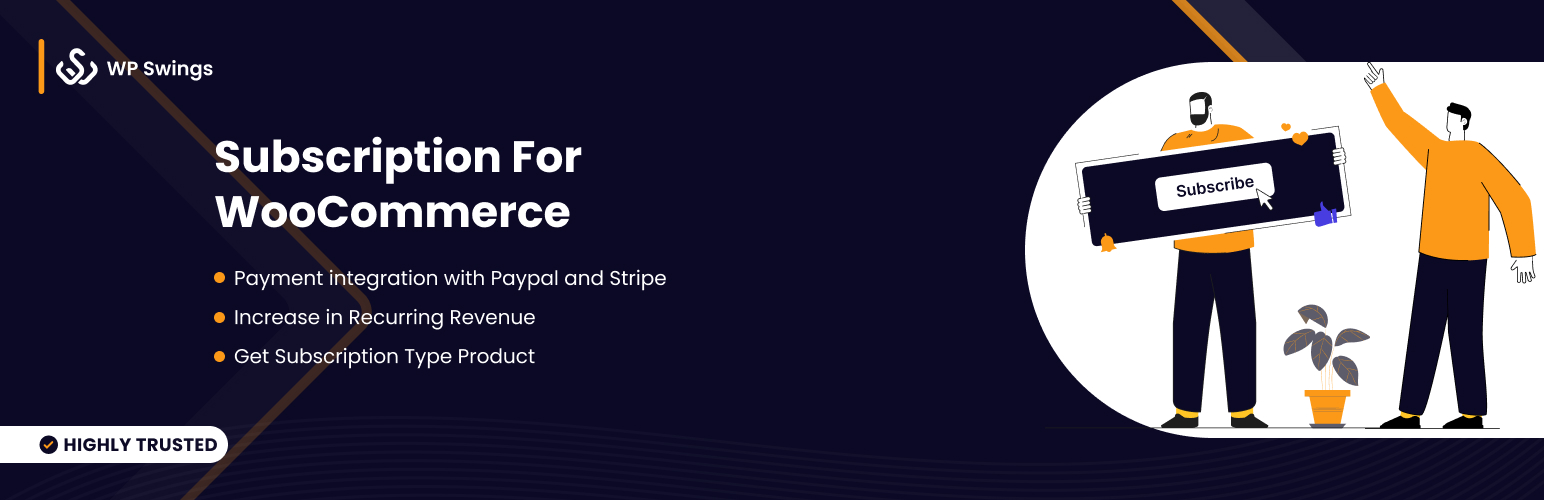
How to activate WooCommerce and enable the recurring subscription service feature (using the Subscriptions for WooCommerce plugin)
Learn how to activate and enable the recurring subscription service feature in your WooCommerce store using the Subscriptions for WooCommerce plugin. This article details plugin installation, recurring subscription product creation, payment gateway configuration and auto-renewal feature setup to help you set up the subscription feature for Gu...

How to Integrate Airwallex in WooCommerce for Multi-Currency Checkout
This article explains how to integrate Airwallex into your WooCommerce store to achieve multi-currency settlement and global localized payments for cross-border e-commerce merchants to optimize the collection process and improve user conversion and financial efficiency.

How WooCommerce Optimizes Site Speed: Improving User Experience and Conversion Rates
Learn how to improve user experience and conversions by optimizing your WooCommerce site for speed. Provides tips such as caching, optimizing images, using CDNs, and other methods to speed up loading.
How to Activate and Setup Website Statistics and Analytics Tools with WooCommerce
Learn how to integrate Google Analytics, MonsterInsights and other mainstream web analytics tools in WooCommerce to achieve user behavior tracking, e-commerce statistics and conversion rate analysis, and comprehensively improve e-commerce operational efficiency.
Why is Airwallex the ideal payment solution for WooCommerce cross-border brands?
Airwallex has become the payment solution of choice for WooCommerce cross-border e-commerce merchants, thanks to its global local accounts, multi-currency collections and low foreign exchange costs. This article analyzes the core value and advantages of Airwallex to help brands open up global payment channels.

Automate WooCommerce Multi-Currency Wallet Management and Reconciliation with Airwallex
Learn how Airwallex enables WooCommerce merchants to unify multi-currency wallet management, real-time FX conversion and order-level auto-reconciliation, dramatically improving collection efficiency and financial transparency for cross-border e-commerce merchants.

How to optimize the security of your website after WooCommerce activation (a guide to protection even for newbies)
Learn how to optimize website security after WooCommerce activation, including enabling SSL, updating plugins, setting strong passwords, double authentication, firewall plugins, backup mechanisms, and more. Newbies can also easily follow the operation, comprehensively improve the security level of the online store, protect customer data and order system...
Stripe vs. PayPal: Which is better for SMBs?
Which is better for SMEs, Stripe or PayPal? In-depth comparison of the two payment platforms in terms of features, fees, security, user experience and other dimensions, to help you choose the most suitable cross-border payment solution. Which is better for SMBs, Stripe or PayPal? From features, fees, security...
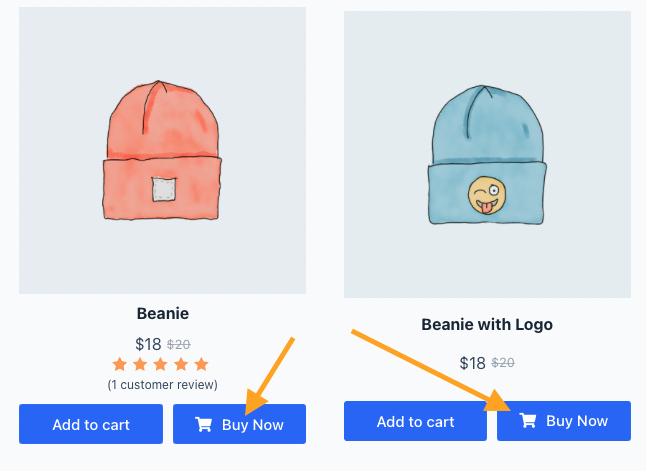
How to Activate and Enable One-Click Checkout via WooCommerce (Pure Free Solution Explained)
Realize WooCommerce one-click checkout function with free plugin, click the Buy Now button to skip the shopping cart and go directly to the checkout page, to improve the efficiency of ordering and conversion rate.

How to enable Blocksy's content block feature in WordPress?
A comprehensive explanation of Blocksy Pro content block features, from installation and activation to display condition settings, covering bulletin boards, template replacements, mobile tips and other real-world applications, to help you create a more flexible and efficient WordPress website structure.

Elementor vs Blocksy Content Modules: Which is better for WordPress websites?
Which is better for your website, Elementor or Blocksy? In this article, we compare the advantages and disadvantages of the two from functionality, experience, performance impact to real-world application scenarios, help you choose the best WordPress build solution, and recommend how to use with the realization of efficient, intelligent...
How to activate WooCommerce and set up cross-border e-commerce and international delivery features
Build a cross-border e-commerce site through WooCommerce, this article explains in detail how to activate the plugin, configure international delivery, set up multi-currency and payment methods to realize global sales.

WooCommerce Product Reviews & Ratings Enablement Guide: Boosting Trust & Conversions
Learn how to enable product reviews and ratings in your WooCommerce store to boost user trust and purchase conversions. This article provides detailed setup steps and optimization suggestions to help you create a more professional eCommerce page.

 简体中文
简体中文  English
  日本語
日本語  Français
  Español



