




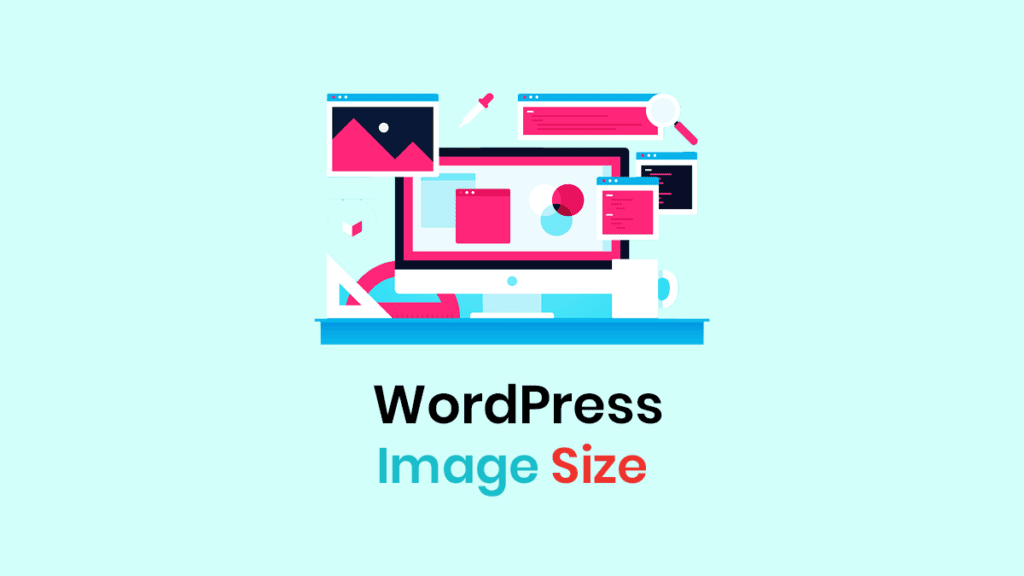
When building a website using WordPress,Image Format and Upload RulesDirectly impacts page loading speed, SEO performance, server resource consumption, and long-term operational costs. Many websites experience issues such as uncontrolled image sizes, format inconsistencies, upload failures, or lack of search traffic after running for a period. The root cause is not the theme or plugins, but ratherLack of clear, actionable image upload specificationsThis article will explainSupported image formats, actual upload limits, image generation rulesand provide a set ofA ready-to-implement image optimization best practices guideHelp you resolve image issues at the source.
![Image[1] - Why Aren't Your WordPress Images Getting Traffic? The Problem Isn't the Content, It's How You Upload Them](https://www.361sale.com/wp-content/uploads/2025/12/20251223181049298-image.png)
I. Native Image Formats Supported by WordPress
1.1 Default image formats that can be uploaded directly
existNo plugins installed, no code modifiedUnder the following conditions, WordPress supports the following image formats:
- JPG / JPEG
- PNG
- GIF
- WebP (WordPress 5.8 and later)
These formats can be uploaded directly via the backend [Media → Add New File], and WordPress will process them by calling the server image library—including generating thumbnails, cropping, and front-end output.
It should be specifically noted that,"Supporting uploads" does not equate to "being suitable for heavy-duty use."Different formats exhibit significant differences in file size, clarity, loading efficiency, and SEO value.
![Image[2] - Why Aren't Your WordPress Images Getting Traffic? The Problem Isn't the Content, It's How You Upload Them](https://www.361sale.com/wp-content/uploads/2025/12/20251223174606744-image.png)
1.2 Characteristics of Image Formats and Practical Recommendations for Use
![Image [3] - Why Aren't Your WordPress Images Getting Traffic? The Problem Isn't the Content, It's How You Upload Them](https://www.361sale.com/wp-content/uploads/2025/12/20251223180642144-image.png)
1.2.1 JPG / JPEG: The most widely used image format
JPG is currently the most widely used image format on WordPress websites.
Technical Features
- compression loss (in digital technology)
- Does not support transparent backgrounds
- High compression efficiency for photo-based content
Practical Advantages
- Small file size
- Fast loading speed
- Excellent browser compatibility
Scenario
- Blog post images
- Product Actual Photos
- Content Cover Image
take note of
JPG is not suitable for logos, icons, or images containing large areas of solid color, as it tends to produce compression artifacts.
![Image [4] - Why Aren't Your WordPress Images Getting Traffic? The Problem Isn't the Content, It's How You Upload Them](https://www.361sale.com/wp-content/uploads/2025/12/20251223181316475-image.png)
1.2.2 PNG: Sacrificing File Size for Transparency and Clarity
The greatest value of PNG lies inSupports transparent backgrounds and lossless image qualityThe
Technical Features
- compression lossless
- Supports alpha channel transparency
- The file is quite large.
Scenario
- Website Logo
- icon (computing)
- UI Components
Recommendations for use
- Use only when transparency is required or sharp edges must be maintained.
- Not recommended for use in large-sized article illustrations or banner images.
1.2.3 GIF: The Animated Format That's Gradually Being Phased Out
GIFs were once the mainstream format for web animations, but they present significant issues on modern websites.
limitations
- Supports only 256 colors
- Animation files are extremely large.
- Significantly impacts loading speed
Tutorial Site Recommendations
- Avoid using GIFs whenever possible.
- If you need to demonstrate operational procedures, consider using video or animated WebP files.
1.2.4 WebP: The Preferred Solution for Modern WordPress Sites
![Image [5] - Why Aren't Your WordPress Images Getting Traffic? The Problem Isn't the Content, It's How You Upload Them](https://www.361sale.com/wp-content/uploads/2025/12/20251223181743786-image.png)
WebP It is a modern image format introduced by Google and has been natively supported since WordPress 5.8.
Core Advantages
- Significantly smaller file size than JPG and PNG at equivalent image quality
- Supports both transparent backgrounds and animations
- Highly optimized for page load speed and Core Web Vitals
Compatibility Notes
- Mainstream modern browsers now fully support
- A fallback solution must be considered for extremely rare legacy browser environments.
| picture format | Whether or not to support | Recommended or not | Primary Use |
|---|---|---|---|
| JPG / JPEG | ✅ | ✅ | Article illustrations and photographs |
| PNG | ✅ | ⚠️ | Logo, Icon |
| GIF | ✅ | ❌ | simple animation |
| WebP | ✅ (5.8+) | ⭐⭐⭐⭐⭐⭐⭐⭐ | All Site Images |
reach a verdictFor content-based websites, tutorial sites, and blogs, WebP is currently the optimal mainstream image format choice.
II. The True Source of WordPress Image Upload Limitations
2.1 Does WordPress impose image size limits?
A common misconception is that WordPress imposes restrictions on image size.
The accurate statement is:
The WordPress core program itself does not set a fixed maximum size limit for images, but image uploads and processing are subject toServer Environment and PHP Configurationmultiple constraints.
![Image [6] - Why Aren't Your WordPress Images Getting Traffic? The Problem Isn't the Content, It's How You Upload Them](https://www.361sale.com/wp-content/uploads/2025/12/20251223180855181-image.png)
2.2 Key Server Parameters Affecting Image Upload
Image upload failure is typically related to the following factors:
upload_max_filesizeLimit single file upload sizepost_max_sizeLimit request body sizememory_limitMemory required during the image processing stage- Image Library (GD / ImageMagick) Capabilities
additional informationEven if the image does not exceed the `upload_max_filesize` limit, generating thumbnails may still fail due to insufficient memory if the resolution is too high.
2.3 Recommended Image File Size and Dimensions
| take | Recommended single image size | Recommended maximum width |
|---|---|---|
| Main text illustration | ≤ 300KB | ≤ 1200px |
| Home / Cover | ≤ 400KB | ≤ 1600px |
| Logo / Icon | ≤ 100KB | ≤ 500px |
III. WordPress Image Dimensions and Auto-Generation Mechanism
3.1 WordPress generates multiple images
When you upload an image, WordPress automatically generates multiple size versions, such as:
- thumbnail
- medium
- large
- full (original image)
![Image [7] - Why Aren't Your WordPress Images Getting Traffic? The Problem Isn't the Content, It's How You Upload Them](https://www.361sale.com/wp-content/uploads/2025/12/20251223180920533-image.png)
These dimensions are used for different page templates to avoid loading unnecessary large images on the front end.
3.2 Image Size Settings Location
Backend path: Settings → Media
The size settings here will directly affect:
- Server Storage Usage
- Number of images generated
- Page loading efficiency
suggestionOnly retain the dimensions truly required by the theme and page, avoiding unnecessary generation.
4. Image Formats Not Supported by WordPress by Default
4.1 Why SVG Is Disabled
SVG is an XML-based vector format that can theoretically embed scripts, posing potential security risks.
Therefore, WordPress defaults to:
- SVG Uploads Prohibited
- Even administrators cannot directly upload files.
Tutorial Site Recommendations
- Do not enable SVG uploads.
- Submission sites should especially avoid
4.2 Reasons Why HEIC/HEIF Images Cannot Be Uploaded
![Image[8] - Why Aren't Your WordPress Images Getting Traffic? The Problem Isn't the Content, It's How You Upload Them](https://www.361sale.com/wp-content/uploads/2025/12/20251223180959530-image.png)
HEIC is the common photo format used on iPhones:
- WordPress does not support by default.
- Most servers cannot resolve
proper practice
- Convert to JPG or WebP locally before uploading
V. Best Practices for WordPress Image Uploads
5.1 Standardized Guidelines Before Upload
Image Naming Convention
- Use English
- Use hyphens
- Include keywords related to the image content
![Image [9] - Why Aren't Your WordPress Images Getting Traffic? The Problem Isn't the Content, It's How You Upload Them](https://www.361sale.com/wp-content/uploads/2025/12/20251223181030482-image.png)
Process images locally first
- Trim to the actual required size
- Compressed volume
- Upload to WordPress
Unify image formats
- Prioritize content images WebP
5.2 WordPress Internal Usage Guidelines
- Avoid using "Full Size" when inserting images.
- Must be filled out ALT causality
- ALT text should accurately describe the image rather than stuffing it with keywords.
![Image [10] - Why Aren't Your WordPress Images Getting Traffic? The Problem Isn't the Content, It's How You Upload Them](https://www.361sale.com/wp-content/uploads/2025/12/20251223180700213-image.png)
VI. Recommended Standardized Image Format Solution
If you don't want to keep adjusting your strategy, you can directly adopt the following plan:
- Primary image format:WebP
- Single image size: ≤ 300KB
- Maximum width: ≤ 1600px
- Uniform Naming Convention for Images
- Required ALT
- Avoid GIFs and large PNGs
- Regularly clean up unused images

Link to this article:https://www.361sale.com/en/84119The article is copyrighted and must be reproduced with attribution.
















![Emoji[wozuimei]-Photonflux.com | Professional WordPress repair service, worldwide, rapid response](https://www.361sale.com/wp-content/themes/zibll/img/smilies/wozuimei.gif)

![Emoticon[baoquan] - Photon Wave Network | Professional WordPress Repair Services, Worldwide Coverage, Rapid Response](https://www.361sale.com/wp-content/themes/zibll/img/smilies/baoquan.gif)


 简体中文
简体中文  English
  日本語
日本語  Français
  Español


No comments