





In a WordPress website, the "Automatically send coupons for successful subscription" to capture subscriber inboxes and increase conversions has been one of the most stable and cost-effective ways to grow.
Whether you're a blog site, a content site, or a site based on the E-commerce site for WooCommerceThe mechanism addresses the two core issues at the same time:
- Make visitors want to leave their email
- Make a direct correlation between subscription behavior and real conversions
![Image[1]-WordPress How to set up automatic coupon sending for successful subscription? Complete Hands-on Guide](https://www.361sale.com/wp-content/uploads/2026/01/20260119161529426-image.png)
Why do I need to set "Automatically send coupon after successful subscription" in WordPress?
Without incentive, most visitors are not willing to actively subscribe.
And coupons address this psychological threshold.
The core value of subscriptions + auto-couponing:
- Increase subscription conversion rates (typically 2-5x higher)
- Connecting 'subscriptions' to 'purchases'
- Make the act of marketing an automated process, not a manual one
In contrast to the discounts offered for "account registration" or "first order", the discounts are not offered at all.Subscribe to get instant discountsThe friction costs are minimized and are particularly suitable for cold flow.
Second, the realization of logical disassembly: subscription success automatically send coupons is how to operate?
In WordPress, this feature is essentially the Linkage of three things::
- Subscription behavior triggers(User submission mailbox)
- System-generated or bound coupons
- Mail system automatically sends coupons to users
As long as these three steps are smoothly connected, the whole process is stable and reusable.
The point is not "which plugin to use", but ratherIs the trigger logic correct + controllableThe
III. Preparation: what basics do you need?
Please make sure that the following conditions are in place before formal setup:
- ✅ A functioning WordPress website
- ✅ Basic mail delivery configured (SMTP or mail plugin)
- ✅ If e-commerce site: WooCommerce enabled
- ✅ Clarify coupon strategy (discount percentage, conditions of use)
IV. Step 1: Create coupons that can be used for automatic delivery (WooCommerce)
If you are using WooCommerce.Coupon must exist firstThe system can only send it automatically.


Creating Coupons
Enter the backend path:
WooCommerce → Coupons → Add Coupon
Example of recommended settings:
- Offer type: Percentage discount (e.g. 10% / 15%)
- Coupon code: can be fixed (WELCOME10) or automatically generated by subsequent settings
- Duration: 7-14 days (avoid prolonged abuse)
![Image [4] - WordPress How to set up automatic coupon sending for successful subscription? Complete Hands-On Guide](https://www.361sale.com/wp-content/uploads/2026/01/20260119162018106-image.png)
Setting usage limits (very critical)
It is recommended to turn it on at least:
- Limit 1 use per user
- Limit the minimum amount of consumption
- For specified products/classifications only (optional)
This can effectively prevent "woolgathering".
V. Step 2: Create a subscription form (mail subscription portal)
The subscription form is the entire process oftrigger pointThe
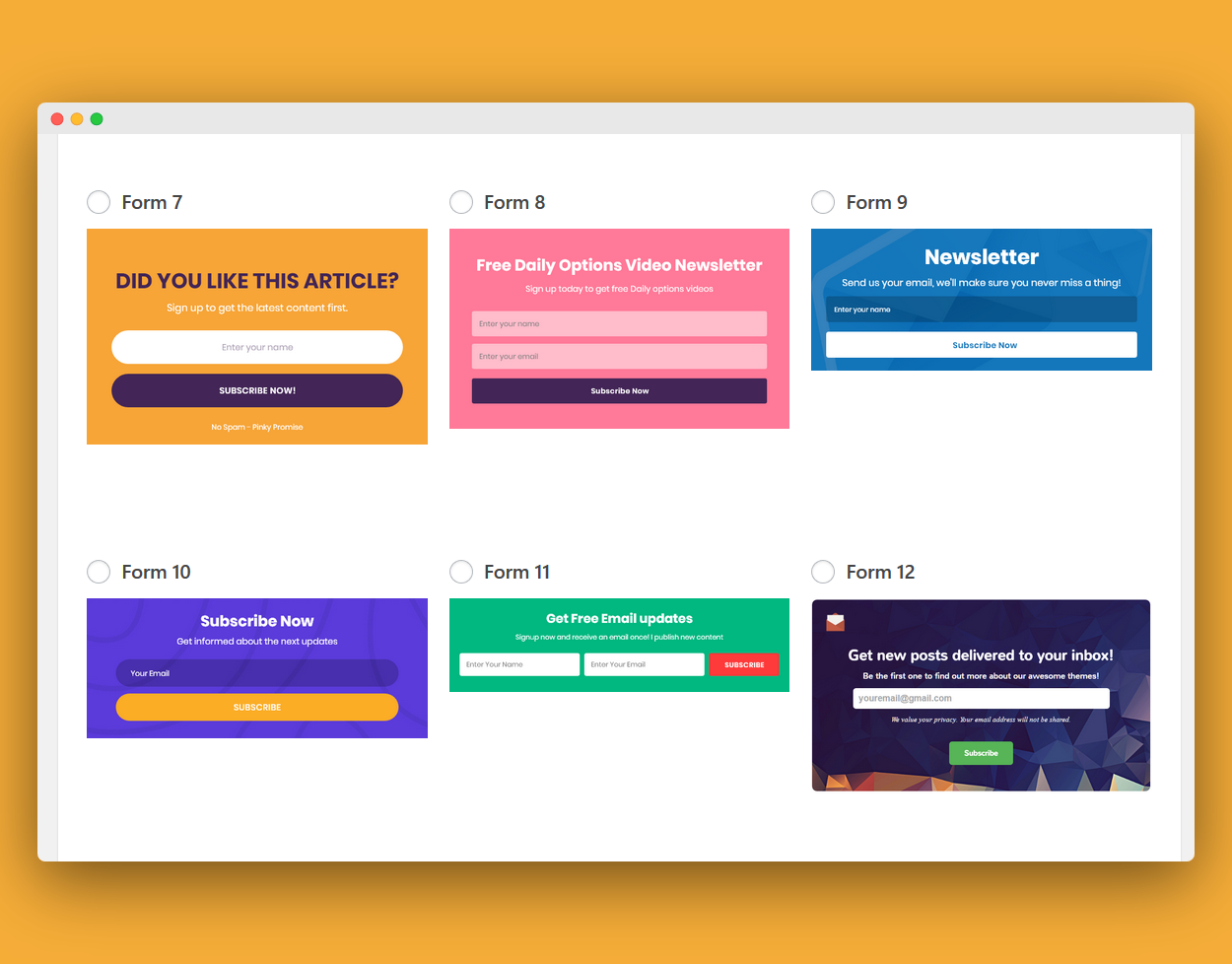
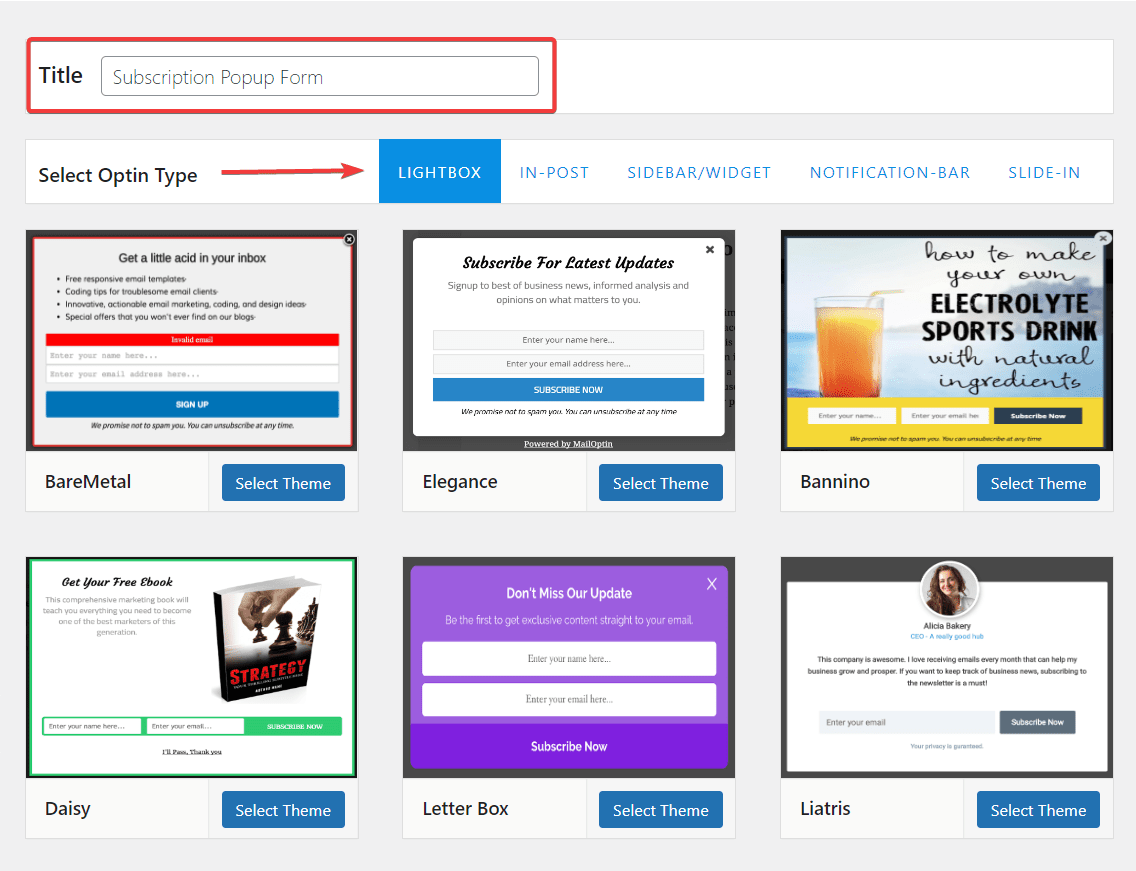
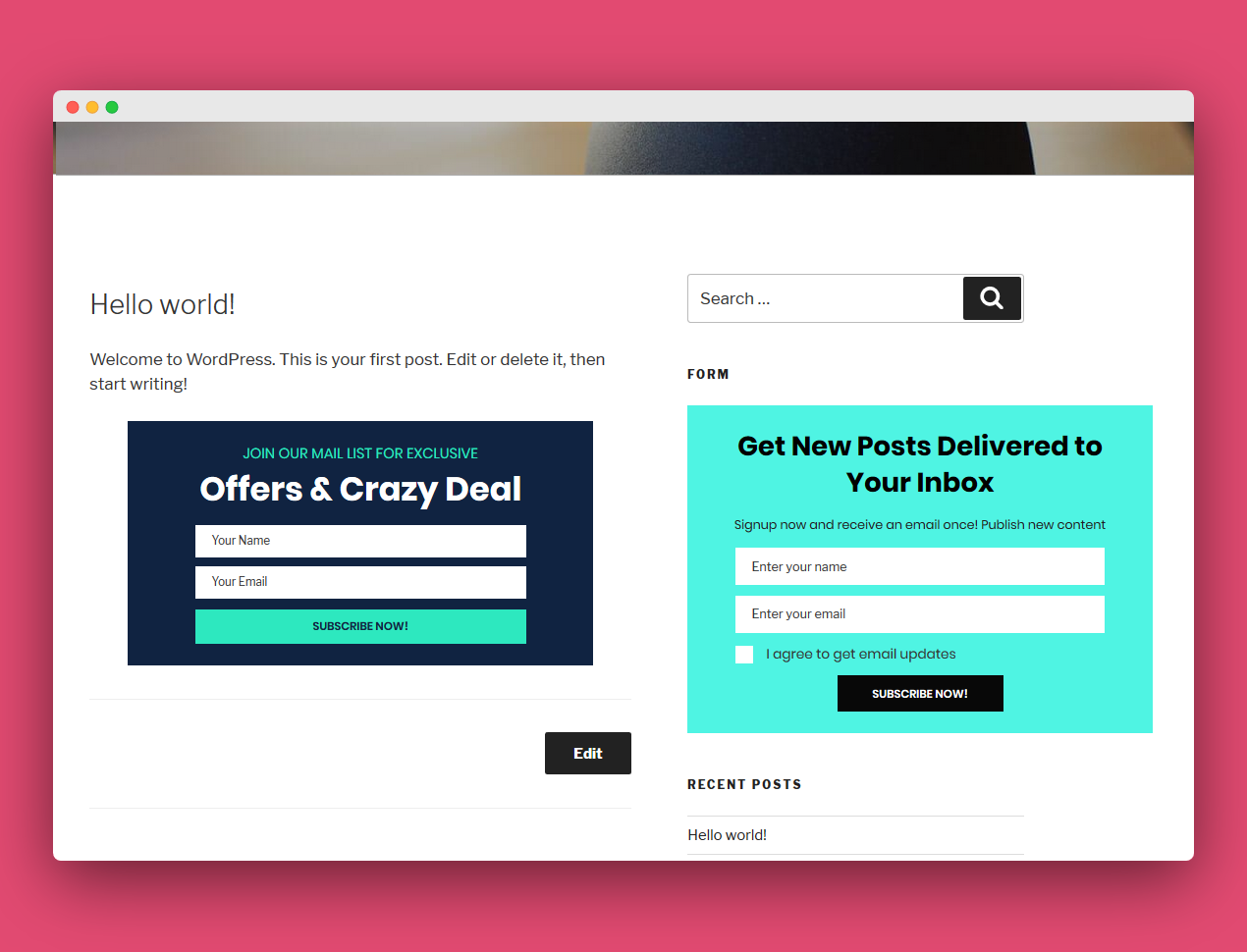
Common forms for subscription forms
- On-page inline form (at the end of the article)
- Popup Subscription (Exit Intent)
- Homepage Banner
- Check the subscription on the checkout page
Priority use is recommended:
Popup + Content Page Inline Combo
Form copywriting suggestions (very important)
Don't write:
"Subscribe to our mailing list"
And to write:
"Subscribe and get a ¥50 coupon."
The motivation to subscribe must be clear, direct and specific.
Step 3: Set "Successful Subscription Trigger Email Coupon Delivery
This is the core of the entire process.
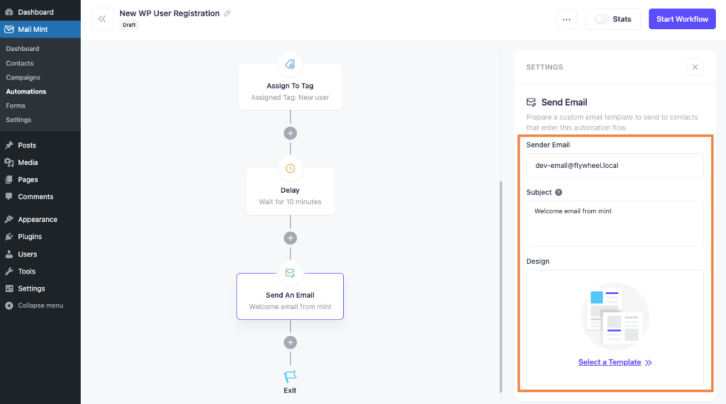
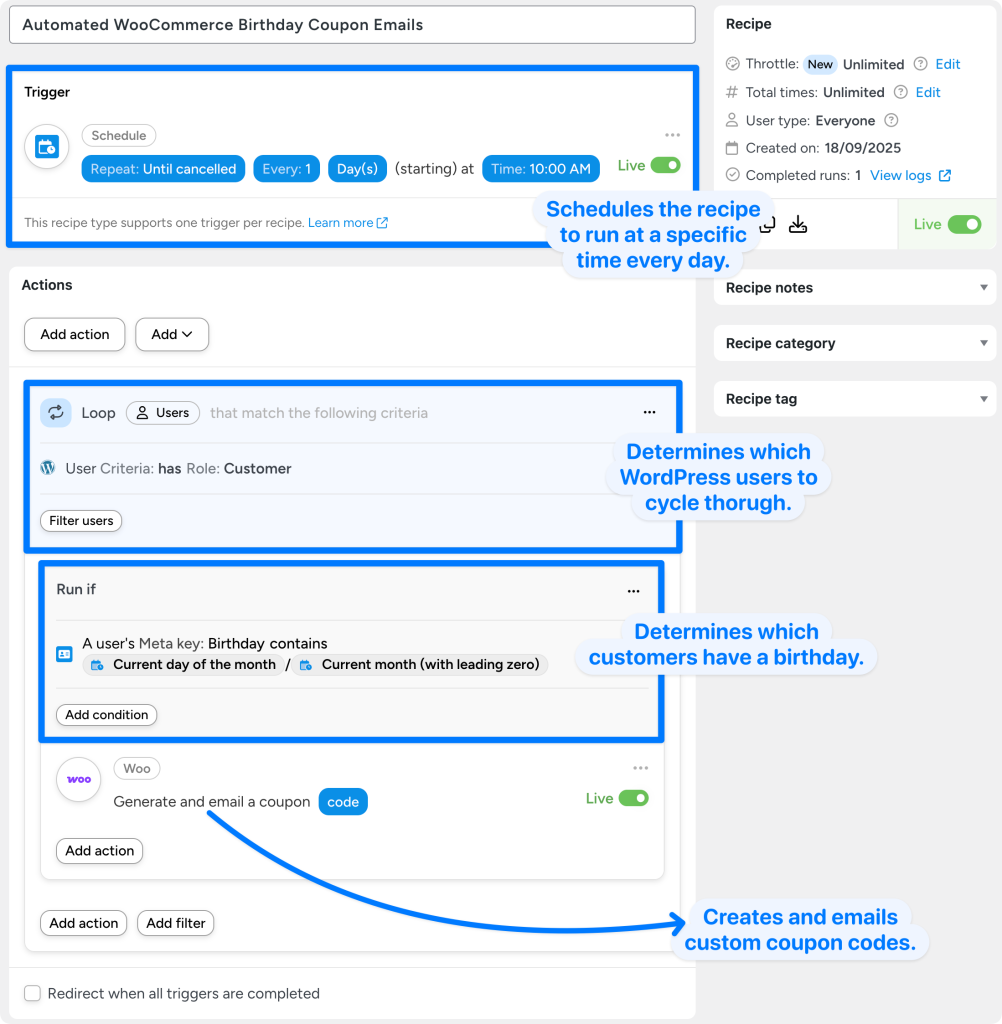
The core trigger condition should be:
When the mailbox is successfully subscribed for the first time → an email containing a coupon is automatically sent
The content of the email must contain::
- Explicit coupon codes
- Instructions for use
- Expiration date reminder
- Clear CTA (for immediate use)
Example of mail content structure (recommended)
- Title:
"Welcome Subscription! Your exclusive coupon is ready" - Body Structure:
- Thanks for subscribing!
- Coupon Amount/Discount
- Term of use
- Using the Entry Button
VII. Advanced: How to realize "unique discount code for each subscribed user"?
If you don't want everyone to use the same coupon code, you can use it:
- Automatically generate single coupon codes
- Bound to mailbox
- Expires after use
This way fits:
- High-price-per-unit product
- Preventing sharing abuse
- Refined marketing
VIII. Common problems and pitfalls (very important)
Issue 1: User subscribes but doesn't receive coupon emails
Common causes include:
- E-mails ruled as spam
- SMTP not configured
- Trigger condition setting error
- Form not marked as "Successful Subscription"
Issue 2: Coupons can be reused over and over again
Solution:
- Limit the number of times each mailbox can be used
- Restriction of user roles
- Bound minimum spending amount
Issue 3: Subscriptions are swiped by a large number of invalid mailboxes
Solution:
- Enable Double Opt-in
- Add Captcha
- Delayed issuance of vouchers (after confirmation)
IX. Optimization suggestions: let subscription coupons really bring conversion
If you've completed the basic setup, the next step to focus on is theEffectiveness OptimizationThe
Recommended Optimization Directions:
- Setting a countdown (creating a sense of urgency)
- Subscribe to jump to the offer description page
- Add Hot Product Recommendations to Emails
- Distinguish between new and old user discount strategies
X. Summary: a set of automated growth mechanisms for long-term reuse
"TheWordPress Automatically Sends Coupons for Successful Subscriptions" is not a simple function, but a set:
Subscription → Incentive → Conversion → Repurchase complete link
As long as you design the trigger logic, offer rules, and email experience well, this system can consistently bring you real value over time, not fake subscription numbers.

Link to this article:https://www.361sale.com/en/86031The article is copyrighted and must be reproduced with attribution.


















![Emoji[wozuimei]-Photonflux.com | Professional WordPress repair service, worldwide, rapid response](https://www.361sale.com/wp-content/themes/zibll/img/smilies/wozuimei.gif)

![Emoticon[baoquan] - Photon Wave Network | Professional WordPress Repair Services, Worldwide Coverage, Rapid Response](https://www.361sale.com/wp-content/themes/zibll/img/smilies/baoquan.gif)


 简体中文
简体中文  English
  日本語
日本語  Français
  Español


No comments