"How to do a WordPress email subscription coupon giveaway" is usually not about "manually sending a fixed coupon code", but rather about puttingSubscription Formrespond in singingCoupon SystemTied to death: after the user subscribes successfully, the system automatically sends an email to the coupon (preferably "unique coupon") to him, and you can also control the expiration date, to prevent gripping, and can count the conversion.
Make it clear: what kind of vouchers you want to issue and when you want to issue them.
Coupon Type: Fixed vs. Unique (Unique is highly recommended)
Fixed coupons (one code for all)
Pros: Easiest
Disadvantages: unlimited gripping after being retweeted; hard to count "real contributions per subscriber"
Unique coupons (one code per subscriber)
Benefits: Controllable, abuse-proof, trackable; best fits the business objective of "subscription rewards".
You have to do fine operation later (reorder, grouping, different discounts for different people) also more smoothly
WooCommerce natively supports creating/managing coupons with settings like usage limits, number of times to use, and more.
Trigger timing: subscribe and send vs. confirm and send (recommended)
Subscribe-and-send (sends when user submits a form): Fast conversion, but more likely to be blasted by bots/malicious emails
Confirmation of backward hair (Double Opt-in backward hair): cleaner lists, less spam mailboxes, better for long-term subscription growth (recommended)
Preparation checklist (if you don't do this, the probability of "not receiving the coupon" is very high)
4 Things You Must Prepare
① WooCommerce Enable Coupon Function
Enable "Enable Coupons" in the WooCommerce backend and familiarize yourself with coupons:
Discount type (percentage/fixed cart/fixed product)
Restrictions on use (minimum spending, exclusion of specials, limited categories)
Usage cap (total, per user) The official WooCommerce documentation has full instructions for creating and restricting them.
② Reliable mail delivery capability (determines "coupon availability")
Don't just rely on the host's own mail(). Recommended on:
SMTP Plugin + Professional messaging services (common: Amazon SES / Mailgun / SendGrid, etc.)
and configured with SPF/DKIM/DMARC (which significantly reduces the probability of going to the dumpster)
③ Location and strategy of subscription forms
Common high converting position:
Home page first screen banner (left side white space for copy)
The advantages of MailPoet areAll closed loop within WordPress: Collect subscriptions → automated welcome emails → coupon block insertion in emails. It official documentation also explicitly supports adding coupons to emails.
Step 1: Install and complete MailPoet base configuration
① Install MailPoet (WordPress plugin library)
MailPoet plugin support:
Subscription Form
Email Marketing
WooCommerce automation and other capabilities
② Build a subscription list (List)
At least two lists are recommended:
Newsletter(General subscription)
Coupon Subscribers(subscribe with coupon: easy to do subsequent exclusion/remarketing)
Step 2: Create Subscription Form and Embed
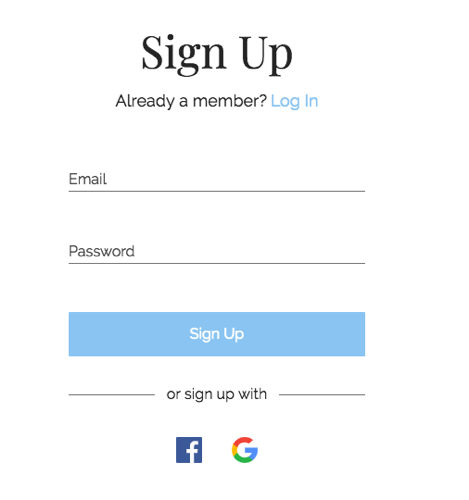
Creating a Signup Form in MailPoet
Embedded:
Home banner
Popup plugin (works with third parties)
Checkout page (many sites convert best here)
Form Suggestion field:
Email (required)
First name (optional, to personalize the message)
Tick to agree (optional but recommended)
Step 3: Prepare a "Template Voucher" in WooCommerce (or let the system create it when it sends a message)
WooCommerce Backend: Marketing → Coupons New Coupons, Common Setup Suggestions:
Discount: 10% or 15% (not too big)
Expiration date: 7-14 days (creates a sense of urgency)
Usage limit per user: 1
Minimum spend: e.g. $50 (to avoid losing money on small orders)
MailPoet supports inserting coupons into emails using "Coupon Components/Blocks" with the ability to select existing coupons or create new ones.
Configuration logic (recommended)
Trigger: Accession Coupon Subscribers List (or confirm subscription completion)
Action: Send Welcome Email
Email Content:
1 line promise fulfillment ("Here's your subscription reward")
Show coupon codes directly (don't make users click around again)
Put a "go to cart/go to hot sale" link (with UTM for easy stats)
Highly recommended: use "unique coupon/personalized coupon"
If your MailPoet version/settings support "Generate on Send" or "Unique Coupon", it's preferred (to prevent abuse by forwarders), and the official MailPoet feature update note mentions the ability to create a new coupon when a campaign is sent.
Step 5: Testing (do at least 6)
Gmail / Outlook / Enterprise mailboxes are tested once each.
Open on mobile
Tap the link to see if it works
Promotional Code Availability
Whether expiration dates, minimum consumption, and exclusion of special offers are in effect
Whether it's in the spam folder (if it's in the spam folder, address SPF/DKIM/content sensitivities first)
FluentCRM (stronger automation + dynamic generation of unique vouchers)
If you want to subsequently make subscribers into a CRM (tagging, grouping, automation links are more complex), FluentCRM is a good fit. It has in its WooCommerce automation actionsGenerate Random Coupon CodesThe options include: setting a prefix, restricting use to this mailbox only, and more.
FluentCRM Landing Process (Core 5 Steps)
① Collecting subscriptions using a form (Fluent Forms / Elementor / any form)
Write the contact to FluentCRM after submission and hit Tag:coupon_signup
② Create automation (Automation)
Trigger: Tag applied = coupon_signup or List subscribe
Action 1: Create Coupon
Coupon code prefix: e.g. WELCOME-
Amount: 10% or $10
Expire: 7 days
Restrict to Contact Email Only: check(Critical, anti-forwarding)
Action 2: Send Email (insert dynamic coupon variable into body)
③ Points of strength
One voucher per subscriber and can be tied to an email address
Follow-up can be done: unordered reminders, tiered discounts, reorder coupons, birthday coupons, etc. (same system)
AutomateWoo (more "e-commerce behavioral automation" for advanced play)
AutomateWoo is better at e-commerce event links such as "issuing coupons after the first order, issuing coupons for abandoned purchases, and returning coupons for evaluations"; it supports "personalized coupon variables" to generate unique coupons and insert them into emails.
AutomateWoo is not the most hassle-free if you're just "subscribe and get a coupon", but it's great if you're going for the whole "subscribe -> first order -> abandonment -> repurchase" thing.
Prevent being gripped: subscription coupons must be added to the "anti-cheat" settings
Lowest cost 8-bar brush guard combination (recommended to do at least 5 bars)
only voucher(one per person)
Limit 1 use per user(Usage limit per user = 1)
Setting the expiration date(7-14 days)
Setting minimum consumption thresholds(e.g., full $50/$80)
Exclude specials/non-stackable
Double Opt-in before issuing coupons(Reduction of junk mailboxes)
Restricted to new customers only::
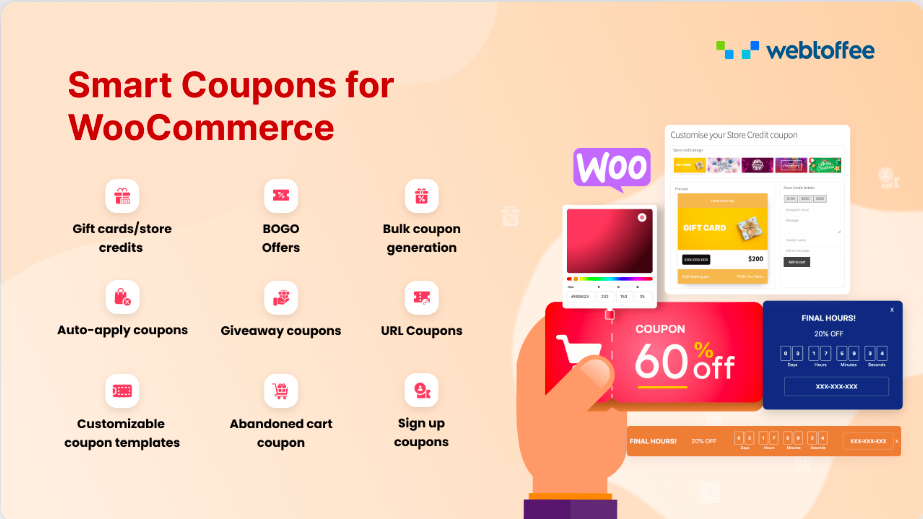
"Limit by order" via plugins/extensions, e.g. Smart Coupons supports limit by order rules (only for users who have not placed an order).
Forms plus simple human verification(reCAPTCHA/Turnstile)
Not receiving coupons after subscribing? The 12 Most Common Troubleshooting Points (in order of priority)
These are the six first (most hits).
Outgoing messages restricted by host/queue jammed(for SMTP + professional messaging services)
in the trash(Unmatched SPF/DKIM, title/content sensitivity, excessive short links)
Double Opt-in is turned on, but the user doesn't confirm it.(so the automation didn't trigger)
Automation Trigger Condition Wrongly Written(e.g. the trigger is "Join A list" but the form writes to B list)
Coupon rules lead to "looks like it's issued but doesn't work"(minimum consumption, excluded categories, expiration)
Site caching/security plugins block form submissions(especially CDN/WAF)
And then these six (more hidden).
WordPress Cron not running (timed task causing email delays)
Coupon code variable not inserted correctly in email template (common in dynamic coupon systems)
User enters wrong mailbox/disposable mailbox
Repeated subscriptions to the same mailbox, the system policy is "send only once".
Mail service provider bounces letters (Bounce), poor list quality
Email content with oversized images and abnormal HTML structure leads to spamming.
Conversion tracking: Don't just "hand out coupons", figure out these 4 metrics
It is recommended that you look at at least these 4 figures





























![Emoji[wozuimei]-Photonflux.com | Professional WordPress repair service, worldwide, rapid response](https://www.361sale.com/wp-content/themes/zibll/img/smilies/wozuimei.gif)

![Emoticon[baoquan] - Photon Wave Network | Professional WordPress Repair Services, Worldwide Coverage, Rapid Response](https://www.361sale.com/wp-content/themes/zibll/img/smilies/baoquan.gif)


 简体中文
简体中文  English
  日本語
日本語  Français
  Español


No comments