





Independent sites do it all"Subscribe for Coupons"to improve the conversion: users leave their email and immediately get a coupon, which can both pull in new people and drive the first order. But when it really comes down to it, these problems are often encountered:
- Users subscribe but don't receive coupon emails
- Coupons are misused (duplicate claims by the same person, repeated registrations)
- Emails go into the spam folder with a low open rate
- Forms, emails, coupons don't close the automation loop
- No stats: subscription conversion, coupon conversion, coupon ROI

I. Standard Process for Subscription Coupon Collection
A qualified subscription coupon system contains at least 6 links:
- User fills out subscription form (email + optional name/country/interests)
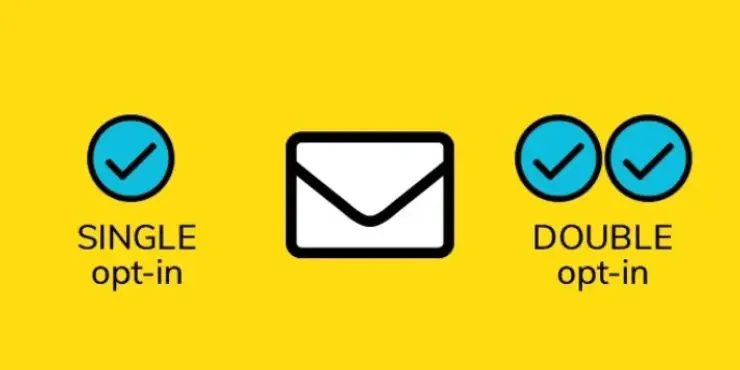
- System validation mailbox (Double Opt-in recommended)
- Automatic distribution of coupons (fixed or dynamic)
- Send coupon emails (can be with auto-bounce links)
- Users come to the station to place orders with coupons
- Backend tracking data (subscription → coupon → order)
What you are doing is not "issuing a coupon", but "making a sustainable reusable" customer acquisition pipeline.
Second, first determine which e-commerce scenario you are in
Scenario A: WooCommerce Store (most common)
You need:
- WooCommerce Coupons (Coupons)
- Subscription Forms (Popup / Page Forms)
- Automated coupon issuance (subscription triggered)
- Mail system (SMTP + templates)
Scenario B: Non-WooCommerce (pure content site/lead site)
You may just need to:
- Forms + Mail Systems
- Coupon codes can come from third parties (Shopify/independent systems)
- Or issue a "redemption link/access code".
this paper is based on WooCommerce Scenario-based, because the process is most complete.
Third, coupon design: the first "coupon rules" to think clearly
Identify these key strategies before creating coupons in WooCommerce:
1) Coupon type
- percentage discount: 10% OFF (suitable for high unit price and sufficient gross profit)
- fixed amount: $10 OFF (for clear guest list)
- free shipping coupon: Free Shipping (good for conversion boosting, but to control costs)
2) Restrictions (strongly recommended)
- New users only(New customer only)
- Minimum consumption threshold(Minimum spend)
- Specified categories/products only(Category / Product restriction)
- Limited to one use(Usage limit per user = 1)
- validity period(7 days/14 days/30 days)
3) Whether the coupon is a "fixed code" or a "dynamic code".
- Fixed code (e.g., WELCOME10)
- Pros: Simple
- Cons: easily compromised, spread and abused
- Dynamic code (one code per subscriber)
- Benefits: traceability, abuse prevention
- Cons: a little more complex (but more specialized) configuration
If you are doing long term growth, it is recommended to prioritize dynamic codes.
Fourth, how to subscribe to the form (the key is "trigger points" and "fields")
1) Subscription form common location (higher conversion)
- Exit Intent Popup
- Homepage first screen floating layer (Hero Popup)
- Subscription box at the bottom of the article
- Shopping cart page alerts
- Checkout Page light tips (caution, don't interrupt payments)
2) Subscription field suggestions (the fewer the better)
Required field:
Optional:
- First name(for mail personalization)
- Interest tags(for group marketing)
- Country/Language (do localization)
The more fields, the lower the conversion. It is not recommended to have more than 2 fields for subscription coupons.
V. How to "automatically send coupons" after subscription
Here are 3 solutions for you, from the "simplest" to the "strongest closed loop".
1: Easiest (fixed coupon code + automated email delivery)
Ideal for: just starting out, small stations, running through the closed loop first
Process:
- WooCommerce Create Coupon : WELCOME10
- Form tool setting "Subscription success → Send mail".
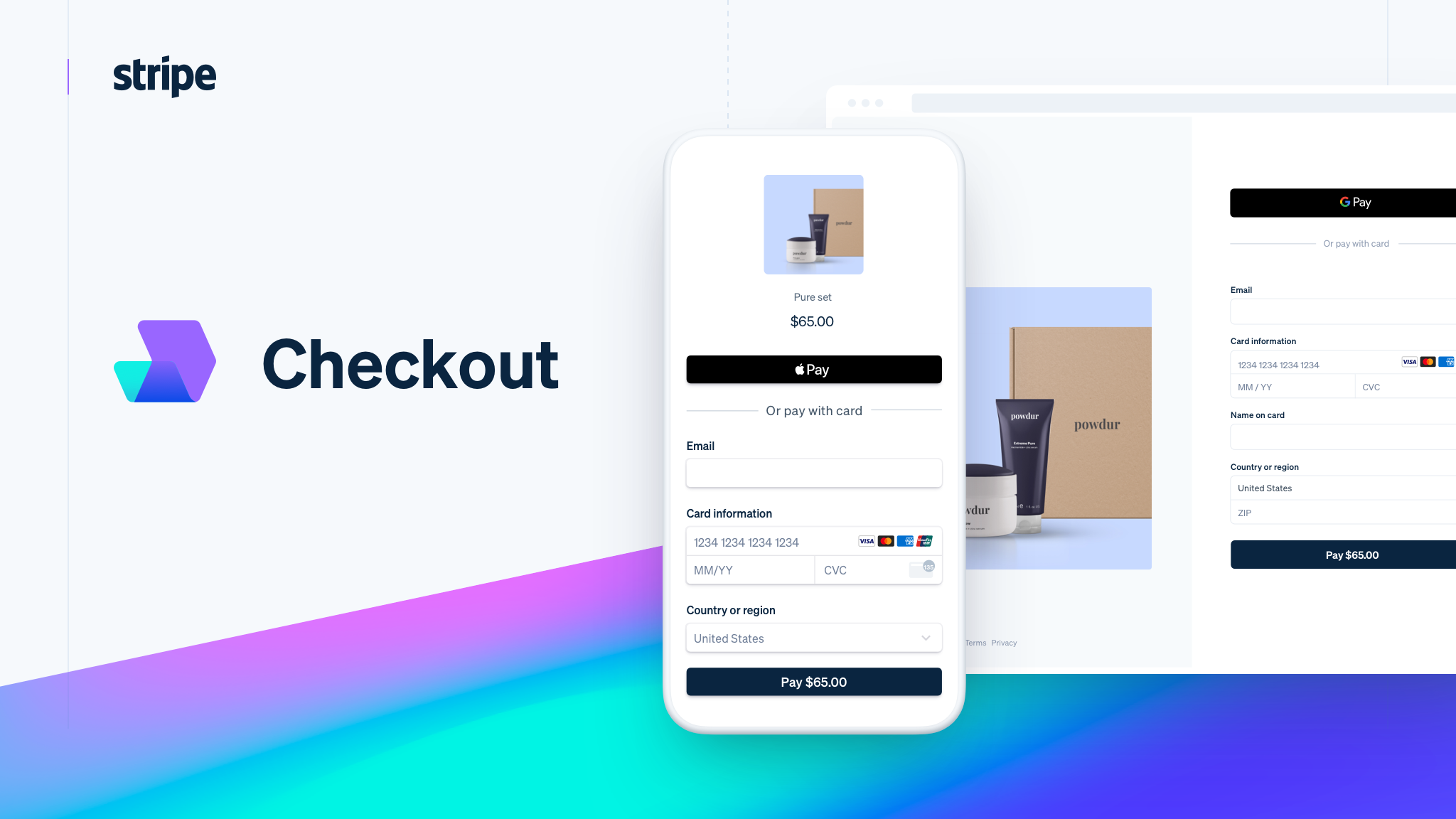
- Coupon code + instructions + button link (to jump to the store) directly in the body of the email
Pros: fast build
Cons: vouchers may be disseminated
Fittingly you need to first verify if subscribing to a coupon boosts conversions.
2: Advanced (dynamic coupon code + one code per person + automated emails)
Good for: want to be abuse-proof, traceable, scaleable
Process:
- User Subscription Form
- Trigger Automation
- The system generates a unique coupon code for the mailbox (e.g. SAM-8F3K10)
- Write to WooCommerce Coupon System
- Send email to user
You have to realize that this set can be used:
- Forms/email marketing tools (with automation and dynamic codes)
- or WordPress side via automation plugin + WooCommerce API
Pros: safer and more professional
Cons: More complex configuration
3: Most stable (Double Opt-in + Dynamic Code + Layered Trigger + Anti-Abuse)
Ideal for: you're doing subscription growth for the long term and have a high demand for quality and delivery
Process:
- Users fill in the mailbox
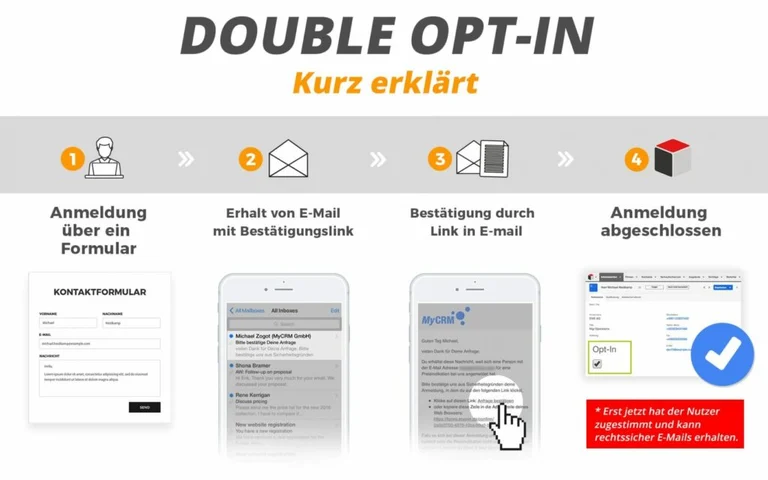
- Send verification email first (to confirm subscription)
- User clicks to confirm
- before entering the voucher automation
- Generate Dynamic Code → Send Coupon Email
- Record logs (pickup time, usage status, order association)
Pros: high quality mailing lists, reduced spam mailboxes and coupon swiping
Cons: A little more steps, but greater long term gains
Six, how to write the content of the mail (to determine whether you can use the coupon out)
The following modules are recommended for subscription coupon emails:
- Title (to clarify the point of interest)
- "Your Welcome Coupon Inside: Save $10 Today"
- Give the coupon on the first screen (don't hide it too deep)
- Clearly written rules for use (thresholds, expiration dates)
- One Click Jump Button (Shop Now / Apply Coupon)
- Suggest hot items/categories (reduce user thinking)
- FAQ(What to do if you can't receive the coupon and how to use it)
You want to "issue vouchers" and more importantly "get vouchers used".
VII. Anti-abuse: the easiest point to flip for subscription coupons
1) Multiple subscription coupon swipes by the same person
Solution Idea:
- Subscription system settings: the same mailbox can only be triggered once
- Dynamic code binding mailbox (Usage limit per user = 1)
- Addition of "Double Opt-in" mechanism
2) Coupon codes are outsourced
Solution Idea:
- Fixed code → change to dynamic code
- Short setup validity period (7-14 days)
- Restrictions on "new customers only"
- Restricted categories/minimum spending
3) Mail in the trash
Solution Idea:
- SMTP must be configured (don't use the default wp_mail)
- Domain name doing SPF/DKIM/DMARC
- Emails avoid stacking of sensitive words (FREE!!!!! 100% OFF!!!)
Eight, tracking results: you must know subscription coupons in the end worth it!
It is recommended that you track at least 5 indicators:
- Subscription conversions (conversions from pop-ups/forms)
- Mail delivery rate (Deliverability)
- Mail Open Rate (Open Rate)
- Coupon Code Usage Rate (Redeem Rate)
- AOV and profit (whether or not you lost money) on coupon orders
If you only look at the number of subscriptions, it's easy to be misled by false growth.
Nine, you can directly copy the landing implementation list (Checklist)
Day 1: Preparation
- Pick a coupon strategy (amount, threshold, expiration date)
- Decide on fixed or dynamic codes (dynamic codes are recommended)
- Build form entry (popup + bottom of post)
Day 2: Configuration
- WooCommerce Coupon Rules
- Mail System SMTP + Domain Authentication
- Automation: Subscribe → Coupon Mail
Day 3: Testing
- One test each with Gmail / Outlook / Yahoo.
- Test mobile pop-ups
- Test order with coupon code

Day 4: Go-live optimization
- Optimize pop-up timing (stay 8-12 seconds/exit intent)
- Optimize email headers and first screens
- Add hot category button
X. Frequently Asked Questions (which you are bound to encounter)
1: I didn't get a coupon email after subscribing?
Prioritize inspections:
- SMTP whether to configure
- Whether the email goes to the spam folder
- Is Double Opt-in enabled but the user has not confirmed it?
- Automation trigger conditions are correct (subscription lists/tags)
2: I only want new users to use the coupon, old users can't?
WooCommerce can be passed:
- Limit the number of uses per user
- Combined with user roles/order history (requires plugin or custom rules)
3: I want to send different coupons for different categories (e.g. Dash / 0 nicotine / 5 nicotine)
Practice:
- Add "Interest Selection" field to form
- Automation Branching by Label
- Different tags trigger different coupons with different recommended products
Conclusion:
The real value of a subscription coupon is:
Trade a low-cost promise (coupon) for a channel of users that can be reached over and over again (Email List)The
As long as your "coupon process" is automated + abuse-proof + trackable, you'll be able to consistently drive order growth with subscriptions over time.

Link to this article:https://www.361sale.com/en/86299The article is copyrighted and must be reproduced with attribution.


















![Emoji[wozuimei]-Photonflux.com | Professional WordPress repair service, worldwide, rapid response](https://www.361sale.com/wp-content/themes/zibll/img/smilies/wozuimei.gif)

![Emoticon[baoquan] - Photon Wave Network | Professional WordPress Repair Services, Worldwide Coverage, Rapid Response](https://www.361sale.com/wp-content/themes/zibll/img/smilies/baoquan.gif)


 简体中文
简体中文  English
  日本語
日本語  Français
  Español


No comments