






Making the Complicated Simple





Best WordPress Image Compression Plugin Recommendations to Increase Website Speed
When do you need WordPress image compression plugin? Images play a vital role on websites. However, image files are usually much larger than plain text, which means they take longer to load and can slow down a website. To improve your WordPre...
Comprehensive analysis of BoxShop theme settings: make your website design better (06)
In this installment, we're going to dive into the various settings of the BoxShop theme to help you make the most of this powerful WordPress theme and get your website looking and functioning at its best. Whether you're a newbie or a seasoned webmaster, with this guide, you...

How to Download and Test WordPress 6.6 Beta 1: Detailed Guide
As mentioned before WordPress 6.6 was released on July 16, 2024, which is later this year. Now WordPress 6.6 Beta 1 has been released! Let's see how to download it for testing! This beta version of the WordPress software is under development. Please do not production sites...
How to Efficiently Decorate & Layout BoxShop Themes: A Comprehensive Guide (04)
Welcome to this tutorial! Today we're going to dive into how to decorate and layout the BoxShop theme, which is a powerful and flexible WordPress theme. Unlike previous themes, this time we will focus on how to use WPBakery Page Builder in the backend to...

Beginner's Guide: How to Fix Common WordPress Errors
Many newcomers to WordPress will encounter some common WordPress errors. So, how do we go about troubleshooting WordPress errors? Don't worry, we will teach you how to troubleshoot the error step by step. 1. Study the error message Usually,...
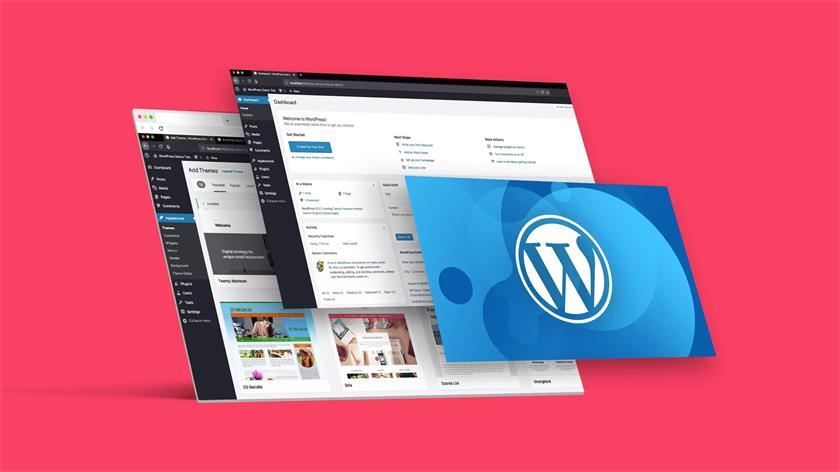
How to Fix WordPress RAM Exhaustion Error - Increase PHP Memory
Ever encountered the error message of seeing memory size exhausted in WordPress? This is one of the most common WordPress errors and it can be easily fixed by increasing the PHP memory limit in WordPress. What is WordPress Running Out of Memory Error? If the website...
In-depth analysis of BoxShop theme: custom modules and advanced DIY tips (05)
In the last issue, we talked about how to edit BoxShop theme with WPBakery Page Builder, today, we will delve into the various modules provided by BoxShop theme and how to make advanced customization, to help you make full use of these powerful features to enhance the functionality of your website and...

How to Fix Image Upload Issues in WordPress (7 Simple Tips)
What should I do if I encounter an image upload error in my WordPress website? Especially for newbies, it's quite a head-scratcher when you encounter inability to upload images! But there's no rush, follow our step-by-step guide that will teach you to troubleshoot the problem and fix it step by step. What causes WordPress ...

Learning WordPress - Using Page Templates
A template is like a bunch of Legos put together to end up with a web page design. You can think of a template as a complete page layout that includes areas such as a header, sidebar, and footer. Learn how to use, modify and add templates to add to your articles and pages...

How to Implement Responsive Image Processing Using Generic APIs
In this post, we're going to explore the Responsive Images API in WordPress together.We'll mention what responsive images are, why they're used, how WordPress makes these images work, and what to do if you want to customize them. What are responsive...
How to Fix Sidebar Error Below Content in WordPress
When WordPress templates use a two-column layout to display content and sidebars, a 'sidebar below tolerance error' may occur. Due to a slight change in the code, the sidebar starts appearing below the content instead of next to it. What causes WordPress sidebar content errors? Side ...

How to Fix White Text and Missing Buttons in WordPress Visual Editor
I was recently approached by a user of Idle Fish. I was asked to help solve a very strange problem they were having with their installation. When they were editing a post, they couldn't see anything they were editing. This is because the text in the post editor is white. What's more, all available...
What to do when locked out of the WordPress admin backend (wp-admin)
A common WordPress problem is also being locked out of the WordPress admin area. It's just not logging into the backend, which can be caused by a number of different reasons, which makes it hard for newbies to troubleshoot. If you are a website owner, then you can follow the troubleshooting we have provided below...
How to Fix WordPress Login Page Refresh and Redirection Issues
Sometimes, we experience constant refreshing and redirection of the WordPress login page while logging into a website. This issue locks us out of the WordPress admin area so we can't edit or change things on the site. What can we do to fix it? Sh...

WordPress Advanced Guide: Creating and Managing Custom Database Tables
First, find the secret path to the resources necessary to create custom database tables. With a step-by-step guide, I'm sure you'll learn how to build these tables one step at a time. Finally, we'll explore how to effectively interact with these newly created database tables to ensure that you can smoothly...

Learning WordPress - Selecting and Installing a Theme Learning
Today, focus on one core component - themes. A theme, simply put, is a template for the look and feel of your website. The beautiful thing about using WordPress is that you can change the look and feel of your website at any time by switching themes, and your content - text, images, etc. - is left as is...
How to Fix WordPress White Screen of Death
WordPress white screen of death is one of the most common WordPress errors. There is no message prompting to be locked out of the WordPress site. Another problem with the white screen of death error is that sometimes it only affects one part of the site. For example, it may only affect the WordPre...
How to Fix WordPress Posts Returning 404 Errors
Are you experiencing 404 errors when accessing your WordPress admin area and blog? This is the error that occurs when you try to open a post and see a "404 Not Found" message. Why is my WordPress post returning a 404 error? WordPress posts show...

Recommended: a selection of popular WordPress slideshow plugin
WordPress is a powerful website platform that offers many themes and plugins, including plugins for creating slideshows. While WordPress comes with basic slideshow functionality, if you need more customization options or want a more professional look, you'll likely need to use...

How to Test WordPress Products for PHP Compatibility
Why it's important to know about PHP version compatibility, where to find information about PHP version updates, and how to test your plugins and themes to see if they support the latest PHP version in two ways. Why Test for PHP Version Compatibility? WordPress is written in PHP...

Learning WordPress - General API Internationalization
What internationalization is and why it's so critical. Teaches you how to apply internationalization to your WordPress code so that your website can cross the language barrier and reach a global audience. What is internationalization? Internationalization is developing applications in a way that can be easily translated into other languages...

WordPress Two Tone Filter Tutorial: How to Create Unique Visual Effects for Images and Videos
We're going to take an in-depth look at how to utilize a very useful and creative feature in WordPress - the two-tone filter. We'll go through a series of detailed steps that will help you learn how to apply a two-tone filter to images and videos, create custom two-tone effects, and...

How to Migrate from WordPress.com to WordPress.org
Many new users who are just starting out with WordPress choose WordPress.com.This is a lot more restrictive compared to the open version (WordPress.org), which has the advantage of being cheap, easy, and doesn't require a lot of skill. Due to the limitations of WordPress.com, it will take it...
How to Fix Database Connection Establishment Error in WordPress
Error establishing database connection" occurs when WordPress is unable to connect to the database. Troubleshooting this error can be a bit difficult for newbies. But don't worry, we'll show you how to fix "Error establishing database connection" on your WordPress website...

WordPress website multi-language settings in detail
Want your WordPress website to support multiple languages? Currently, more than 43% internet sites are supported by WordPress, and many of them need to serve users in multiple languages. This article will teach you how to easily build a multilingual WordPress website. We will show you...

Recommended: Best WooCommerce Currency Converter Plugin
WooCommerce has turned out to be a popular choice for building foreign trade e-commerce websites. However, when you create an international website with WooCommerce, you often encounter situations where you need to display multiple currencies. This is where the WooCommerce Currency Converter plugin comes in handy. This...

Recommended: popular WordPress category management plugin
In WordPress website building, categories are an important tool to help manage and organize content. By using categories effectively, your website visitors can easily find the information they are interested in.The WordPress Categories plugin enables you to better control and improve these categories, making your web...

Recommended: WordPress knowledge base plugin selection
The WordPress Knowledge Base plugin makes publishing guides, tutorials and how-to instructions easy. Having a knowledge base allows customers to self-solve problems without opening a service request or starting an instant message. Today, we will introduce some popular WordPress knowledge base plugins to the big...

Recommended for WordPress users: Member Pro User Center Plugin
WordPress User Center Plugin is a specialized tool for WordPress websites that allows you to create and manage user profiles. This type of plugin provides a convenient management interface to website administrators and also allows users to easily login, register, update personal information and...
How to Fix Syntax Errors in WordPress
I've seen a lot of WordPress tutorials online that require you to add code snippets to your website. However, a small mistake in adding a code snippet can cause the entire site to crash, especially for newbies. If you try a new action on a WordPress site and receive the following error "...

 简体中文
简体中文  English
  日本語
日本語  Français
  Español



