


 Harry.



Making the Complicated Simple




How to Create Dynamic Website Posters with Slider Revolution in BoxShop Theme (03)
In this installment, we talk about setting up a poster (banner) for the BoxShop theme, which is actually quite simple, and like the previously mentioned Basel theme setup, this tool not only provides an easy-to-use interface, but also ensures that the poster is displayed perfectly on a variety of devices. Next, we will detail ...
Common WordPress Errors and How to Fix Them
WordPress is widely used all over the world, but there are many problems that often arise. Let's take a look at some of the issues that come up often and how to fix them! Important note: It's still a cliché that before any changes are made to a website, data preparation must be...
How to Fix 500 Internal Server Error in WordPress
Internal Server Error is one of the most common WordPress errors. Sometimes when we open a web page, we see that the page prompts 500 Internal Server Error! So, what is this exactly? And how to solve it? Let's take a look at it together! 500 Internal Server Error...

WordPress website form inquiry function completely optimized operation steps
For WordPress websites that specialize in international trade, especially for corporate clients (B2B), the form inquiry feature is critical. This feature has a direct impact on the conversion rate of potential customers from just browsing website content to actually initiating a business inquiry. In short,...

WordPress Site Acceleration: A Guide to Caching Settings
WordPress website running slow? This problem has been around since the inception of WordPress. But now, we have a standardized solution. 6 Factors of Slow WordPress Website Choose a good server provider 2. Use a lightweight WordPr...
How to Fix WordPress .htaccess File
A website's .htaccess file is a small but important file that runs in the background, like a set of instructions for the server. The file explains how to handle things like permalinks and security measures. However, the file can become corrupted for a variety of reasons, which can lead to...

How to limit comment length in WordPress (simple tutorial)
WordPress's comments feature encourages readers to start a discussion around the content of a post on the site. However, you may find that some comments are too short or rather long and don't contribute much to the discussion. Don't worry, next we'll show you how to easily limit comments in WordPress...
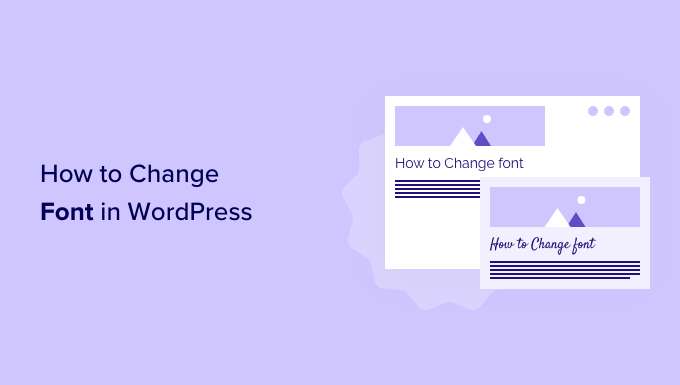
How to Change Fonts in WordPress Themes (5 Easy Ways)
WordPress themes provide default fonts, font sizes and font colors. If you want to change the default font to another font. There are several ways to change fonts in WordPress. Changing Fonts in WordPress Theme Editor An easy way to change fonts on your website is...

How to Fix WordPress Stuck in Maintenance Mode
WordPress sites stuck in maintenance mode can be a headache; especially when the site is being updated or has a lot of traffic. Maintenance mode can be caused by a variety of factors, from simple file corruption to more complex plugin conflicts or existing .maintenance files. Fixing stuck in maintenance...

How to Create a Recent Comments Page in WordPress
Want to display all the latest comments on your WordPress site? This is a great way to engage users in discussions. Creating such a page on WordPress is now very easy with the "Latest Comments" block. We'll show you how to do it in WordPr...

How to Create a "Sticky" Floating Footer Bar in WordPress
Are you looking for a way to create a sticky floating footer bar in WordPress? A sticky floating footer bar will always be displayed at the bottom of your website even if the user scrolls through the page. This way, you can utilize it to promote offers or social media accounts, enticing users to stop...

Ways to fix 500 error after WordPress installation
WordPress is a commonly used tool that allows people to easily build their own website or blog. But sometimes, after installing WordPress, you may encounter a headache - 500 Internal Server Error. This error means that the server is processing your request...

Five Efficient and Useful WooCommerce Product Image Zoom Plugin Featured Recommendations
On an e-commerce website, product images are key to attracting customers. If the images are too big or too small, it may slow down the loading of the webpage or make customers unable to see the product details. To solve this problem, we can use a specialized plugin to resize product images. Next, give...

A complete guide to quickly build a professional online store using BoxShop e-commerce theme (01)
In modern e-commerce, it is vital to have a fully functional and visually pleasing online store.BoxShop e-commerce theme is a comprehensive e-commerce template with rich functionality and support for visual editing using WPBakery Page Builder, which greatly simplifies the net...
An in-depth look at BoxShop e-commerce theme menu design: the ultimate guide to creating a super menu (02)
In the previous installment, we detailed how to import demo data in BoxShop eCommerce theme. In this issue, we will further explore how to design menus, especially how to set up and customize a mega menu. Menus are an important part of website navigation, and a powerful and beautiful menu...
How to Password Protect Your Entire WordPress Site
Protecting an entire WordPress site with a password can be done in two ways: Choosing a plugin Server-level HTTP authentication Of the two methods, the plugin method is more user-friendly and better suited for user-facing sites, while HTTP authentication protects WordPress...

How to Password Protect Posts, Pages and WooCommerce Products
If you want to password protect individual posts, pages, or WooCommerce products, WordPress actually includes a built-in feature to help you set it up via its Visibility settings. The visibility settings will be found in the WordPress editor, so you can use them for our above...

How to Syndicate Content in WordPress (A Beginner's Guide)
Many of our users have asked us if they can use content syndication to bring backlinks or more content to their website. Actually, most WordPress blogs use the feature of content syndication. It comes with WordPress and makes it simpler for people to share content via RSS. There are...

Mastering WoodMart Theme Settings: The Complete Guide (09)
Welcome back to our tutorial series, in this installment we continue our in-depth look at how to precisely configure the WoodMart theme to make your e-commerce site more attractive and functional. From basic settings to advanced features, we'll break it all down to make sure you're able to fully utilize this powerful tool for your customers...

How to change the site logo and menu with Elementor
Update Site Logo, Description, Logo, and Site Icon To update a site's logo, site description, logo, and site icon, follow these steps: 1. On the My Elementor Dashboard > Sites page, hover over the site card for the site you want to edit and...

How to Configure Popups in a WordPress Site with Elementor
Pop-ups are call-to-action mode windows that pop up and cover a page at a specific moment or under specific triggers and conditions. Popups primarily capture the attention of the user after they have taken an action. First, go to Templates > Popups. Control the popup window layout, conditions, rules...
How to Password Protect WordPress Post Categories
Entire categories can be password protected. The benefit of this method is that it makes it easier to add password protection to multiple pieces of content, and it's also simpler for site visitors because they only have to enter the password once to unlock all the content in that category. However, to set...

Melapress Login Security - The Plugin of Choice for Enhancing WordPress Login Security
WordPress is a very popular content management system that is used by many people all over the world. However, just because WordPress is so popular, it has also become the target of many cyber attacks. If a user's login information is compromised, then the account may be stolen or even...

WordPress Sitemaps Explained: How to Easily Create and Optimize Your Sitemaps
What is a WordPress sitemap? A WordPress sitemap is an XML file that contains a list of all the pages in your website. This file is primarily designed for search engines, such as Google and Bing, to help them index and crawl your site's content more efficiently....

Common Problems and Solutions after WordPress Website Migration
When migrating a website, you may encounter a number of issues, common ones being, for example, mixed media errors (after migrating from http:// to https://), or missing images and other data. This guide will help you resolve these issues and ensure that your website works properly after migration. Solving...

How to collect and manage submission data using Elementor forms
Backup, access and management of form submission data is very important in website management. With Elementor Forms, it's easy to collect and manage visitor submissions from the WordPress admin backend. This not only helps to gather valuable user insights and analyze campaign data...

The Complete Guide: How to Optimize and Customize WoodMart Theme Settings in WordPress (08)
The last installment covered all the editing and setup of Elementor's WoodMart theme, so welcome back to our series of tutorials, and today we're going to dive into how to effectively utilize the WoodMart theme for WordPress for website design optimization. Whether you're a newbie or an experienced developer,...

How to Add a Subscription Form Using Elementor Pro's Form Builder
Elementor Visual Form Builder is a powerful tool to build complete, beautiful online forms without using any code. Drag and Drop Form Widgets First drag the Form widget onto the page.The Form widget will instantly create a basic form with...

WordPress theme installation tutorial: easy to get started, make your website new!
WordPress is one of the most popular content management systems on the market, and it's loved because it has tons of plugins and is exceptionally easy to operate. Even techies can easily create their own website. After choosing a theme for your website,...

How to fix WordPress website "Err Too Many Redirects" error?
When using WordPress to build a website, you may sometimes encounter the error "Err Too Many Redirects". This error is because the site is caught in a cycle of non-stop redirects, resulting in the page can not be loaded properly. This may be due to some plugins or settings out of the problem...

 简体中文
简体中文  English
  日本語
日本語  Français
  Español



