


WordPress Tutorial Page 11
The "WordPress Tutorials" feature takes you in-depth understanding of WordPress, from the basic installation, theme and plug-in configuration, to SEO optimization and site security, covering all aspects of the core knowledge and practical skills needed to build a site. Whether you are a novice or an experienced developer, you can find the appropriate tutorials to help you easily master the use of WordPress and advanced operations.
arrange in order

Indirect SEO Impact of Elementor Secure Mode: Optimizing Site Load Speed and Stability
Elementor's security mode can not only troubleshoot plugin conflicts, but also indirectly improve site loading speed and stability. This article explains its practical application and operation strategy in SEO optimization.

Kadence Tutorial: Using the Kadence Shop Kit Plug-In to Enable Product Quick Looks
This article describes the Product Quick View feature of the Kadence Shop Kit plugin, which helps merchants optimize the shopping process and increase conversions. Learn how to enable and customize the Product Quick View button to enhance the customer shopping experience.

Enabling and Configuring the Color Mode Switcher in Blocksy 2
Learn how to enable and configure the color mode switcher in Blocksy 2 to allow customers to freely switch between light and dark modes to enhance the visual appeal and accessibility of your website. Simply set it up to provide your customers with a personalized browsing experience.

Blocksy 2: Reinventing the e-commerce experience and optimizing the product information hierarchy
Learn how to customize the product information layer in Blocksy 2, control the show and hide of each element, optimize the design of e-commerce pages, and improve website flexibility and customizability.

Kadence Tutorial: A Detailed Guide to Customizing SVG Icons with Kadence Blocks Pro
This article describes how to use custom SVG icons in Kadence Blocks, including through the built-in icon manager, icon search function, and IcoMoon conversion to fonts, to help users improve their website design and functionality.
Introducing the Blocksy 2 Waitlist module.
Blocksy 2 launches a product out-of-stock alert module, which supports customers to register their email address to receive replenishment notifications, and is compatible with WooCommerce, helping e-commerce websites to improve conversion rates and sales opportunities.

How to implement Loop Grid in WordPress with Elementor + HappyAddons
Comprehensive explanation of the Elementor Loop Grid and HappyAddons combination of installation, template creation, layout design, query configuration and style adjustment, so that WordPress sites easily realize the grid content display

Blocksy Custom Archive Template Builder Tutorial: Creating Exclusive Layouts for Blogs & Custom Post Types
A comprehensive introduction to Blocksy's archive template builder features, including card content and full page replacement, support for Gutenberg Dynamic Blocks and Query Loop to build free layouts.
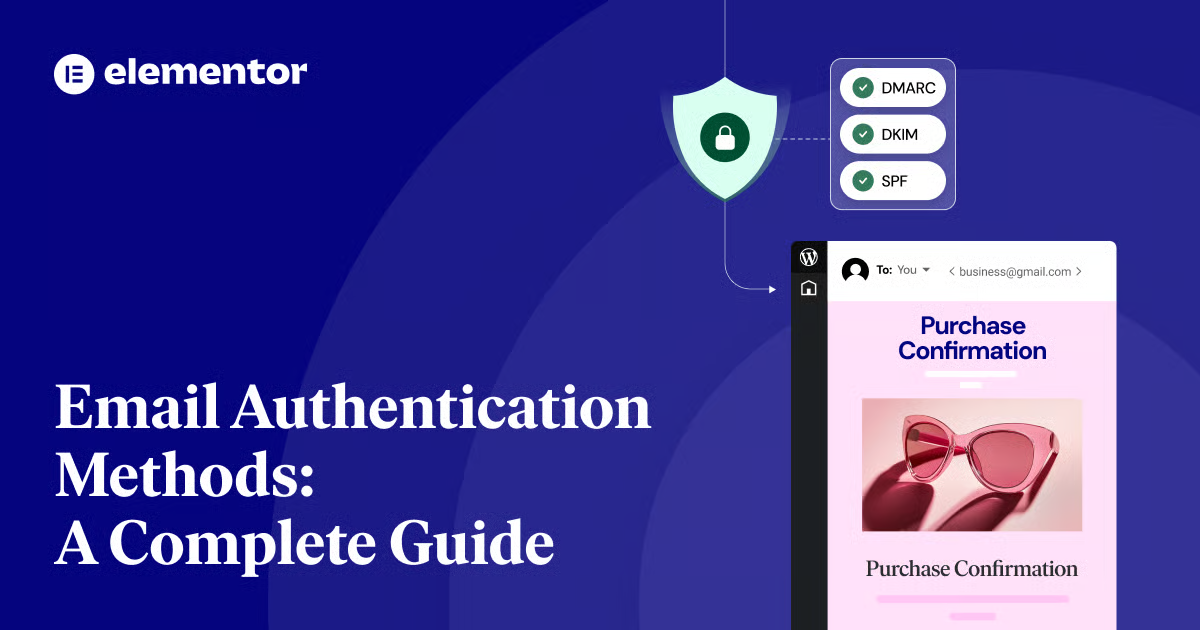
The Complete Guide to Email Authentication Methods: Improving WordPress Website Email Security
Learn about email authentication methods SPF, DKIM and DMARC, how to improve email security for WordPress sites with the right settings to avoid emails being marked as spam and improve email delivery rates.

How to Configure Multiple Domains in WordPress to Increase Brand Reach
Learn how to configure multiple domains in WordPress to increase brand reach, covering tips on SEO optimization, content localization, site management, and more to help boost your website's performance in different markets.

Blocksy 2 Custom Fields Guide: Building Dynamic Content Templates with Dynamic Data Blocks
With Blocksy's Dynamic Data Block, you can quickly display ACF custom field content in article lists and product cards to automate page data rendering.

Blocksy Tutorial: Anchor Navigation Effects and Menu Highlighting
Learn to use the Blocksy theme and the Gutenberg editor to implement anchor jumping and menu highlighting in WordPress one-page sites, suitable for creating highly interactive landing pages and showcase pages.

WordPress Theme Incompatible with Elementor? A Complete Guide to Identifying and Resolving Conflicting Issues
Experiencing white screen, messy styles, or save failures with Elementor? This article analyzes the reasons why WordPress themes are incompatible with Elementor, and provides detailed troubleshooting and solutions to help you create a stable and smooth visual editing experience.

Best WordPress Knowledge Base Themes: How to Choose the Right Support Platform for You
Learn how to choose the right WordPress Knowledge Base theme to optimize user experience and improve customer support efficiency. Build an efficient knowledge base platform with powerful search functionality, SEO optimization, responsive design and multi-language support.

Blocksy Added to Cart Popup Module to Help Boost Ecommerce Conversions
Blocksy launched the add-to-cart pop-up module, which displays product details and shopping cart updates, and recommends related products to help e-commerce sites improve turnover rates and page interactivity.

The Top Choice for Beginners: Why 40% Websites All Use WordPress?
WordPress Beginner's Guide to Building a Website: Unraveling the "40% Website in Use" Error Learn to Launch Quickly with Themes, Plugins, and the Block Editor Simplify Updates, Security, and Extensions

Blocksy Blog Archive Page Complete Customization Guide (with Header Area, Card Layout, Pagination Animation, etc.)
Comprehensive introduction to Blocksy theme blog archive page setup tips, including the title area, card layout, paging style and scrolling animation, to help you quickly create a beautiful and practical blog homepage.

WooCommerce Order Payment Guide: Process and Customer Verification Details
A comprehensive introduction to WooCommerce's order payment methods and customer validation mechanisms, covering order payments, email links, account operations and developer options.
WP-Members and SEO: How can membership sites improve their search rankings?
In-depth analysis of the relationship between WP-Members and SEO, mastering the optimization skills of membership websites, through content preview, long-tail keywords and structured layout, to comprehensively improve search rankings and traffic.

How to Downgrade WordPress Version with WP-CLI
If you encounter errors after updating WordPress, you can use WP-CLI to downgrade WordPress to a specific version. This article explains how to downgrade WordPress version using WP-CLI with complete steps and notes.

Migrating WordPress with Plugins: Top 5 Best Tools Comparison and Recommendations
Exhaustive comparison of Top5 WordPress migration plugins, including Duplicator, UpdraftPlus, Migrate Guru, etc., to help you quickly and safely complete your website move and backup.

WordPress Website Slowdown? 6 Solutions to Help You Boost Your Speed
Discover why your WordPress site is slowing down and take effective measures. Improve website loading speed, user experience, and SEO rankings by enabling caching, optimizing images, streamlining plugins, using CDN, and other 6 optimization strategies

How to Troubleshoot and Fix WordPress 500 Errors: Common Causes and Solutions
This article describes in detail the common causes of 500 errors in WordPress, such as plugin conflicts, theme issues, memory limitations, and provide step-by-step troubleshooting and repair methods.

Practical Tips on How to Quickly Improve Google Ranking for WooCommerce Standalone Sites
Master WooCommerce standalone website SEO optimization techniques, covering keyword layout, content strategy, outbound link building and technical optimization, to quickly improve Google rankings and conversion rates.
Kadence Teaching: A Complete Guide to Kadence Theme Sidebars
Learn how to add and manage sidebars in Kadence Theme, this article includes site-wide and individual page sidebar settings, WooCommerce sidebar configuration, and how to enable sticky sidebars to make your WordPress website layout more flexible and interactive.

The Complete Guide to GenerateBlocks Nested Selectors: A New Way to Unify Control of Card Styles
Learn to use GenerateBlocks nested selectors to build modular and structured card components, and master core layout techniques such as spacing, rounded corners and inner margins.
Complete Guide to WooCommerce Single Order Page & Adding Orders Manually
This article comprehensively analyzes WooCommerce individual order page fields, status modification, product and cost adjustment, notes management and custom fields, demonstrates the steps to manually add new orders, and provides merchants with order processing guidelines.
Realize it's the Elementor Crack that's to blame for your website being hacked? Don't wait until it's too late.
Elementor cracked plug-in hidden backdoor, which may lead to website jumping, being hacked, content being tampered, this article explains the invasion performance and repair methods.

What should I do if I encounter a 403 error on Cloudflare? How can I resolve it?
How to Troubleshoot Cloudflare 403 Errors? Learn to distinguish between Edge Block and Origin Server 403, locate rules in Security Events using Ray ID, and minimize allowances with Skip and WAF Exceptions while verifying recovery.
WordPress 6.8 Beta 1 Released: New Features, Test Methods and Optimization Highlights
WordPress 6.8 Beta 1 is now available, featuring 370+ enhancements and 520+ bug fixes, an optimized editor, Style Book compatibility with classic themes, and the introduction of the Speculation Rules API to improve site performance. Learn about testing methods and new features!

 简体中文
简体中文  English
  日本語
日本語  Français
  Español



