




WordPress Tutorial Page 40
The "WordPress Tutorials" feature takes you in-depth understanding of WordPress, from the basic installation, theme and plug-in configuration, to SEO optimization and site security, covering all aspects of the core knowledge and practical skills needed to build a site. Whether you are a novice or an experienced developer, you can find the appropriate tutorials to help you easily master the use of WordPress and advanced operations.
arrange in order

Summary of WoodMart Common Problems and Solutions
Organize common errors and exceptions in the use of WoodMart theme, including slow loading, wrong style, invalid filtering and other issues, and provide detailed solutions.

An in-depth look at price and tax settings in WooCommerce: a comprehensive look at taxed and untaxed pricing strategies
In this article, I am going to mainly explain you the settings available in WooCommerce. Once you go to the 'WooCommerce' > 'Settings' page, you will see that there are different types of settings tabs available throughout the page.There are many settings tabs included in the WooCommerce plugin, so let's together...

WordPress SEO "Crawl Budget" Problem and Its Solution: Improving SEO Results
Hello everyone! Today's tutorial will have a new vocabulary - crawl budget. He is a direct translation of Google's term, you do not need to be overly obsessed with it, just need to understand what it means. Crawl budget" in WordPress SEO refers to the amount of time a search engine allocates to a web...

Kadence Tutorial: Setting Up Conditional Displays with Kadence Blocks Complete Tutorial
Using Kadence Blocks Pro's conditional display feature, you can control the display state of blocks based on field values, helping to present page content on demand for a wide range of scenarios such as featured images, custom fields, and more.
WordPress page loading slow? Optimize Font Loading with Perfmatters
Optimize WordPress font loading with Perfmatters plugin, disable Google Fonts, preload local fonts, increase page load speed, improve LCP and CLS metrics, and improve site SEO performance.

How to Create, Manage and Optimize Menus in WordPress: A Detailed How-to Guide
Creating menus is a WordPress feature. It is possible to use your theme to display menus. Let's go down the list together! Creating a menu In these order: 1. Log in to the WordPress dashboard. 2. Go to Appearance > Menus. Display the Menu page. 3.Enter a menu name...

Teach you by hand: WordPress multi-language switching artifacts, without plug-ins can also be easy to deal with!
Want your WordPress site to support multiple languages, but don't want to rely on plugins? This guide takes you through the process of easily switching between multiple languages with HTML+JS, taking control of SEO and user experience!
Full tutorial on importing templates for the equipment library
Preparation steps The deployment of your Wordpress site is complete, successfully logged in, we need to click on the appearance (Appearance), as shown in the figure above: Now that the display is the default theme, we need to install the corresponding theme, click to install a new theme (Add New Theme), as follows ...

What's New in Gutenberg 21.5: Accordion Blocks, Command Panels and Border Radius Presets
Gutenberg 21.5 is released! New Accordion Block, Command Panel, and Border Radius presets are added to improve the block editor experience and design efficiency.

How to fix Fatal Error: Call to undefined function mysql_connect() in WordPress
Encountering WordPress website showing "Fatal Error: Call to undefined function mysql_connect()" error? This tutorial provides you with a detailed explanation of the cause of the problem, as well as complete steps to resolve it through cPanel or server settings, ensuring that your site is restored...

Why is the Elementor widget grayed out?
Why are widget elements grayed out in the Elementor editor? There are two common reasons why you see widget elements "grayed out" when editing pages or content in the Elementor editor. The element has been hidden on some devices If the visibility of the element has been...
How to import users into WordPress using a CSV file: a detailed and comprehensive tutorial
Detailed tutorial teaches you how to batch import users to WordPress via CSV files, including common scenarios, plugin recommendations (WP All Import), import steps and precautions to help you efficiently manage user data.

Images are also SEO critical! How to optimize WooCommerce product images, ALT tags and compression settings?
Image optimization not only improves the loading speed of your WooCommerce site, but also enhances search engine visibility. This article explains in detail how to optimize product image size, file naming, ALT tags and compression settings to improve overall image SEO performance.

Heartbeat and Security Plugin / Firewall Conflict Explained: Key Notes on Login Authentication, 2FA
Detailed explanation of WordPress Heartbeat and security plugin/firewall conflict causes, covering login authentication, 2FA misjudgment, admin-ajax interception and other scenarios, and provide not affect the front-end troubleshooting and security optimization solutions.

How to Set Up Vertical Menus and Mobile Tab Menus in Flatsome: The Complete Guide
This article describes how to set up vertical menus and mobile tab menus in Flatsome theme to enhance the user experience of e-commerce websites, especially on mobile, to help better display and navigate products.

How to add two-factor authentication in WordPress
Why Add Two Factor Authentication to WordPress? One of the easiest ways to protect your WordPress site from password theft is to add two-factor authentication (2FA). With this setup, a password and secondary code (from an app, email, or short...

How to Create Sticky Sidebar Menus on WordPress: a Detailed Tutorial
Sticky sidebar menus not only bring a modern design touch to a website, but also provide a more immersive scrolling experience for visitors. In this article, we'll dive into how to create a powerful sticky on WordPress with Elementor and Elementor Pro...

How to Add a Popup Form in WordPress
Popup forms are effective in grabbing users' attention and directing them to perform specific actions, such as signing up for a newsletter or completing a purchase, by displaying a popup window at the right time and place. In this detailed tutorial, we will guide you step-by-step on how to use WordPres...

A Comprehensive Guide to Choosing the Right Website Builder to Build Your Ideal Website
What is Website Builder? Website Builder is a handy online tool designed for individuals and businesses that do not have deep programming knowledge. By using this tool, you can build your own website easily, quickly and affordably. It is an all-inclusive...
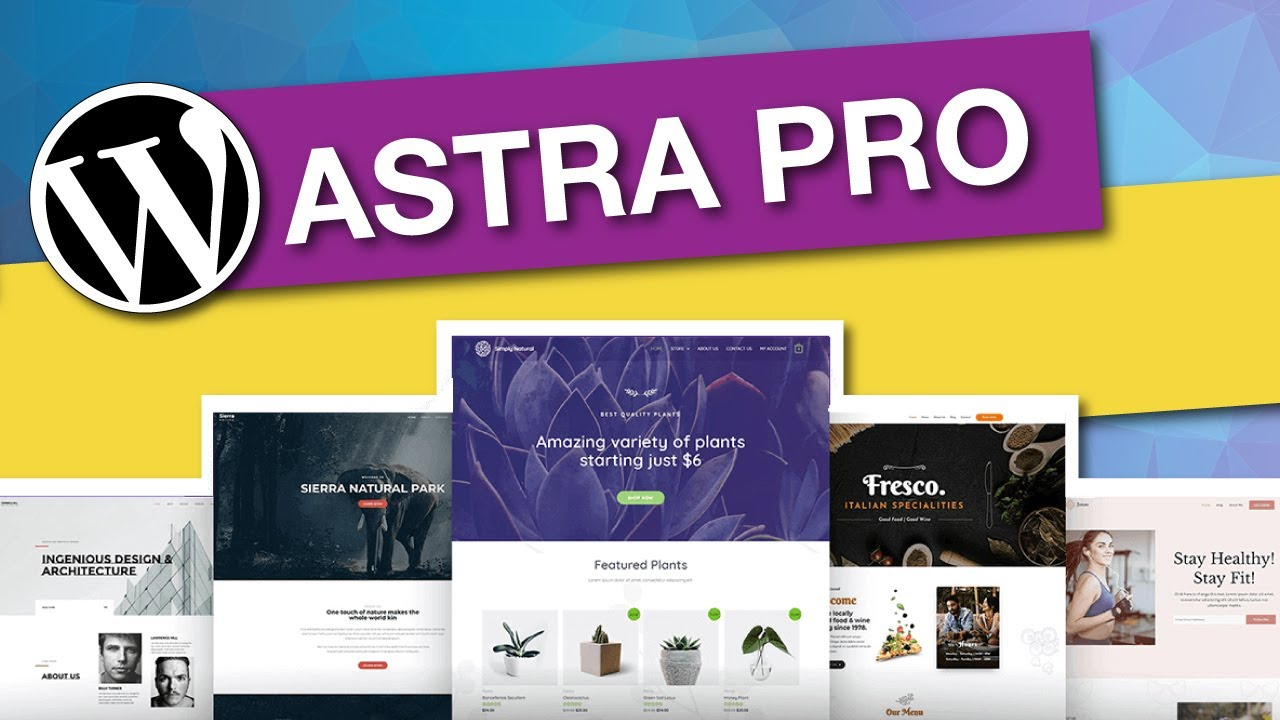
How to Create Brand Consistent Sitewide Pages with Astra PRO
Want to create a WordPress website with consistent branding? This article teaches you how to quickly achieve a consistent site-wide design with Astra PRO color scheme, typography, layout, and WooCommerce styles.

How to force a domain transfer: steps and considerations
When you want to transfer a domain name from one registrar or hosting provider to another, it is usually necessary to obtain authorization from the current registrant of the domain name. However, in some cases, it may be necessary to perform a mandatory transfer, i.e., to transfer a domain name to another service without authorization...

8 Useful Code Snippets for Customizing WordPress
WordPress is a highly flexible platform that allows users to customize the UI, site structure and code. By using code snippets, it is possible to add features that are not available in the theme and even replace some paid features. In this article, we will share eight very useful code snippets to help you...
Effective Ways to Solve Common WordPress Form Problems
Forms are an important part of any WordPress website, they help you interact with visitors, collect contact information and increase user engagement. However, forms occasionally have issues that cause problems such as data not being collected properly and notification emails failing to be sent. These issues not only...

Creating a Personalized Website: Advanced Use of the Elementor Editor and WoodMart Theme (05)
The last installment introduced a basic introduction to the Elementor editor paired with the WoodMart theme, and today we're going to dive into how to use the Elementor editor with the WoodMart theme for more advanced website design customization. Whether you're new to design or looking for a more refined layout...

How important is it to fine-tune your independent site?
In an independent website, fine-tuning operations is very important because it can help the website to improve user experience, boost sales growth, increase user loyalty and reduce operating costs. Here are some specific explanations about the importance of fine-tuning operations: Improve user experience: fine-tuning operations...

Blocksy Custom Archive Template Builder Tutorial: Creating Exclusive Layouts for Blogs & Custom Post Types
A comprehensive introduction to Blocksy's archive template builder features, including card content and full page replacement, support for Gutenberg Dynamic Blocks and Query Loop to build free layouts.
WooCommerce Advanced Bulk Edit: Unlocking the Four Core Dimensions of Ecommerce Operations
In-depth analysis of WooCommerce advanced bulk editing four core dimensions: price inventory management, product attribute editing, SEO optimization and advanced search filtering, to improve the efficiency of e-commerce operations.

WoodMart multilingual site setup with different language sidebars
Teach you to set independent sidebar content for different language pages in WoodMart multilingual website, adapting WPML or Polylang plugin.

Website Optimization: Key Factors to Improve Web Page Opening Speed in addition to Servers
In today's Internet era, the importance of fast web page loading speed for websites is becoming increasingly important. Web page opening speed not only affects the user's experience, but also directly affects the website's traffic, revenue and search engine ranking. In addition to the impact of the server, the following aspects also have a significant impact on web page opening speed...

WooCommerce shopping cart product quantity and content of the real-time update display method
Add AJAX dynamic update function in WooCommerce shopping cart to allow customers to view the cart content and the number of products at any time. This article describes how to display shopping cart information in the navigation bar and realize automatic update through code to improve the shopping experience.

 简体中文
简体中文  English
  日本語
日本語  Français
  Español



