




WordPress Tutorial Page 69
The "WordPress Tutorials" feature takes you in-depth understanding of WordPress, from the basic installation, theme and plug-in configuration, to SEO optimization and site security, covering all aspects of the core knowledge and practical skills needed to build a site. Whether you are a novice or an experienced developer, you can find the appropriate tutorials to help you easily master the use of WordPress and advanced operations.
arrange in order
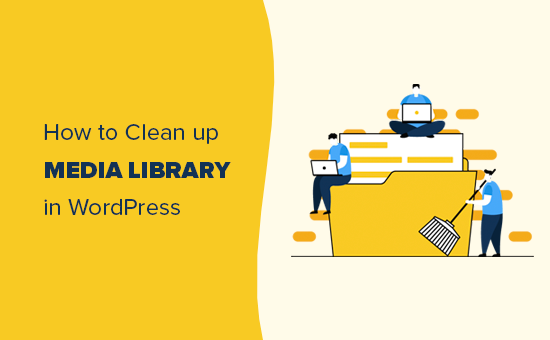
Cleaning Up Your WordPress Media Library: How to Optimize and Manage Media Files
Learn how to clean up and optimize your WordPress media library to improve site performance and user experience. This article provides detailed manual cleanup methods and plugin recommendations to help you effectively manage images, videos, and other media files. This setup helps search engines accurately recognize post topics...

Professional WordPress patches: the key to ensuring website security and performance
Learn how to improve your site's security, fix vulnerabilities, and optimize performance by installing WordPress patches on a regular basis. This article provides a complete guide on WordPress core, plugin, and theme updates to help you keep your website running stably.

Adding and Managing Breadcrumbs Navigation in a WordPress Website with Astra Theme
Learn how to enable and configure breadcrumb navigation feature in Astra theme. This article details the setup options for Astra's own breadcrumb feature and how to integrate it with Yoast SEO, Breadcrumb NavXT, Rank Math, and SEOPress PRO plugins to enhance your website's use...

Four Best SEO Reporting Tools Recommended for 2025 (Free & Paid Options)
Discover four of the best SEO reporting tools for 2025, including Google Looker Studio, Semrush, AgencyAnalytics, and DashThis, to help you automate data integration and improve the efficiency and quality of your SEO reports.

How to Quickly Build a NFT Website Using Templately Templates on a WordPress Website
Quickly learn how to build an NFT website with zero code using the WordPress block editor and Templately templates with support for integrating the OpenSea API to showcase your on-chain collections.
WordPress 6.8 Plugin Compatibility Issues: Causes and Solutions
Experiencing WordPress 6.8 plugin compatibility issues? This article analyzes in detail the common causes of plugin compatibility issues and provides practical solutions, such as updating plugins, fixing code, and cleaning cache, to help you ensure your website runs smoothly.

Show "Last Updated" date instead of "Released" date in Astra Theme
Learn how to display last updated date instead of published date in Astra theme. This article describes modifying post metadata and date boxes with custom code to help you accurately display when your website content was updated.

Changing the "Leave a comment" title tag in Astra Theme
Learn how to customize the "Leave a Comment" title tag in Astra Theme. Help keep the comments section in line with your website's design style by making simple code changes to make the comments section more visually coherent with the site as a whole.
How to Create Filterable Image Galleries in WordPress Websites with the Essential Blocks Plugin
Create feature-rich filtered image galleries in your WordPress website with the Essential Blocks plugin to enhance the user experience. This article details how to use Elementor to configure and customize filtered image galleries, including choosing a template, uploading images, setting filters...

How to change "Add to Cart" button text in WooCommerce
Learn how to modify the Add to Cart button text in WooCommerce with the Loco Translate plugin and custom CSS. This article provides detailed steps to help customize the button text and style according to your needs, enhancing the personalization and user experience of your website.
How to Enhance Website Storytelling with Essential Blocks' Timeline Slider
Learn how to use the timeline slider of the Essential Blocks plugin in the Gutenberg editor to create an interactive timeline that enhances the visual appeal and user experience of your website. Easily display historical events, project progress, and other time with simple setup and customization...

Avada integrates seamlessly with the Events Calendar plug-in to create event calendars with ease!
Learn how to use Events Calendar plugin in Avada theme to manage and display website events. Go through the detailed installation and configuration steps and learn how to create regular events, event series, customize event pages, and use the Events Calendar Pro version to provide...

Set up personalized autoresponder emails in Avada forms to boost engagement
Learn how to set up autoresponder notifications in Avada Forms to ensure that form submitters receive confirmation emails and are informed of next steps. Learn how to configure email subject, sender information, email content, and more with a detailed step-by-step guide to enhance user experience and interactivity.

How to Choose the Right WordPress Hosting for Your Website: from Shared Hosting to VPS
Learn how to choose the right WordPress hosting for your website. This article details the pros and cons of shared hosting, VPS, dedicated servers and cloud hosting to help you make an informed hosting choice and improve your website's performance and security.

Optimizing WordPress Single Post Page Design in Blocksy Theme
Discover how to optimize the design of WordPress single post pages with Blocksy theme. Learn how to choose the right layout, styles, and features to improve the visual appeal and browsing experience of your post pages.
Choosing the Best Plugins for WordPress: five must-have post-installation plugins
Explore five must-have plugins after installing WordPress, including Yoast SEO, Akismet, Elementor, UpdraftPlus, and WP Super Cache.These plugins help you optimize your site's SEO, security, speed, and user experience.

Simple Settings for Powerful Image Zooming on Your WordPress Website
Learn how to add image zoom in WordPress using the WP Image Zoom plugin, which allows users to view image details more clearly and improve the interactivity and user experience of your website. Easily add powerful image zoom effects to your WordPress website with simple settings.
Introducing the Blocksy 2 Waitlist module.
Blocksy 2 launches a product out-of-stock alert module, which supports customers to register their email address to receive replenishment notifications, and is compatible with WooCommerce, helping e-commerce websites to improve conversion rates and sales opportunities.

Blocksy Added to Cart Popup Module to Help Boost Ecommerce Conversions
Blocksy launched the add-to-cart pop-up module, which displays product details and shopping cart updates, and recommends related products to help e-commerce sites improve turnover rates and page interactivity.

Enhance your e-commerce experience by customizing the "Order Confirmation" page with Blocksy 2
Learn how to customize personalized order confirmation pages for your WooCommerce store with Blocksy 2's Custom Thank You Pages module to enhance customer experience and create more marketing opportunities.

How to Use Custom WooCommerce Product Information Tags in Blocksy 2
Learn how to enable and use custom product tags in Blocksy 2 to help merchants add personalized content to each product page, enhance the customer shopping experience and increase conversions. With a simple setup, merchants can add more valuable information to their products.

Enabling and Configuring the Color Mode Switcher in Blocksy 2
Learn how to enable and configure the color mode switcher in Blocksy 2 to allow customers to freely switch between light and dark modes to enhance the visual appeal and accessibility of your website. Simply set it up to provide your customers with a personalized browsing experience.

Enable Header Blur Effect in Blocksy 2 to Enhance Website Design
Blocksy 2 theme has a new header background blur filter feature that gives a modern and layered look to the header area of your website. Learn how to set a semi-transparent background, adjust the blur intensity, and easily create a more dynamic page effect.

WordPress Common Security Vulnerabilities Inventory and Fixing Strategy Guide
Get an in-depth look at common WordPress security vulnerabilities, including SQL injection, XSS attacks, file upload vulnerabilities, and more, with detailed strategies for fixing them. Learn how to protect your site from attacks by updating plugins, strengthening password management and permission settings, and other measures.

Creating an advanced navigation menu: blocksy advanced menu full tutorial
Full Description blocksy advanced menu features, including graphic mixing, category headings, icon settings and badge additions, help you create more attractive multi-column navigation menus.

Blocksy Tutorial: Using MetaBox to Create and Beautify Custom Post Types (CPT)
The tutorial explains how to use MetaBox to create WordPress custom post types and combine it with Blocksy theme custom archive and one-page styles to easily create well-structured content modules.

Kadence Teaching: 7 Tips for Creating a Professional Website (2025 Update Guide)
Learn how to use Kadence to optimize your website design, improve loading speed, and strengthen your brand image. This guide covers template selection, navigation optimization, mobile adaptation, and other practical tips to make your website more professional!
Understanding 502 Bad Gateway Errors: Common Causes and Solutions
502 Bad Gateway error is often caused by reverse proxy configuration, server overload, DNS resolution failure and other reasons. In this article, we will analyze the common causes of 502 errors in detail and provide effective solutions to help developers and webmasters quickly troubleshoot and fix the problem to ensure...

How to Optimize WooCommerce Store with Yoast SEO: Improve Ecommerce Website Ranking and Traffic
Learn how to optimize your WooCommerce store's product pages, category pages, and tag pages with Yoast SEO to improve search engine rankings, increase traffic and boost conversions.

How to solve the problem of inconsistent fonts displayed on different devices in WordPress pages?
This article describes how to solve the problem of inconsistent font display on different devices in WordPress websites, providing best practices for using web fonts, setting up font stacks, adjusting CSS rendering, optimizing responsive design, and more to help fonts stay consistent across all devices and browsers and improve...

 简体中文
简体中文  English
  日本語
日本語  Français
  Español



