


WordPress Tutorial Page 95
The "WordPress Tutorials" feature takes you in-depth understanding of WordPress, from the basic installation, theme and plug-in configuration, to SEO optimization and site security, covering all aspects of the core knowledge and practical skills needed to build a site. Whether you are a novice or an experienced developer, you can find the appropriate tutorials to help you easily master the use of WordPress and advanced operations.
arrange in order

Melapress Login Security - The Plugin of Choice for Enhancing WordPress Login Security
WordPress is a very popular content management system that is used by many people all over the world. However, just because WordPress is so popular, it has also become the target of many cyber attacks. If a user's login information is compromised, then the account may be stolen or even...

How to Optimize WordPress Themes for Better Performance
WordPress is a powerful content management system (CMS) that is widely used to create various types of websites. However, as website content and functionality increases, performance issues become more prevalent. Optimizing your WordPress theme is a critical step in improving your website's performance. We...

PHP Missing MySQL Extension Error: Causes and Solutions Explained
When building or accessing a WordPress website, you may encounter the error "Your PHP installation seems to be missing the MySQL extension required by WordPress". This error usually means that there is a problem with your site's code that prevents WordPress from connecting to its MySQL database. This ...

How to Download and Test WordPress 6.6 Beta 1: Detailed Guide
As mentioned before WordPress 6.6 was released on July 16, 2024, which is later this year. Now WordPress 6.6 Beta 1 has been released! Let's see how to download it for testing! This beta version of the WordPress software is under development. Please do not production sites...

Take control of WordPress categories: delete categories without worry, SEO without dropping links
Learn how to properly remove categories in WordPress to avoid impacting site structure, SEO, and user experience. Get tips on how to deal with broken links, setting up 301 redirects, and category URL changes.

How to use element caching to speed up page loading
Reducing page load time can increase visitor retention and improve your SEO score. Site performance can be significantly improved by using element caching. When widgets are rendered on the server, the HTML output is stored in a database. This way, the next time the element appears, it will be retrieved from the database...

How to Enable WordPress Debug Mode to Fix Site Errors
Why should I enable WordPress Debug Mode? Sometimes, WordPress plugins, themes, or custom code (such as PHP or JavaScript) can cause conflicts on a website. It can lead to different errors and the website may not work properly. Now, it is possible to stop at any time...

Simple Strategies to Improve WordPress Website Loading Speed
According to Kissmetrics, 79% of buyers are unlikely to make another purchase if they're not satisfied with your site's speed and performance. Even worse, 44% of shoppers will share their negative online experiences with friends, which may deter new visitors from browsing your site. Web ...

How to Turn Off PHP Errors in WordPress
Recently a reader left a comment asking "How to turn off PHP errors in WordPress"? PHP warnings and notifications can help debug problems in your code during development. However, if these warnings and notifications are visible to all website visitors, the entire website will look...

How to Implement Advanced Design Features in Gutenberg with Elementor Blocks
Gutenberg is a block editor for WordPress that allows users to create and edit content in the form of blocks. In order to allow users to utilize the power of Elementor in Gutenberg, Elementor has developed a program called 'Elementor Blocks for Gutenberg'...

WordPress Self-Study: How to Fix a Temporary Unavailability Error in WordPress Due to Scheduled Maintenance
Have you guys seen the "Temporarily unavailable due to scheduled maintenance" error in WordPress? This error usually occurs when updating WordPress core, plugins or themes. The WordPress site fails to complete the update and stays in maintenance...

How to Improve SEO with Link Options in the WordPress Editor
The use of internal and external links is crucial in optimizing your website's SEO.The WordPress editor provides powerful linking options that can help you improve user experience while optimizing SEO. Here are some effective ways to improve SEO. 1. Use internal links to boost web...

How to Create and Optimize Gallery in WordPress with Gutenberg Gallery Block
Gutenberg Gallery Block is a popular WordPress tool for photographers, artists, bloggers and businesses that makes creating galleries easy, intuitive and requires no coding knowledge. If you want to enhance your website with professional, stylish galleries...

How to use the WordPress get_post_meta function: a complete guide and practical examples
Learn how WordPress get_post_meta function works, basic syntax and use cases to easily retrieve custom field data for more powerful and dynamic website functionality.

Recommended Google SEO Optimization Tools for Cross-Border WordPress Websites
Nowadays, more and more foreign trade websites choose to use WordPress to build, but to get a good ranking on Google, SEO optimization is especially important. And to do a good job of SEO, you can not do without some practical tools. These tools can help us easily analyze the website's key...
WordPress Fixed Links Not Working? A comprehensive fix guide to help you resolve link issues
Learn in detail how to fix WordPress fixed link errors, from basic settings to server configurations, resolving 404 errors and SSL-related issues, and ensuring that users navigate your site smoothly.

Element Pack 7.17.2 Update Released: New Google Review Filter, Location Information, Optimized Comparison Lists and Modal Functionality
Extra: filtering option added to Google Reviews widget Extra: comment location information added to Google Reviews widget Extra: hide list content option added to Compare Lists widget Extra: container support added to Modal widget Fixed: JS error...
How to Integrate AI and Machine Learning into Your WordPress Website to Improve Functionality and User Experience
Integrate AI and Machine Learning into Your WordPress Website Integrating Artificial Intelligence (AI) and Machine Learning (ML) models into your WordPress website isn't just about keeping up with the latest technological trends, it also extends functionality, enhances user experience, and transforms content creation and make...
Total Optimization: Dramatically Improve E-Commerce Efficiency with WooCommerce Automation
Taking full advantage of the features and applications available on WooCommerce can save you significant time. In this article, we'll explore the best ways to automate WooCommerce and clear your schedule. 1. Customer Communication Automation Contacting customers individually can be very time-consuming.WooCommerce e...

Keyword Layout: Key Strategies for Independent Sellers to Increase Website Traffic and Sales Conversion
Indie sellers often face a challenge after writing great content: how to attract enough traffic to drive actual sales? The core of solving this problem lies in optimizing keyword layout. In this article, we'll detail how to boost website traffic and rankings through keyword layout, thus helping indie...
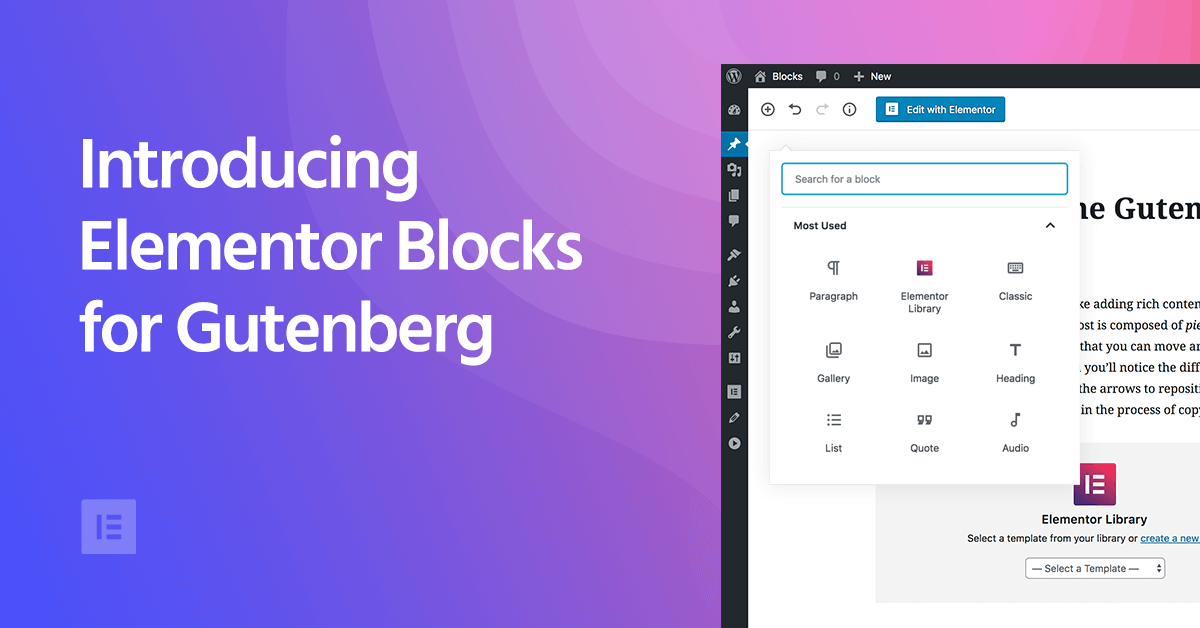
Elementor Blocks for Gutenberg: Using Elementor Blocks in the Gutenberg Editor
As WordPress has grown, the Gutenberg block editor has become its core editor, which builds content in "blocks". Although Gutenberg is very flexible, for those who want to add more advanced features to their site, Gutenberg is still...

WooCommerce Updated to Address Cross-Site Scripting Vulnerability
The official team at Woo has deployed a critical update for WooCommerce. The update addresses a vulnerability that previously allowed malicious actors to inject malicious content into the browser.The official Woo team has also contacted WooCommerce merchants whose stores may be vulnerable. ...
Cross-border e-commerce batch management revolution: breaking through the bottleneck of multi-language and multi-currency operations
This paper analyzes the batch management solutions for cross-border e-commerce in terms of multi-language content, localized pricing, international logistics, etc., which help enterprises to improve the efficiency of globalization operation.
Why should we always use the latest version of WordPress for our WordPress website?
Hello everyone! Today there is no tutorial, but mainly an answer to one of the most frequently asked questions by our readers in our community. The question is "Why should we always use the latest version of WordPress for our WordPress website? Why should we update WordPress WordPress is free,...
How to Add Images Correctly to a WordPress Website
The Importance of Uploading Images Correctly in WordPress Sometimes, users copy images directly and paste them into their website content. This can lead to issues such as slow page speed, poor user experience and poor SEO. When adding images to a WordPress website, it's important to do it correctly...

How to Fix White Text and Missing Buttons in WordPress Visual Editor
I was recently approached by a user of Idle Fish. I was asked to help solve a very strange problem they were having with their installation. When they were editing a post, they couldn't see anything they were editing. This is because the text in the post editor is white. What's more, all available...

Improving WordPress Website Security Across the Board: A Guide to Best Practices and Tools
WordPress has become the platform of choice for millions of people to create and manage websites. However, website security is often overlooked. In this article, we'll explore why security should be a top priority when using WordPress. The Importance of WordPress Security Whether...

WordPress open source and copyright issues analysis
WordPress is an open source and free software, businesses building websites will not encounter copyright issues using WordPress. WordPress was born in 2003, developed by Mike Little and Matt Mullenweg based on b2/cafelog. WordPress follows the GNU General Public License...
Improving WordPress Website Performance Through Technical SEO Optimization
Website performance and search engine optimization (SEO) are crucial. Technical SEO optimization not only improves your website's search engine rankings, it also improves the user experience. How to improve the performance of your WordPress website through technical SEO optimization covers optimizing your website structure, fixing 404 errors, making...

How to Migrate from WordPress.com to WordPress.org
Many new users who are just starting out with WordPress choose WordPress.com.This is a lot more restrictive compared to the open version (WordPress.org), which has the advantage of being cheap, easy, and doesn't require a lot of skill. Due to the limitations of WordPress.com, it will take it...

 简体中文
简体中文  English
  日本語
日本語  Français
  Español



