





In the teamwork of WordPress In the environment, security threats posed by internal misuse are often more destructive than external attacks. An inadvertent code modification or an incorrectly saved configuration can trigger a website service interruption, leading to a serious impact on business continuity. This paper analyzes disallow_file_edit The security value of constants, exploring their implementation in team privilege control, and providing a complete security solution for enterprise-level WordPress operations.

Operational risk analysis in a teamwork environment
Security risks of built-in editors
The theme and plugin file editors integrated in the WordPress backend, while providing convenience, introduce significant security risks. These visual editing tools lower the technical barrier to code modification, but also increase the instability of the system's operation.

Core Risk Dimension:
- Real-time validation mechanism: code changes are immediately deployed to the production environment, lacking the necessary buffer validation links, the wrong code will directly affect the online service.
- Syntax tolerance is missing: the editing interface does not provide pre-compile checking, and a simple syntax error can cause a fatal system failure.
- Insufficient permission granularity: the administrator role has both content management and code modification permissions, violating the security requirements of the least privilege principle.
Technical Principles and Security Values of DISALLOW_FILE_EDIT
Working Mechanism Analysis
DISALLOW_FILE_EDIT enables basic security controls by modifying the WordPress configuration. When this constant is set to true, the system will globally disable theme and plugin editor functionality during the initialization phase. This setting will work for all backend users, providing basic protection for core files.
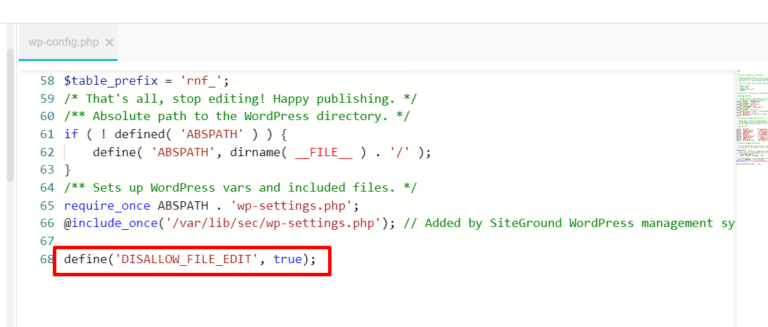
Technology realization path:
- Registering security constants in the wp-config.php loading stage creates a base layer of protection
- Automatically filters the background administration menu during system initialization, removing the file editing portal
- Intercept file editor-related requests through the permission authentication mechanism to achieve access control
Secure Protection Boundary
To be clear, this solution is specifically designed to control file editing in the WordPress backend and will not affect other legitimate ways of working with files. Specifically, it does not restrict:
- File management operations based on SFTP/FTP clients
- Code deployment process using a version control system such as Git
- File access permissions at the server operating system level
Enterprise Deployment Implementation Program
Pre-deployment checklist
Before implementing configuration changes, a comprehensive environment assessment and preparation must be completed to ensure a safe and controlled deployment process.

Environmental Validation Essentials:
- Verify the compatibility of the current WordPress version with your configuration to avoid version conflicts.
- Check the existing file permission settings to ensure that the read and write permissions of the configuration file are correct
- Validate the effectiveness of backup recovery mechanisms to ensure fast rollback in case of problems
Standardized deployment process
To ensure consistency and reliability in the deployment process, it is recommended that the following steps be followed:
- Connect to the server using an encrypted secure channel to prevent leakage of configuration information
- Download the wp-config.php configuration file and perform integrity checks to keep a record of the operation.
- Insert the configuration code in the specified location, ensuring that the syntax is formatted correctly
- Perform comprehensive privilege validation and functional testing to confirm that the configuration is in effect.
Practical Approach to Enterprise O&M
Secure Development Workflow
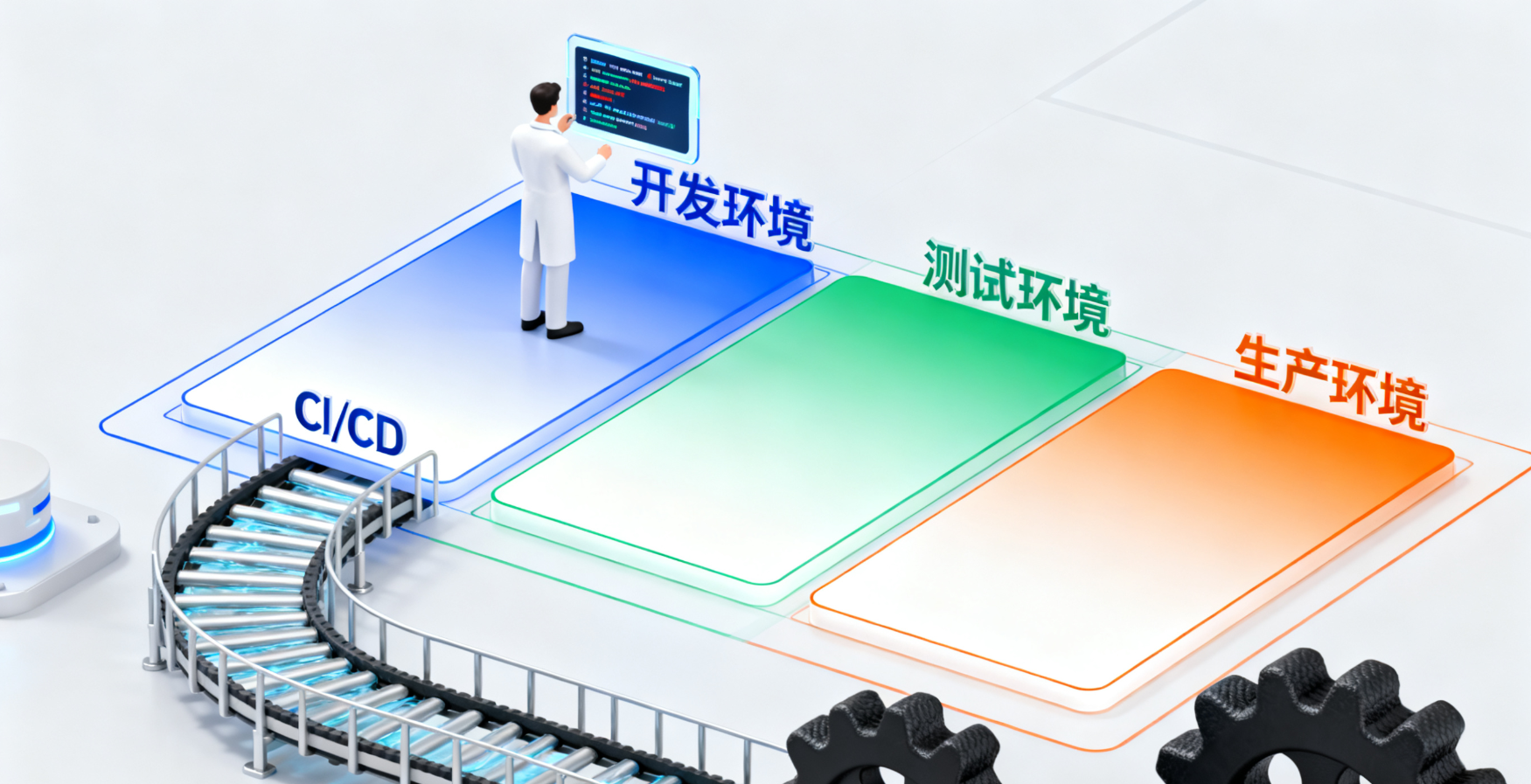
The establishment of a standardized development process is an important guarantee of system security, and it is recommended that the following measures be implemented:
- Environment isolation: establish a strict development-test-production environment isolation mechanism to avoid modifying the code directly in the production environment.
- Code review: implement a mandatory code review process to ensure that all changes are technically reviewed
- Automated Deployment: Modern CI/CD pipeline to standardize and automate the deployment process.
summarize
DISALLOW_FILE_EDIT as WordPress SecurityIt is a basic component of the system and has important control value in the team collaboration environment. Disabling the high-risk file editing function reduces the risk of human operation, promotes the establishment of a more standardized development process, and improves the overall operation and maintenance management level.

Link to this article:https://www.361sale.com/en/79516The article is copyrighted and must be reproduced with attribution.



















![Emoji[wozuimei]-Photonflux.com | Professional WordPress repair service, worldwide, rapid response](https://www.361sale.com/wp-content/themes/zibll/img/smilies/wozuimei.gif)

![Emoticon[baoquan] - Photon Wave Network | Professional WordPress Repair Services, Worldwide Coverage, Rapid Response](https://www.361sale.com/wp-content/themes/zibll/img/smilies/baoquan.gif)


 简体中文
简体中文  English
  日本語
日本語  Français
  Español


No comments