




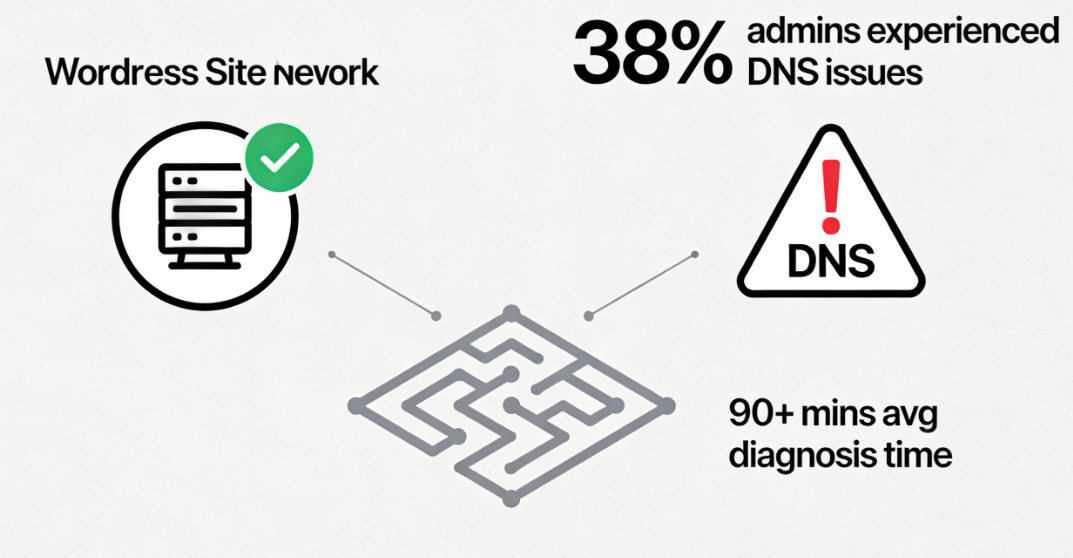
When you encounter this scenario in a WordPress multisite network: the main site runs smoothly with content displayed perfectly, while the sub-sites frequently throw errors.Origin DNS ErrorIt feels like hearing a jarring note in a meticulously composed symphony. Statistics show that approximately 381 WordPress multisite administrators have encountered at least one instance of DNS resolution issues where the main site functions normally while sub-sites malfunction, with an average diagnosis time exceeding 90 minutes. Behind this asymmetric failure pattern lies the unique DNS logic maze inherent to multisite architecture.
Chapter 1: Multi-Site Network Infrastructure and DNS Specifics
WordPressA multi-site network is not merely a collection of websites; it is a meticulously designed distributed publishing system. Understanding the foundational architecture of this system is the first step toward unraveling the DNS mystery of sub-sites.
1.1 Two Mapping Modes for Multi-Site Networks
WordPress multisite offers two infrastructure modes, each with distinct DNS requirements.
Subdomain ModeThis is the most widely used multi-site architecture. In this mode, each sub-site has its own independent subdomain, such as site1.maindomain.com,site2.maindomain.comFrom a DNS perspective, this requires each subdomain to resolve correctly to the server's IP address. In practice, many administrators achieve this using a wildcard DNS record—a single*.maindomain.comThe A record or CNAME record points to the server. However, this concise approach also introduces specific risks: propagation issues with wildcard records and conflicts with records for specific subdomains.
Subdirectory Modethen take a different path.
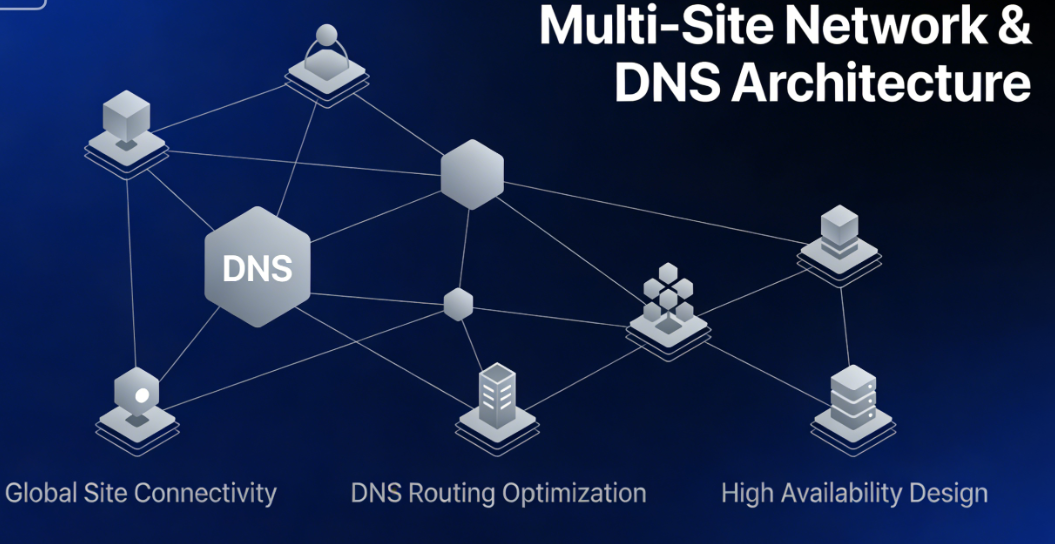
All sub-sites share the same main domain name and are distinguished by their paths, such as maindomain.com/site1,maindomain.com/site2This model simplifies DNS configuration, requiring only that the primary domain resolves correctly. However, it introduces another layer of complexity: the precision of server rewrite rules. An improperly configured.htaccessOr Nginx rewrite rules may cause specific subdirectory paths to fail to route correctly.
1.2 Multi-Site Database and File Structure
The core magic of a multisite network lies in how it manages multiple independent sites within a single WordPress installation. At the database level, all sites share a set of core tables while each site possesses its own set of tables, distinguished by table prefixes. At the file level, uploaded files are organized within specific directory structures based on site ID.
This structure is suitable forDNS resolutionThis has an indirect yet significant impact. When a request reaches the server, WordPress must first determine which site the request is for, then load the corresponding configuration and content. This decision-making process relies on the domain name or path in the request. If DNS resolution fails, this decision chain may break at the very first step.

Chapter 2: Unique Causes of Origin DNS Errors in Multi-Site Environments
In multi-site environments, Origin DNS errors are rarely isolated DNS record issues. More often, they result from complex interactions between various system components.
2.1 Pitfalls of Wildcard DNS Records
Wildcard DNS records are the cornerstone of multi-site subdomain patterns, yet they are also a common source of issues.
Communication inconsistency issuesParticularly prominent. After modifying wildcard records, DNS servers in different geographic locations may update at varying speeds. The result may be: the primary domainmaindomain.comResolved to a new IP, while the wildcard*.maindomain.comStill pointing to the old IP. This split state causes the main site to function normally, while the sub-site fails due to resolving to an invalid IP.
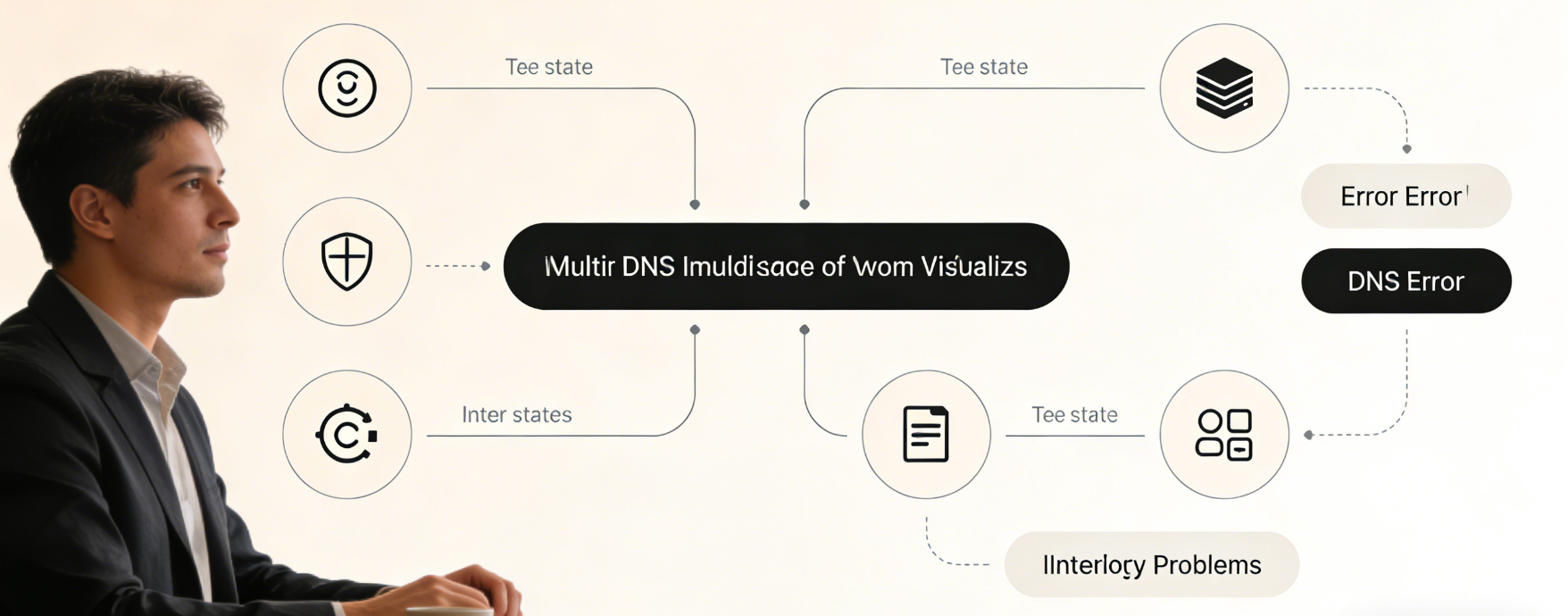
Log Priority ConflictIt's another trap. If both a wildcard record and an explicit record for a specific subdomain exist, the DNS resolver must decide which one to use. Most systems follow the "most specific match" principle, which meanssite1.maindomain.comExplicit records will override*.maindomain.comWildcard records. When explicitly configured incorrectly, they only affect that specific subdomain, perfectly explaining why the failure is selective.
// Core logic for WordPress multisite to identify sites based on domain names
$current_blog = get_blog_details(['domain' => $_SERVER['HTTP_HOST']]); if (!$current_blog) {     // If the domain fails to match any registered site, an error may be triggered     wp_die('Site does not exist or DNS resolution failed'); }
2.2 WordPress Configuration and DNS Disconnect
wp-config.phpMulti-site configurations must precisely align with DNS settings; otherwise, subtle and persistent failures will occur.
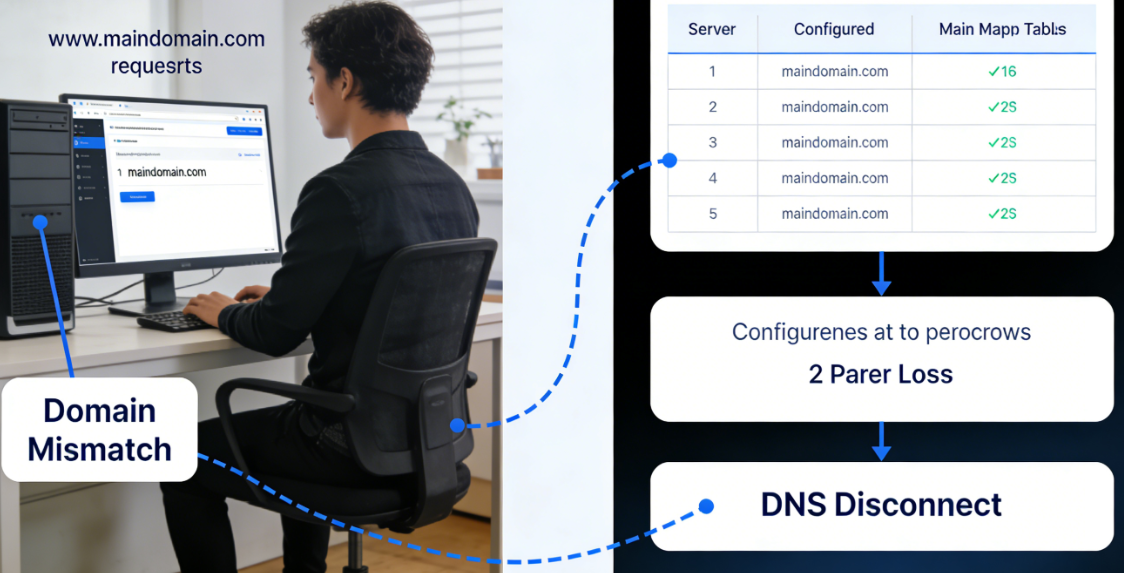
DOMAIN_CURRENT_SITE constantDefines the primary domain name for the network. If this value does not match the actual domain name being accessed, WordPress may fail to initialize the multisite environment correctly. Consider this scenario: The DNS record willwww.maindomain.comPoints to the server, but DOMAIN_CURRENT_SITE is set tomaindomain.com(without the www prefix). This mismatch may cause certain requests to be handled abnormally.
SUNRISE ConstantControl domain name mapping in multi-site environments. If the sunrise feature is enabled, but the corresponding domain mapping table (wp_domain_mapping) Contains erroneous or outdated records, requests for specific domain names may be misrouted or even lost entirely.
2.3 Hierarchy Issues in Server Configuration
Server software must correctly understand the multi-site structure to route requests to the appropriate processing path.
Apache .htaccess Rewrite RulesThis is especially critical in multi-site subdirectory mode. The default WordPress multisite rules are designed to rewrite subdirectory requests to the correct index file. However, if these rules are modified, corrupted, or incomplete, requests for specific subdirectories may fail to reach the WordPress front-end controller. Instead, they may be treated as static file requests or directly return a 404 error.
Nginx ConfigurationSimilar fine-tuning is required. Multi-site environments often necessitate complexserver_nameMatching andrewriteRule. A common mistake is listing only the primary domain in the configuration while forgetting the wildcard server name matching required for subdomain patterns.

Chapter 3: Systematic Diagnosis: From Symptoms to Root Causes
When encountering a fault where the main site functions normally while the sub-site experiences abnormalities, a systematic diagnostic approach is required to systematically eliminate possibilities layer by layer.
3.1 Phase One: DNS-Level Verification
First, confirm whether the issue actually exists at the DNS level.
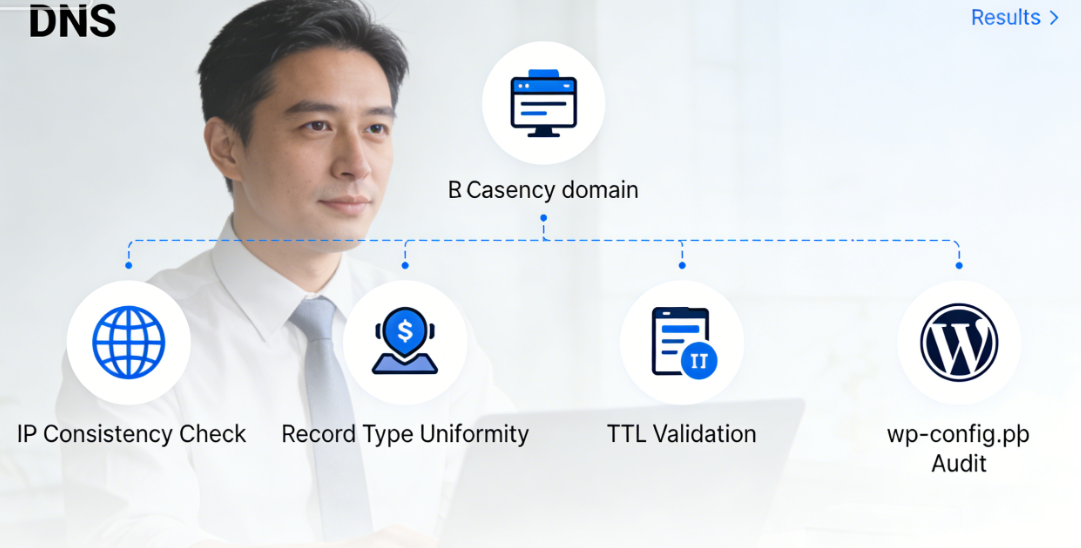
Perform hierarchical DNS queriesCrucial. UsedigThe commands check the resolution of the primary domain and the failed subdomain respectively:
dig maindomain.com A dig subdomain.maindomain.com A dig *.maindomain.com ACompare the results of these queries. Ideally, the primary domain and wildcard records should point to the same IP address. If discrepancies are found, you have uncovered direct evidence of the issue.
Verify DNS record type consistencyEnsure all relevant records use the same record type (typically A records or CNAME records). Mixed record types may result in unpredictable resolution behavior.
Verify TTL Value SettingsExcessively high TTL values (such as 86,400 seconds/24 hours) can significantly prolong the propagation time for DNS changes. If DNS records were recently modified, high TTL values may explain why some users continue to experience issues.
3.2 Phase Two: WordPress Configuration Audit
After confirming that DNS is functioning properly, proceed to the internal WordPress configuration.
Review critical settings in wp-config.php::
define('MULTISITE', true); define('SUBDOMAIN_INSTALL', true); // Or false, must match actual architecture define('DOMAIN_CURRENT_SITE', 'maindomain.com'); define('PATH_CURRENT_SITE', '/');
define('SITE_ID_CURRENT_SITE', 1); define('BLOG_ID_CURRENT_SITE', 1);
Each definition must accurately reflect the actual structure of the network.
Check the site mapping tableIf using a domain mapping plugin, query the mapping table in the database:
SELECT * FROM wp_domain_mapping WHERE domain LIKE '%subdomain%';Ensure that the mapping relationship exists and is correct, andactiveThe field value is 1.
Verify Site Registration StatusIn the WordPress network admin panel, confirm that the affected sub-site exists and is set to "Public." Sites that have been accidentally archived or marked as spam may exhibit behavior similar to DNS errors.
3.3 Phase Three: Server Environment Testing
Finally, we ruled out server-level issues.
Testing raw HTTP accessBypass WordPress and directly test the server's response to a specific URL:
curl -I http://subdomain.maindomain.com curl -I http://maindomain.com/subsite-pathObserve the returned status code. A 200 indicates a successful server response, while a 404 or 500 suggests a server configuration issue.
Review server logsTheApache(used form a nominal expression)error_logor Nginx'serror.logMay contain detailed information about the erroneous request. Look for entries related to the faulty subdomain, paying particular attention to permission denials, failed rewrite rules, or timeout errors.
Check file permissions and ownershipIn multi-site networks, upload directories across different sites require proper permission settings. While this typically does not cause DNS errors, it may produce similar "resource not found" symptoms.
Chapter 4: Targeted Remediation Plan
Based on the diagnostic results, implement precise corrective measures.
4.1 Fix Wildcard DNS Issues
If the diagnosis points to a wildcard DNS issue:
Implement explicit subdomain records as a temporary solutionWhile waiting for the wildcard record to propagate, create explicit A records for affected subdomains. This provides immediate mitigation while allowing the wildcard record to continue propagating.
Adjust the TTL value to a reasonable levelBefore making DNS changes, temporarily reduce the TTL value to 300 seconds (5 minutes). After the changes are complete, you may increase it to a stable value as needed, such as 3600 seconds (1 hour).
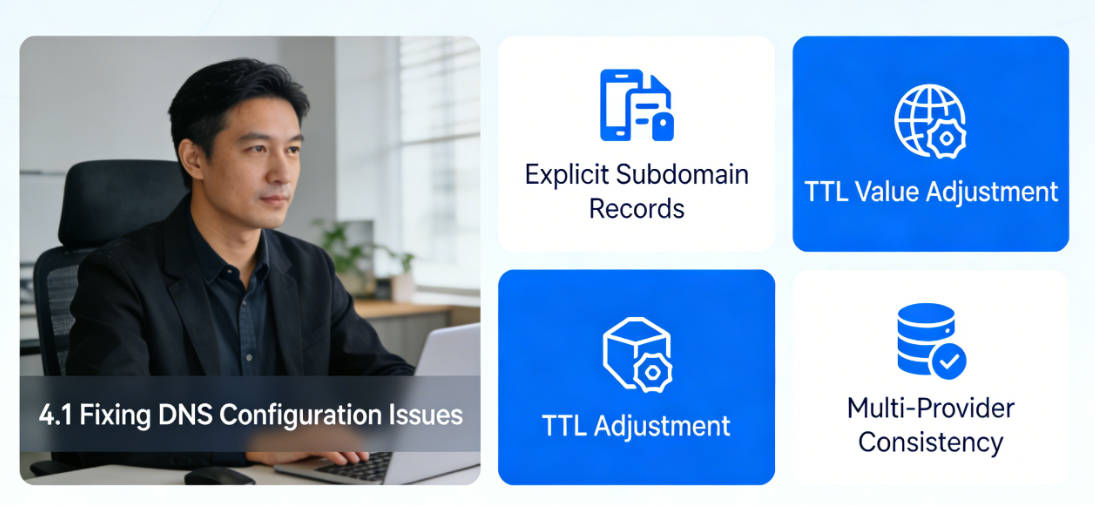
Verify consistency across multiple DNS providersIf using multiple DNS providers (such as a primary provider and a backup provider), ensure that records are consistent across all providers. Discrepancies may cause intermittent failures.
4.2 Correcting WordPress Configuration Errors
Regarding configuration-level issues:
Implement configuration validation scriptsCreate a small PHP script to verify the consistency of a multisite configuration:
$expected_domain = 'maindomain.com'; $actual_domain = $_SERVER['HTTP_HOST']; $network_domain = defined('DOMAIN_CURRENT_SITE') ? DOMAIN_CURRENT_SITE : '';

if (network_domain && actual_domain !== expected_domain) { // Log configuration mismatch error_log("Domain mismatch: Expected {expected_domain}, got {actual_domain}"); }
Rewrite RulesSometimes, WordPress rewrite rules may become corrupted. Simply saving the settings under "Settings" -> "Permalinks" in the multisite network admin area can trigger a rule rebuild.
Impact of the Review Activity PluginDisable plugins that may affect URL routing or multisite functionality one by one, especially caching plugins, security plugins, and CDN integration plugins. These plugins sometimes handle subdomain or subdirectory requests in specific ways.
4.3 Optimizing Server Configuration
Ensure that the server software correctly supports a multi-site architecture.
Optimized Configuration for Apache::
RewriteEngine On RewriteBase / RewriteRule ^index\.php$ - [L] # Core rule for subdirectory multisite RewriteCond %{REQUEST_FILENAME} -f [OR]
RewriteCond %{REQUEST_FILENAME} -d RewriteRule ^ - [L] RewriteRule ^([_0-9a-zA-Z-]+/)?(wp-(content|admin|includes).*) $2 [L] RewriteRule ^([_0-9a-zA-Z-]+/)?(.*\.php)$ $2 [L] RewriteRule . index.php [L]
Precise Configuration for Nginx::
server {   server_name maindomain.com *.maindomain.com;   # Subdirectory Rewrite   location ~ ^/[_0-9a-zA-Z-]+/ {     try_files $uri $uri/ /index.php?$args;   }

    # Standard WordPress Handling location / {     try_files $uri $uri/ /index.php?$args; } }
Chapter 5: Prevention Strategies and Long-Term Maintenance
Preventing multi-site DNS issues is more effective than fixing them.
5.1 Establishing a Configuration-as-Code Practice
Include critical configurations in the version control system.wp-config.phpMulti-site components, server rewrite rules, and even DNS zone files (if supported) should be stored in version control. This ensures changes are traceable and rollbacks are feasible.
5.2 Implementation of Monitoring and Alerts
Set up monitoring for key metrics in multi-site networks:
DNS Resolution MonitoringRegularly check the resolution results of the primary domain and representative subdomains from multiple global locations. Immediately trigger alerts upon detecting inconsistencies.
Website Accessibility CheckRegularly access key pages on each subdomain via automated scripts to verify the correct HTTP status codes and content are returned.
Configuration Consistency VerificationDeploy regularly scheduled validation scripts to verify consistency between WordPress configurations, database mappings, and actual access patterns.
5.3 Establish a Change Management Process
Any changes that may impact multi-site DNS must follow a strict process:
- Pre-change testingVerify the effectiveness of DNS modifications in a non-production environment.
- phased implementationFirst implement the changes on a small number of non-critical sub-sites, observe the results, and then roll out the changes across the entire system.
- Transmission Period MonitoringClosely monitor the accessibility of all sites during DNS propagation.
- Rollback PlanAlways have clear rollback procedures in place in case changes cause unexpected issues.

Origin DNS errors in multi-site networks are rarely random occurrences. They typically manifest as misalignments or misconfigurations at some layer of the system. By understanding the unique characteristics of multi-site architectures, adopting systematic diagnostic approaches, implementing precise corrective measures, and establishing preventive maintenance practices, administrators can significantly reduce the frequency and impact of such failures.Ultimately, a healthy multi-site network should be transparent—neither users nor site administrators should need to concern themselves with the underlying DNS complexities. This is precisely the goal that system designers and maintainers should strive to achieve.

Link to this article:https://www.361sale.com/en/82562The article is copyrighted and must be reproduced with attribution.




















![Emoji[wozuimei]-Photonflux.com | Professional WordPress repair service, worldwide, rapid response](https://www.361sale.com/wp-content/themes/zibll/img/smilies/wozuimei.gif)

![Emoticon[baoquan] - Photon Wave Network | Professional WordPress Repair Services, Worldwide Coverage, Rapid Response](https://www.361sale.com/wp-content/themes/zibll/img/smilies/baoquan.gif)


 简体中文
简体中文  English
  日本語
日本語  Français
  Español


No comments