




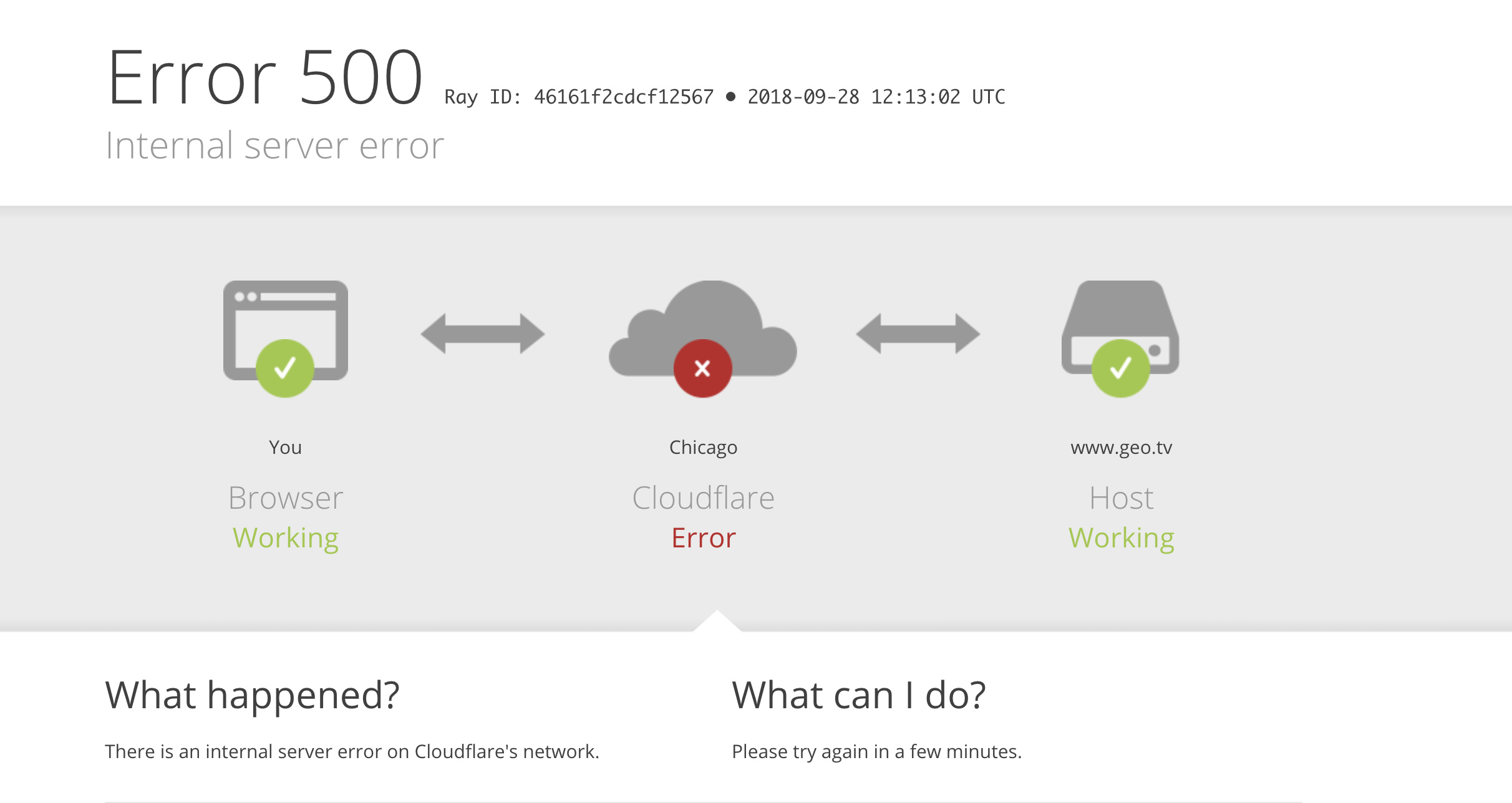
When accessing a website with Cloudflare CDN enabled, Error 521: Web server is down At this time, the webmaster should focus on the operational status of the origin server.521 ErrorIt's usually not a Cloudflare node failure, but rather the origin server.server (computer)Web connection requests from Cloudflare were rejected. Common reasons include the web service not running, the port not being listened to, firewall interception, or server resource anomalies.
This article will be organized around Understanding the Mechanism of 521 Errors, Server Status, and SolutionsStep-by-step instructions to help webmasters quickly pinpoint issues and restore website access.
![Image[1] - Access is normal but shows a 521 error? Cloudflare isn't the culprit; the real culprit is it.](https://www.361sale.com/wp-content/uploads/2025/12/20251219141334176-image.png)
1. What is the Cloudflare 521 error?
1.1 Official Meaning of Cloudflare 521 Error
Cloudflare 521 error indicates:
This implies that the following points hold true:
- DNS resolution is normal.
- Cloudflare can access the origin server's IP address.
- Network link exists
- web serverConnection request not accepted
Therefore, a 521 error does not mean "Cloudflare cannot connect to the server," but rather "the server is not accepting Cloudflare's connection."
| sports event | state of affairs | instructions |
|---|---|---|
| DNS resolution | normalcy | Domain names can be resolved to Cloudflare. |
| Cloudflare Node | normalcy | CDN node is not experiencing a failure. |
| Origin server IP | accessible | Network layer is non-blocking |
| web server | Connection refused or not accepted |
1.2 Differences Between Cloudflare 521 and Similar Error Codes
Understanding the differences in error codes helps quickly pinpoint the source of the problem.
- 520: Server returned an abnormal or non-standard response
- 521: Connection Refused
- 522: Server did not respond within the specified time (timeout)
- 523: Cloudflare cannot access the origin server IP (network unreachable)
Among these, 521 is the error code most clearly indicating a server configuration or status issue.
II. What Actually Happens on the Server When a 521 Error Occurs?
2.1 Brief Overview of the Request Process
When users access the website, the actual request path is as follows:
- User requests Cloudflare node
- Cloudflare establishes a connection to the origin server's port 80 or 443.
- The origin server returns an HTTP response.
- Cloudflare forwards the response to the user.
Error 521 occurred in step two:Cloudflare was able to initiate a connection request, but the server did not accept the connection.
2.2 Actual States a Server May Be In
When a 521 error occurs, the server typically experiences one of the following conditions:
- Web Services (Nginx / Apache) is not running
- The target port (80 or 443) is not listening.
- Firewall or security group rules are blocking Cloudflare IP addresses.
- Security protection tools mistakenly intercept requests
- Server resources are exhausted; new connections are being refused.
It should be noted that: 521 does not necessarily indicate a server crash, but ratherThe server is unable or unwilling to accept web connections.The
III. Common Causes of Cloudflare 521 Errors
3.1 Web service is not running or failed to start
If the web service is not running, there will be no process listening on the corresponding port on the server. When Cloudflare attempts to establish a connection with the origin server, the operating system will directly return a "connection refused" error. Cloudflare will therefore determine that the web server is unavailable and return a 521 error to the visitor.
Verification method: Enter the following in the server's command line (terminal / SSH):
systemctl status nginx systemctl status httpdBy executing systemctl status nginx maybe systemctl status httpdYou can verify whether the web service is currently running.
If the service is in a stopped or failed state, you can try using systemctl restart nginx Perform a restart.
systemctl restart nginxIf the service fails to start, check the configuration file for syntax errors by reviewing the error log.
3.2 Web service is not listening on port 80 or 443
Even if the web service process is running, Cloudflare cannot establish a connection if the server is not listening on port 80 (HTTP) or port 443 (HTTPS).
![Image[2] - Access is normal but reporting 521? Cloudflare isn't the culprit; the real culprit is it.](https://www.361sale.com/wp-content/uploads/2025/12/20251219154527567-image.png)
By executing ss -lntp | grep -E '80|443' You can check whether any processes are currently listening on ports 80 or 443 on the server. If the command produces no output, it indicates that the corresponding port is not being listened to; if you only see 127.0.0.1:80 maybe 127.0.0.1:443This indicates that the service only listens on the local loopback address, making it inaccessible to external requests.
ss -lntp | grep -E '80|443'Common causes include HTTPS configuration errors causing the service to skip listening during startup, incorrect certificate paths or permission settings, the listening address being mistakenly set to a local address, and failure to restart the web service after modifying configuration files, resulting in the changes not taking effect.
3.3 Firewalls or security groups blocking Cloudflare IP addresses
After enabling Cloudflare, all website access requests first pass through Cloudflare nodes before being forwarded to the origin server. Therefore, from the server's perspective, the request origin is not the user's actual IP address, but rather a set of IP address ranges maintained by Cloudflare. These IP addresses are fixed, butin large quantitiesand will be updated periodically based on Cloudflare's network adjustments.
If the server's firewall or cloud security group rules only permit access from specific IP addresses, or if there is a policy that defaults to denying external access, andThe Cloudflare IP range has not been fully whitelisted.When Cloudflare attempts to establish a connection with the origin server, the server will directly reject the connection request, ultimately resulting in a Cloudflare 521 error on the browser side.
Such interception activities may occur at multiple levels:
- Linux system firewalls (such as iptables, firewalld)
- Security group rules provided by cloud server vendors
- Built-in firewall functionality within the Pagoda Panel
The correct approach is to whitelist all IP ranges officially published by Cloudflare and ensure these IPs are not subject to port or access frequency restrictions. Additionally, regularly monitor Cloudflare's official IP update announcements and promptly synchronize whitelist configurations to prevent the 521 error from recurring due to IP changes.
![Image[3] - Access is normal but reporting 521? Cloudflare isn't the culprit; the real culprit is it.](https://www.361sale.com/wp-content/uploads/2025/12/20251219154633588-image.png)
3.4 Security Protection Policy Incorrectly Blocking Cloudflare Nodes
On the server orkneading boardEnable CC protection, Fail2Ban, request rate limiting, or WAF, etc.Security PolicyAfterward, the system typically automatically determines whether abnormal access exists based on access frequency, concurrent connection counts, or request behavior characteristics. When using Cloudflare, a large volume of requests from genuine users are concentrated and forwarded through a small number of Cloudflare nodes. This high-concurrency access pattern is easily misinterpreted by security policies as attack behavior.
![Image[4] - Access is normal but reporting 521? Cloudflare isn't the culprit; the real culprit is it.](https://www.361sale.com/wp-content/uploads/2025/12/20251219154935997-image.png)
Once a Cloudflare node IP is blocked, all user requests forwarded by that node will be unable to access the origin server. This results in some regions or users encountering a Cloudflare 521 error when accessing the website.
To prevent such situations, regularly review the ban logs and interception records of security protection tools to confirm whether Cloudflare IPs have been automatically added to blacklists. In actual operations, the most effective approach is toAdd the entire Cloudflare official IP range to the security policy whitelist.Alternatively, explicitly exclude these IP addresses in your protection rules to ensure uninterrupted access to Cloudflare nodes, thereby reducing the risk of recurring 521 errors.
3.5 Connection refused due to server resource exhaustion
When server CPU, memory, or file descriptor resources are exhausted, new connections may be rejected outright.
Example of inspection commands:
top uptime ulimit -nCommon triggers include sudden traffic spikes, program malfunctions, or malicious crawlers.
![Image[5] - Access is normal but reporting 521? Cloudflare isn't the culprit; the real culprit is it.](https://www.361sale.com/wp-content/uploads/2025/12/20251219155633231-image.png)
topMonitor real-time server metrics including current load, CPU usage, memory utilization, and running processes.3.6 Connection Rejection Caused by HTTPS Configuration Anomalies
It is important to clarify that simple SSL certificate errors (such as certificate expiration or untrusted certificates) typically trigger 525 or 526 errors in a Cloudflare environment, not 521. Therefore, a 521 error does not directly equate to "certificate issues."
However, in certain practical scenarios, HTTPS configuration issues can prevent web services from properly listening for or accepting connections, therebyIndirect Trigger Cloudflare 521 error. Common scenarios include:
- Port 443 is not listening.
Although the web service is functioning normally, it is not properly configured to listen on port 443. As a result, Cloudflare is directly denied when attempting to establish an HTTPS connection. - HTTPS service startup failed
The HTTPS service failed to start due to an incorrect certificate path, insufficient permissions on the certificate file, or syntax errors in the configuration file, resulting in no corresponding service process on port 443. - Firewall blocks port 443
The server firewall or cloud security group has not allowed port 443. Even if the HTTPS service is functioning normally, Cloudflare's connection requests will be blocked.
When troubleshooting such issues, focus on confirming whether the web service successfully listens on port 443, verify that HTTPS-related configurations have loaded correctly, and ensure firewall and security group rules permit HTTPS access from Cloudflare. As long as port 443 remains operational for external services, you can effectively prevent 521 errors triggered by HTTPS configuration problems.
IV. Standard Troubleshooting Process for Cloudflare 521 Errors
- By pointing the domain name to the origin server's IP address via the hosts file, you can bypass Cloudflare to test whether the origin server is accessible.
- Verify that the web service is running and that the port is listening properly.
- Check your firewall, security groups, and security policies to ensure Cloudflare IPs are not being blocked.
- Review the Web service error log, focusing on information related to connection refusals and port binding failures.
V. Impact of Cloudflare 521 Errors on Websites
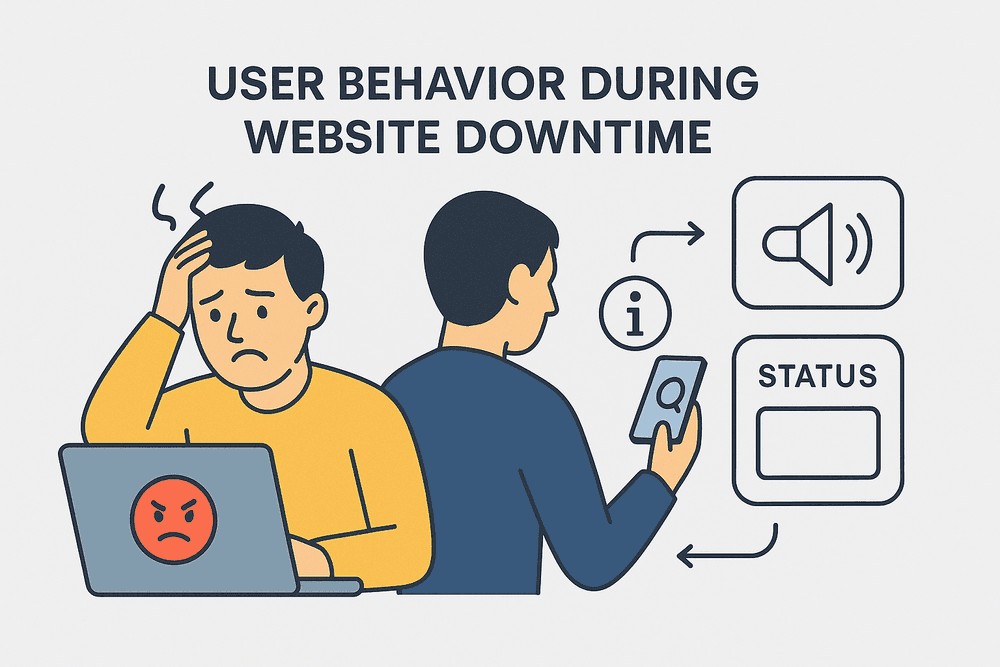
The Cloudflare 521 error is not merely a technical issue; it directly and indirectly impacts websites across multiple levels, particularly in terms of:user experiencerespond in singing SEO PerformanceUp.
| Impact Dimension | Specific manifestations | Potential consequences |
|---|---|---|
| user experience | The page is not accessible | User attrition, declining trust |
| bounce rate | significantly elevated | Decrease in conversion rate |
| Search Crawling | Failed to retrieve | Indexing Delay |
| Ranking Stability | Increased volatility | SEO performance decline |
5.1 Impact on User Experience
When a website encounters a 521 error, users will see an error message instead of the expected content upon accessing the page. This experience typically leads to the following consequences:
- The website appears "unstable" to users.
- Users are unable to complete browsing, inquiries, or placing orders.
- The bounce rate has increased significantly, while the average time spent on pages has decreased substantially.
- Users' trust in the website and brand has diminished.
For corporate websites, e-commerce platforms, or sites reliant on conversions, even a 521 error lasting just a few minutes can result in tangible losses of traffic and revenue.
5.2 Impact on SEO
From a search engine perspective, a Cloudflare 521 error means The page is inaccessible during crawling.If search engines fail to crawl multiple times, the following consequences may occur:
- Search engines reduce crawl frequency
- Delay in Indexing New Pages
- Rankings of indexed pages fluctuate, with decreased stability.
![Image[7] - Access is normal but shows a 521 error? Cloudflare isn't the culprit; the real culprit is it.](https://www.361sale.com/wp-content/uploads/2025/12/20251219155412387-image.png)
It should be noted that search engines typically do not immediately penalize a website for a brief 521 error, butIf errors occur frequently or persist for an extended period, they will be regarded as an indication of insufficient site stability.The
VI. How to Prevent Cloudflare 521 Errors from Recurring
The core approach to preventing Cloudflare 521 errors can be summed up in one sentence:
Ensure the origin server is always "willing and able" to accept connection requests from Cloudflare.
can be obtained from Operations and Maintenance Level respond in singing Architectural level Approach it from two directions.
6.1 Preventive Measures at the Operations Level
In daily operations and maintenance, it is recommended to focus on the following key points:
- Configure service monitoring and automatic restart mechanisms for Nginx/Apache
- Regularly inspect server firewalls and cloud security group rules
- Add Cloudflare's official IP ranges to the whitelist and keep them synchronized.
- Set connection limits and file descriptor caps appropriately to prevent resource exhaustion.
- Regularly review web service and system logs to detect anomalies early.
![Image[8] - Access is normal but reporting 521? Cloudflare isn't the culprit; the real culprit is it.](https://www.361sale.com/wp-content/uploads/2025/12/20251219155449454-image.png)
The objectives of these measures are:Even if an anomaly occurs, service can be restored in the shortest possible time to prevent triggering a 521 error.
6.2 Architecture-Level Optimization Recommendations
For websites with high traffic volumes or stringent stability requirements, relying solely on a single server is often insufficient. Consider the following architectural optimization approaches:
- Use load balancing to distribute traffic across multiple servers.
- Configure a backup origin server to automatically switch over when the primary origin server becomes unavailable.
- Implement redundant deployment for critical services to reduce the risk of single points of failure.
Through architectural optimizations, even if a single server experiences an issue, it will not directly cause Cloudflare to return a 521 error.
| level | Measures | corresponds English -ity, -ism, -ization |
|---|---|---|
| operation and maintenance (O&M) | Service Monitoring and Automatic Restart | Rapid Recovery of Web Services |
| operation and maintenance (O&M) | Cloudflare IP Whitelist | Avoid false positives |
| operation and maintenance (O&M) | Resource Usage Monitoring | Prevent Rejecting New Connections |
| build | load balancing | Distribute access pressure |
| build | Backup origin server | Avoid single points of failure |

Link to this article:https://www.361sale.com/en/83450The article is copyrighted and must be reproduced with attribution.

















![Emoji[wozuimei]-Photonflux.com | Professional WordPress repair service, worldwide, rapid response](https://www.361sale.com/wp-content/themes/zibll/img/smilies/wozuimei.gif)

![Emoticon[baoquan] - Photon Wave Network | Professional WordPress Repair Services, Worldwide Coverage, Rapid Response](https://www.361sale.com/wp-content/themes/zibll/img/smilies/baoquan.gif)


 简体中文
简体中文  English
  日本語
日本語  Français
  Español


No comments