


 early season



The guy was lazy and didn't write anything...



How to Embed Audio Files in Gutenberg and Elementor with EmbedPress Plugin
Learn how to embed audio files in your WordPress website using the EmbedPress plugin. Easily add an audio player through the Gutenberg or Elementor editor and customize playback options to enhance the user experience.

How to Easily Add New Stickers in Gutenberg with Essential Blocks Plugin
Easily add new sticker features in the Gutenberg editor to boost website interactivity with the Essential Blocks plugin. Learn how to configure content feeds, set up animations, and implement dynamic content displays to help keep your site up to date and users engaged.
How to Enhance Website Storytelling with Essential Blocks' Timeline Slider
Learn how to use the timeline slider of the Essential Blocks plugin in the Gutenberg editor to create an interactive timeline that enhances the visual appeal and user experience of your website. Easily display historical events, project progress, and other time with simple setup and customization...
How to customize the global style of Gutenberg blocks using Essential Blocks
Learn how to use the Essential Blocks plugin to set consistent custom styles for Gutenberg blocks in your WordPress site. By configuring global styles, you can easily apply a consistent design to all Essential Blocks blocks on pages and posts, improving your site...
How to Create Filterable Image Galleries in WordPress Websites with the Essential Blocks Plugin
Create feature-rich filtered image galleries in your WordPress website with the Essential Blocks plugin to enhance the user experience. This article details how to use Elementor to configure and customize filtered image galleries, including choosing a template, uploading images, setting filters...

How to Fix 500 Internal Server Error in WordPress: A Detailed Step-by-Step Guide
Solve 500 Internal Server Error in WordPress with detailed step-by-step instructions on how to fix .htaccess files, increase PHP memory limit, deactivate plugins, switch themes, and re-upload WordPress core files. With these methods, quickly restore your website to normal operation...
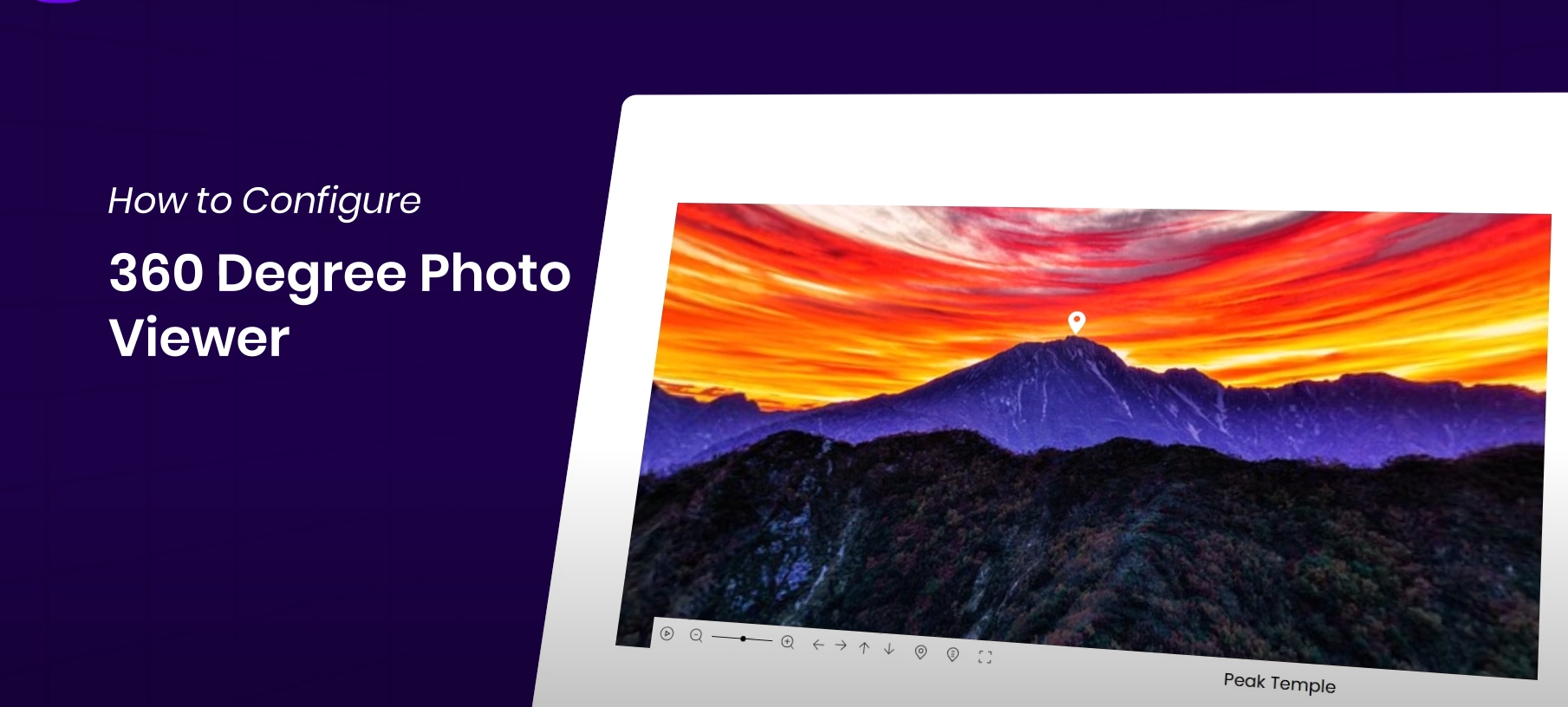
How to Display 360° Panoramic Images in Elementor Websites for Highly Interactive Images
Easily display 360° images on your WordPress website with the Essential Addons plugin and Elementor for an interactive, immersive user experience. This article details how to install and configure a 360° image viewer to help you enhance your website's visuals and...

How to Customize the Appearance of WooCommerce Product Images with Essential Addons (Elementor Free Plan)
Learn how to use Essential Addons plugin with Elementor Free Edition in this tutorial to customize the image display of WooCommerce product pages, including rotating, thumbnail arrangement and popup view functions, to enhance the visual effect and user experience of product pages, and to easily achieve...

How to Quickly Build a NFT Website Using Templately Templates on a WordPress Website
Quickly learn how to build an NFT website with zero code using the WordPress block editor and Templately templates with support for integrating the OpenSea API to showcase your on-chain collections.

How to set up WP Mail SMTP via SendGrid to solve the problem of emails being misdiagnosed as spam for delivery?
Solve WordPress email delivery problems by setting up WP Mail SMTP and SendGrid to ensure reliable delivery of emails. This article describes in detail how to improve email delivery rate and avoid spam problem by authenticating domain name and configuring SMTP.

Elementor Hello Biz Theme Major Update: A New Tool for Creating Effective Business Websites
Hello Biz is the official high-performance business theme from Elementor, featuring lightweight architecture, powerful layout presets, professional contact module and form submission support. In this post, we'll explain the latest features of Hello Biz to help you create a professional business website quickly.

WordPress Tutorial: Add a Personalized Mouse Pointer to Your Website with Nexter Blocks
Want to make your website stand out? Use the Nexter Blocks plugin to add custom mouse cursor effects to WordPress, such as dinosaur icons, circle follows, and more, for a creative and interactive experience without writing code.

2025 Elementor Mega Menu Plugin Recommendations: These Five Plugins Help You Easily Create Mega Menus
Want to create more powerful and beautiful navigation menus for your website? This post recommends 5 best Elementor Mega Menu plugins to help you easily create responsive, interactive and advanced dropdown menus for enterprise sites, e-commerce sites and content-based blogs.

Elementor tutorial: enhance the sense of advanced webpage!
This tutorial explains how to use Elementor to set up transparent headers for desktops, tablets and cell phones, so that the navigation bar floats gracefully on top of the full-screen background, enhancing the aesthetics and professionalism of the web page.
How to Quickly Build a Professional Contact Form with Avada Forms (Graphic Details)
Detailed instructions on how to use Avada Form Builder to create fully functional forms from scratch, including text fields, checkboxes, upload functionality, notification settings and appearance customization, to help you quickly build professional forms that match the style of your website.

Personalize WooCommerce Thank You Pages with Avada Themes to Enhance Customer Experience
Create personalized WooCommerce thank you pages with Avada layouts to enhance customer experience and increase brand awareness. This article explains how to design thank you pages and add key elements such as order information, customer details, and cross-selling to help boost conversions and user loyalty...
Avada Theme Tutorial: Designing Unique WooCommerce Product Detail Pages with Avada
Learn how to build personalized WooCommerce product pages using Avada layouts. With dynamic content integration, seamless integration with WooCommerce, and pre-built templates, it's easy to create e-commerce pages that fit your brand's needs. Ideal for large-scale product management and enhancing the use of...

How to Set Up Vertical Menus and Mobile Tab Menus in Flatsome: The Complete Guide
This article describes how to set up vertical menus and mobile tab menus in Flatsome theme to enhance the user experience of e-commerce websites, especially on mobile, to help better display and navigate products.

Elementor failed to load? Three quick fixes for "Enable Safe Mode" issues
Elementor editor failed to load how to do? This tutorial teaches you to enable safe mode, troubleshoot plugin conflicts and reinstall Elementor three ways to quickly solve the "Problems loading Elementor" prompt, to help you restore normal editing page functionality.

5 Best Free Elementor Themes Recommended: Easily Build High-Performance WordPress Websites
We recommend 5 free WordPress themes that are perfectly compatible with Elementor, including Astra, Hello Elementor, Neve, GeneratePress and Zakra, which are suitable for different scenarios of blogs, e-commerce, enterprise official websites and so on, and help you easily build high-performance, high-conversion rate web...

Avada Theme Tutorial: How to create a custom timeline on the homepage to introduce the brand story in depth based on the time dimension
Use Avada Builder to build a responsive timeline with zero code to show your company history, project progress and important points. Detailed steps and homepage layout optimization suggestions are included to help you improve your brand's professionalism and user dwell time.

How to Customize Shopping Cart Pages with Elementor's WooCommerce Cart Widget
Customize the structure and style of your WooCommerce shopping cart page with Elementor's Cart widget to achieve brand consistency, improve user experience and checkout conversion rates. In this article, we will take you from the layout settings to style beautification to fully master the shopping cart customization skills.

Enhancing Customer Interaction! How to Use the Chaty Plugin to Create a Highly Effective Communication Experience
Chaty plugin is a powerful WordPress chat tool that integrates with multiple social media and messaging apps such as WhatsApp, Telegram and Facebook Messenger to help you efficiently manage customer communication on your website. With customizable widgets, real-time data sub...

How to Add a Floating WhatsApp Chat Button to a WordPress Website (Free Version)
Learn how to quickly add a floating WhatsApp chat button to your WordPress website using the WP Chat App plugin. With simple installation and configuration, visitors can communicate with you in real-time via WhatsApp, increasing the efficiency of customer interaction and support. Suitable for all WordPre...

A Deeper Look at Elementor's Loop Grid: Why It's a Powerful Tool for Your Content Presentation
Elementor's Loop Grid is a powerful tool that allows users to flexibly display content such as articles, products, categories and more. With customizable layouts, dynamic content display, and powerful querying capabilities, Loop Grid provides an efficient and creative way to display content and enhance user experience...

Don't want to break the rules and don't want the hassle? Here's how to get rid of cookie reminders with Elementor popups.
Easily create GDPR and CCPA compliant Cookie Consent popups using Elementor Pro's popup builder. The tutorial includes detailed steps from template selection to trigger setup without writing any code.

How to use the OpenStreetMap element of Avada theme to create a more accurate and flexible map display
Learn how to use Avada's OpenStreetMap element in your WordPress website to easily add and customize multiple locations, icons and map styles. In this article, we will explain the operation steps and applicable scenarios in detail, which will help you improve the geographic presentation and user experience of your website.

How to Boost Trust and Interactivity on Your Website with Elementor Comment Widgets
Easily display user reviews with Elementor review widgets to increase social trust and boost website engagement. This article explains how to add, edit and customize the appearance of review widgets to help you display user reviews for e-commerce, restaurant, travel and other industries to boost website credibility...
How to fix Elementor plugin display issues? Clear the cache to make the site smoother!
Learn how to clear cache files of Elementor plugin to improve website loading speed and resolve display issues. This article details Elementor cache clearing steps and common browser (Chrome, Safari, Edge) cache cleaning methods to help you quickly optimize WordPre...

How to Use Elementor to Create a Custom Scoring System and Improve Website Interactivity
Learn how to use the Elementor Star Rating widget on your WordPress website. This article details how to set a rating range, choose a rating icon and style, and customize the style to help you add a rating system to your products, services, or content to enhance your website's inter...

 简体中文
简体中文  English
  日本語
日本語  Français
  Español



